
















GPT Image 2 Maker
What is GPT Image 2 Maker?
Ever stared at a blank canvas wishing you could just describe what you see in your head and have it appear? That's exactly what this platform delivers. No complicated software, no years of design training, just pure creative flow from thought to image. Whether you're a blogger hunting for the perfect featured graphic, a small business owner needing social media content, or just someone who loves playing with visual ideas, this tool makes the process feel almost magical. You type a few words, pick a style that speaks to you, and within seconds, you've got something worth sharing. It's the kind of tool that makes you wonder how you ever managed without it.
Key Features
What makes this platform stand out isn't just one thing, it's how everything works together smoothly. You get a bunch of features that cover everything from quick experiments to polished final pieces.
User Interface
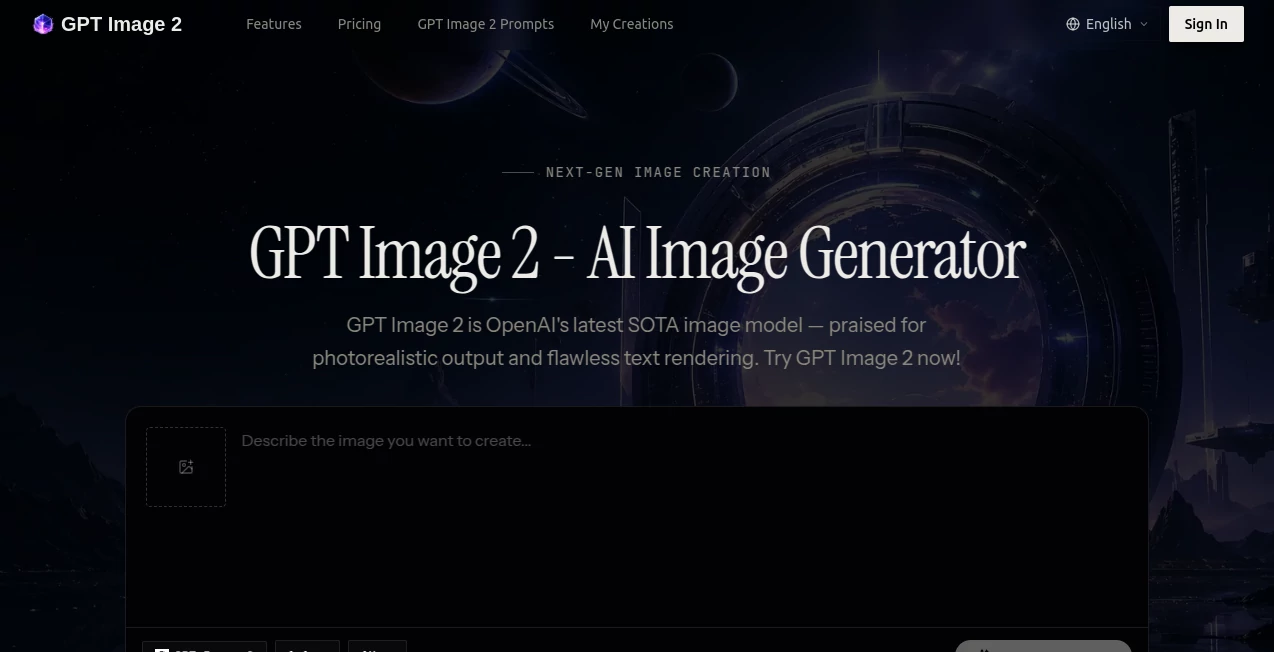
The moment you land on the page, you know exactly what to do. A clean prompt box sits right in front of you, asking what you want to create. No confusing menus, no hidden settings that require a tutorial to understand. Everything is laid out in a way that feels natural. You can adjust aspect ratios with a single click, switch between different artistic styles from a simple dropdown, and see your results instantly. It's built for humans who want to create, not for engineers who want to tinker.
Accuracy & Performance
Speed matters when you're in a creative flow. This generator typically returns four variations of your prompt in under ten seconds. That's fast enough to iterate, to experiment, to chase a weird idea down a rabbit hole without losing momentum. And the accuracy? It actually listens to what you write. Ask for an astronaut riding a horse on Mars, and that's what you'll get, red dust and all. The latest models behind the scenes have gotten remarkably good at understanding complex scenes, handling things like hands and facial expressions that used to trip up AI generators just a year ago.
Capabilities
You're not stuck with one way of doing things here. The platform supports multiple generation models, each with its own personality. Want something photorealistic that could pass for a stock photo? There's a model for that. Looking for something more artistic, something that feels like a painting or a comic book panel? Covered too. You can upload reference images to guide the style, tweak the aspect ratio for different platforms, and even use the "Inspiration" tab when you're feeling stuck and need a creative spark from what others have made.
Security & Privacy
Nobody wants their work-in-progress floating around where it shouldn't be. The platform takes privacy seriously, keeping your generated images private by default. You're not feeding your ideas into some public gallery unless you choose to share them. For anyone working on client projects or sensitive commercial material, that peace of mind matters. You can create freely without worrying about your concepts showing up somewhere unexpected.
Use Cases
Different people use this tool in completely different ways, and that's what makes it interesting. Social media managers generate weeks of content in an afternoon, crafting unique visuals for Instagram stories, Facebook posts, and Pinterest pins that actually stop the scroll. E-commerce sellers create product mockups and lifestyle images without expensive photoshoots. Teachers and educators whip up custom illustrations for their lesson plans that actually match what they're teaching, not just generic clipart. Bloggers and content creators never have to settle for boring stock photos again, they generate exactly what their article needs. And honestly? Some people just use it for fun, turning inside jokes into ridiculous images to share with friends.
Pros and Cons
Pros: Lightning-fast generation speed keeps your creative flow going. The interface is genuinely intuitive, you won't need to watch a tutorial. Multiple style options mean you're never locked into one aesthetic. Privacy protection keeps your work yours. The free tier gives you a real chance to test things out before spending anything. And the quality to price ratio is honestly impressive compared to some premium tools that charge three times as much for similar results.
Cons: The free plan has generation limits, so heavy users will want a paid subscription. Extremely complex prompts with lots of specific details can occasionally confuse the model, though that's true of every AI generator out there. Some advanced editing features you'd find in dedicated photo software aren't here, this is primarily a generator, not a full editing suite. And like all AI image tools, you'll want to double-check any text that appears in your images, it's much better than it used to be, but still not perfect.
Pricing Plans
Good news for anyone who wants to try before buying. There's a free tier that gives you a solid number of generations every day, enough to really test things out and see if the tool fits your workflow. When you're ready to go further, the paid plans start at a very reasonable monthly rate. Compared to some competitors charging twenty or thirty dollars a month for similar capabilities, this platform offers genuine value. The pricing stays straightforward, no confusing credit systems or hidden fees. You pay, you generate, you download. Simple.
How to Use This Tool
Getting started takes about thirty seconds. Head to the website, and you'll see a text box waiting for you. Type what you want to see, be as descriptive or as simple as you like. Something like "a cozy cat reading a book by a fireplace" works fine. Click generate, and within seconds, you'll have four options to look at. Like one? Download it. Want to tweak it? Adjust your prompt and try again. The more you play with it, the better you'll get at writing prompts that deliver exactly what you're picturing. Try adding style keywords like "cinematic lighting" or "watercolor painting" or "cyberpunk neon" to steer the results in specific directions. It's one of those tools where the best way to learn is just to start typing and seeing what happens.
Comparison with Similar Tools
You've probably heard of Midjourney and DALL-E and Adobe Firefly. They're great tools, don't get me wrong. But they each come with their own baggage. Midjourney requires Discord, which feels clunky if you're not already living there, and your images are public by default unless you pay extra. DALL-E through ChatGPT is solid, but it lacks editing tools when things go wrong. Adobe Firefly is commercially safe but tends to produce conservative, polished results that lack an edge.
This platform sits in a sweet spot. It's more accessible than Midjourney's Discord-based workflow, more generous than DALL-E's free tier, and more creative than Firefly's corporate-friendly outputs. The speed is competitive with anything out there, and the interface is genuinely easier than most. For someone who wants quality without jumping through hoops, it's a compelling choice.
Conclusion
Look, AI image generators are everywhere right now. Some are overhyped, some are underpowered, and some are just too complicated for regular people to use. This one hits the mark. It's fast, it's easy, and it produces genuinely good results whether you're a professional designer or someone who can barely draw a stick figure. The free tier means there's no risk in trying it out. Give it a shot with a few prompts, see what it makes, and chances are you'll find yourself coming back again and again. Sometimes the best tools are the ones that just work, no fuss, no drama, just creation.
Frequently Asked Questions (FAQ)
Is there a free version available? Yes, absolutely. You can start generating images right away without spending anything. The free tier includes a daily limit that's generous enough for casual use and testing.
Can I use these images commercially? Generally yes, but always check the current terms of service to be certain. Most AI image platforms allow commercial use of images you generate, though policies can change.
Do I need to give credit when I use these images? No, attribution isn't required for standard use. The images are yours to use as you see fit within the platform's guidelines.
What happens if I don't like the first results? Just tweak your prompt and try again. That's the beauty of AI generation, you can iterate endlessly. Add more detail, change the style, be more specific about lighting or mood until it clicks.
How good is the text rendering? Much better than it used to be, but still not perfect. For short words or simple phrases, you'll get good results. For longer text or very specific typography, you might need a few tries or some manual touch-up afterward.
Can I upload my own images as a starting point? The platform supports reference images, letting you guide the style or composition based on something you already have. It's a great way to maintain consistency across a series of images.