Image3D
What is Image3D?
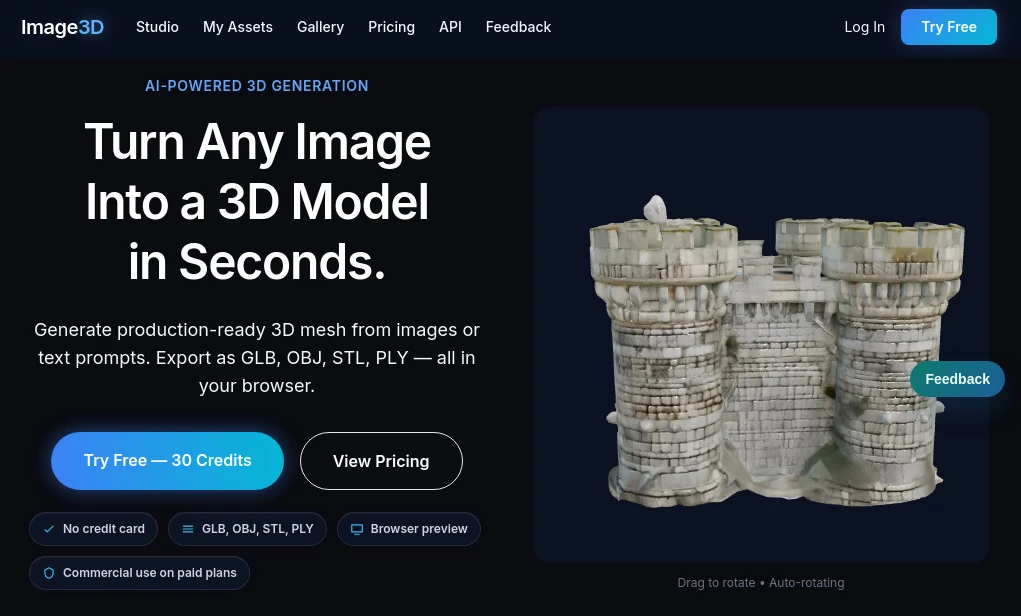
There’s a special kind of excitement when you take an ordinary photo — maybe a quick snap of your favorite mug, a product prototype, or even a childhood toy — and suddenly see it spinning in full 3D on your screen. That’s the simple joy this tool delivers. You upload an image, wait a moment, and get a usable 3D model you can rotate, inspect, print, or drop into a game. No complex modeling software, no expensive hardware, no steep learning curve. Just your photo and a remarkably good result. I’ve watched hobbyists light up when their rough sketch becomes something they can hold in their hands, and product designers smile when a smartphone photo turns into a clean asset ready for client review.
Introduction
Creating 3D models has always been one of those skills that feels gated behind time, software, and patience. This platform quietly removes those gates. Using smart AI that understands shape, depth, and surface detail, it transforms flat images into proper 3D geometry you can actually work with. It’s become a favorite for people who need fast 3D without the usual headache — indie game devs prototyping assets, jewelers showing pieces in 3D, educators bringing artifacts to life, or makers turning ideas into printable objects. The best part? It respects your original photo instead of inventing weird details, so the result feels true to what you captured.
Key Features
User Interface
The experience is refreshingly straightforward. Big, friendly upload area in the center, a few clear options for resolution and style, and a prominent generate button. Once processing starts, a clean preview window lets you rotate the model in real time while it’s still baking. No buried menus, no overwhelming dashboards — just a calm flow that gets you from photo to 3D model without distraction. Even first-time users finish their initial model feeling confident rather than confused.
Accuracy & Performance
It reads depth and contours intelligently, preserving proportions and surface details that matter. A photo of a shoe keeps its unique sole pattern. A scanned figurine retains the artist’s hand-carved feel. Processing is surprisingly quick for the quality delivered, and the models come out clean enough for direct use in most engines or slicers. The consistency across different photo types — from well-lit product shots to casual phone snaps — is one of its strongest points.
Capabilities
Single-image to 3D conversion, support for common export formats (GLB, OBJ, STL), adjustable detail levels, background removal, and basic lighting controls in the preview. You can generate both watertight models for printing and optimized ones for web or games. It handles organic shapes, hard surfaces, and even somewhat complex objects with impressive reliability. The outputs integrate smoothly into Blender, Unity, Unreal, and popular 3D printing software.
Security & Privacy
Your uploaded photos are processed securely and not stored permanently unless you choose to save the resulting model. No unnecessary data collection, no sharing with third parties. For creators working on client projects or personal designs, that respectful approach means you can experiment freely without worry.
Use Cases
A jewelry designer photographs a new ring and instantly gets a 3D model she can send to manufacturers or show clients in augmented reality. A game developer snaps reference photos of real-world objects and turns them into low-poly assets for his next level. A teacher uploads historical artifacts from museum visits and creates interactive 3D models for remote students. A hobbyist 3D prints custom phone stands based on photos of favorite characters. Wherever you need depth from a flat image, this tool makes the jump feel natural.
Pros and Cons
Pros:
- Remarkably fast turnaround — idea to usable 3D model in under a minute in many cases.
- Results feel true to the source photo rather than overly stylized or generic.
- Clean exports that work straight away in major 3D tools and slicers.
- Simple enough for beginners, powerful enough for practical production use.
Cons:
- Best results come from clear, well-lit photos with decent angles.
- Very complex or occluded subjects may need multiple input photos for perfect accuracy.
- Advanced editing features are limited (it focuses on generation, not full sculpting).
Pricing Plans
It keeps the door open with a generous free tier that lets you test the quality on several images without pressure. Paid plans unlock higher resolutions, more generations per month, faster processing, and commercial usage rights. The pricing feels fair — many users say it pays for itself after converting just one important project that would have taken hours the traditional way.
How to Use Image3D
Take a clear photo of your object against a relatively simple background. Drag it into the upload area or click to select. Choose your preferred output resolution and style if options are available. Hit generate and watch the preview window come alive with a rotatable 3D model. Rotate and inspect from every angle. Happy with the result? Download in your preferred format (GLB for web/engines, STL for printing). Tweak your input photo and try again if needed — the whole process encourages quick experimentation.
Comparison with Similar Tools
Many 3D conversion tools either require multiple photos from different angles or produce low-quality, blocky results. This one stands out by delivering usable models from single images with better surface detail and fewer artifacts. It’s lighter and faster than heavy desktop software while giving cleaner outputs than most mobile or basic web alternatives. For creators who want speed without sacrificing too much quality, it hits a sweet spot that’s hard to beat.
Conclusion
Turning ideas into 3D used to be a slow, technical process. This tool makes that step feel almost magical — simple enough for anyone to try, good enough for real work. Whether you’re prototyping products, creating game assets, preserving memories in 3D, or just exploring creativity, it opens doors that used to stay closed. The best part is how it keeps the focus on your vision instead of the technology. Upload a photo, get a model, and keep creating. That kind of flow is rare and genuinely valuable.
Frequently Asked Questions (FAQ)
What kind of photos work best?
Clear, well-lit images with the subject clearly separated from the background tend to give the strongest results.
Can I use the models commercially?
Yes — paid plans include full commercial rights for the generated 3D models.
Do I need multiple photos?
Usually not. Single clear images often produce very good models, though multiple angles help with complex shapes.
What file formats can I export?
Common formats like GLB, OBJ, and STL are supported, making it easy to use in most tools and printers.
How long does generation take?
Most models are ready in 10–40 seconds, depending on complexity and current load.
AI 3D Model Generator , Photo & Image Editor , AI Image to 3D Model , AI Design Generator .
These classifications represent its core capabilities and areas of application. For related tools, explore the linked categories above.

Image3D Alternatives Product

Pixelied

GPT Image 2

AI Image Enh…

Luma AI

ImageToSTL

Qwen Image

ShinePhoto

Uni-1
AI Consisten…