

















Image Text Editor
What is Image Text Editor?
Image Text Editor is a focused online solution for changing words that are already embedded in finished images. Instead of rebuilding a poster, banner, product graphic, screenshot, or social media design from scratch, users can upload a JPG, PNG, or WebP, select the text they want to replace, enter new wording, and generate an updated version.
The idea is refreshingly practical. A design may already look perfect, but one date, headline, product claim, or interface label can make it outdated. When the original editable design file is unavailable, making that small correction can otherwise become a surprisingly time-consuming job. This editor is designed specifically for that situation.
The workflow also encourages users to review the result before publishing. That matters because text replacement can involve typography, spacing, backgrounds, shadows, and surrounding visual details. The service itself recommends checking spelling and nearby elements rather than assuming every generated result is ready without inspection.
Key Features
- Upload JPG, PNG, and WebP images.
- Detect visible text inside a finished image.
- Select a specific text block instead of changing the entire image.
- Replace existing wording without needing the original layered design file.
- Use the existing lettering and surrounding design as visual references.
- Compare the original and edited versions before downloading.
- Download a finished PNG without managing separate design layers.
- Reopen supported saved edits from account history for up to 7 days.
- Free sample demo available without signing in.
- One-time paid edit packs with no automatic renewal.
User Interface
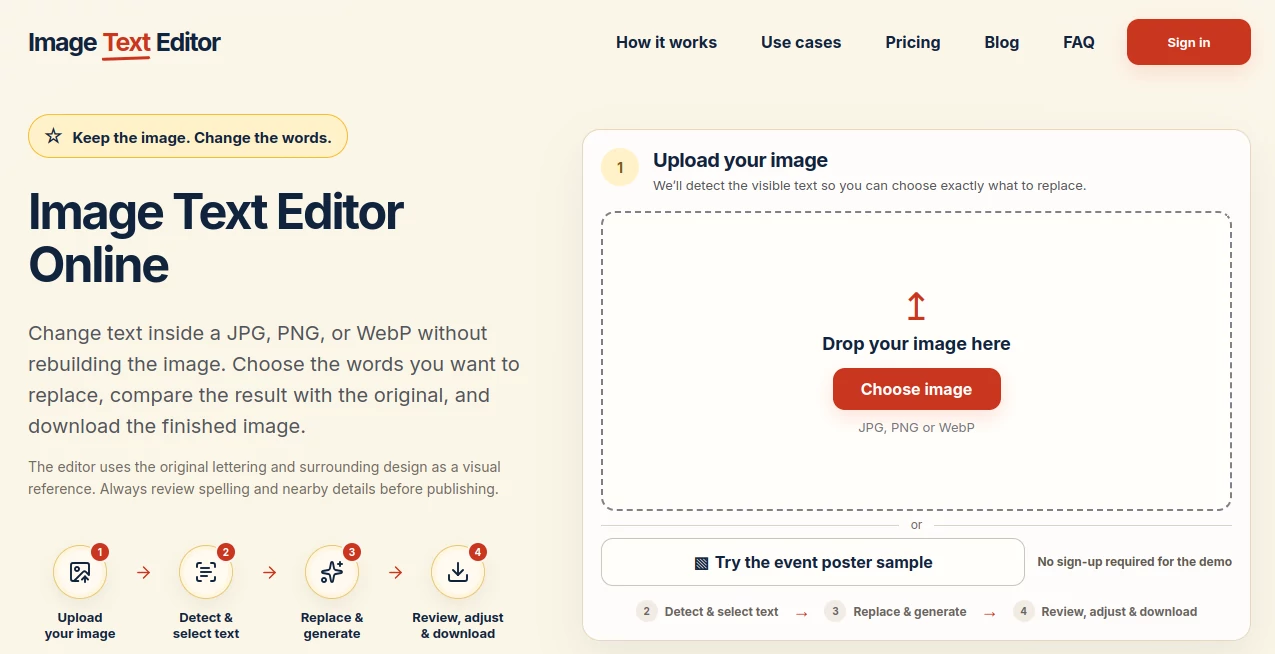
The interface is built around a simple four-step workflow: upload the image, detect and select text, replace and generate, then review and download. There is no crowded canvas or complicated layers panel competing for attention.
That simplicity is particularly useful for someone who only needs to fix one piece of wording. After uploading an image, the editor identifies visible text so the user can choose the specific block that needs attention. This makes the process feel closer to correcting a document than rebuilding a graphic.
A sample event poster is also available for trying the workflow without creating an account, which gives new users a quick way to understand how the process works before committing to an upload.
Accuracy & Performance
The strongest results come from clear source images. Sharp lettering, visible edges, and enough surrounding background give the system better visual information when reconstructing the selected area.
The editor uses the original lettering and surrounding design as a reference, aiming to keep the replacement visually consistent with the existing image. Similar-length replacement text can also help maintain the original composition, while substantially longer wording may affect line breaks, scale, or spacing.
It is worth keeping expectations realistic. AI-generated replacements can occasionally contain spelling mistakes, leave traces of the old lettering, or affect small nearby details. The built-in before-and-after review is therefore an important part of the workflow rather than just an optional extra.
Capabilities
The service is particularly well suited to finished visual assets where only a small piece of text needs to change. Supported examples include posters and flyers, social graphics, screenshots, UI mockups, marketing banners, product photos, labels, and ecommerce graphics.
Current generation supports Latin-script text with up to 12 non-empty lines. Strongly curved text is not currently supported for replacement generation, and while text detection may identify other scripts, the current generation system cannot produce replacements for them.
Another useful detail is that the workflow does not require a layered source file. A flattened JPG or PNG can be enough, provided the text and surrounding visual information are reasonably clear.
Security & Privacy
The service is designed around temporary handling of uploaded images rather than maintaining a permanent upload library. Original uploads are temporarily stored for up to 24 hours. Completed edited results can remain privately available in account history for up to 7 days after saving, unless they are deleted earlier or account-data deletion is requested.
Users should still follow a sensible rule when working with any online image editor: only upload images they own or have permission to edit. The service explicitly recommends this for posters, screenshots, product photos, marketing materials, and other finished graphics.
Sign-in is handled through Google for account features, while the sample demonstration can be used without signing in.
Use Cases
One of the clearest strengths of this approach is how many everyday situations involve a single outdated line of text.
- Posters and flyers: Correct an event date, workshop title, location, or headline without recreating the entire design.
- Social media graphics: Update an offer, campaign message, launch line, or caption after the original graphic has already been exported.
- Screenshots and UI mockups: Replace outdated dashboard labels, interface wording, or annotations when preparing documentation or presentations.
- Product images: Update a feature callout, seasonal message, or product-related wording in an existing graphic.
- Ecommerce marketing: Refresh marketplace images, promotional banners, and catalog graphics when only a small text element has changed.
- Event materials: Fix dates, titles, or other details shortly before publication without starting the visual design again.
Pros and Cons
Pros
- Purpose-built for replacing text in finished images.
- Does not require the original Photoshop, Canva, or layered design file.
- Supports JPG, PNG, and WebP uploads.
- Simple workflow with text detection and selection.
- Before-and-after comparison helps catch mistakes before export.
- Free demo available without sign-up.
- Paid packs are one-time purchases rather than subscriptions.
- Unused paid edits do not expire while the account and service remain available.
Cons
- It is a specialized editor rather than a full graphic-design application.
- Results still need human proofreading and visual inspection.
- Strongly curved text is not currently supported for generation.
- Current replacement generation is limited to Latin-script text.
- Longer replacement wording may change spacing or line breaks.
- It is not intended for broad layout reconstruction or complex multi-element design work.
Pricing Plans
The pricing model is straightforward and based on completed text edits rather than a recurring subscription.
- Free – $0: Eligible new accounts receive 1 completed text edit for their own image after sign-in. A sample demo is also available without sign-in.
- Lite – $4.99: 10 completed text edits, equivalent to $0.50 per edit.
- Starter – $9.99: 30 completed text edits, equivalent to about $0.33 per edit. This is marked as the most popular option.
- Pro – $19.99: 70 completed text edits, equivalent to about $0.29 per edit, making it the better-value option for larger queues.
There is no automatic renewal. Paid edits are sold as one-time packs and do not expire while the account and service remain available.
How to Use the Editor
- Upload a clear JPG, PNG, or WebP image.
- Allow the system to detect the visible text in the image.
- Select the specific headline, label, sentence, or text block that needs to change.
- Enter the replacement wording.
- Generate the edited image.
- Compare the new version with the original.
- Check spelling, alignment, typography, colors, shadows, and nearby objects.
- Download the reviewed PNG when the result is ready.
For the best experience, start with the highest-resolution version available. Avoid heavily compressed images where letter edges are blurred, and keep replacement wording reasonably close in length to the original when possible.
Comparison with Similar Tools
Traditional applications such as Photoshop and Canva are better choices when the task involves designing an entire composition, moving multiple elements, managing layers, or creating a reusable visual template. They offer much broader creative control.
This editor takes a different approach. Its value comes from narrowing the job down to one common problem: an image is already finished, but some embedded words need to change. For that particular task, a dedicated workflow can be considerably more convenient than opening a full design application and attempting to recreate the original lettering, background, spacing, and visual treatment manually.
It is therefore best viewed as a complementary tool rather than a replacement for comprehensive graphic-design software. If the requirement is simply to update the words while preserving the existing visual character, its focused workflow makes a strong case for itself.
Conclusion
Changing one sentence inside a finished graphic should not always require rebuilding the entire design. This service addresses that small but surprisingly common problem with a workflow that stays focused from upload to export.
Its strongest advantage is the combination of text detection, targeted replacement, visual referencing, and before-and-after review. The result is especially useful for posters, screenshots, social graphics, product images, and marketing materials where the design is already approved and only the wording has become outdated.
There are sensible limitations, particularly around Latin-script generation, curved typography, and the need to review AI-generated results carefully. Still, for users who regularly encounter the “everything is perfect except for this one line” problem, the focused approach can save a considerable amount of repetitive design work.
Frequently Asked Questions (FAQ)
Can I edit text already embedded in a JPG or PNG?
Yes. You can upload a JPG, PNG, or WebP, select detected text, enter replacement wording, and generate an updated image without needing the original layered design file.
Is there a free option?
Yes. The sample demo can be tried without signing in, and eligible new accounts receive one completed text edit for their own image after signing in.
Does the replacement text preserve the original design?
The system uses the existing lettering and surrounding visual design as references. It aims to keep the replacement consistent with the original font style, color, and placement, although every generated result should be reviewed before publishing.
Which image formats are supported?
JPG, PNG, and WebP images are supported. Using the clearest and largest practical version of an image can improve the quality of text detection and replacement.
Which languages are supported?
Current text generation supports Latin-script text with up to 12 non-empty lines. Other scripts may be detected, but their replacement generation is not currently supported.
Can I edit multiple words in the same image?
Detected text is presented as separate choices, allowing users to select the text block they want to replace. For multiple unrelated areas, working on one block at a time helps keep the edits focused.
Do paid edits expire?
No. Paid completed text edits do not expire while the service and your account remain available. They are one-time edit packs rather than subscriptions.
Is this a replacement for Photoshop or Canva?
No. Full design applications remain more suitable for rebuilding layouts, managing layers, creating reusable components, and making broad visual changes. This service is designed for the much narrower task of replacing existing text in a finished image.
What should I check before publishing an edited image?
Compare the original and edited versions at full size. Check every character for spelling, then inspect typography, spacing, colors, alignment, shadows, backgrounds, logos, and nearby objects for unintended changes.
What happens to uploaded images?
Original uploads are temporarily stored for up to 24 hours rather than being maintained as a permanent upload library. Completed edited results can remain privately available in account history for up to 7 days after saving.