

















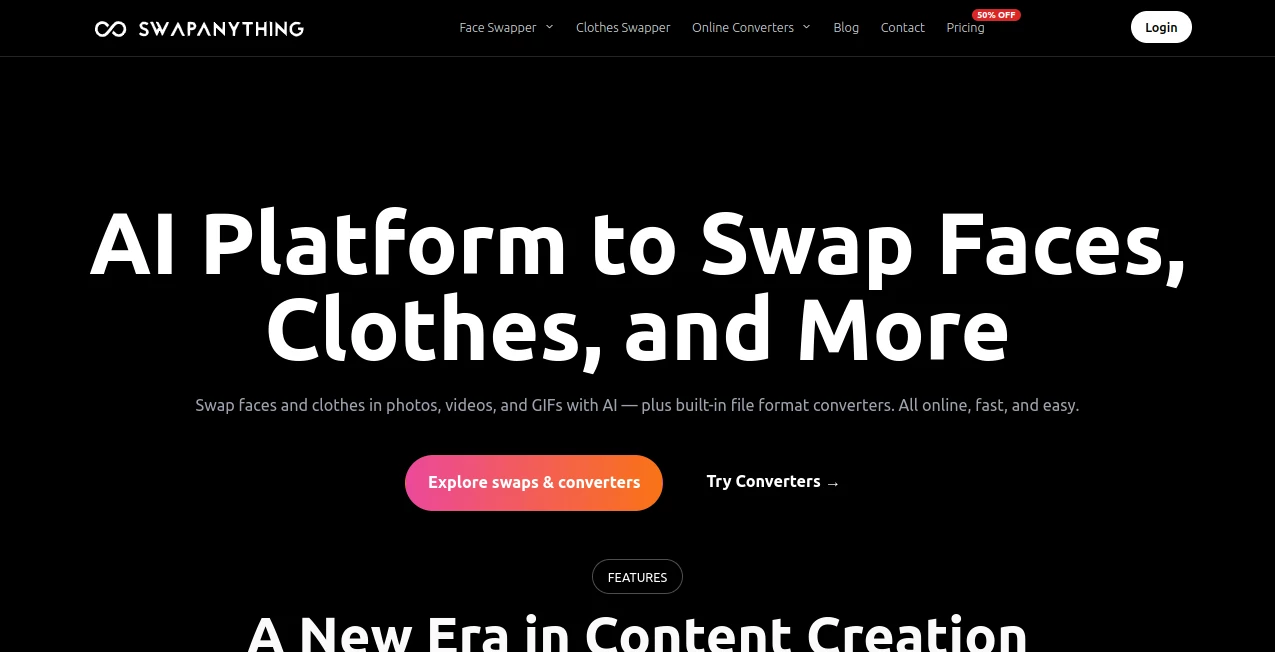
What is SwapAnything?
I still remember uploading an old vacation photo and thinking how fun it would be to see myself in a completely different outfit or swap faces with a friend for a laugh. A few seconds later, the result looked shockingly natural. That’s the kind of quick joy this tool delivers. It turns what used to be complicated editing work into something almost effortless, whether you’re swapping faces in videos, changing clothes in photos, or just having fun with GIFs. The quality often surprises people because it feels less like AI and more like a skilled editor who understood exactly what you wanted.
Introduction
Creative editing used to mean hours in Photoshop or expensive software. This platform changes that by making powerful swaps accessible to anyone. You can replace faces in photos, videos, and GIFs, try on new outfits instantly, or convert files between common formats — all online without installing anything. It’s become popular with content creators who need quick visuals, friends making funny memes, and even small businesses testing product looks. The best part is how natural the results look when you use decent input images. It respects your time while delivering results that feel polished and fun.
Key Features
User Interface
The design stays out of your way. Big, clear upload areas for your base media and the target (face or outfit), simple step-by-step guidance, and fast previews so you can adjust before committing. No cluttered menus or technical jargon. Whether you’re on a phone or desktop, it feels intuitive from the first click. I’ve seen non-technical friends use it successfully on their first try, which says a lot about how approachable it is.
Accuracy & Performance
The AI handles complex swaps remarkably well — faces stay consistent in lighting and angle, clothes blend naturally without weird seams, and motion in videos stays smooth. Results come back quickly, often in seconds for photos and a bit longer for videos. Quality depends on your input (clear lighting and good angles work best), but when conditions are decent, the output looks surprisingly realistic and share-ready.
Capabilities
You get strong face swapping for images, videos, and GIFs, plus a dedicated clothes swap tool that lets you try different outfits on your photos. Built-in converters handle common file formats (PDF to JPG, HEIC to JPG, WebP conversions, etc.) right in the browser for many tools. It’s a versatile little creative station that covers both fun experiments and practical editing needs in one place.
Security & Privacy
Your uploads are processed to generate the result and then removed. The platform encourages responsible use and avoids storing sensitive content longer than necessary. For casual fun or light creative work, it feels safe and low-risk, especially since many conversions run locally in the browser.
Use Cases
A content creator swaps outfits on product photos to show multiple looks without new photoshoots. Friends make hilarious face-swap videos for group chats that get shared everywhere. A small business tests how their clothes look on different models quickly. Someone converts old HEIC photos from their phone to JPG for easier sharing. The possibilities range from pure entertainment to practical workflow improvements, and it handles all of them with surprising ease.
Pros and Cons
Pros:
- Fast, high-quality face and clothes swaps that look natural.
- Works with photos, videos, and GIFs in one platform.
- Convenient file converters save extra steps.
- No heavy software or steep learning curve.
- Great for both fun personal projects and light professional use.
Cons:
- Best results need clear, well-lit source images.
- Video processing takes longer than static photos.
- Heavy daily use benefits from a paid plan for more credits.
Pricing Plans
You can start for free with a daily allowance that’s enough for casual experiments and testing. Paid subscriptions add more credits, remove watermarks, unlock priority processing, and give higher limits for videos and frequent use. The pricing feels reasonable for the creative freedom and time it saves, especially if you find yourself using it regularly for content or fun projects.
How to Use SwapAnything
Go to the relevant tool (face swap, clothes swap, or converter). Upload your main image or video, then add the face or outfit you want to apply. Adjust any simple settings if available, then generate. Check the preview, regenerate with tweaks if needed, and download the result. For converters, upload the file, choose the output format, and convert directly in the browser for many types. The whole process stays quick and straightforward from start to finish.
Comparison with Similar Tools
Many face swap tools produce obvious artifacts or struggle with video. This one stands out with better consistency across faces, clothes, and motion, plus the added convenience of file converters in the same place. It’s less gimmicky and more practical than pure entertainment-focused apps, while staying easier to use than professional editing suites. The combination of quality and simplicity gives it a real edge for everyday creative needs.
Conclusion
Creative editing should be fun and fast, not frustrating. This platform delivers exactly that — powerful swaps and handy conversions without the usual complications. Whether you’re making content for fun, testing ideas quickly, or just playing around with photos, it gives you results you’re happy to share. In a world full of complicated tools, its straightforward approach and solid quality make it a favorite for many.
Frequently Asked Questions (FAQ)
How good is the quality on videos?
Very decent for short clips, especially with clear faces and good lighting. Longer or complex videos work best with higher plans.
Do I need to create an account?
You can try basic features without one, but an account unlocks more credits and history.
Are the swaps realistic?
Yes, especially with good source images. The AI handles skin tones, lighting, and angles impressively well.
Can I use it for commercial projects?
Check the terms for your plan, but many users do light commercial work successfully.
What file formats can I convert?
Common ones like HEIC to JPG, WebP to PNG, PDF to JPG, and more — many run locally in the browser.