

















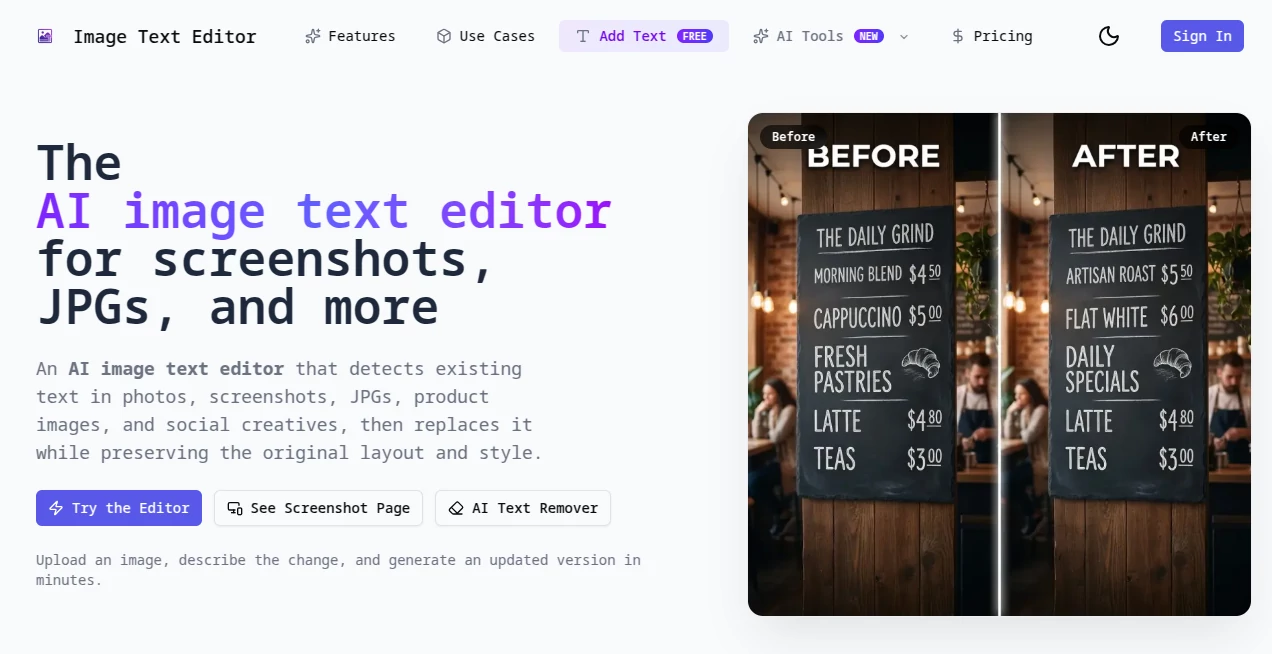
What is Image Text Editor?
Have you ever taken a perfect photo only to realize later there’s an ugly sign, wrong date, or misspelled name ruining it? Or maybe you need to update text on a flyer, product label, or old poster but don’t want to start from scratch. This tool handles exactly those frustrating moments with surprising grace. You upload the image, highlight the text you want to change, type something new (or remove it entirely), and the AI fills in the background so naturally that most people can’t tell it was ever edited. I’ve used it to fix client mockups, clean up family photos, and update marketing materials in minutes instead of hours.
Introduction
Editing text inside photos has always been painful — Photoshop masks, clone stamping, and hours of careful work. This platform makes it feel almost effortless. It understands lighting, perspective, texture, and font style, then intelligently removes or replaces text while keeping the image looking completely natural. Whether you’re a designer fixing client feedback, a small business owner updating price tags, or someone restoring old family albums, it turns a tedious chore into a quick, satisfying task. The results often look so good that people assume you re-shot the photo entirely.
Key Features
User Interface
The interface is refreshingly clean and intuitive. Upload your image, brush over the text you want to edit, type your new text (or choose to remove it), and hit apply. You get real-time previews so you can adjust font style, color, and placement before committing. No complex layers or technical jargon — just point, type, and done. Even first-time users usually get great results within their first couple of tries.
Accuracy & Performance
What impresses most is how well it matches the original lighting, shadows, and background texture. The AI rarely leaves obvious artifacts or color mismatches, even on tricky surfaces like glossy signs, fabric, or stone. Processing is fast — most edits finish in seconds — and the quality holds up even on lower-resolution images. It’s one of those tools where the “before and after” genuinely surprises people.
Capabilities
You can remove text completely and let the AI reconstruct the background, replace text with new wording while matching the original font style and perspective, or add fresh text that blends seamlessly. It handles multiple text areas in one image, works with different languages, and preserves fine details like reflections or subtle shadows. The results are ready for social media, print, or professional use right away.
Security & Privacy
Your images are processed securely and not stored after you download the final result. No forced accounts for basic use, and no training on user uploads. For designers handling client work or people editing personal photos, that respectful approach to privacy is a big plus.
Use Cases
A café owner quickly updates menu prices on existing photos instead of reshooting everything. A real estate agent removes “SOLD” stickers from listing images to reuse them. A wedding photographer fixes small typos on signage in album photos. A marketer localizes product images for different countries by swapping text while keeping the original aesthetic. The common theme is saving time and money while keeping visual quality high.
Pros and Cons
Pros:
- Extremely natural-looking results that fool most people.
- Fast workflow from upload to finished image.
- Works well on complex backgrounds and different materials.
- No steep learning curve — usable by beginners and pros alike.
Cons:
- Very artistic or heavily stylized fonts can be challenging.
- Extremely low-resolution or heavily compressed images may need extra care.
- Advanced batch processing is limited on the free plan.
Pricing Plans
You can start completely free with a generous daily limit — enough to fix several important images per day. Paid plans remove limits, unlock higher resolution processing, batch uploads, and priority speed. The pricing feels fair for how much time and frustration it saves, especially for small businesses and freelancers who regularly need clean product or marketing visuals.
How to Use ImageTextEditor
Upload your photo, use the brush tool to select any text you want to change, type the new text or choose to remove it entirely, adjust style and placement if needed, and download the result. For multiple changes in one image, you can make several selections before generating. The whole process usually takes under a minute once you get the hang of it.
Comparison with Similar Tools
Many photo editors require manual masking and cloning that takes skill and time. Others use basic AI that leaves obvious halos or color mismatches. This tool sits comfortably in the middle: powerful AI that delivers natural results with a workflow simple enough for everyday use. It’s often faster and cleaner than both traditional editing software and other AI alternatives.
Conclusion
Small text issues shouldn’t ruin good photos or slow down your workflow. This tool removes that frustration and replaces it with speed, quality, and confidence. Whether you’re fixing old memories, updating marketing materials, or perfecting client work, it consistently delivers results that look professional and natural. In a world where visuals matter more than ever, being able to edit text cleanly and quickly is a genuine advantage.
Frequently Asked Questions (FAQ)
How accurate is the background reconstruction?
Very accurate on most surfaces — it pays attention to lighting, texture, and perspective.
Can I edit multiple text areas at once?
Yes, you can select and edit several sections before generating the final image.
Does it work with non-English text?
Yes, it handles many languages well for both removal and replacement.
Is an account required?
No — you can use the basic features without signing up.
What kind of images work best?
Clear, decent-resolution photos give the best results, but it performs surprisingly well even on older or lower-quality shots.