

















BulkPicTools
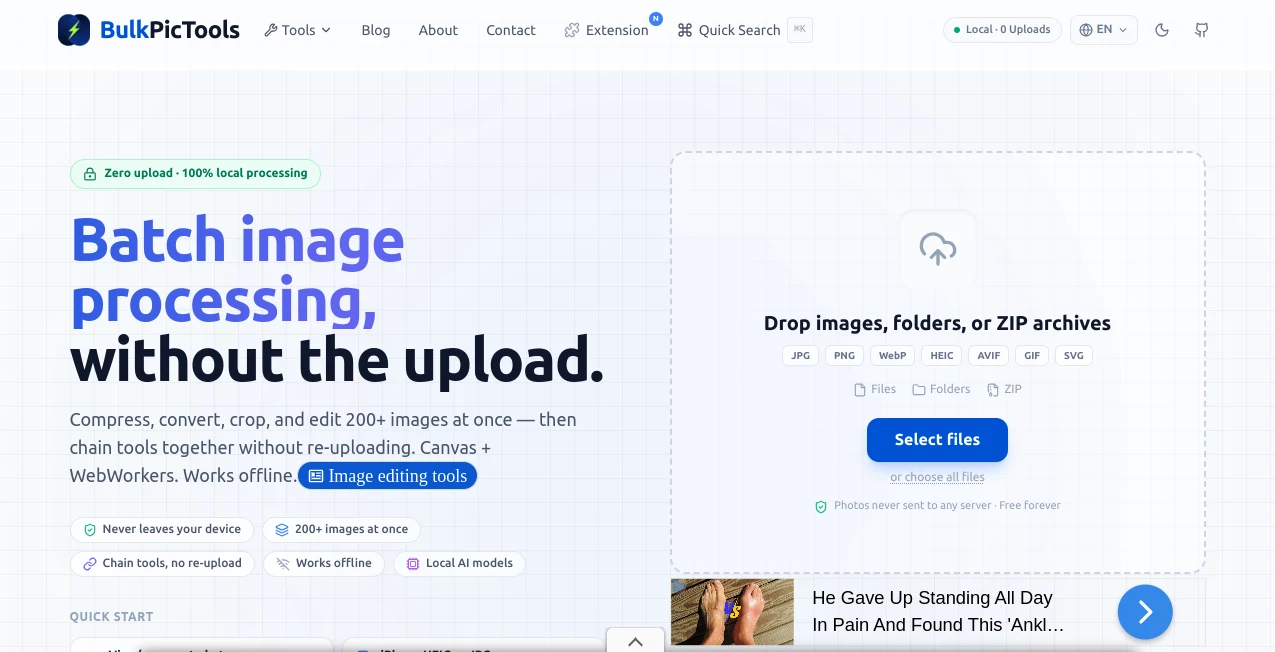
What is BulkPicTools?
Managing hundreds of images can quickly become a frustrating task, especially when every file needs to be resized, compressed, converted, or cropped before publishing. This tool was created to remove that frustration by allowing users to process large collections of images in one place without relying on cloud services or lengthy uploads.
Instead of sending files to a remote server, every operation happens directly inside the browser. That approach makes the workflow remarkably fast while also keeping sensitive images completely private. Whether you're preparing product photos for an online store, optimizing blog images, organizing photography projects, or handling marketing assets, everything stays on your own device throughout the entire process.
The platform supports processing more than 200 images at once, making it an excellent solution for creators who regularly work with large image collections. It combines speed, simplicity, and privacy into a workflow that feels effortless even for first-time users.
Key Features
User Interface
The interface is intentionally minimal and easy to understand. Images can be added in bulk, and common editing operations are available without overwhelming menus or complicated settings. The layout allows users to move from importing files to downloading finished images in just a few steps, reducing the time spent learning the software.
Accuracy & Performance
Processing images locally offers two major advantages: speed and consistency. Since files never travel across the internet, there are no upload delays, making large batches much faster to handle. Image conversions, compression, resizing, and cropping are completed efficiently while maintaining reliable output quality suitable for web publishing, presentations, documentation, and digital content.
Capabilities
The platform brings together several practical image utilities into one workspace. Users can compress images to reduce file size, convert between supported formats, crop multiple files simultaneously, and perform batch processing on more than 200 images during a single session. These capabilities eliminate repetitive manual editing and significantly improve productivity.
The browser-based workflow also means there is nothing to install. As long as a modern browser is available, image processing can begin immediately from virtually any operating system.
Security & Privacy
Privacy is one of the strongest aspects of this platform. Since all processing takes place locally inside the browser, uploaded images never leave the user's computer. This makes it especially valuable for businesses, photographers, designers, and organizations working with confidential or unpublished visual content.
Use Cases
Content creators can optimize images before publishing articles or social media posts. Online stores can prepare hundreds of product photos without spending hours editing files individually. Graphic designers can quickly convert image formats for different client requirements. Marketing teams can compress visual assets before launching campaigns, while photographers can resize entire albums for online delivery. Students, educators, and developers can also benefit from fast local image processing without installing desktop software.
Pros and Cons
Pros
Processes over 200 images in a single batch.
No file uploads required, improving both speed and privacy.
Runs entirely in the browser without software installation.
Simple interface suitable for beginners and professionals.
Supports common image editing tasks such as compression, conversion, and cropping.
Cons
Focused specifically on image utilities rather than advanced photo editing.
Performance may depend on the processing power available on the user's device when handling extremely large image collections.
Pricing Plans
The platform offers its image processing tools free of charge, allowing users to compress, convert, and crop large batches of images without paying subscription fees.
How to Use BulkPicTools
Open the website using a modern browser and choose the desired image processing tool. Select or drag multiple images into the workspace, configure the preferred settings, and start processing. Once the operation finishes, download the completed files directly to your device. Since everything happens locally, there is no waiting for uploads or server-side processing.
Comparison with Similar Tools
Many online image editors require users to upload files before processing begins. That extra step often increases waiting time and raises privacy concerns, particularly for sensitive content. In contrast, this platform performs every operation locally, providing a faster workflow while ensuring images remain on the user's own computer.
Unlike traditional desktop software that requires installation and updates, the browser-based approach makes it accessible from different devices whenever needed. It also focuses on batch efficiency, making it particularly useful for users who regularly process hundreds of images rather than editing one file at a time.
Conclusion
For anyone looking to simplify large-scale image processing, this solution offers an impressive balance of speed, privacy, and convenience. Local processing removes the need for uploads, while batch support dramatically reduces repetitive work. The clean interface, practical feature set, and free accessibility make it an attractive option for creators, businesses, marketers, developers, photographers, and everyday users who need reliable image utilities without unnecessary complexity.
Frequently Asked Questions (FAQ)
Does image processing happen online?
No. All processing takes place locally inside the browser, so images remain on your device.
Can I process hundreds of images at once?
Yes. The platform is designed to handle batches of more than 200 images.
Do I need to install software?
No. Everything works directly from a supported web browser.
Is the service free?
Yes. The available bulk image processing tools are offered free of charge.
Who is this platform best suited for?
It is ideal for photographers, designers, content creators, e-commerce businesses, marketers, developers, educators, and anyone who regularly works with large collections of images.