ImageToAI Video
What is ImageToAI Video?
I still get a little excited every time I drop a single photo into a tool and watch it start moving naturally — hair flowing in the wind, subtle camera shifts, realistic motion that doesn’t look robotic. This platform does that remarkably well. You upload an image, describe what you want to happen, and it generates a short video clip that feels alive. It’s not just slapping on effects; it understands how things should move in the real world. I’ve turned simple product photos into engaging ads and old family pictures into gentle animations that made my parents smile. The results often feel like someone actually filmed the scene.
Introduction
Static images are powerful, but motion adds emotion and storytelling. Most image-to-video tools still produce jerky or unnatural movement that breaks immersion. This one stands out by focusing on smooth, cinematic motion while keeping the original subject’s identity and style intact. Whether you’re a marketer needing quick social content, a creator wanting to animate artwork, or just someone playing with memories, it makes the process feel magical rather than technical. The best part is how approachable it is — you don’t need to be a video editor to get impressive results.
Key Features
User Interface
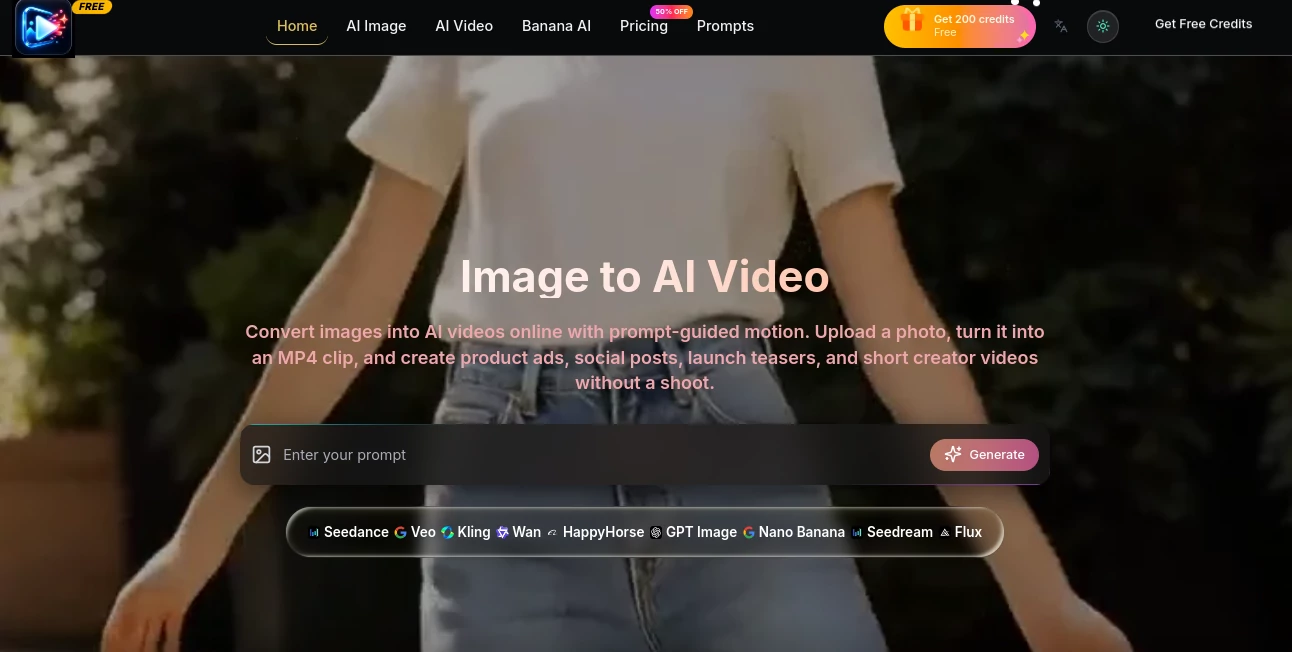
The design is refreshingly simple and fast. You upload your image, type a short motion prompt like “gentle breeze moving through the field” or “camera slowly orbiting the subject,” choose duration and aspect ratio, and hit generate. Previews load quickly so you can iterate without frustration. Everything stays in one clean screen, with clear options for style strength and camera movement. It never feels intimidating, even for first-time users.
Accuracy & Performance
The motion looks natural and physics-aware — fabric flows realistically, people walk with proper weight, and backgrounds move consistently with the camera. It maintains strong subject consistency across frames, which is still a challenge for many tools. Generation times are reasonable for the quality, and the outputs hold up well even when you push creative prompts. I’ve been impressed by how rarely it produces the weird distortions or melting effects common elsewhere.
Capabilities
It supports both image-to-video and text-guided animation, with options for different camera movements, motion intensity, and video lengths. You can animate portraits, products, landscapes, illustrations, and more. The tool handles complex scenes with multiple elements surprisingly well and gives you control over the overall style — from realistic to more artistic interpretations. Exports are clean and ready for social media, presentations, or further editing.
Security & Privacy
Your uploaded images are processed securely and not stored longer than needed for generation. The platform focuses on delivering the service without unnecessary data collection, giving creators peace of mind when working with personal or client photos.
Use Cases
A small business owner turns product photos into short lifestyle videos for Instagram ads without hiring a videographer. A digital artist animates static illustrations to bring characters to life for social content. A marketer creates quick before-and-after clips or product demonstrations from single images. Parents animate old family photos to make heartfelt videos for anniversaries. The common thread is turning “what if this moved?” into reality in minutes instead of days.
Pros and Cons
Pros:
- Impressively natural motion that feels cinematic rather than artificial.
- Strong subject consistency across frames.
- Simple prompt system that still gives creative control.
- Fast enough to support real creative iteration.
- Great results even with minimal input.
Cons:
- Video length is still relatively short per generation (typical for current tech).
- Very complex multi-subject scenes can occasionally need prompt refinement.
- Advanced features and higher resolutions live behind paid plans.
Pricing Plans
It offers a generous free tier so you can test the quality and create several clips without spending anything. Paid plans unlock longer videos, higher resolutions, faster generation, and more credits for heavier use. The pricing feels reasonable for the quality and time it saves compared to traditional video production or other AI tools.
How to Use ImageToAI Video
Upload your base image, write a clear description of the desired motion (be as specific or creative as you like), select video length and aspect ratio, then generate. Watch the preview and regenerate with small prompt tweaks if needed. Once satisfied, download the video. For best results, use high-quality source images with good lighting. The whole process is fast enough that you can experiment with multiple ideas in one session.
Comparison with Similar Tools
Many image-to-video tools still struggle with unnatural movement or loss of subject identity. This one prioritizes smooth, believable motion and maintains consistency better than most. While some competitors focus purely on wild creativity (often resulting in chaos), this platform balances creativity with realism, making the outputs more usable for real projects. It sits in a sweet spot for both fun and practical applications.
Conclusion
Turning a static image into a living video used to require complex skills and time. This tool makes that magic accessible to anyone with a good idea and a photo. It respects the original image while adding motion that feels right, opening up new creative possibilities for marketers, artists, storytellers, and everyday users. If you’ve ever wished your photos could move, this is one of the best ways to make that happen right now.
Frequently Asked Questions (FAQ)
How long can the generated videos be?
Most generations range from a few seconds up to around 8-10 seconds depending on the plan.
Do I need video editing skills?
Not at all — the tool handles the animation. You can further edit the output in any editor if desired.
What makes a good source image?
Clear, well-lit photos with distinct subjects tend to produce the best results.
Can I use it for commercial projects?
Yes, especially on paid plans which include commercial usage rights.
AI Animated Video , AI Image to Video , AI Video Generator , AI Design Generator .
These classifications represent its core capabilities and areas of application. For related tools, explore the linked categories above.
ImageToAI Video details
Website unavailable — View Alternatives
Pricing
- Free
Apps
- Web App
Categories

ImageToAI Video Alternatives Product
kling 5.0

Seedream 5.0

HappyHorse A…
Seedance 2.0…

Caricature G…

Veo 4 AI Vid…
Lensgo

UniVideo

AI House Plan