
ImagineVid
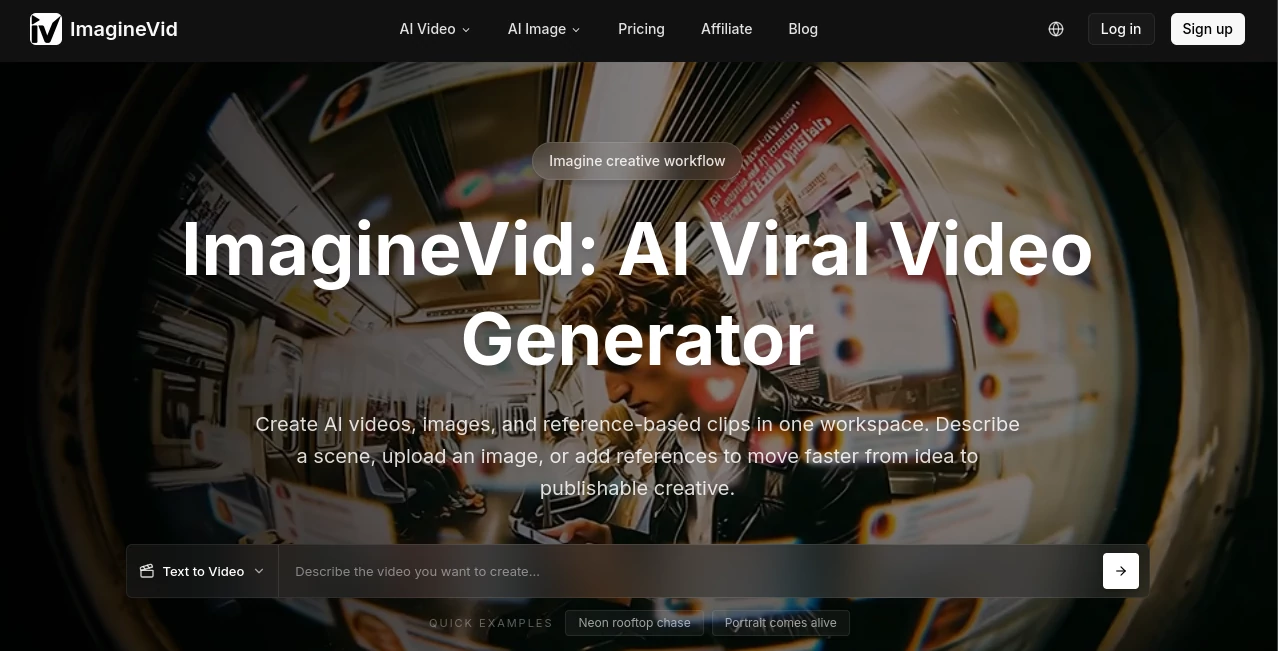
What is ImagineVid?
I still remember the first time I needed a quick promotional video and realized how much time, money, and stress it usually takes. Hiring a team, shooting footage, editing for hours — it always felt out of reach for fast projects. Then I tried this platform and everything changed. You give it a simple text prompt or an image, and it creates smooth, high-quality videos that actually look intentional. No more clunky interfaces or disappointing results. It feels like having a small creative team available whenever inspiration strikes.
Introduction
Creating video content used to be one of the biggest bottlenecks for creators, marketers, and businesses. ImagineVid removes that barrier by turning ideas into complete videos in minutes. Whether you start with text, upload reference images, or combine both, it handles the heavy lifting — motion, transitions, lighting, and even basic audio sync. It’s built specifically for people who need fast, good-looking results without learning complex software or waiting days for deliverables. What stands out most is how natural the outputs feel compared to earlier AI video tools. The characters stay consistent, movements look fluid, and the overall style can match different creative directions. It’s quickly becoming a favorite for short-form content, product promos, social media clips, and storyboarding ideas on the fly.
Key Features
User Interface
The workspace is clean and welcoming. A prominent prompt box sits front and center, with easy options to upload images or reference clips. You can choose aspect ratios (perfect for Reels, TikTok, or YouTube), adjust duration, and pick styles without digging through menus. Generation progress is clear, and previews load fast enough that you stay in a creative flow instead of waiting around. It’s simple enough for beginners yet flexible for more experienced users who want to fine-tune their vision.
Accuracy & Performance
The model does an impressive job keeping characters and objects consistent across frames — one of the biggest pain points in AI video. Motion feels natural rather than robotic, and it handles complex prompts involving multiple subjects or camera movements better than many alternatives. Generation times are reasonable for the quality you get, and the results hold up well even when you push creative boundaries. In real use, it saves enormous time compared to traditional editing while delivering clips that look polished enough to post directly.
Capabilities
You can generate videos from text alone, use image-to-video for strong visual control, or combine both for best results. It supports different aspect ratios, various styles, and produces clips suitable for social media, marketing, or storytelling. The tool excels at turning product shots into lifestyle videos, creating short narratives, or generating variations of the same concept quickly. It’s especially useful when you need multiple versions for testing or when you want to iterate fast on a creative idea.
Security & Privacy
Your prompts and uploaded images are handled securely during generation. The platform focuses on delivering a smooth experience without unnecessary data retention or sharing. For creators working with client material or original concepts, that respectful approach adds peace of mind while using the tool.
Use Cases
A content creator needs three variations of a product promo for different platforms and generates them all in one sitting. A small business owner turns static product photos into engaging lifestyle clips without hiring a videographer. A marketer brainstorms campaign ideas by quickly visualizing concepts before committing to full production. A YouTuber creates short teaser clips or B-roll footage in minutes instead of hours. The common thread is speed and quality — getting professional-looking video when time or budget is limited.
Pros and Cons
Pros:
- Fast generation with impressive motion quality and character consistency.
- Flexible inputs — text, images, or both — give strong creative control.
- Clean, intuitive interface that keeps you focused on ideas instead of technical details.
- Great for short-form content that performs well on social platforms.
- Regular improvements make it better over time.
Cons:
- Clip length is best for short videos (typical for current AI tools).
- Very complex or highly specific scenes may need prompt refinement.
- Higher usage and advanced features require paid credits or plans.
Pricing Plans
It offers a free tier with daily credits so you can test the quality and see if it fits your workflow. Paid plans provide more generations, higher resolution options, faster processing, and priority access during busy times. The pricing feels reasonable for the time it saves compared to traditional video production or other AI tools. Many users find that even light paid usage pays for itself quickly through faster content creation.
How to Use ImagineVid
Go to the generator page, write a clear description of the scene or story you want, and optionally upload reference images for better visual control. Choose your preferred aspect ratio and duration, then hit generate. Review the result — if something isn’t quite right, tweak the prompt and try again (it usually improves quickly). Download the best version or generate variations until you’re happy. For repeated projects, you can save prompt templates to speed up future work even more.
Comparison with Similar Tools
Many AI video generators still struggle with consistency or produce unnatural movement. This one stands out with better character continuity and more natural motion while keeping the interface simple and fast. It strikes a nice balance between quality and ease of use, making it more practical for everyday creators than heavier or more experimental alternatives. The combination of text and image inputs gives more reliable results than pure text-to-video tools in many cases.
Conclusion
Video is one of the most powerful ways to communicate ideas, but it used to be one of the hardest to produce quickly. This platform lowers that barrier significantly, letting creators turn concepts into watchable clips without big budgets or long timelines. It’s not about replacing human creativity — it’s about removing the technical friction so your ideas can come to life faster. For anyone who wants to make more video without the usual headaches, it’s a genuinely useful addition to the toolkit.
Frequently Asked Questions (FAQ)
How long are the generated videos?
Best suited for short clips (typically 5–10 seconds), perfect for social media and quick promos.
Do I need reference images?
Text-only works well, but adding images gives much stronger visual consistency and style control.
Is there a free way to try it?
Yes — daily free credits let you test quality before committing to paid plans.
Can I use the videos commercially?
Paid plans include commercial rights for your generated content.
What kind of prompts work best?
Clear, descriptive prompts with specific details about action, mood, lighting, and camera movement tend to give the strongest results.
AI Animated Video , AI Image to Video , AI Video Generator , AI Text to Video .
These classifications represent its core capabilities and areas of application. For related tools, explore the linked categories above.

ImagineVid Alternatives Product

Happyhorse 1…

AI Baby Dance

Gemini AI vi…

Voor AI

Veo 3.1

The Influenc…

Veo 3.2

Veo 3

Seedance 4.0