
















What is Img2Img2?
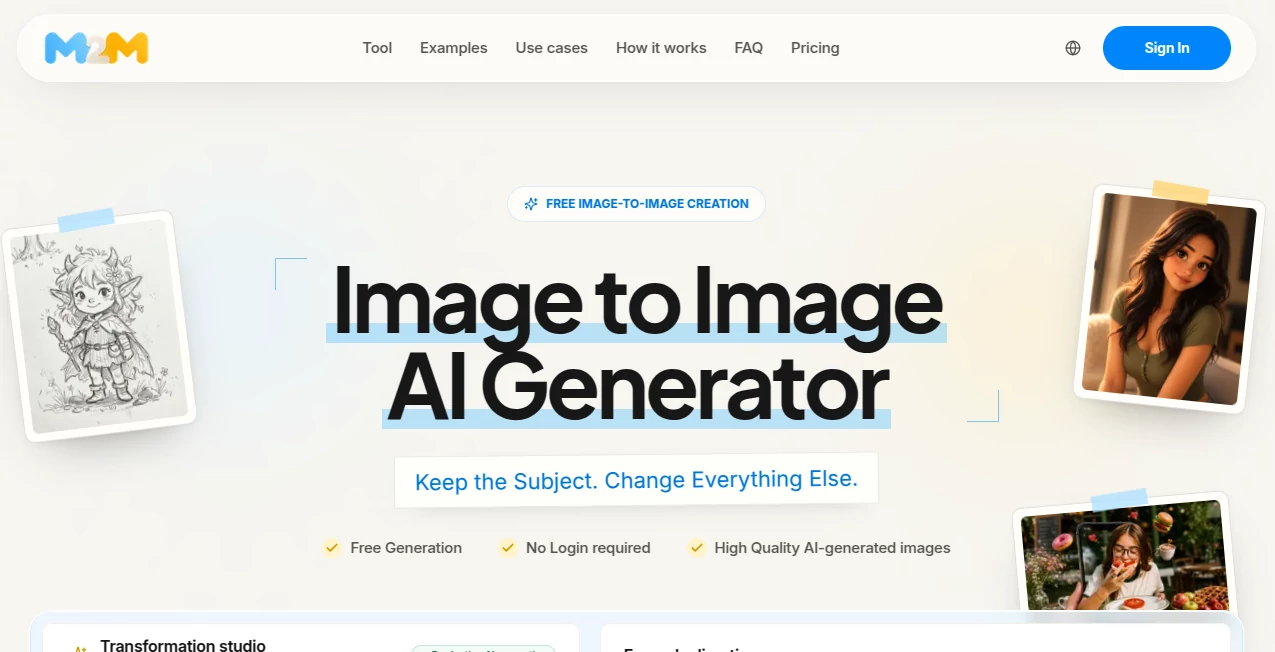
Img2Img is an image-to-image AI generator designed for people who already have an image but want to take it in a new visual direction. Instead of starting with a blank canvas, users can upload a photo, product shot, sketch, illustration, or existing AI artwork and describe what they want to change.
The idea is refreshingly practical: keep the parts of an image that matter and let AI handle the transformation. A product can move into a new campaign setting, a portrait can receive different lighting, or a rough sketch can become a polished illustration without losing its original composition.
The workflow is also easy to test before committing to a paid model. Guests can generate an image without creating an account, making it useful for quick experiments as well as more serious creative work.
Key Features
- Image-to-image generation based on an uploaded source image
- Text prompts for describing exactly what should change
- Multiple AI models with different quality, style, speed, and credit requirements
- Flexible aspect-ratio options including landscape, portrait, square, and cinematic formats
- Quality settings ranging from Low to High
- Resolution options including 1K, 2K, and 4K where supported
- Support for PNG, JPEG, and WebP uploads up to 10 MB
- Before-and-after comparison for reviewing generated results
- Multiple output options for supported workflows
- Prompt examples covering products, portraits, backgrounds, restoration, and creative restyling
User Interface
The interface is built around a straightforward transformation workflow rather than a complicated editing suite. The user uploads an image, explains the desired change, selects a model and output settings, and generates the result.
Useful presets such as replacing a background, changing hair color, removing an object, restyling a portrait, restoring an old photo, or creating a product image give newcomers a practical starting point. More experienced users can write their own instructions and fine-tune the result.
The source image remains an important part of the workspace, which makes it easier to judge whether the generated version has preserved the subject, pose, composition, or product shape.
Accuracy & Performance
Performance depends on the selected model, queue, source image, and prompt, so generation time can vary rather than following one fixed turnaround. The platform provides live progress instead of making a universal speed promise.
Accuracy is strongest when the prompt clearly explains what should remain unchanged. For example, telling the model to preserve a product's shape, label, and camera angle while changing the background gives it a much clearer visual target than simply asking for a new product image.
The platform also encourages users to inspect faces, hands, text, logos, and product details before publishing. That is particularly useful for commercial imagery where small visual errors can matter.
Capabilities
The tool goes well beyond simple style filters. It can be used for background replacement, lighting changes, material changes, scene expansion, portrait restyling, product campaign variations, sketch development, and transformations of existing AI-generated artwork.
Its model-based approach is another useful advantage. Rather than forcing every project through one generation engine, users can select from available models and balance image quality, creative interpretation, and credit cost according to the job.
For example, a designer could upload a basic product photograph, preserve the product itself, and ask for a darker studio environment with soft side lighting and a premium surface. The same source can then be reused to explore several creative directions.
Security & Privacy
The service provides defined storage windows for uploaded sources and generated images. Source files are deleted 24 hours after task completion, while free outputs are retained for up to 7 days and credit-based outputs for up to 30 days.
The platform also makes an important distinction around commercial use. Users are responsible for having the necessary rights to their source material, while commercial usage of generated content can also depend on the terms of the selected AI model.
For professional work, it is therefore sensible to confirm image ownership, model licensing, and any applicable usage restrictions before publishing generated material.
Use Cases
- Product marketing: Create alternative backgrounds, lighting setups, surfaces, and campaign scenes while keeping the product recognizable.
- Portrait editing: Experiment with editorial lighting, environments, artistic treatments, and different visual styles while retaining the original pose.
- Interior design: Explore furniture, materials, lighting conditions, and room atmospheres without rebuilding the entire concept from scratch.
- Illustration development: Turn sketches and rough concepts into more detailed visual directions while preserving the original composition.
- AI artwork refinement: Continue working on an existing AI-generated image and adjust its background, lighting, style, or overall treatment.
- Creative experimentation: Compare several visual interpretations of the same source image instead of generating unrelated concepts from scratch.
Pros and Cons
Pros
- Free generation is available without requiring an account for initial testing.
- The workflow starts from an existing image, making controlled transformations easier.
- Multiple AI models provide more flexibility for different creative requirements.
- Supports common PNG, JPEG, and WebP image formats.
- Offers a wide range of aspect ratios for different publishing formats.
- Useful for both creative experimentation and practical commercial design workflows.
- Source and generated images can be compared before deciding on the final result.
Cons
- Free usage is limited and subject to daily service capacity and abuse controls.
- Credit-based models require an account.
- Generation speed can vary depending on the selected model and queue.
- AI-generated faces, hands, text, logos, and fine product details still require human review.
- Commercial rights depend partly on the source material and the terms of the selected model.
Pricing Plans
The platform follows a combination of free access and credit-based model usage. Guests can currently try the free generation experience without signing in, while verified accounts can receive additional free usage subject to the service's daily limits.
Credit-based models show their credit cost before generation, allowing users to understand the expected usage before starting a job. This is particularly useful when comparing different models for the same source image.
Because model availability and credit requirements can change as new image models are introduced, users should check the current pricing and model-access information before purchasing credits for a larger project.
How to Use the Tool
- Upload a clear source image in PNG, JPEG, or WebP format.
- Describe what should change and clearly mention the elements that need to remain recognizable.
- Select an available AI model according to the desired quality, style, and credit cost.
- Choose an aspect ratio and other available output settings.
- Generate the new image and compare it with the original.
- Review important details such as faces, hands, text, logos, and product shapes.
- Download the preferred result or revise the prompt for another variation.
A useful prompting approach is to separate the instruction into two parts: what must stay and what should change. For instance, a product prompt can preserve the bottle shape, label, and camera angle while requesting a new surface, background, and lighting setup. This gives the model a much clearer visual direction.
Comparison with Similar Tools
Traditional text-to-image generators are excellent when the goal is to invent a completely new visual concept. Image-to-image workflows are better suited to situations where an existing image already contains valuable visual decisions.
That distinction makes this approach particularly useful for designers, photographers, marketers, e-commerce teams, illustrators, and creators who do not want every generation to start from zero.
For example, a text-to-image workflow might create a new product scene based entirely on a written description. An image-to-image workflow can instead begin with the actual product photograph and concentrate the AI's work on the environment, lighting, materials, or artistic treatment.
The ability to compare different models and reuse the same source also makes experimentation more structured. Rather than simply generating dozens of unrelated images, users can explore controlled variations around one visual anchor.
Conclusion
For anyone who regularly works with existing images, this image-to-image workflow offers a practical alternative to starting over with every creative idea. Its strongest point is control: the original image provides a visual foundation while the prompt defines the direction of the transformation.
The combination of multiple models, flexible output settings, common image formats, comparison tools, and an accessible free starting point makes it useful for everything from quick personal experiments to product concepts and professional creative development.
The best results come from treating the source image as an anchor and giving the AI a focused instruction. Preserve the important details, describe one clear transformation at a time, and always inspect the final image before using it publicly or commercially.
Frequently Asked Questions (FAQ)
What is an image-to-image AI generator?
An image-to-image AI generator creates a new image using an existing image as the visual starting point. The uploaded image can provide the subject, pose, composition, silhouette, or layout while a text prompt controls the desired transformation.
Can I use the tool without signing up?
Yes. The service provides free guest generation without requiring an account, although daily limits and service capacity apply. Credit-based models require an account.
Which image formats are supported?
PNG, JPEG, and WebP files are supported, with uploads available up to 10 MB and up to 8,192 pixels per side.
Can I change the background without changing the subject?
Yes. Background replacement is one of the suggested workflows. A stronger prompt should explicitly identify the subject, product, pose, or other details that need to remain unchanged.
Can I use it for product images?
Yes. Product photography is one of the practical use cases. Users can preserve product shape, labels, and camera angle while experimenting with backgrounds, surfaces, lighting, and campaign environments.
Does it support different aspect ratios?
Yes. Available options include square, portrait, landscape, wide, and cinematic ratios, giving users more flexibility for social media, advertising, websites, and other visual formats.
Are generated images watermarked?
The platform states that it does not add a visible watermark to generated images. However, individual models may retain provenance metadata or invisible markers.
How long are uploaded images stored?
Source files are deleted 24 hours after the related task is completed. Free generated outputs are retained for up to 7 days, while credit-based outputs are retained for up to 30 days.
Can generated images be used commercially?
Commercial use can be possible, but users should verify the rights to their source material and review the terms of the AI model used to generate the final image before using it commercially.