


















Inboundy
What is Inboundy?
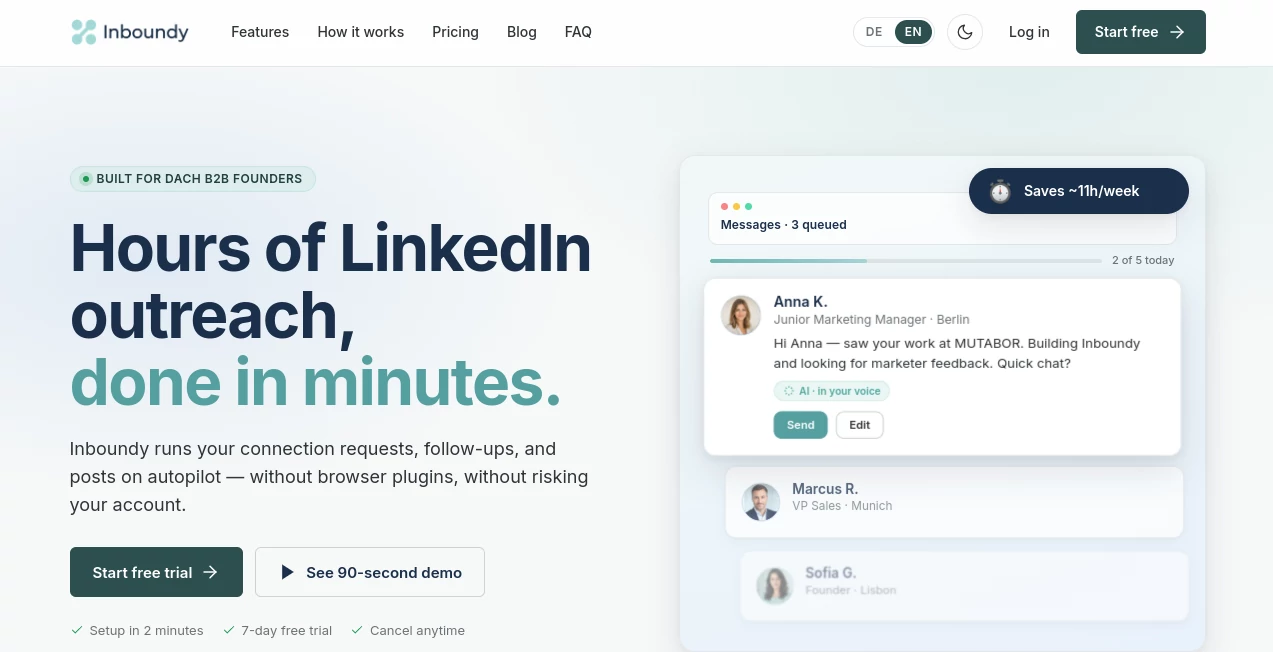
Managing inbound leads should feel simple, but many growing businesses still rely on spreadsheets, scattered notes, and overflowing inboxes. That often leads to missed follow-ups, forgotten conversations, and lost opportunities. This platform was built to solve that problem by giving small teams a clean, practical workspace where every lead is organized from the very first interaction.
Instead of overwhelming users with enterprise-level complexity, the platform focuses on speed, clarity, and ease of use. Sales teams can create leads in seconds, monitor every interaction, schedule reminders, and move opportunities through a visual pipeline without spending hours on administration. The result is a workflow that keeps everyone focused on building customer relationships rather than searching for information.
Whether you are a startup founder, consultant, agency owner, or a small sales team, this CRM helps transform inbound inquiries into structured sales opportunities while reducing manual work.
Key Features
User Interface
The interface is refreshingly straightforward. Navigation is intuitive, making it easy for new users to begin working immediately without lengthy onboarding sessions. The Kanban-style pipeline provides a clear visual overview of every lead, while dashboards summarize activity, conversions, and sales progress in one place.
Accuracy & Performance
Automatic synchronization with Google Sheets helps ensure lead information stays current without repetitive imports. Duplicate detection minimizes data inconsistencies, while activity tracking keeps every call, email, note, and follow-up connected to the correct contact.
Capabilities
- Simple lead management for small businesses.
- Visual Kanban sales pipeline.
- Automatic Google Sheets synchronization.
- Activity logging for calls, emails, direct messages, and notes.
- Task management with reminders.
- Centralized customer history.
- Lead status tracking.
- Performance dashboard with conversion metrics.
- Quick lead creation.
- Designed specifically for inbound sales workflows.
Security & Privacy
User data is encrypted and stored with privacy in mind. Businesses retain ownership of their customer information, and the platform emphasizes secure handling of business data without unnecessary sharing with third parties.
Use Cases
- Managing inbound leads generated through websites.
- Tracking customer conversations from first contact to conversion.
- Organizing follow-up tasks for sales representatives.
- Keeping agencies and consultants informed about every prospect.
- Replacing spreadsheets with a centralized CRM.
- Monitoring lead conversion performance.
- Managing sales activities for startups and small teams.
Pros and Cons
Pros
- Very easy to learn and implement.
- Clean interface with minimal distractions.
- Excellent visualization of sales pipelines.
- Automatic Google Sheets integration.
- Centralized communication history.
- Task reminders reduce missed follow-ups.
- Built specifically for small businesses.
Cons
- Advanced enterprise CRM features may be limited.
- Currently targeted primarily toward smaller sales teams.
- Some advanced integrations may still be under development during beta.
Pricing Plans
The platform is currently available in beta with free access. Users can join without providing a credit card and explore the available CRM functionality before future commercial plans become available.
How to Use Inboundy
Start by creating an account and importing your existing leads manually or through Google Sheets synchronization. Organize prospects into different pipeline stages, log every customer interaction, assign reminders for future follow-ups, and monitor sales performance through the dashboard. As leads move through the pipeline, the complete communication history remains attached to each contact, making collaboration effortless for the entire team.
Comparison with Similar Tools
Unlike many traditional CRM platforms that prioritize feature quantity over usability, this solution focuses on simplicity. It removes unnecessary complexity while still delivering the essential capabilities needed to organize inbound sales. Compared with enterprise CRMs that often require weeks of setup and training, it offers a faster learning curve and a cleaner experience for startups, consultants, and smaller organizations.
Conclusion
For businesses that want to stop managing leads across multiple spreadsheets and disconnected tools, this CRM offers a practical alternative. Its clean interface, organized pipeline, automated lead synchronization, and built-in activity tracking help sales teams stay focused on meaningful customer conversations instead of administrative work. The emphasis on simplicity makes it particularly appealing for growing businesses looking for an efficient CRM without unnecessary complexity.
Frequently Asked Questions (FAQ)
Who is this CRM designed for?
It is primarily designed for startups, consultants, agencies, entrepreneurs, and small sales teams managing inbound leads.
Can I import existing leads?
Yes. Leads can be added manually or synchronized automatically using Google Sheets.
Does it support sales pipelines?
Yes. A visual Kanban pipeline allows users to track prospects through every stage of the sales process.
Are reminders available for follow-ups?
Yes. Users can create tasks and reminders to ensure every important lead receives timely attention.
Is the platform free?
At the time of writing, the service is available in beta with free access and no credit card requirement.
AI Sales Assistant , AI Productivity Tools , AI Team Collaboration , AI CRM Assistant .
These classifications represent its core capabilities and areas of application. For related tools, explore the linked categories above.

Inboundy Alternatives Product

GenPPT AI

AILeadz.io

Workik

AI Agent Ski…

Oasis

Duct Tape AI…

Thinkesta

TopPDF
Online White…
