

















Jaikey
What is Jaikey?
Building something with AI can be surprisingly easy. Making sure it actually works when people start using it is another story. Prompts can produce inconsistent answers, agents can make unsafe decisions, and automated workflows can break when a single step fails.
Jaikey is designed to sit between AI creation and real-world use. It acts like an AI mechanic that examines prompts, agents, multi-agent systems, and workflows to uncover hidden problems before they become production issues. Instead of simply rewriting what you provide, it first diagnoses the weak points, explains what is wrong, and then proposes a repaired version that you can review before using.
This approach is particularly useful for people who build with AI but do not necessarily have a software engineering background. A workflow that looks perfectly fine on the surface may still lack validation, retry logic, error handling, or clear rules for unexpected situations. Finding those issues early can save a considerable amount of debugging time later.
Key Features
- AI-powered diagnosis for prompts, agents, and workflows
- Detection of hidden workflow failures and reliability problems
- Repair suggestions that can be reviewed before implementation
- Support for multi-agent systems and AI workflows
- Validation and input-checking recommendations
- Retry logic for operations that may fail temporarily
- Error handling and monitoring improvements
- Branching logic for more reliable automated processes
- Plain-language change logs explaining what was changed
- Health and reliability scoring for evaluated systems
- Support for workflows built with popular AI and automation platforms
- Desktop optimizer included with the paid Full Bay plan
User Interface
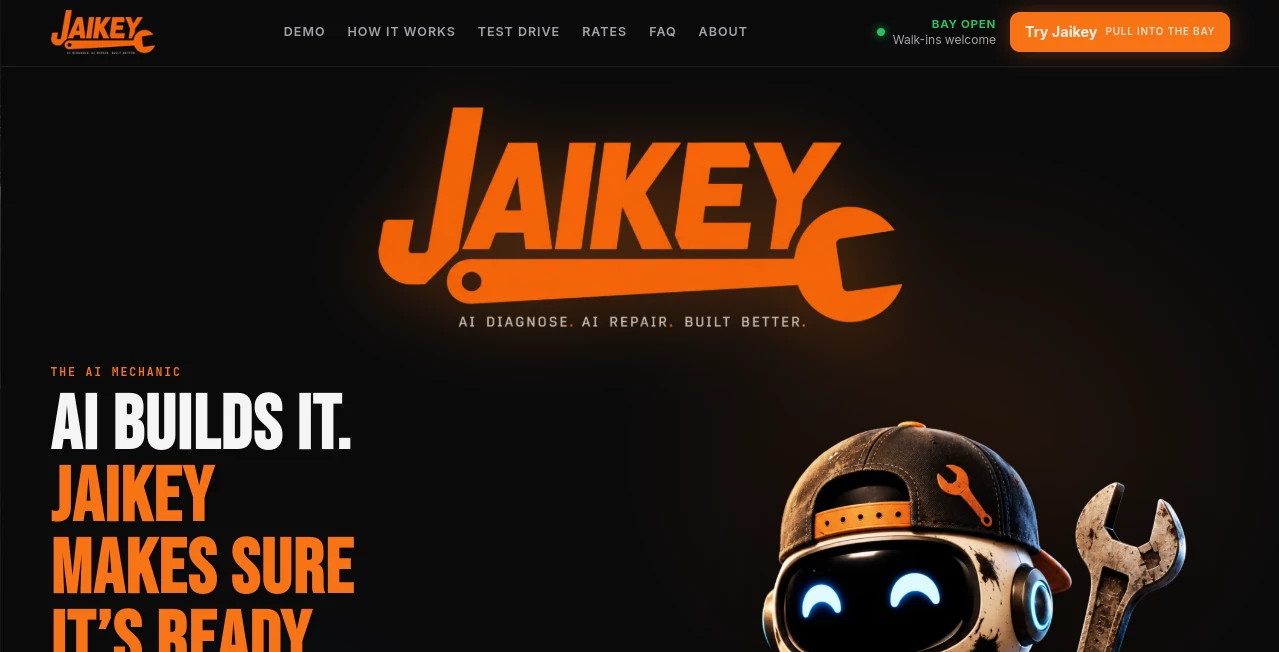
The interface follows a simple workshop-style concept. Instead of presenting users with a complicated collection of engineering controls, it organizes the process around three practical actions: diagnose, repair, and verify.
The workflow is easy to understand. You bring a prompt, agent, or automation into the workspace, let the system inspect it, review the reported problems, and then decide whether the proposed changes make sense. The result is less like receiving a mysterious AI-generated rewrite and more like getting an inspection report before making a repair.
That distinction matters. For someone managing several AI automations, knowing why a change was suggested can be just as valuable as receiving the change itself.
Accuracy & Performance
The platform focuses on identifying structural weaknesses rather than simply making text sound better. Its demonstrations show issues such as missing validation, disabled retries, duplicate actions, infinite-loop risks, missing error workflows, vague prompt instructions, and unrestricted agent behavior.
For example, an inbound lead workflow may appear to work during a normal test while failing when an authentication request breaks or when duplicate information enters the system. The diagnostic process is intended to expose these less obvious failure points and suggest practical improvements.
It is still important to validate any repaired workflow in the environment where it will actually run. The platform itself presents its output as a second opinion rather than a replacement for testing.
Capabilities
The tool covers several layers of AI development. Prompt creators can use it to improve instructions, define clearer success criteria, establish output formats, and reduce the risk of unsupported answers. Agent builders can examine tool permissions, escalation rules, policy boundaries, and handoff requirements.
For automation workflows, the focus moves toward operational reliability. Validation, retries, branching, monitoring, error paths, and idempotent operations can all become part of the repair process.
It can work with workflows and AI systems connected to platforms such as n8n, Make, and Zapier, as well as AI development environments and assistants including ChatGPT, Claude, Cursor, and Grok.
Security & Privacy
One of the more useful safeguards is that proposed repairs are not automatically pushed into a live system. The user remains responsible for approving changes before putting them into production.
Every job also comes with a plain-language change log, making it easier to understand what the diagnostic process identified and what was changed. This creates a useful review step for teams that want to keep a human in control of AI-generated modifications.
As with any development or automation service, users should review the provider's current privacy documentation and avoid submitting sensitive information unless they are comfortable with the applicable data-handling practices.
Use Cases
There are several practical situations where this type of AI quality-control layer can be valuable.
- Prompt improvement: Review prompts that produce inconsistent, vague, or overly confident responses.
- AI agent development: Identify missing boundaries, escalation paths, or unsafe tool-use instructions.
- Workflow automation: Find weak points in n8n, Make, or Zapier-style workflows before they cause operational problems.
- Lead processing: Improve validation, duplicate prevention, retry behavior, and error handling in lead-generation automations.
- Customer support agents: Add clearer escalation rules and prevent agents from inventing refunds or unsupported policies.
- Research assistants: Create stronger rules around evidence, uncertainty, and output structure.
- Multi-agent systems: Examine interactions between multiple AI components and identify missing safeguards.
- Pre-production checks: Use an additional inspection layer before deploying an AI-powered process.
Pros and Cons
Pros
- Looks beyond simple prompt rewriting and examines system behavior.
- Useful for both individual AI builders and automation-focused teams.
- Provides an explanation of detected problems instead of only producing a rewritten result.
- Repairs require user approval rather than being automatically applied to live systems.
- Supports prompts, agents, multi-agent systems, and workflows in one environment.
- Free prompt-repair access makes it possible to test the concept without immediately paying.
Cons
- It is not a replacement for real-world testing and monitoring.
- Users building very simple prompts may not need a dedicated diagnostic workflow.
- The deeper workflow and agent features require the paid plan.
- Results still need human review, particularly for business-critical automations.
Pricing Plans
There are currently two main options. The free Prompt Repair plan is intended for ChatGPT and prompt users and includes unlimited prompt tune-ups on the web, fixed prompts, condition scores, and no credit-card requirement.
The Full Bay Pro plan costs $30 per month and is aimed at people building and shipping agents and workflows. It includes unlimited diagnostics, support for agents, multi-agent systems, workflows and PRDs, full reports, user-approved repairs, and a desktop optimizer.
The free option is a sensible way to see whether the diagnostic approach fits your workflow before committing to the paid version.
How to Use the Tool
- Pull it into the bay: Add the prompt, agent, multi-agent system, or workflow you want to inspect.
- Diagnose the system: Let the platform examine the provided setup for hidden weaknesses and potential failure points.
- Review the findings: Read the inspection report and identify the issues that could affect reliability.
- Apply the repair: Review the proposed changes and approve the repaired version when they make sense for your project.
- Check the change log: Review the explanation of what was wrong and what was modified.
- Test before production: Run the repaired system in your own environment and verify its behavior under realistic conditions.
Comparison with Similar Tools
Many AI development products concentrate on generating prompts, writing code, creating agents, or building automation workflows. This tool takes a different position by focusing on what happens after something has already been created.
Traditional prompt optimization tools may primarily improve wording. Workflow platforms provide the environment for connecting services. Testing tools can check specific behaviors. The approach here combines diagnosis and repair into a workflow-oriented review process, making it particularly interesting for users who already have AI systems running but want an additional layer of quality control.
The biggest advantage is the focus on practical failure modes. Instead of asking whether an AI system looks good, the process asks what could go wrong when the system encounters missing data, failed requests, repeated actions, unexpected inputs, or situations outside the happy path.
Conclusion
AI can dramatically reduce the effort required to build prompts, agents, and automated workflows, but faster creation also makes quality control more important. A system that works perfectly during a quick demonstration can behave very differently once it encounters real users, incomplete information, failed APIs, duplicate events, or unexpected instructions.
This tool offers a useful second pair of eyes for those situations. Its strongest value is not simply generating another version of an AI prompt or workflow. It is the combination of diagnosis, explanation, repair, and human approval.
For AI builders, automation specialists, marketers creating agent-based workflows, and non-engineers experimenting with AI systems, it provides a practical way to look for problems before they become expensive production headaches.
Frequently Asked Questions (FAQ)
What can the tool diagnose?
It can inspect prompts, AI agents, multi-agent systems, and automation workflows for weaknesses that may affect reliability or production readiness.
Can it repair an AI workflow?
Yes. After diagnosing a system, it can produce a repaired version with improvements such as validation, retry logic, branching, error handling, and monitoring. The user reviews and approves the changes before using them.
Does it automatically change my live workflow?
No. The platform is designed around user approval. Repairs are presented for review rather than being automatically applied to live systems.
Is there a free plan?
Yes. The free Prompt Repair option provides unlimited prompt tune-ups on the web without requiring a credit card.
What does the Pro plan cost?
The Full Bay Pro plan is currently listed at $30 per month and includes diagnostics for agents, multi-agent systems, workflows, and PRDs, along with full reports and a desktop optimizer.
Does it replace software testing?
No. It is better viewed as an additional inspection layer. Repaired prompts, agents, and workflows should still be tested in the environment where they will operate.
Who can benefit from it?
It can be useful for AI builders, automation specialists, prompt creators, agent developers, and people who build AI-powered workflows without a traditional software engineering background.
AI Workflow Management , AI Testing & QA , AI Developer Tools .
These classifications represent its core capabilities and areas of application. For related tools, explore the linked categories above.

Jaikey Alternatives Product

VisualGPT

Standard Com…

Scillus

NetlifyAPP

ChatFlowchart

Luma AI

Calculadora …

Ito AI
Defapi
