
KIE API
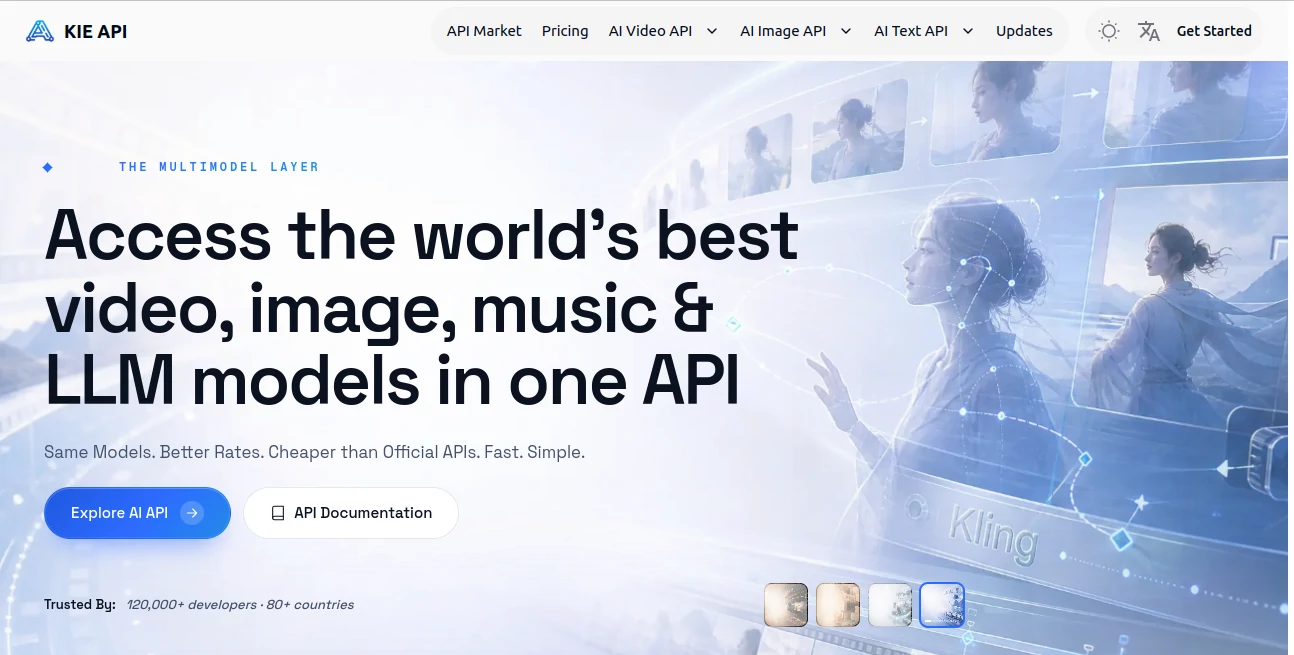
What is KIE API?
Building AI-powered applications often means integrating multiple providers, learning different API structures, and managing separate billing systems. This platform simplifies that entire process by bringing leading AI models into a single, developer-friendly API. Whether your project relies on text generation, image creation, video production, music synthesis, or speech technologies, everything can be accessed through one consistent interface.
Designed for startups, enterprises, SaaS companies, and independent developers, the platform focuses on reducing development complexity while keeping operational costs under control. Instead of maintaining different integrations for every model, developers can switch providers with minimal effort, making experimentation and scaling significantly easier.
Another impressive aspect is its transparent pricing model. Failed generation tasks are not billed, pricing is clearly displayed, and many supported models are available at lower costs than official APIs. Combined with detailed documentation, playground testing, webhook support, and reliable infrastructure, it creates an environment where developers can focus on building products rather than managing AI integrations.
Key Features
User Interface
The dashboard is clean and organized for technical users. Developers can browse supported models, monitor API usage, generate API keys, review billing, and test prompts directly in an integrated playground before writing production code. The documentation is well structured, allowing even first-time users to begin integration quickly.
Accuracy & Performance
The service provides access to many of today's leading language, image, video, audio, and music generation models through a unified API. High availability, asynchronous processing, webhook callbacks, and consistent API responses help maintain stable performance for production workloads. The platform also reports strong uptime and optimized response times for enterprise-scale applications.
Capabilities
- Unified API for multiple AI providers
- Access to advanced LLMs
- Image generation APIs
- Video generation APIs
- AI music generation
- Speech synthesis and voice models
- Image editing models
- Webhook callback support
- Asynchronous task processing
- Simple model switching using unified parameters
- Production-ready API documentation
- Interactive playground for testing
- Transparent usage monitoring
- Developer-friendly SDK examples
Security & Privacy
Security is treated as a core component of the platform. API authentication, encrypted requests, controlled task handling, and protected communication channels help safeguard user data throughout the generation process. Teams working with production environments can also benefit from continuous monitoring and dedicated technical support channels.
Use Cases
- Building AI-powered SaaS applications
- Developing AI assistants and chatbots
- Creating image generation services
- Video creation platforms
- Music generation applications
- Content automation tools
- Marketing automation systems
- Creative design platforms
- Enterprise AI integrations
- Rapid AI prototype development
- Workflow automation
- Developer experimentation with multiple AI models
Pros and Cons
Pros
- Single API for numerous AI models
- Lower pricing compared to many official APIs
- Transparent billing with no charge for failed tasks
- Supports text, image, video, audio, and music generation
- Easy migration between different AI models
- Excellent documentation and playground
- Webhook and asynchronous processing support
- Suitable for production environments
Cons
- Primarily designed for developers rather than casual users
- API knowledge is required for full functionality
- Model availability depends on supported providers
Pricing Plans
The platform uses a transparent pay-as-you-go credit system. Users purchase credits and only pay for successful generations. Pricing varies depending on the selected model and workload, with many services offered at noticeably lower costs than official provider APIs. New users can also explore the platform using free trial credits before moving to production.
How to Use Kie.ai
Start by creating an account and generating an API key. Browse the available AI models and experiment with prompts inside the playground to understand each model's capabilities. After selecting the most suitable option, integrate the unified API into your application using the provided documentation. Configure asynchronous requests or webhook callbacks if your workflow requires background processing. Monitor usage, billing, and generated tasks directly from the dashboard as your application scales.
Comparison with Similar Tools
Unlike traditional AI providers that require separate integrations for each model family, this platform offers a unified interface across language models, image generation, video creation, speech synthesis, and music generation. Compared with building individual integrations for providers such as OpenAI, Anthropic, Google, Runway, or ElevenLabs, developers can significantly reduce engineering effort by maintaining a single integration layer. This flexibility also makes testing multiple models much faster without changing application architecture.
Conclusion
For developers seeking a practical way to integrate multiple AI technologies without managing numerous APIs, this platform provides an impressive solution. Its combination of unified architecture, competitive pricing, broad model selection, reliable infrastructure, and developer-focused tooling makes it a valuable choice for modern AI application development. Whether launching a startup product or expanding an enterprise workflow, it offers the flexibility needed to build faster while keeping operational complexity under control.
Frequently Asked Questions (FAQ)
What types of AI models are supported?
The platform supports large language models, image generation, video generation, music creation, speech synthesis, voice technologies, and several other AI services through one API.
Is it suitable for enterprise applications?
Yes. High availability, asynchronous processing, webhook support, monitoring, and secure authentication make it appropriate for production environments.
Can developers switch between AI models easily?
Yes. The unified API structure allows developers to change models with minimal code modifications, reducing integration complexity.
Are failed API requests billed?
No. Failed generation tasks are not charged according to the platform's billing policy.
Does it provide documentation for integration?
Yes. Comprehensive documentation, API references, examples, and an interactive playground help developers integrate services efficiently.
AI Video Generator , AI API Design , Large Language Models (LLMs) , AI Developer Tools .
These classifications represent its core capabilities and areas of application. For related tools, explore the linked categories above.

KIE API Alternatives Product

sulphur 2

GLM 5

Seedance 2.0

Gemini Omni …

LPM 1.0

Seedance AI

Veo 4 AI

BetterAntisp…

Veo