
















Wan 2.6
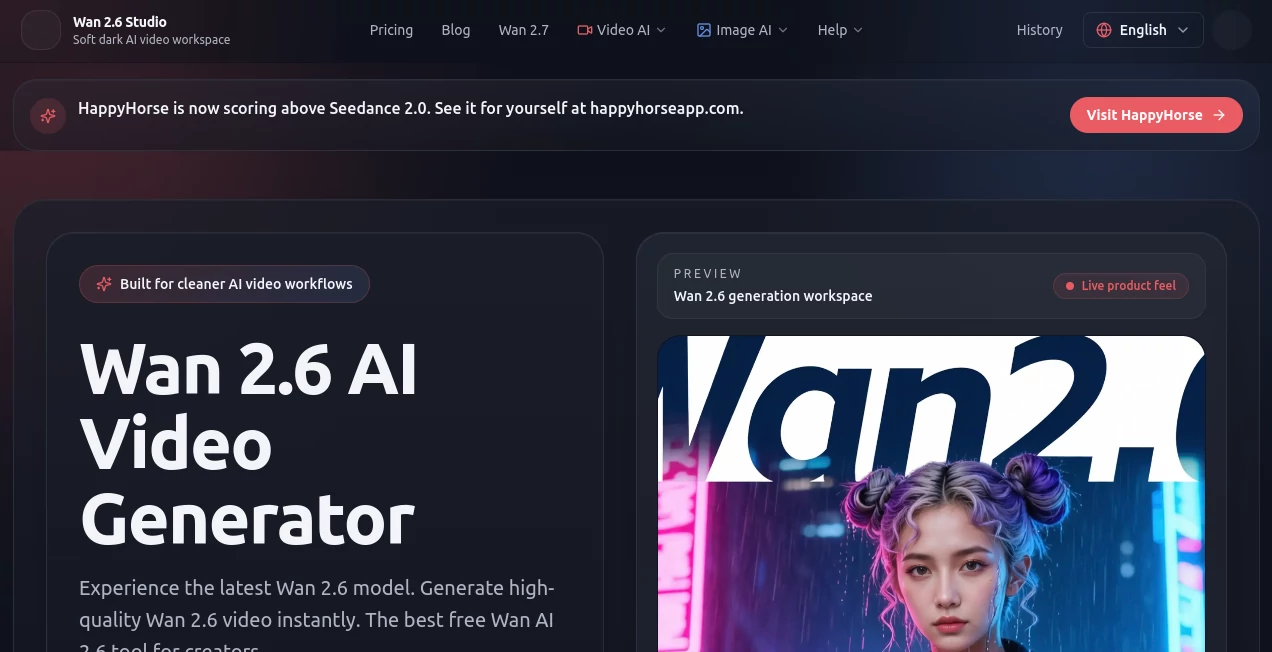
What is Wan 2.6?
Let’s be honest for a second. Most AI video tools out there give you a few seconds of random motion and call it a day. You end up with something that looks cool but doesn't actually tell a story. That frustration is real, especially when you are trying to build a brand or a campaign. You need consistency. You need characters that look the same from one clip to the next. You need audio that doesn't look like a badly dubbed movie from the 70s.
This is where things change. Instead of just generating random clips, this platform focuses on reference consistency and multi-shot narratives. It was built for creators, marketers, and filmmakers who got tired of throwing spaghetti at the wall. You can finally maintain a visual language across a whole project without hiring a full animation studio. Whether you are a solo founder burning hours on freelancers or a marketing lead trying to scale output, the workflow here is a breath of fresh air. It is designed to turn scripts and audio into 1080p videos with natural lip-sync, all without needing a camera or an editing bay.
Key Features
When you dig into what this tool actually does, the feature set is pretty stacked. It isn't just one trick. It is a full production suite packed into a simple interface. You get the high resolution, the speed, and the control that usually only expensive software provides. Here is a closer look at what makes the engine run.
User Interface
The dashboard is surprisingly clean. A lot of AI tools try to hide their complexity behind confusing sliders and jargon-filled dropdowns. This one doesn't do that. You are greeted with clear options: Text-to-Video, Image-to-Video, and Reference Video. Uploading a script or a sample video takes seconds. The layout prioritizes the preview window so you can see exactly what is happening. For anyone who has used Canva or CapCut, the learning curve is basically flat. You pick your style, paste your text, and let the system do its thing.
Accuracy & Performance
This is where the tool really stands out. The multi-shot capability is a game changer. Instead of one static angle, it generates dynamic camera work—wide shots, mid shots, and close-ups—that actually make sense for the narrative. The motion stability is impressive. Hands don't turn into weird blobs, and faces don't melt into the background. It runs at a solid 24fps, which is the industry standard for film. In testing, a user reported going from "3-4 days per video to under an hour" . That is the kind of efficiency we are talking about. The difference between this and other models is the lack of "drift"; the visual identity stays locked.
Capabilities
You have options. You can generate from scratch using text prompts, or you can feed it an existing video as a reference to maintain a specific aesthetic. The native audio-visual sync is the secret sauce. It handles precise lip-sync across multiple languages naturally, without that creepy delay. It supports all the aspect ratios you need: 16:9 for YouTube, 9:16 for TikTok/Reels, and 1:1 for other social platforms. A small business owner shared that they used it to produce 12 professional explainer videos in three months, saving roughly $18,000 in production costs . That’s real value, not just hype.
Security & Privacy
For businesses, this matters. You aren't just generating cat videos; you are likely working on proprietary ad campaigns or unreleased product demos. The platform treats your data with respect. Generated assets are yours to keep and use commercially. While specific encryption details vary, the architecture is built to handle professional workflows without scraping your ideas for training data.
Use Cases
Who is actually using this? Pretty much anyone who talks to a camera or needs moving visuals.
- Marketers & Advertisers: Creating product explainers and social media ads without hiring actors or a film crew.
- Solo Founders & Startups: Producing pitch videos and onboarding content quickly to test market fit.
- Educators: Building course materials and tutorials that keep students engaged with visual variety.
- Filmmakers: Storyboarding complex multi-shot sequences or generating B-roll that matches the main footage perfectly.
Pros and Cons
No tool is perfect, but the balance here heavily favors the positive side for most creators. Let's break it down without the fluff.
Pros:
- Length: You can hit 15 seconds on both text and image-to-video modes, which is longer than many competitors (Google Veo caps at 8 seconds).
- Fidelity: The image-to-video output holds onto facial structures and clothing details very tightly. No weird visual drift.
- Lip Sync: It is tight. It handles multiple languages without looking like a bad dub.
- Cost Efficiency: It runs on a "Lite" tier cost-wise, making iteration and testing financially realistic .
Cons:
- Motion Dynamics: If you need a lot of fast action, dramatic camera sweeps, or complex choreography, it can feel a bit "smooth" or conservative compared to cinematic models like Veo .
- Texture Limits: While great for characters, it doesn't always hit the hyper-detailed material rendering (like fabric grain or leather) that some specialized tools handle better .
Pricing Plans
Look, video production is expensive. Hiring a freelancer for a 30-second spot can run you hundreds or thousands of dollars. This platform operates on a credit-based or subscription model that keeps things accessible. While specific monthly fees change based on volume, the "Lite" tier allows for high-quality generation without breaking the bank. Compared to paying for a 3D animator or a film crew, the return on investment here is incredibly fast. You can run 5 to 10 test generations to dial in your prompt without feeling like you are burning cash.
How to Use Wan 2.6
Getting started is straightforward. You don't need a technical degree.
Step 1: Head to the website and sign up. You will likely get some free credits to test the waters.
Step 2: Choose your mode. Either paste a text script (Text-to-Video) or upload a photo or short clip (Image-to-Video/Reference).
Step 3: If using reference, tell the system to preserve the identity. You can upload 1-3 images to guide the style .
Step 4: Adjust your aspect ratio. 16:9 for widescreen, 9:16 for vertical.
Step 5: Hit generate. Wait a few minutes, and review the output. If it isn't perfect, tweak the prompt and run it again. The speed allows for rapid iteration .
Comparison with Similar Tools
How does it stack up against the big guys? If you look at Google Veo 3, that model is great for cinematic "art director" quality and motion realism, but it taps out at 8 seconds and costs more per generation .Wan 2.6 gives you almost double the length for less money.
Compared to Seedance, which is great for texture and stylized anime characters, Wan is the "reliable generalist" . It just works consistently without drift.
Against Runway Gen-4, which gives you granular control, Wan is faster and better at preserving your specific character's face when you need volume over manual tweaking . It sits perfectly between the ultra-cheap social tools and the expensive cinematic APIs.
Conclusion
If you have been struggling with video production—wasting time on freelancers, fighting with editing software, or just getting poor results from other AI tools—it is time to switch gears. This platform removes the technical barriers to storytelling. It offers production-grade quality, natural lip-sync, and most importantly, consistency across shots. It is a practical, powerful asset for your content pipeline. Stop burning hours and start publishing videos that actually look professional.
Frequently Asked Questions (FAQ)
Is there a free trial available?
Most users report access to a "Lite" tier or free credits upon sign-up, allowing you to test the text-to-video and image-to-video modes before committing.
Can I use the videos for commercial purposes (like ads)?
Yes. The content generated is intended for marketing, business, and commercial use. You own the output.
Does it support voice cloning or just text-to-speech?
The system focuses on audio-visual sync. You can upload your own audio or use the generated voiceover, and it will match the lip movements perfectly to the track.
How long does it take to generate a video?
Typically, a 15-second clip takes a few minutes. It is asynchronous, meaning you can start a job, grab a coffee, and come back to a finished render.
What categories does this tool belong to?
- AI Video Generator
- AI Lip Sync Generator
- AI Personalized Video Generator
- AI Short Clips Generator