


















Kling 2.6
What is Kling 2.6?
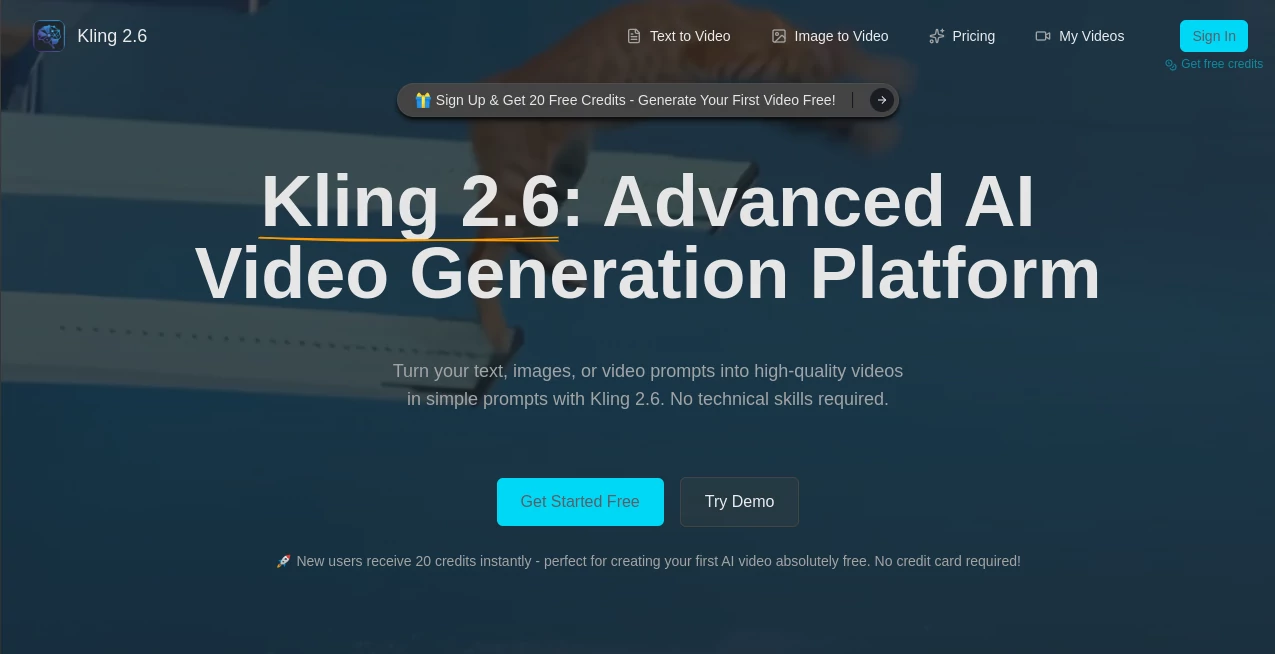
Creating professional-looking videos no longer requires advanced editing skills or expensive production software. This platform transforms simple text prompts and static images into dynamic AI-generated videos with impressive visual quality, making creative production accessible to marketers, creators, educators, and businesses alike.
Built around an advanced video generation model, the platform combines intelligent scene understanding, realistic motion generation, synchronized audio, and precise animation controls. Whether someone wants to produce engaging social media clips, product showcases, educational content, or promotional videos, the entire workflow is designed to remain simple while delivering polished results. New users can even begin experimenting immediately with free credits before committing to a paid plan, making it easy to explore the capabilities without financial risk.
Key Features
User Interface
The dashboard is clean, beginner-friendly, and requires very little learning. Users simply choose between text-to-video or image-to-video generation, write a prompt, upload an image if necessary, select the desired aspect ratio and video duration, and generate their project within seconds. Navigation is straightforward, making it suitable for both first-time users and experienced creators.
Accuracy & Performance
The underlying AI produces smooth motion, consistent object placement, and high-quality visual transitions. Support for 1080P video generation helps create content suitable for professional presentations, advertising campaigns, and social media publishing. Fast processing allows creators to iterate quickly without lengthy rendering times.
Capabilities
- Generate videos directly from text descriptions.
- Animate static images into realistic motion.
- Create synchronized audio together with video.
- Support natural lip synchronization for characters.
- Generate narration, dialogue, ambient sounds, and sound effects.
- Maintain temporal consistency across frames.
- Control multiple moving objects within a scene.
- Customize motion paths for more precise animations.
- Export high-quality 1080P videos.
- Provide API access for developers and businesses.
Security & Privacy
User-generated content is processed through secure cloud infrastructure, while account-based projects allow creators to organize and manage their generated videos. Authentication and encrypted connections help protect uploaded assets and generated content during creation and download.
Use Cases
- Creating engaging TikTok, Instagram Reels, and YouTube Shorts.
- Producing marketing campaigns and product advertisements.
- Generating promotional videos for startups and businesses.
- Animating concept art and illustrations.
- Creating educational explainers.
- Designing presentation visuals.
- Producing social media content at scale.
- Building demo videos for software products.
- Creating storytelling and cinematic sequences.
- Generating video assets for creative agencies.
Pros and Cons
Pros
- Simple workflow with minimal learning curve.
- Supports both text-to-video and image-to-video generation.
- Native synchronized audio generation.
- High-quality 1080P output.
- Fast rendering performance.
- Motion path customization.
- Free credits available for new users.
- Developer API for integration.
Cons
- Longer videos are more limited than short-form content.
- Advanced generations consume more credits.
- Professional editing options remain less extensive than traditional video editing software.
Pricing Plans
New accounts receive complimentary credits to test the platform without entering payment information. Additional usage is available through paid plans that provide higher generation limits and expanded production capacity for creators and businesses.
How to Use Kling 2.6
- Create a free account.
- Select either Text-to-Video or Image-to-Video mode.
- Write a detailed prompt or upload an image.
- Choose aspect ratio and video duration.
- Enable audio generation if needed.
- Generate the video.
- Review the output and regenerate if desired.
- Download the finished video for publishing.
Comparison with Similar Tools
Compared with many AI video generators, this platform places strong emphasis on synchronized audio generation alongside visual creation. Motion consistency, lip synchronization, multi-object tracking, and customizable movement controls offer additional flexibility for creators producing short-form commercial content. The combination of fast rendering, intuitive controls, and developer-friendly API access makes it suitable for both individual creators and production teams looking to accelerate content creation.
Conclusion
For anyone searching for a practical AI video generation solution, this platform delivers an impressive balance between ease of use and professional output. The ability to transform text or images into polished videos with synchronized audio dramatically reduces production time while maintaining high visual quality. From marketers launching advertising campaigns to educators preparing learning materials and creators producing daily social content, it offers an efficient workflow that removes much of the traditional complexity of video production.
Frequently Asked Questions (FAQ)
Can beginners use this platform?
Yes. The interface is designed to be intuitive, allowing users to create videos with only a few simple steps.
Does it support image animation?
Yes. Static images can be transformed into dynamic videos with realistic movement while preserving visual style.
Is audio generated automatically?
Yes. The platform supports synchronized voice, dialogue, ambient sounds, and sound effects for compatible projects.
What video quality is available?
Generated videos can be exported in native 1080P resolution for professional-quality output.
Is there a free version?
Yes. New users receive complimentary credits that allow them to explore the platform before purchasing additional usage.
AI Image to Video , AI Video Editor , AI Text to Video , AI Video Generator .
These classifications represent its core capabilities and areas of application. For related tools, explore the linked categories above.

Kling 2.6 Alternatives Product

AI Baby Video

seeddance

Wurt.app

AudioVideoGe…

Seedance 3.0…
VideoFlux
Kling 4.0 AI

GenVideo AI
AISeedance2
