Kolva
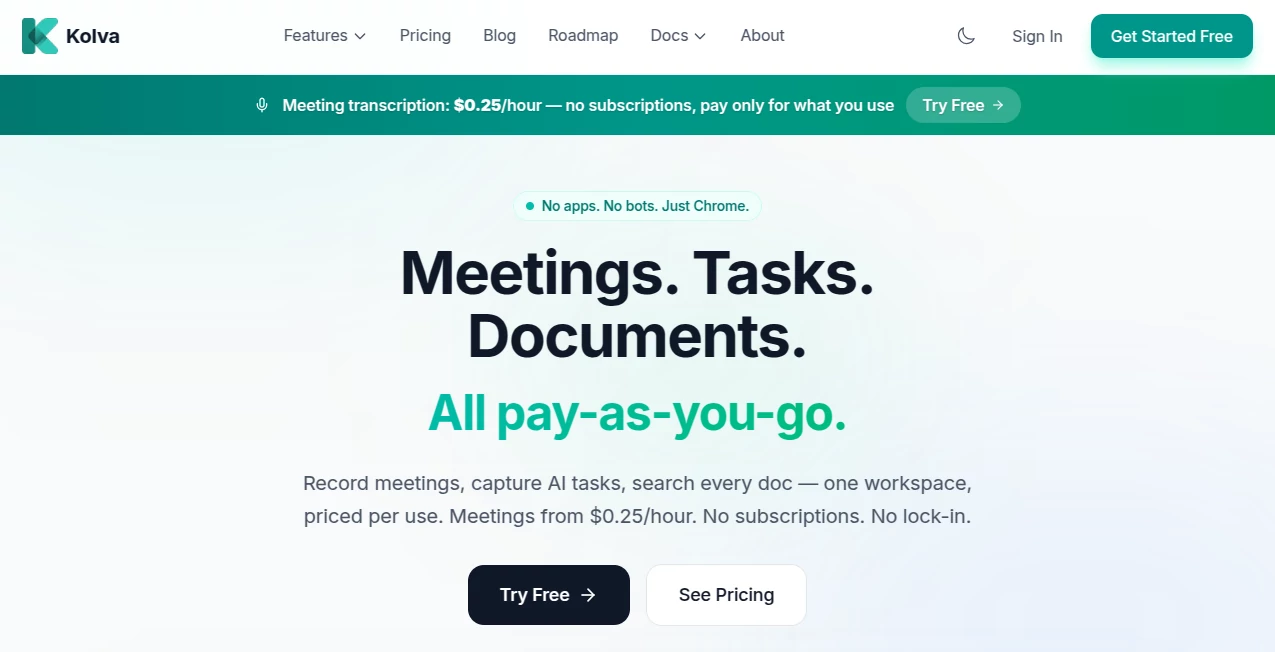
What is Kolva?
Managing work often means switching between task managers, meeting assistants, document repositories, and note-taking apps. That constant context switching can slow productivity and make important information difficult to find. This platform takes a refreshingly different approach by bringing meetings, documents, tasks, and AI-powered search into a single workspace while charging only for the AI features you actually use.
Designed for professionals, freelancers, startups, and growing teams, it eliminates the need for expensive monthly subscriptions that remain unused for most of the month. Instead, every AI feature is available on demand, allowing users to pay only when they need meeting transcription, document analysis, intelligent search, or task generation. The result is a flexible productivity environment that feels practical, modern, and surprisingly affordable for everyday work. Its browser-based workflow also removes installation headaches, making it easy to start working within minutes.
Key Features
User Interface
The workspace is built around a visual canvas where tasks, notes, documents, and meetings stay connected instead of being isolated in separate applications. Navigation is intuitive, allowing users to organize projects naturally while AI assists in keeping everything structured. Since everything runs directly in Chrome, there are no extensions or desktop applications to install, making onboarding remarkably simple.
Accuracy & Performance
Meeting recordings are automatically converted into speaker-aware transcripts, concise summaries, and actionable task lists. AI-powered semantic search quickly finds information across uploaded documents, notes, and conversations, reducing the time spent manually searching through files. Natural language commands further improve productivity by transforming simple requests into organized tasks and workflows.
Capabilities
- AI meeting transcription and summaries
- Automatic action item extraction
- Visual workspace for organizing projects
- AI-generated task creation from natural language
- Document upload with semantic search
- Knowledge management in one workspace
- Smart project suggestions
- Meeting recording directly from Chrome
- Integrated notes and document management
- Pay-as-you-go AI pricing model
Security & Privacy
Privacy remains an important part of the platform's philosophy. Sensitive information is protected with encrypted storage, while secure document management features help safeguard important files. The company also states that user data is not used to train AI models without explicit permission, giving professionals additional confidence when working with confidential information. Secure vault functionality adds another layer of protection for valuable business documents.
Use Cases
- Recording and summarizing online meetings.
- Managing projects with AI-assisted task planning.
- Creating searchable knowledge bases from business documents.
- Organizing personal productivity in one workspace.
- Tracking action items after client meetings.
- Collaborating with remote teams using connected notes and tasks.
- Reducing software subscription costs for small businesses.
- Centralizing meeting notes, documents, and project planning.
Pros and Cons
Pros
- Unique pay-as-you-go pricing instead of mandatory subscriptions.
- Unified workspace for meetings, documents, notes, and tasks.
- Fast browser-based setup with no software installation.
- Powerful AI search across uploaded content.
- Automatic meeting summaries and action items.
- Clean interface that is easy to learn.
Cons
- Users with extremely heavy AI usage may prefer unlimited subscription models.
- Some advanced collaboration capabilities are still evolving as the platform grows.
- Requires Chrome for the intended recording workflow.
Pricing Plans
The pricing model stands out by charging only for AI services that are actually consumed. Instead of monthly subscriptions, users pay small usage-based fees for meeting transcription, AI tasks, document processing, and intelligent search. New users can begin with free credits, making it easy to explore the platform before spending anything. This transparent approach is especially attractive for individuals and small teams that use AI occasionally rather than every day.
How to Use Kolva
Begin by creating a free account and opening the workspace in Chrome. Upload documents or create tasks using natural language, then organize everything on the visual workspace. During online meetings, start recording directly from the browser to receive transcripts, summaries, and action items automatically. Finally, use AI-powered search to instantly locate information across meetings, notes, and documents whenever you need it.
Comparison with Similar Tools
Many productivity platforms specialize in only one area, such as meeting transcription, note management, or project planning. Others combine multiple features but require costly monthly subscriptions regardless of actual usage. This solution distinguishes itself by connecting meetings, documents, notes, and AI task management inside one workspace while keeping pricing transparent through a usage-based model. For professionals who attend only a handful of meetings each month, the savings can be significant without sacrificing modern AI capabilities.
Conclusion
For anyone searching for a smarter way to organize work without paying for unused software subscriptions, this platform delivers an impressive balance of simplicity, intelligent automation, and cost efficiency. The combination of AI meeting intelligence, document search, connected task management, and flexible pricing creates a productivity experience that feels practical rather than overwhelming. Whether used by freelancers, consultants, remote workers, or growing teams, it offers a compelling alternative to traditional productivity suites while keeping everyday work organized in one place.
Frequently Asked Questions (FAQ)
Is there a free version available?
Yes. New users can start with free credits before paying for additional AI usage.
Can meetings be recorded without installing software?
Yes. Meetings can be recorded directly from the Chrome browser without requiring separate desktop applications or browser extensions.
Does it support AI document search?
Yes. Uploaded documents become searchable using semantic AI search, making information much easier to locate.
Who is this platform best suited for?
It is ideal for freelancers, startups, consultants, remote teams, and professionals who want AI productivity tools without committing to expensive monthly subscriptions.
Can AI generate tasks automatically?
Yes. Natural language requests can be transformed into structured tasks, subtasks, and organized projects with AI assistance.
AI Documents Assistant , AI Productivity Tools , AI Task Management , AI Meeting Assistant .
These classifications represent its core capabilities and areas of application. For related tools, explore the linked categories above.

Kolva Alternatives Product

Liftburst

WhispriNote

VideoLens

Motion

Period Calcu…

Debate Tello…

Solovio

YouMind

Skywork Supe…