

















VideoLens
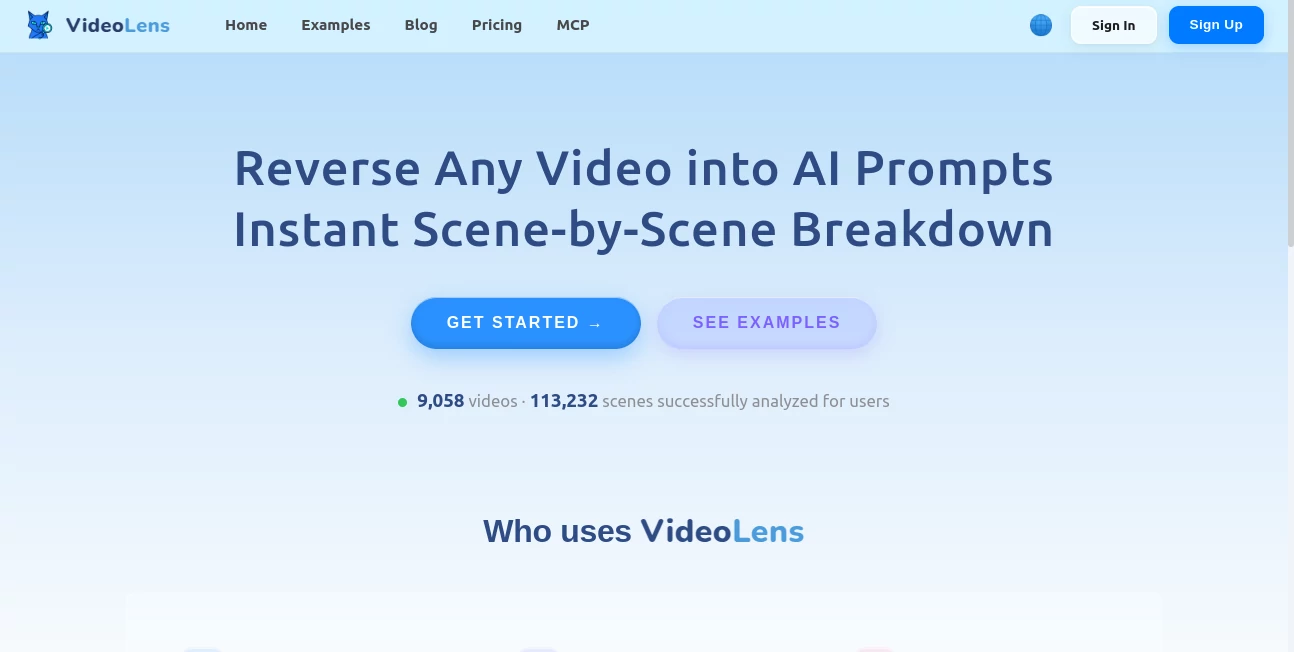
What is VideoLens?
Creating high-performing AI videos is no longer just about inspiration. Success often comes from understanding why a video works, how each scene is structured, and which prompts can recreate a similar style. This platform was built specifically for creators, marketers, agencies, and filmmakers who want to study successful videos instead of simply watching them.
Rather than providing a simple description, the platform analyzes an entire video and converts it into structured production assets. Users receive transcripts with timestamps, detailed scene analysis, camera movements, visual composition, dialogue, storytelling structure, and AI-ready prompts that can be reused in modern video generation models. The entire process dramatically reduces the time normally spent manually studying viral content while giving creators a practical framework they can immediately build upon. :contentReference[oaicite:0]{index=0}
Whether the goal is learning professional filmmaking techniques, understanding audience retention strategies, or generating similar AI videos, this solution delivers a complete breakdown that feels like having an experienced production team analyzing every second of footage.
Key Features
User Interface
The interface is intentionally simple. Users can either paste a supported video link or upload a video file. Within minutes the analysis is organized into easy-to-read sections, allowing creators to navigate transcripts, production scripts, scene breakdowns, and generated prompts without technical knowledge. The workflow remains approachable even for first-time users. :contentReference[oaicite:1]{index=1}
Accuracy & Performance
The platform combines local video processing techniques with advanced multimodal AI models. Instead of analyzing only a few screenshots, it understands the complete story, synchronizes dialogue with visuals, identifies individual scenes, and produces detailed prompt structures that closely match the original production. This multi-stage approach provides significantly richer results than traditional frame analysis. :contentReference[oaicite:2]{index=2}
Capabilities
Some of the most valuable capabilities include:
- Reverse-engineering AI prompts from existing videos.
- Shot-by-shot production analysis.
- Automatic transcript generation with timestamps.
- Detection of camera movements and framing.
- Storytelling and audience retention analysis.
- Ready-to-use production scripts.
- Exportable prompts for AI video generation workflows.
- Support for both uploaded videos and supported social media links.
These capabilities make the platform useful for educational purposes, content production, advertising campaigns, and AI filmmaking research. :contentReference[oaicite:3]{index=3}
Security & Privacy
The service focuses on analyzing videos provided directly by users or supported shared links. Since projects often contain creative concepts and marketing material, users should always review the current privacy policy before uploading confidential production assets. For public videos, the workflow remains straightforward and convenient.
Use Cases
- Study viral short-form videos.
- Create improved AI-generated commercials.
- Analyze successful storytelling techniques.
- Learn professional camera composition.
- Generate reusable prompts for AI video models.
- Develop educational filmmaking material.
- Research competitor video strategies.
- Speed up content production workflows.
- Improve social media video performance.
Pros and Cons
Pros
- Very fast video analysis.
- Excellent shot-by-shot breakdown.
- Detailed AI prompt generation.
- Automatic transcript creation.
- Production-ready scripts.
- Suitable for creators and marketing teams.
- Simple workflow with minimal learning curve.
Cons
- Most valuable for AI video creators rather than general users.
- Feature availability depends on supported video sources.
- Advanced workflows may require familiarity with AI video generation tools.
Pricing Plans
The platform offers a free starting experience, while additional usage is based on transparent pay-as-you-use pricing according to processed video duration. This allows occasional users to experiment before scaling to larger production workloads. :contentReference[oaicite:4]{index=4}
How to Use VideoLens
- Open the platform.
- Paste a supported video link or upload a video.
- Start the analysis.
- Review the generated transcript.
- Explore the scene-by-scene breakdown.
- Copy the generated AI prompts.
- Use the production script in your preferred AI video generator.
- Customize prompts to create original variations.
Comparison with Similar Tools
Many AI video analysis solutions focus on transcription or simple video descriptions. Others generate captions without explaining how the visual storytelling was created. This platform goes much further by combining transcript generation, scene decomposition, camera analysis, production scripting, and AI prompt reconstruction into a unified workflow. For creators trying to understand why a video performs well, this comprehensive approach provides substantially more value than standalone transcription or editing tools. :contentReference[oaicite:5]{index=5}
Conclusion
For creators who regularly study successful videos, reverse-engineering production techniques can save countless hours of manual analysis. This platform transforms complex videos into structured creative assets that are immediately useful for AI generation, filmmaking education, advertising, and content strategy.
Its combination of transcript generation, scene analysis, production scripting, and AI-ready prompts creates a workflow that feels remarkably practical. Instead of guessing how a viral video was produced, creators gain a detailed roadmap they can learn from, adapt, and transform into their own original productions.
Frequently Asked Questions (FAQ)
What does this platform do?
It analyzes videos and generates transcripts, production scripts, scene breakdowns, and AI prompts.
Can beginners use it?
Yes. The workflow is simple enough for beginners while still offering valuable insights for experienced creators.
Does it generate AI prompts?
Yes. One of its primary features is reconstructing prompts that can help recreate similar AI-generated videos. :contentReference[oaicite:6]{index=6}
Who benefits the most from this platform?
Content creators, marketers, educators, filmmakers, agencies, and AI video enthusiasts.
Can it help improve video marketing?
Yes. By revealing storytelling patterns, production techniques, and successful visual structures, it helps creators develop stronger marketing videos.