
Korrel
What is Korrel?
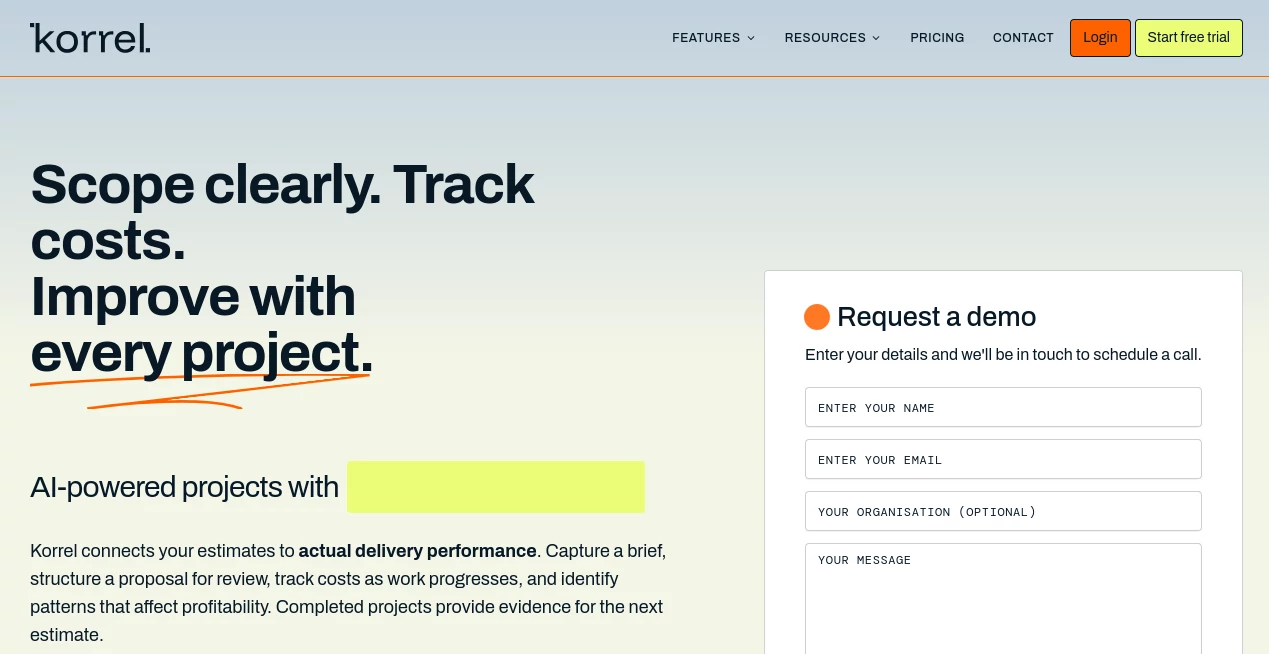
Managing project work is rarely difficult because of a lack of effort. The real challenge is knowing whether the original estimate still reflects what is happening during delivery. A project can look profitable at the proposal stage and slowly lose margin through extra revisions, unexpected requirements, additional hours, or rising costs.
Korrel takes a practical approach to this problem by connecting project estimates with actual delivery performance. Instead of treating every proposal as a completely new calculation, it helps businesses use information from completed projects to make future estimates more informed.
The platform is designed for businesses that quote project-based work, including construction companies, agencies, consultancies, architecture firms, and IT service providers. Users can work from briefs and uploaded information, create structured proposals, monitor project costs, manage changes, and keep an eye on margins as work progresses.
What makes the approach particularly interesting is the feedback loop. Once a project is completed, its delivery data can help establish a better baseline for the next proposal. Over time, this can make estimating less dependent on guesswork and more closely connected to the company's own experience.
Key Features
- AI-powered proposal generation from briefs and uploaded information
- Structured proposals with deliverables and milestones
- Requirement extraction and identification of missing inputs
- Risk flags for potential project issues
- Time and expense tracking against estimates
- Change request management
- Project cost dashboards
- Historical pattern matching across projects
- Estimation accuracy analytics
- Client profitability insights
- Margin variance alerts
- AI-suggested pricing based on previous project performance
- Milestone billing schedules
- Role-based team access
- Unlimited projects and proposals in the listed Core plan
User Interface
The product is built around the information that project-based businesses actually need to work with: briefs, estimates, deliverables, costs, revisions, milestones, and margins. Rather than forcing users to navigate through a collection of unrelated AI features, the workflow follows the natural progression of a project.
A useful part of the experience is the emphasis on structured information. Missing requirements can be surfaced before pricing, while project data can remain connected to the original estimate during delivery. For a team that regularly moves from client brief to proposal and then into execution, that structure can make the process easier to follow.
The overall concept feels especially suitable for teams that have outgrown spreadsheets but do not simply want another generic task-management application.
Accuracy & Performance
One of the strongest ideas behind the platform is its use of historical project performance. Estimates can be compared with actual delivery results, helping businesses identify where their quotes tend to drift.
For example, if a particular type of project repeatedly requires more hours than originally estimated, that pattern can become useful information when preparing a future proposal. The system also looks at revision activity, requirements, costs, and other project signals to help teams understand why estimates change.
This does not mean that every future quote will automatically be correct. Project pricing still requires human judgment, particularly when a client has unusual requirements. The value comes from giving that judgment better historical context.
Capabilities
The platform covers more than proposal creation. Its workflow extends into project delivery, allowing teams to track time and expenses against estimates, manage client and project information, define billing milestones, and monitor project costs.
The AI-focused features add another layer. Briefs and uploads can be used to generate proposals, requirements can be extracted automatically, and historical project patterns can be matched to new work. Pricing suggestions can also take previous performance into account.
This combination makes it useful for businesses where estimating, project management, and profitability are closely connected. A creative agency, for instance, could use it to break down a client brief into deliverables, account for expected costs, monitor revisions, and see whether additional work is beginning to affect the project's margin.
Security & Privacy
Because the platform can work with project briefs, uploaded documents, client information, and financial details, privacy is an important consideration for any business evaluating it.
The publicly available product information reviewed for this article focuses primarily on project estimation, delivery tracking, profitability, and workflow capabilities. It does not provide enough detailed security information to make specific claims about encryption standards, data retention, certifications, or compliance frameworks.
Businesses handling confidential client material should therefore review the provider's current privacy and security documentation before uploading sensitive information.
Use Cases
Construction and Trades: Teams can use the platform to work from plans and specifications, prepare proposals containing material and labour costs, establish billing milestones, and compare actual project performance with the original estimate.
Creative and Digital Agencies: Agencies can turn incoming briefs into structured deliverables, track sell and cost pricing, monitor time against budgets, and manage change requests. This can be particularly useful when repeated revision rounds start eating into project margins.
Consulting and Professional Services: Consultants can scope engagements from emails or briefs, organize milestone billing, track costs, and identify which phases of previous projects consistently required more resources than expected.
IT Services: IT service providers can use structured proposals and historical project information to improve estimates while keeping project costs visible throughout delivery.
Growing Service Businesses: Companies that rely heavily on project quotes can gradually build a more useful internal history of what their work actually costs, rather than keeping completed projects disconnected from future proposals.
Pros and Cons
Pros
- Connects estimating with actual project performance
- Uses historical project patterns to improve future proposals
- Combines proposal creation and project cost tracking
- Highlights missing requirements before pricing
- Includes change request management
- Provides margin and cost visibility during delivery
- Designed specifically around project-based service businesses
- Offers AI-assisted proposal and pricing features
Cons
- The strongest AI benefits depend on having useful project information to learn from
- Detailed security and compliance information is not prominent in the public product information
- Businesses looking for a general-purpose task manager may find its project-estimation focus more specialized
- AI-generated estimates and pricing suggestions still need professional review
Pricing Plans
The website currently lists two per-seat plans, Core and Intelligent, and both are displayed at $0 per seat per month. The pricing page also states that there are no annual contracts, no hidden fees, and that users can cancel anytime.
Core: The listed free plan includes a proposal builder with deliverables and milestones, time and expense tracking, change request management, client and project management, role-based team access, milestone billing schedules, project cost dashboards, and unlimited projects and proposals.
Intelligent: The listed plan adds AI-powered capabilities, including proposal generation from briefs and uploads, automated requirement extraction, risk flags, estimation accuracy analytics, historical pattern matching, client profitability insights, margin variance alerts, and AI-suggested pricing based on past performance.
Since pricing can change as a product develops, businesses should confirm the current plans and terms before making a purchasing decision.
How to Use the Platform
- Create an account and set up the relevant project or client information.
- Start with a project brief, email-based scope, plans, specifications, or other available project material.
- Review the requirements and identify missing information before preparing a quote.
- Use the proposal workflow to organize deliverables, costs, milestones, and pricing.
- Review any suggested risks, assumptions, or pricing recommendations before sending the proposal to the client.
- Once the project begins, track time and expenses against the original estimate.
- Manage changes and revisions as the project develops.
- Monitor project costs and margin throughout delivery.
- After completion, review the difference between the estimate and actual performance.
- Use the resulting project history as a reference for future proposals and estimates.
Comparison with Similar Tools
Traditional project management software usually focuses on tasks, deadlines, assignments, and team coordination. That is useful once a project is underway, but it does not always connect the original sales estimate with the final delivery result.
Generic proposal software, on the other hand, can help businesses create polished quotes but may not provide a detailed feedback loop between estimated costs and actual project performance.
This platform sits between those areas. Its main distinction is the connection between scoping, proposal creation, project costs, revisions, and historical performance. For a business where profitability depends heavily on accurate project estimates, that connection can be more valuable than simply adding another task list to the workflow.
It is particularly compelling for organizations that repeatedly deliver similar types of projects. The more useful historical information a team collects, the more meaningful those patterns can become when evaluating new work.
Conclusion
Accurate project pricing is not just about choosing a number that sounds competitive. It requires understanding what similar work has actually cost, where previous estimates went wrong, how requirements changed, and which parts of delivery repeatedly created additional work.
This platform brings those pieces into one workflow. Its combination of structured proposals, cost tracking, requirement analysis, historical project patterns, and margin monitoring gives project-based businesses a practical way to connect what they promise with what they ultimately deliver.
For agencies, consultants, construction businesses, architects, IT providers, and other service companies that quote work regularly, the biggest attraction may be the learning loop. Every completed project can become useful information for the next one.
If your team has ever finished a project and wondered why the final margin was lower than expected, this approach is worth exploring. It turns that experience into data that can potentially improve the next estimate, the next proposal, and eventually the way the business prices its work.
Frequently Asked Questions (FAQ)
What type of businesses can use the platform?
It is designed for businesses that quote and deliver projects, with examples including construction and trades, creative and digital agencies, consulting and professional services, architecture, and IT services.
Can it generate proposals with AI?
Yes. The Intelligent plan listed on the website includes AI proposal generation from briefs and uploads, along with requirement extraction, risk flags, historical pattern matching, and AI-assisted pricing suggestions.
Can project costs be tracked after creating a proposal?
Yes. The platform connects estimates with project delivery and provides time and expense tracking, cost dashboards, and margin-related visibility as work progresses.
Does it help identify missing project requirements?
Yes. Its requirement-focused features are designed to surface missing inputs and suggest clarifying questions before pricing, helping teams reduce uncertainty before committing to an estimate.
Is there a free plan?
The website currently lists a Core plan at $0 per seat per month and an Intelligent plan at $0 per seat per month. The Core plan provides the fundamental project and proposal features, while the Intelligent plan adds the AI-focused capabilities.
Does it replace project management software?
It can cover several project management activities, but its main focus is connecting project scoping and estimation with actual delivery performance and profitability. Teams that need specialized functionality beyond that workflow may still use additional project management tools.
AI Workflow Management , AI Project Management , AI Productivity Tools .
These classifications represent its core capabilities and areas of application. For related tools, explore the linked categories above.

Korrel Alternatives Product

Speech Text

Dedoctive

FormRoyale

Black Screen

ToolIMG

SlideStorm AI

Flow Veo 3

Oasis

WhatIsThisMo…