


















Lastround AI
What is Lastround AI?
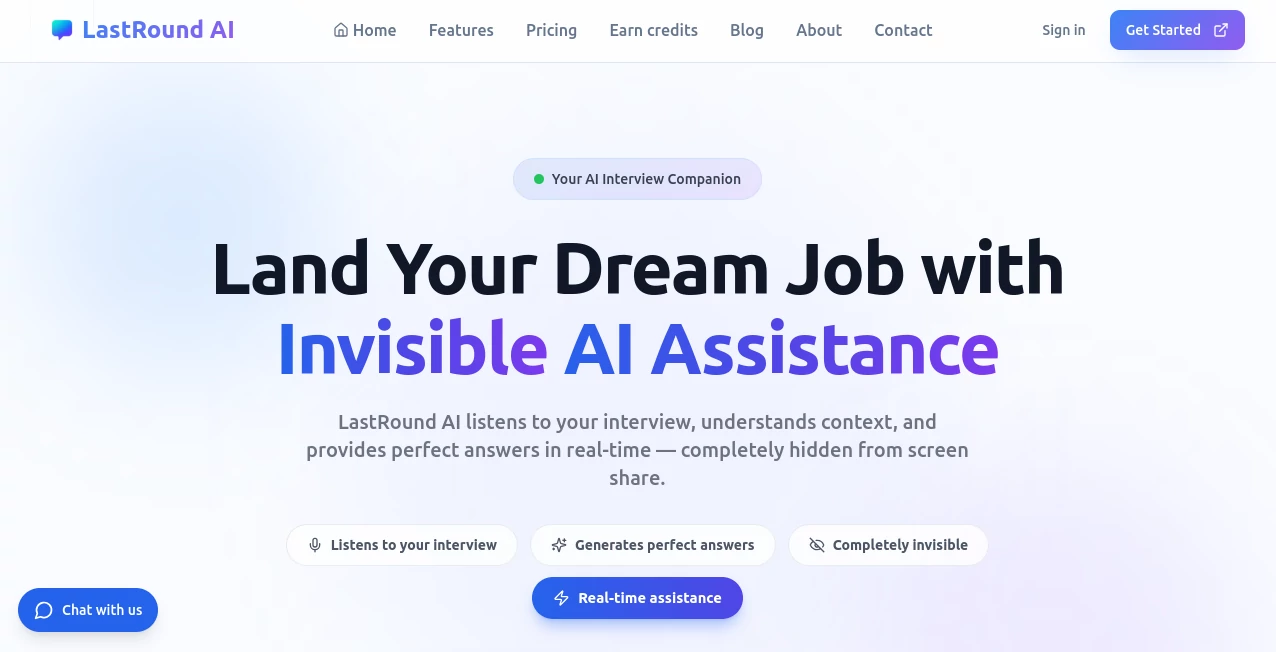
Job interviews are nerve-wracking. You've prepared for weeks, you know your stuff — but the moment the call starts and the interviewer fires off a system design question you didn't expect, your mind goes blank. That's the gap this platform was built to close.
This is an AI-powered interview copilot that sits invisibly in the background during your live interviews, listens to what's being asked, and delivers real-time answers — tailored to your own resume and experience — without the interviewer ever knowing it's there. It's not a prep app you use the night before. It's an active assistant running alongside you in the moment that matters most.
Beyond live interviews, the platform covers the entire job-hunting workflow: AI mock interviews for practice, a resume builder with ATS optimization, a question bank of over 5,000 curated questions across 15+ industries, and a mobile copilot for phone screens. For anyone navigating a competitive job market — especially in tech — this is a serious tool worth understanding in depth.
Key Features
User Interface
The design philosophy here is clean and functional over flashy. The dashboard doesn't try to overwhelm you with options — it puts the core workflow front and center: start a live session, practice with mock interviews, or build your resume. The AI overlay during live interviews floats on your screen in a way that's easy to glance at without breaking eye contact with your camera.
Setup takes under two minutes. Download the desktop app, upload your resume and the job description you're interviewing for, and you're ready. The interface works across Mac and Windows without any complex configuration. There's also a web app version for users who prefer not to install software, and a mobile web version that works on any phone browser — genuinely useful when your interview is a phone screen and your laptop isn't in front of you.
Accuracy & Performance
The AI response quality is where this platform earns its reputation. Because you upload your resume and the specific job description before each session, the answers it generates aren't generic — they reference your actual experience. If you worked at a fintech startup and the question is about handling pressure, the suggested response draws on your background, not a template.
For coding rounds, the platform handles LeetCode-style problems, HackerRank challenges, and live coding assessments in real time. It doesn't just produce code — it explains the reasoning, covers time and space complexity, and formats answers the way a strong candidate would actually deliver them verbally. Users who've tested it on FAANG-level technical rounds report that the suggestions hold up under scrutiny.
Behavioral questions are handled through structured STAR-method responses that feel natural rather than robotic, which is a meaningful distinction when you're speaking aloud under pressure.
Capabilities
The feature set covers more ground than most alternatives in this space:
- Live Interview Copilot: Real-time AI assistance during actual interviews on Zoom, Google Meet, Microsoft Teams, CodeSignal, HackerRank, and WebEx. The overlay is invisible to screen share at the OS level.
- AI Mock Interviews: Practice with an AI interviewer that adapts its follow-up questions based on your responses — much closer to a real interview than static Q&A practice.
- Coding Interview Help: Full support for live coding rounds, including algorithm explanations, complexity analysis, and solution walkthroughs.
- Resume Builder with ATS Scoring: Create and optimize resumes with instant ATS compatibility scores. Unlimited resume builds are included on all paid plans.
- 5,000+ Question Bank: Organized across 15+ industries including software engineering (1,500+ questions), system design (500+), behavioral and HR (800+), data science and ML (600+), product management (400+), finance and consulting (350+), and more. Three difficulty levels from warm-up through FAANG-grade.
- Mobile Copilot: Full interview assistance from your phone's browser — one of the few platforms that actually supports this use case well.
Security & Privacy
The invisible screen share functionality operates at the native OS rendering level, meaning standard screen capture APIs used by video conferencing software cannot detect the overlay. This is the core technical achievement that makes the live copilot viable in real interviews.
On the data side, interview transcripts are locked to your account — no other user, and no member of the platform's team, can access what you said or how you answered. All connections use TLS 1.2+ encryption, and data at rest is encrypted through Supabase managed Postgres. Users can toggle off interview history saving at any time from the Data & Privacy settings section. Formal certifications including SOC 2 Type II, ISO 27001, GDPR, and India's DPDP Act compliance are actively being pursued.
Use Cases
The most obvious use case is a software engineer preparing for a FAANG-level technical interview. Someone who's strong on fundamentals but freezes under pressure, or who struggles with the verbal explanation component of coding rounds, will find the real-time suggestions genuinely transformative. Having the right answer and being able to articulate it clearly are two different skills — the platform helps with both simultaneously.
But the scope is broader than just tech:
- Product managers navigating product sense and metrics questions at companies like Google, Meta, or Uber
- Data scientists facing ML system design rounds with questions that span statistics, engineering, and business judgment
- Finance and consulting candidates preparing for case interviews and behavioral screens at investment banks or consulting firms
- Non-native English speakers who know their subject matter deeply but benefit from real-time phrasing support under pressure
- Career changers who are strong in their new field but lack the vocabulary to answer questions framed around experience they don't have yet
- Job seekers using phone screens who need a copilot that works on mobile without requiring a separate device
The resume builder use case is worth calling out separately. Users report meaningfully higher callback rates after using the ATS optimization features — the tool surfaces skills and phrasing that applicant tracking systems reward, which often differs from how people naturally describe their experience.
Pros and Cons
What genuinely works:
- The personalization based on your uploaded resume is real — answers reference your actual background, not generic templates
- Coding assistance is strong enough for FAANG-level technical rounds, not just entry-level problems
- Mobile copilot support sets it apart from most competitors, which are desktop-only
- Question bank depth (5,000+ questions, 15+ industries) is genuinely comprehensive for prep work
- Free plan is actually useful, not crippled — 15 credits per month and 3 resume downloads is a real starting point
- Pricing starting at $19/month is significantly more accessible than major competitors priced at $70–$148/month
- Credits that don't expire can be purchased separately, which suits candidates with irregular interview schedules
Limitations to consider:
- The invisible screen share works best on the desktop app — the web version has fewer stealth capabilities
- Credit-based system means heavy users need to track usage or upgrade plans
- Formal security certifications (SOC 2, ISO 27001) are still in progress rather than completed
- The platform is best used as a preparation and confidence tool — over-reliance without genuinely understanding the material creates its own risks
Pricing Plans
Four plans cover the range from casual preparation to intensive job-search mode:
- Free Plan — $0/month: 15 credits per month, 3 resume downloads, basic AI feedback, desktop app access, and unlimited resume builder access. A solid entry point for anyone wanting to test the platform before committing.
- Starter Pack — $19/month: 90 credits per month, 10 resume downloads, live interview copilot, mobile copilot, and AI feedback. Good for candidates with a few interviews lined up over the coming month.
- Professional Pack — $49/month: 270 credits per month, unlimited resume downloads, all copilot features, advanced features, and priority support. The most popular tier — well suited for an active job search running 2–3 interviews per week.
- Ultimate Pack — $99/month: 600 credits per month, all premium features, unlimited resume downloads, 24/7 support. For candidates in intensive interview sprints or those targeting multiple companies simultaneously.
Bonus credit packages that never expire are also available for purchase separately — a practical option for candidates who interview in bursts rather than on a steady schedule. Annual billing options are available with cost savings over monthly rates.
How to Use LastRound AI
The onboarding process is designed to be fast — the platform explicitly targets a two-minute setup time, and it lives up to that.
- Step 1 — Download and install: One-click installation for Mac or Windows via the desktop app. Alternatively, open the web app in any browser with no download required.
- Step 2 — Upload your information: Add your resume as a PDF and paste in the job description for the role you're interviewing for. The AI processes your background and prepares to reference your specific experience in its suggestions.
- Step 3 — Join your interview call: Start your Zoom, Google Meet, Teams, or other video call as normal. The desktop app activates the invisible overlay — your interviewer sees a standard video call, you see real-time AI answers floating on your screen.
- Step 4 — Use the copilot controls: During the session, you can ask for clarification on a question, request a full answer, or analyze what's being asked before responding. The interface includes controls for hiding the overlay, ending sessions, and managing credit usage in real time.
For preparation sessions outside of live interviews, the mock interview feature lets you practice with an adaptive AI interviewer using the same question bank, building muscle memory for the format before the real thing.
Comparison with Similar Tools
The competitive landscape for AI interview tools has gotten crowded, but most alternatives have meaningful gaps that this platform addresses.
The most direct competitors are priced at $59–$148 per month for similar functionality. At $19–$49 for the core tiers, the pricing is a significant differentiator — particularly for candidates who are between jobs and cost-conscious. None of the named competitors offer free interview preparation, mobile copilot support, or the ability to purchase non-expiring bonus credits.
On the resume side, most competitors either charge separately for resume tools or limit downloads significantly. Unlimited resume building is included across all paid plans here, which matters when you're iterating your resume for different roles.
The question bank depth — 5,000+ questions across 15+ industries — also stands out. Many competitors focus narrowly on software engineering and system design. The coverage of finance, consulting, healthcare, marketing, and product management makes this viable for a much wider range of job seekers, not just developers.
Where more established platforms sometimes have an edge is in content library depth for behavioral preparation and in the maturity of their enterprise features. For individual candidates rather than corporate procurement, though, those advantages rarely translate into better interview outcomes.
Conclusion
Job searching is already one of the more stressful things a person does. The interview process in particular has a way of making qualified candidates underperform — not because they lack knowledge, but because real-time pressure is genuinely hard. Having an invisible assistant that knows your background, understands the question being asked, and surfaces the right answer in the moment you need it changes the dynamic in a fundamental way.
What makes this platform worth attention isn't just the live copilot — it's the combination. Preparation through a deep question bank and adaptive mock interviews. Resume optimization that actually moves the needle on callbacks. Live assistance when the stakes are highest. And a mobile option that covers the phone-screen stage that most tools ignore entirely. All of that, starting at $19 a month, with a genuinely functional free tier for anyone who wants to try before committing.
For anyone in an active job search — especially in a competitive field where a single interview can change your career trajectory — this platform is a serious advantage worth picking up.
Frequently Asked Questions (FAQ)
Can interviewers detect the AI overlay during a screen share?
No. The desktop app uses native OS-level rendering that operates outside the layer that screen capture APIs can access. When you share your screen, the interviewer sees only your code editor or browser — nothing else. This is the core technical differentiator of the desktop app over browser-based alternatives.
Does the platform work for non-technical interviews?
Yes. The question bank covers behavioral and HR questions (800+), product management (400+), finance and consulting (350+), healthcare and pharma (300+), and marketing and sales (250+) — alongside the technical tracks. The live copilot handles all question types, not just coding.
What video conferencing platforms are supported?
Zoom, Google Meet, Microsoft Teams, CodeSignal, HackerRank, and WebEx are all explicitly supported. The platform works with any video conferencing software since the overlay operates at the OS level rather than integrating with individual apps.
What happens to my interview transcripts?
Interview history is locked to your account — no other user or team member can access it. You can opt out of saving interview history entirely from the Data & Privacy section in Settings, and the platform stops recording immediately when you do.
What programming languages are supported for coding rounds?
The platform supports the major languages used in technical interviews — JavaScript, Python, Java, C++, and others commonly tested on LeetCode, HackerRank, and CodeSignal. Language-specific syntax and idioms are reflected in the generated solutions.
Do unused credits carry over?
Monthly subscription credits reset with your billing cycle and do not carry over. However, bonus credits purchased separately never expire, making them a practical option for candidates who interview in irregular bursts.
Is there a free trial before committing to a paid plan?
Yes — the free plan gives you 15 credits per month and 3 resume downloads with no credit card required. It's a real working version of the platform, not a locked demo, so you can evaluate the live copilot and mock interview features before upgrading.
AI Coaching , AI Interview Assistant , AI Resume Builder .
These classifications represent its core capabilities and areas of application. For related tools, explore the linked categories above.

Lastround AI Alternatives Product

Sourcetable

ResignWell

TryApplyNow

JobbTwine
ResumeTailor…

Lexi4

Nav Ai

Interview Co…

core level
