
Lens App
What is Lens App?
Finding reliable information about an unfamiliar object used to mean searching with the right keywords and hoping for useful results. Today, visual AI has changed that experience completely. Instead of describing what you see, you can simply upload a photo and receive an intelligent analysis within seconds.
This powerful AI image recognition platform is designed for everyday curiosity. Whether you are identifying a rare flower during a weekend hike, checking the value of an old coin, recognizing an insect in your garden, translating foreign text while traveling, or discovering visually similar images online, everything happens in one simple interface. The platform combines multiple computer vision models to deliver fast, practical, and highly relevant answers without unnecessary complexity.
Unlike many specialized applications that focus on only one category, this solution brings numerous identification tools together in a single experience. The result is a convenient assistant that saves time while making visual search accessible for students, travelers, collectors, gardeners, pet owners, researchers, and anyone who enjoys learning through images.
Key Features
User Interface
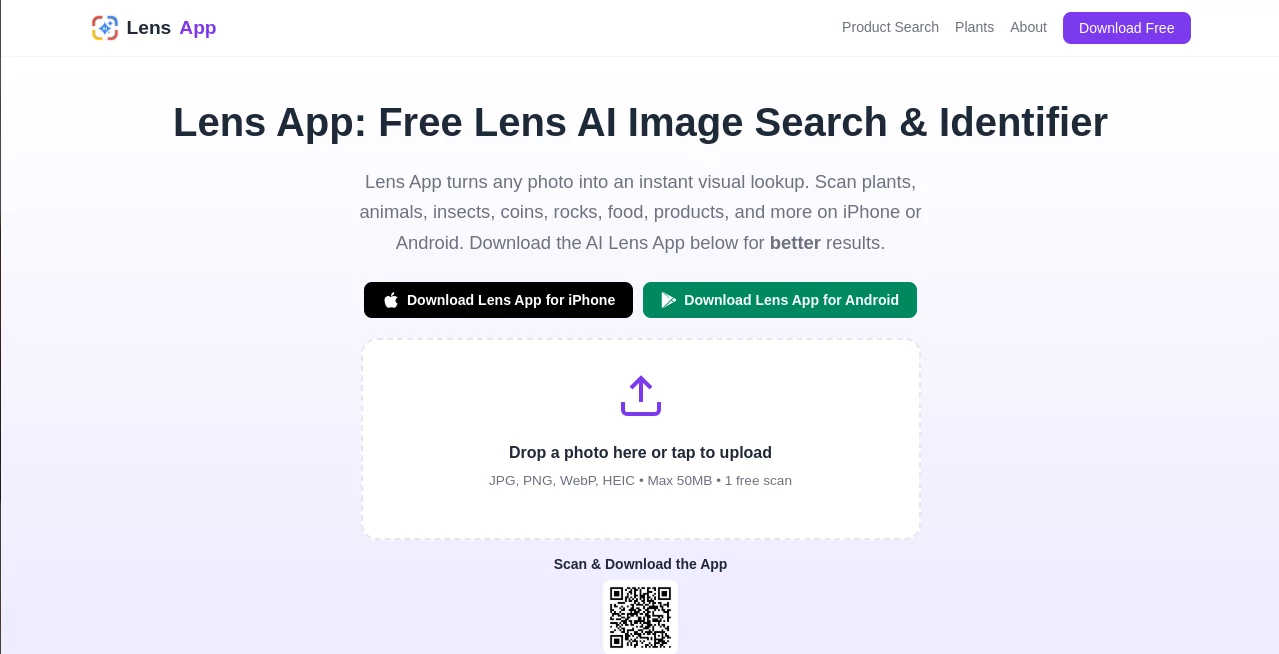
The interface is intentionally minimal and welcoming. Uploading a photo takes only a few seconds, and results appear almost immediately. Navigation remains simple regardless of whether you are identifying plants, animals, food, antiques, products, or everyday objects. Even first-time visitors can begin using the platform without reading lengthy instructions.
Accuracy & Performance
The platform combines advanced AI vision models with contextual analysis to provide detailed recognition results. Images are processed quickly, usually within a few seconds, making it practical for real-world situations where fast answers matter. Better image quality naturally improves recognition, but even ordinary smartphone photos often produce impressive results.
Capabilities
- AI-powered object recognition
- Plant, flower, tree, and mushroom identification
- Animal, bird, fish, insect, dog, and cat recognition
- Coin, banknote, crystal, and antique identification
- Reverse image search
- Product discovery from photos
- Food recognition
- Camera-based text translation
- Visual similarity search
- Educational explanations alongside identification results
Security & Privacy
Privacy receives significant attention throughout the platform. Images are processed for analysis without requiring account registration for basic use, and uploaded files are not stored for future reuse. This approach allows users to explore visual AI without worrying about building permanent photo collections on external servers.
Use Cases
- Identify unknown plants during outdoor activities.
- Recognize insects before handling them.
- Discover dog or cat breeds.
- Estimate information about collectible coins and banknotes.
- Translate signs, menus, and printed documents while traveling.
- Research rocks, minerals, and crystals.
- Find visually similar products online.
- Support biology homework and educational projects.
- Explore antiques found at home or flea markets.
- Learn more about everyday objects through AI recognition.
Pros and Cons
Pros
- Very easy to use for beginners.
- Supports many recognition categories in one platform.
- Fast image processing.
- No complicated setup.
- Useful educational information accompanies results.
- Reverse image search and translation increase versatility.
- Privacy-focused image handling.
Cons
- Identification quality depends on image clarity.
- Some advanced usage requires the mobile application.
- AI recognition should not replace expert verification for safety-critical decisions.
Pricing Plans
The web version provides free daily image scans without requiring registration. Mobile applications offer additional scanning capabilities and extra features, making the platform suitable for both casual users and those who rely on image recognition more frequently.
How to Use Lens App
Start by uploading a clear photograph or taking a new picture with your camera. The AI analyzes visible details such as shape, texture, colors, and patterns before comparing them with its recognition models. Within seconds, detailed identification results appear along with useful background information. Depending on the object, additional insights such as care instructions, estimated value, translations, or visually similar matches may also be displayed.
Comparison with Similar Tools
Many visual AI services specialize in only one task, such as plant recognition, reverse image search, or text translation. This platform combines numerous visual intelligence capabilities into one environment, reducing the need to install multiple applications. The combination of broad object coverage, fast response time, educational explanations, and privacy-conscious processing creates a balanced experience suitable for both everyday users and enthusiasts.
Conclusion
Visual AI continues to transform how people interact with the world around them. Instead of searching with uncertain descriptions, users can simply point a camera toward an object and receive meaningful answers within moments. By combining intelligent image recognition, reverse search, translation, product discovery, and educational insights into one accessible solution, this platform delivers an experience that feels genuinely useful in everyday life. Whether you enjoy exploring nature, collecting rare items, traveling abroad, or simply satisfying your curiosity, it offers a fast and enjoyable way to learn more from every photograph.
Frequently Asked Questions (FAQ)
Can it recognize plants and animals?
Yes. It supports identification of plants, flowers, trees, insects, birds, fish, pets, and many other living organisms.
Does it support reverse image search?
Yes. Users can search for visually similar images and discover related information across the web.
Is registration required?
Basic web usage includes free daily scans without creating an account.
Are uploaded photos stored permanently?
No. Uploaded images are processed for identification and are not retained for future use according to the platform's privacy approach.
Who benefits most from this platform?
Students, travelers, collectors, gardeners, pet owners, hobbyists, researchers, and anyone interested in identifying objects quickly will find it particularly useful.
AI Image Recognition , AI Translate , AI Education Assistant , AI Search Engine .
These classifications represent its core capabilities and areas of application. For related tools, explore the linked categories above.
Lens App details
Website unavailable — View Alternatives
Pricing
- Free
Apps
- Web App
- iOS App
- Android App
Categories

Lens App Alternatives Product

WonderShare …

Manus

BookTranslat…

GPT Image 2 …

优秀PTE

TopPDF

AI page tran…

FaceShapeDet…

WhatsMyName …