


















Libertify
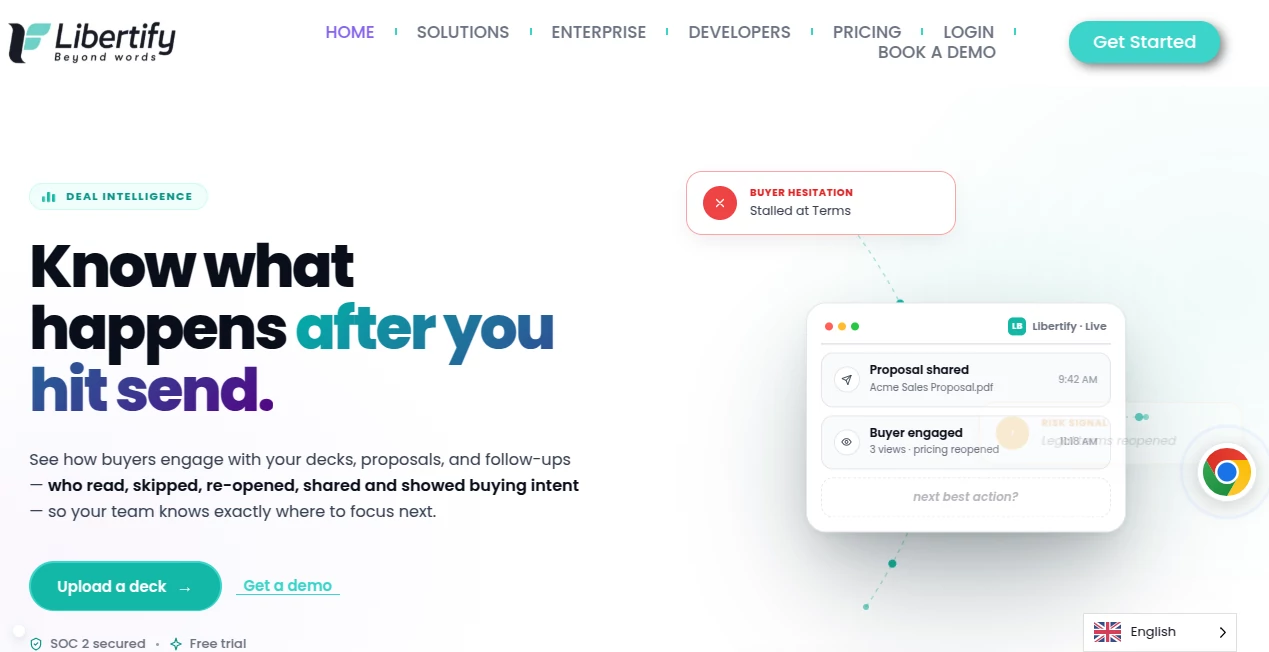
What is Libertify?
Long PDFs and static decks often get skimmed or ignored completely. This platform changes that by turning any document into a professional, narrated video experience that actually holds attention. You upload a proposal, training manual, or sales deck, and it creates a guided video with clear narration, smooth animations, and built-in interaction. I’ve seen sales teams report higher engagement and faster deal movement after switching to this approach. It feels like giving your documents a voice and personality they never had before.
Introduction
In today’s attention-scarce world, sending a plain PDF is like whispering in a crowded room. Libertify solves this by transforming static documents into dynamic, interactive videos complete with AI narration, visual flow, and real engagement insights. Whether you’re in sales, HR, L&D, or marketing, it turns your important files into experiences people actually watch and remember. The best part is how natural the videos feel — they don’t scream “AI-made,” they simply communicate better than a flat document ever could.
Key Features
User Interface
The dashboard is clean and intuitive. You upload your document (PDF, PowerPoint, Google Slides, etc.), review the automatically generated script and visuals, make quick adjustments if needed, and export or share the final video. Everything happens in one smooth flow without complicated steps or technical hurdles. Even first-time users can produce a polished result in minutes.
Accuracy & Performance
The AI narration sounds natural and professional, while the visuals sync perfectly with the content. It understands document structure well — highlighting key points, creating logical flow, and adding appropriate animations. Processing is fast, and the output quality is consistent across different document types, from sales proposals to training manuals.
Capabilities
It supports a wide range of documents and turns them into interactive videos with voiceover, animations, clickable elements, and built-in analytics. You can customize narration style, pacing, and branding. The platform also tracks how viewers engage — which sections they rewatch, where they pause, or skip — giving you valuable insights into what resonates. Perfect for proposals, onboarding, product explainers, and internal communications.
Security & Privacy
Enterprise-grade security with SOC 2, GDPR, and ISO compliance. Your documents stay private, and you control exactly who can view the generated videos. For teams handling sensitive information, this level of protection combined with powerful features makes it a trustworthy choice.
Use Cases
Sales teams turn proposals into guided video experiences that increase win rates. HR departments create engaging onboarding videos that new hires actually complete. Marketing teams transform whitepapers into shareable video summaries. Training teams build interactive modules that employees remember better. The common benefit is higher engagement and clearer communication in situations where traditional documents usually fall short.
Pros and Cons
Pros:
- Turns boring documents into professional, engaging videos quickly.
- Strong analytics show exactly how people interact with your content.
- High-quality AI narration and smooth animations.
- Works with common file types most teams already use.
- Enterprise security suitable for large organizations.
Cons:
- Best results come from well-structured source documents.
- Heavy customization may require a learning period.
- Premium features for very large teams are on higher plans.
Pricing Plans
Libertify offers flexible options starting with a free trial so you can test real documents and see the difference. Paid plans scale with your needs, offering more generations, advanced analytics, custom branding, and team features. Many teams find the return on investment clear after their first few video conversions through better engagement and faster results.
How to Use Libertify
Upload your document (PDF, slides, or text file). The AI analyzes the content and generates a narrated video draft. Review the script and visuals, make any tweaks to tone or emphasis, then generate the final version. Share the video link or embed it wherever needed. Track viewer engagement to understand what works and refine future materials. The whole process is straightforward enough for non-technical users while powerful enough for professional teams.
Comparison with Similar Tools
Many document tools only add basic tracking or simple animations. Libertify stands out by creating full narrated video experiences with meaningful interaction and deep analytics. It bridges the gap between static content and engaging video without requiring video production skills or large budgets. For teams that need both beauty and intelligence from their materials, it delivers a more complete solution.
Conclusion
Documents don’t have to be boring or easily ignored. With Libertify, your important content can capture attention, communicate clearly, and provide valuable insights about how people engage with it. It’s a practical, high-impact way to modernize how you share information — whether internally with your team or externally with clients and partners. If you’re tired of sending files that get skimmed or ignored, this tool offers a smarter, more effective alternative that actually gets results.
Frequently Asked Questions (FAQ)
How long does it take to create a video?
Most documents turn into videos in just a few minutes, from upload to final export.
Can I customize the narration voice?
Yes, you can choose from multiple natural-sounding voices and adjust pacing and emphasis.
Is it suitable for enterprise use?
Absolutely — with strong security certifications and features designed for large teams.
Do viewers need special software to watch?
No — videos play in any modern browser with a simple link.
Can I track who watched my video?
Yes — detailed engagement analytics show exactly how people interact with your content.
AI Documents Assistant , AI Marketing Plan Generator , AI Video Generator , AI Presentation Generator .
These classifications represent its core capabilities and areas of application. For related tools, explore the linked categories above.
Libertify details
Website unavailable — View Alternatives
Pricing
- Free
Apps
- Web App
- Chrome Extensions
Categories

Libertify Alternatives Product

KoloQR

Visfeng AI F…

Kling O1

aiiStudio

Seedance 2.0…

Markdown to …

BuildRoy

Referent

Sourcetable
