


















LifePixels
What is LifePixels?
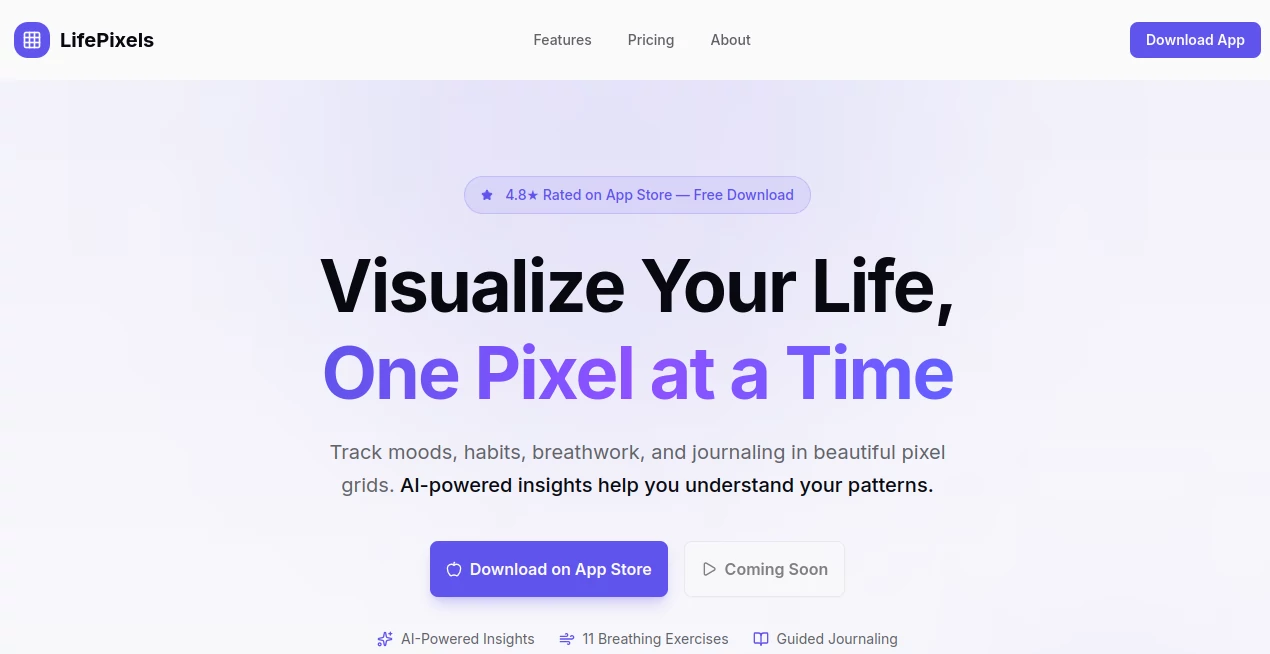
Most habit trackers feel like a chore. You open them, tap a few boxes, and wonder why nothing is actually changing. That disconnect between logging data and feeling progress is exactly the problem this app was built to solve. Instead of dry lists and forgettable streaks, it turns your daily life into something you actually want to look at — a living, colorful mosaic that grows richer with every passing day.
Built on the "Year in Pixels" concept that went viral in bullet journaling communities, this iOS app takes that hand-drawn idea and supercharges it with artificial intelligence, science-backed breathing exercises, guided journaling, and deep pattern analysis. The result is a wellness companion that feels personal, not clinical. Rated 4.8 stars on the App Store and featured on Product Hunt, it has quietly become one of the more thoughtfully designed self-improvement tools available on mobile.
Whether you're trying to build better sleep habits, manage stress, understand your emotional cycles, or simply stay more mindful day-to-day, this is a tool worth keeping on your home screen.
Key Features
User Interface
The design philosophy here is immediately obvious: beautiful first, functional second — and somehow, both at once. The pixel grid interface is visually satisfying in a way that few productivity apps manage. Each day you track becomes a colored square, and over weeks and months, patterns emerge like a painting coming into focus.
Dark mode is built in and looks genuinely polished. The quick-log button makes daily check-ins take seconds rather than minutes. Navigation is intuitive enough that most users won't need a tutorial. There's a warmth to the color palette and typography that sets it apart from the sterile white-background look that dominates the wellness app space.
With over 50 board templates and 25 journal templates included, new users can start tracking meaningful data immediately without having to build everything from scratch.
Accuracy & Performance
The app runs smoothly offline — all tracking, journaling, and breathing exercises work without an internet connection. Data syncs automatically when connectivity is restored. This is a real practical advantage for anyone who travels, commutes underground, or simply doesn't want their morning routine dependent on a Wi-Fi signal.
The AI insights engine analyzes your actual logged data rather than offering generic advice. It looks for correlations — for example, identifying that your energy levels tend to dip on days following poor sleep scores, or that your mood consistently improves after breathwork sessions. These aren't random suggestions; they're grounded in the specific patterns your data reveals over time.
Capabilities
The feature set goes well beyond a basic mood tracker. Here's what's packed in:
- Year in Pixels boards: Track mood, habits, sleep, energy, or any custom metric as colorful pixel grids
- AI Wellness Coach: A 24/7 conversational coach that analyzes your data and offers personalized insights and advice
- 11 Breathing Techniques: Box Breathing, 4-7-8, Wim Hof Method, Heart Coherence, Physiological Sigh, and more — with visual guides and haptic feedback
- Guided Journaling: Stoic, gratitude, and affirmation formats with AI-generated prompts and voice-to-text dictation
- Smart Insights & Analytics: Weekly trend reports, habit correlation discovery, and milestone tracking
- Purpose & Vision Board: Goal-setting with daily reminders tied to your larger life vision
- Custom Tracking Types: Mood, Routine (yes/no), Choice (multiple options), Counter, Energy, and Sleep quality
- Streak Tracking: Chain-based motivation that makes breaking a streak feel genuinely costly
- Apple Health Integration: Mindful minutes sync for iOS users
Security & Privacy
For an app that stores your emotional states, mental health data, and daily routines, privacy isn't optional — it's foundational. All data is encrypted and stored securely. The company explicitly states it never sells or shares personal data. Users can export their complete data or delete everything at any time, no hoops required.
The offline-first architecture also means your most sensitive entries never have to leave your device unless you choose to sync them. For anyone who's hesitated to journal digitally because of privacy concerns, this is a meaningful reassurance.
Use Cases
The range of people who could genuinely benefit from this tool is wider than you might expect:
- Stress management: Someone dealing with work anxiety can use the breathing exercises daily and watch their mood data reveal whether those sessions actually move the needle over time
- Habit building: A person trying to exercise more consistently gets the visual "don't break the chain" effect — seeing a solid block of colored pixels is surprisingly motivating to protect
- Emotional awareness: Individuals in therapy or working on emotional regulation can use the mood tracking and journaling to build a richer picture of their mental patterns before and after sessions
- Sleep improvement: Tracking sleep quality alongside mood and energy quickly reveals correlations that generic advice never captures — your specific patterns, not someone else's averages
- Personal development journeys: The vision board and purpose-setting features make it useful for anyone doing structured self-improvement work, not just wellness maintenance
- Mindfulness practice: For people who find traditional meditation inaccessible, the breathing exercises offer a low-barrier entry point to regulated nervous system practices
Imagine someone who's been tracking her sleep and mood for three months and suddenly notices — through the AI insights panel — that her worst mood days reliably follow nights with less than six hours of sleep and no morning breathwork. That kind of concrete, personal discovery is what makes behavior change actually stick.
Pros and Cons
Pros:
- Genuinely beautiful visual design that makes daily tracking feel rewarding rather than obligatory
- Comprehensive feature set that replaces multiple separate apps (habit tracker, journal, breathing app, mood logger)
- AI coaching grounded in your own data, not generic wellness advice
- Works fully offline — no internet dependency for core features
- Strong privacy stance with data encryption and export/delete options
- 11 breathing techniques covering a wide range of needs, from sleep to focus to stress relief
- 7-day free trial with no commitment required
- Scientifically grounded — the psychological principles behind the features are documented and explained
Cons:
- Currently iOS-only, with Android listed as "coming soon" — Android users will need to wait
- AI Coach message limits (100/month on Premium) may feel restrictive for heavy users who want daily AI conversations
- The depth of features can feel overwhelming during initial setup — new users may need time to find their rhythm
- Annual pricing (€49.99/year) may be a consideration for users in regions where that represents a significant expense
Pricing Plans
The pricing structure is refreshingly simple — two tiers, no confusing add-ons:
- Free Plan (€0 forever): Includes the core mood board (Year in Pixels), affirmations journal, one custom board, seven days of entries, and basic breathing exercises. A solid starting point to test the concept before committing.
- Premium Plan (€49.99/year or approximately €4.17/month): Unlocks everything — unlimited pixel boards, all tracking types, custom journals, advanced statistics, cloud sync and backup, the AI Wellness Coach (100 messages/month), all 11 breathing techniques, 50+ board templates, 25+ journal templates, and priority support. Annual billing saves roughly two months compared to paying monthly.
Every paid plan includes a 7-day free trial with access to all premium features. No credit card tricks, and cancellation is handled directly through the App Store at any time.
How to Use This Tool
Getting started takes about five minutes and requires no learning curve:
- Step 1 — Download: Find it on the iOS App Store (search "LifePixels") and install it free. The 7-day trial activates automatically.
- Step 2 — Choose your trackers: Browse the 50+ templates or create a custom board. Most new users start with the mood board and one habit they want to build. You don't need to set up everything at once.
- Step 3 — Log your first entry: Use the quick-log button to record your day. The whole process takes under 30 seconds once you're set up. Enable the daily reminder so the habit sticks.
- Step 4 — Explore the journal: Try one of the guided journal formats — the gratitude journal is a good starting point. Voice dictation makes entries quick even on busy days.
- Step 5 — Try a breathing session: Box Breathing is a great first technique — four counts in, hold, out, hold. The visual guide makes it foolproof even if you've never done structured breathwork before.
- Step 6 — Review your insights: After a week or two of consistent logging, open the AI Coach and ask about your patterns. The insights become significantly more useful as your data accumulates.
Comparison with Similar Tools
The habit and wellness tracking space has plenty of players, but few combine this many functions in one place at this price point.
Versus Daylio: Daylio is a well-established mood journaling app with a strong track record. It does mood tracking well but lacks breathing exercises, AI coaching, and the visual pixel grid that makes this tool distinctive. For users who want the full wellness stack, Daylio would require supplementing with other apps.
Versus Habitica: Habitica gamifies habit building with RPG mechanics — a very different motivational approach. It works well for certain personality types but offers none of the mindfulness, breathwork, or AI insight features. The two tools serve meaningfully different needs.
Versus Reflectly: Reflectly focuses on AI-powered journaling and mood tracking. It's polished and well-regarded, but its breathwork and habit tracking capabilities are more limited, and it doesn't offer the signature pixel visualization that makes reviewing your year genuinely compelling.
Versus dedicated breathing apps (Calm, Breathwrk): These do one thing very well. But combining your breathing sessions with the rest of your wellness data — mood, habits, energy — in one place creates the correlations and insights that single-purpose apps can never surface.
The honest comparison point is that this app positions itself as a hub rather than a specialist. If you want the cleanest possible standalone habit tracker, there are simpler options. But if you want one thoughtfully designed app that covers mood, habits, breathwork, journaling, and AI-powered pattern recognition together, the competition thins out considerably.
Conclusion
There's something philosophically right about representing your days as pixels. Each one small on its own, but together they form a picture of who you actually are — not who you intend to be, but who you've been, day after day, choice after choice. That's the insight at the core of this tool, and it's executed with a level of design care and psychological depth that's rare in the wellness app space.
The AI coach, the breathing library, the journaling formats — these aren't tacked-on features. They're all connected to the same underlying idea: that self-awareness, tracked consistently and reflected back to you intelligently, is one of the most powerful levers for genuine personal change.
At €49.99 per year with a 7-day free trial, the barrier to entry is low enough that there's no real reason not to try it. If you've bounced off habit trackers before because they felt like obligation rather than insight, this one is worth a different look.
Frequently Asked Questions (FAQ)
-
What exactly is a "Year in Pixels"?
It's a visual grid where each day of the year is represented as a single colored square. The color (or intensity) reflects whatever value you tracked that day — mood level, habit completion, energy score. After a few months, you have a genuinely beautiful heatmap of your life that reveals patterns at a glance.
-
Is the app available on Android?
Currently it's iOS-only, available on the App Store. An Android version is listed as coming soon on the official site.
-
Does the app work without an internet connection?
Yes, fully. All core features — tracking, journaling, breathing exercises — work offline. Data syncs automatically when you reconnect.
-
What breathing techniques are included?
Eleven in total: Box Breathing, 4-7-8 Breathing, Wim Hof Method, Heart Coherence, Calm Breathing, Energizing Breath, Focus Breathing, Sleep Breathing, Stress Relief, Morning Wake-Up, and Body Scan. Each includes visual guidance and haptic feedback.
-
How does the AI Wellness Coach actually work?
It analyzes your logged tracking data to find patterns and correlations specific to your history. You can ask it questions conversationally — about your mood trends, habit performance, or what changes seem to have the most impact — and it responds based on your real data rather than generic advice. Premium users get 100 messages per month.
-
Can I create custom tracking boards?
Yes. Premium users get unlimited custom boards with six tracking types: Mood, Routine (yes/no), Choice (multiple options), Counter, Energy, and Sleep quality. You can also choose custom color schemes.
-
How is my personal data protected?
All data is encrypted and stored securely. The company does not sell or share personal data. You can export or permanently delete your data at any time. iOS users also get optional Apple Health integration for mindful minutes sync.
-
Is there a free trial?
Yes — a 7-day free trial is included with all premium plans, giving full access to every feature before any payment is required.
AI Life Assistant , AI Fitness , AI Mental Health , AI Coaching .
These classifications represent its core capabilities and areas of application. For related tools, explore the linked categories above.
LifePixels details
Website unavailable — View Alternatives
Pricing
- Free
Apps
- Web App
- iOS App
Categories

LifePixels Alternatives Product

Pontefuerte …

Greek Numero…

Read
GameGen

Mentor

MBTI Compati…

tryon.ink

Visual Field…

Business Chi…
