
LinaFlow
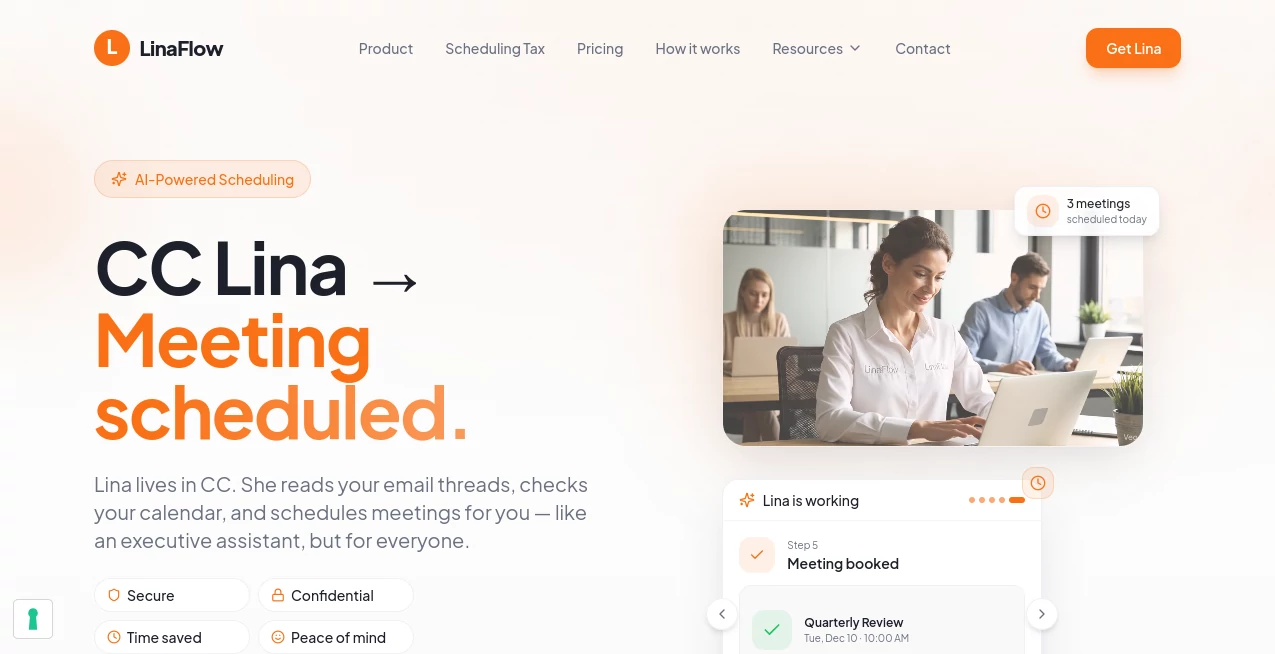
What is LinaFlow?
Keeping track of meeting requests often turns into a long chain of emails that steals valuable time from the work that actually matters. This smart scheduling assistant changes that experience by handling the entire coordination process directly from your email conversations. Instead of sharing booking links or manually checking calendars, it finds suitable time slots, follows up with participants, and creates calendar invitations automatically.
Built for busy professionals, consultants, founders, and teams, the platform blends naturally into existing workflows without forcing users to learn another scheduling application. It works with popular email and calendar services while keeping privacy at the center of every interaction.
Key Features
User Interface
The experience feels refreshingly simple. Users only need to include the assistant in an email conversation, while a clean dashboard allows reviewing scheduled meetings, preferences, and calendar settings whenever needed. Browser and desktop integrations make daily use even smoother.
Accuracy & Performance
The scheduling engine understands natural email conversations, availability preferences, preferred meeting times, and time zones. It proposes relevant options quickly, reduces unnecessary replies, and helps prevent double bookings by checking connected calendars.
Capabilities
- Automatic meeting scheduling from email threads.
- Smart availability suggestions.
- Multi-calendar synchronization.
- Automatic follow-up reminders.
- Time zone detection.
- Booking links for faster scheduling.
- Automatic calendar invitations with video meeting support.
- Custom scheduling preferences and meeting buffers.
Security & Privacy
Privacy is treated as a core feature rather than an afterthought. The assistant only accesses conversations where it has been invited and checks free/busy calendar information instead of reading private event details. The service is designed with GDPR compliance and secure data handling in mind.
Use Cases
- Managing client meetings without endless email exchanges.
- Scheduling interviews and recruitment calls.
- Coordinating meetings across multiple time zones.
- Helping founders and consultants save administrative time.
- Supporting managers who organize frequent internal and external meetings.
Pros and Cons
Pros
- Works directly inside familiar email workflows.
- Reduces repetitive scheduling conversations.
- Supports multiple calendars.
- Automatically follows up when participants do not respond.
- Strong focus on privacy and security.
Cons
- Advanced customization requires a paid subscription.
- Best suited for users who rely heavily on email communication.
Pricing Plans
A free plan allows users to schedule a limited number of meetings each month. Paid plans include unlimited scheduling, advanced automation, personalized behavior settings, and additional controls for professional users and growing teams.
How to Use LinaFlow
Create an account, connect your preferred calendar, and adjust your scheduling preferences. The next time someone requests a meeting, simply include the assistant in the email conversation. It will suggest available times, coordinate replies, and send the final calendar invitation once everyone agrees.
Comparison with Similar Tools
Unlike traditional booking platforms that require recipients to open external scheduling pages, this solution keeps the entire experience inside the email conversation. That approach feels more personal while reducing unnecessary clicks, making it especially useful for business communication and client-facing professionals.
Conclusion
For professionals who spend too much time arranging meetings, this scheduling assistant delivers a practical and polished solution. Its natural workflow, intelligent automation, privacy-first architecture, and seamless calendar integration help turn lengthy email threads into confirmed meetings with minimal effort.
Frequently Asked Questions (FAQ)
Is a new scheduling app required?
No. Most scheduling happens directly from regular email conversations.
Can it work with multiple calendars?
Yes. Multiple calendars can be connected to avoid scheduling conflicts.
Does it understand different time zones?
Yes. Meeting suggestions are adjusted automatically for participants in different regions.
Is my calendar information private?
Only availability information is used for scheduling, helping protect private event details.
Who benefits the most from this platform?
Consultants, executives, founders, managers, recruiters, and anyone who schedules meetings regularly can save significant time with its automation.
AI Workflow Management , AI Productivity Tools , AI Meeting Assistant , AI Scheduling .
These classifications represent its core capabilities and areas of application. For related tools, explore the linked categories above.

LinaFlow Alternatives Product

Emergent

CodeProt

Jamy.ai | Au…

Arobis AI Vi…

FLINT AI

DocReplacer

Nano Banana

Hairstyle An…

photo to URL