
Linked Grow
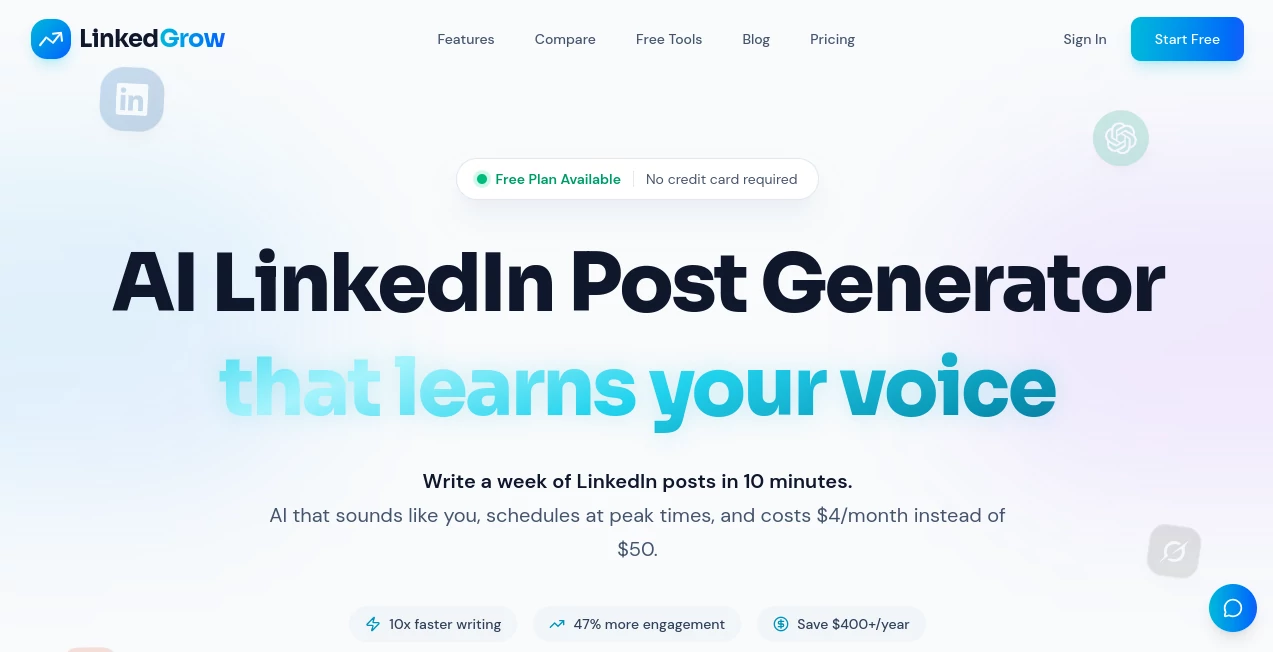
What is Linked Grow?
Building a strong presence on LinkedIn takes more than writing a few posts every week. Consistency, engaging ideas, strategic timing, and understanding what resonates with an audience all play an important role. This platform brings those elements together in one streamlined workspace, making professional content creation significantly easier for founders, creators, consultants, agencies, and business teams.
Instead of producing generic AI-written posts, the platform focuses on helping users create authentic content that reflects their personal writing style. Voice training, intelligent scheduling, content repurposing, analytics, and multi-model AI support allow users to publish confidently while maintaining their own identity. The flexible Bring Your Own Key (BYOK) approach also gives complete control over AI costs, making it an attractive alternative to traditional subscription-heavy content tools.
Key Features
User Interface
The dashboard is thoughtfully organized, allowing users to move from idea generation to publishing without unnecessary complexity. Content calendars, scheduling options, analytics, and editing tools are easy to locate, creating a smooth workflow even for first-time users. Whether managing a single personal brand or multiple client accounts, navigation remains intuitive and efficient.
Accuracy & Performance
Content generation is enhanced through support for multiple AI providers, allowing users to select the language model that best matches their needs. Voice training helps maintain writing consistency while intelligent optimization tools improve readability, engagement, and overall post quality. Built-in scheduling recommendations further increase the likelihood of reaching audiences at the right time.
Capabilities
- Create engaging LinkedIn posts with AI assistance.
- Generate fresh content ideas and attention-grabbing hooks.
- Repurpose existing articles, blogs, and other content into social posts.
- Train AI to match a personal writing style.
- Create branded carousel content.
- Generate AI-powered images for professional posts.
- Schedule posts using an integrated content calendar.
- Track engagement through analytics dashboards.
- Run A/B tests to compare content performance.
- Support team collaboration and shared workflows.
- Access API functionality for business automation.
- Choose from numerous AI models through the BYOK system.
Security & Privacy
Privacy is treated as a core feature rather than an afterthought. The platform follows a BYOK model, allowing users to connect their own AI provider accounts instead of relying on hidden AI infrastructure. This provides greater transparency over usage while ensuring users retain control of both their content and API costs. Support for two-factor authentication and GDPR compliance adds another layer of confidence for professionals and organizations handling business content.
Use Cases
- Growing a personal LinkedIn brand with consistent publishing.
- Helping founders attract investors and business opportunities.
- Creating educational content for coaches and consultants.
- Managing multiple client accounts for marketing agencies.
- Supporting employee advocacy programs for larger organizations.
- Producing high-quality B2B marketing campaigns.
- Repurposing newsletters and blog articles into LinkedIn posts.
- Planning monthly content calendars with automated scheduling.
Pros and Cons
Pros
- Clean and beginner-friendly interface.
- Supports multiple AI providers through BYOK.
- Keeps AI costs transparent and flexible.
- Excellent scheduling and publishing workflow.
- Voice training creates more authentic content.
- Powerful analytics and optimization features.
- Business collaboration tools for larger teams.
- API access available for advanced automation.
Cons
- Primarily focused on LinkedIn rather than multiple social networks.
- Requires users to provide their own AI API key.
- Some advanced collaboration features are reserved for higher-tier plans.
Pricing Plans
The platform offers multiple subscription options designed for individuals and organizations. A Starter plan includes unlimited AI post generation, content ideas, scheduling, and voice training. Higher-tier plans unlock unlimited scheduling, AI image generation, analytics, carousel creation, A/B testing, API access, and team collaboration features. A free trial is available, and the transparent BYOK pricing model allows users to pay only for their own AI usage instead of expensive bundled AI subscriptions.
How to Use LinkedGrow
Getting started is straightforward. Create an account, connect a LinkedIn profile, and configure an AI provider through the BYOK system. After setting writing preferences and training the platform with your preferred tone, users can generate ideas, draft posts, create images, build carousel presentations, and schedule content directly from the dashboard. Performance analytics help identify which posts generate the strongest engagement, allowing future content to become increasingly effective.
Comparison with Similar Tools
Unlike many LinkedIn content platforms that bundle AI costs into premium subscriptions, this solution separates software pricing from AI usage through its BYOK approach. That flexibility allows users to select their preferred language model while keeping expenses predictable. In addition, advanced features such as voice training, carousel generation, analytics, scheduling, A/B testing, and business collaboration make it suitable for both individual creators and professional marketing teams. Users looking for a scalable LinkedIn workflow often appreciate the balance between affordability, customization, and advanced functionality.
Conclusion
Professionals who depend on LinkedIn for networking, lead generation, and personal branding often struggle with consistency rather than creativity. This platform simplifies every stage of the publishing process—from brainstorming ideas to scheduling, optimization, and performance analysis—without sacrificing authenticity. Its transparent pricing model, extensive AI flexibility, and business-focused feature set make it an excellent solution for creators, founders, agencies, and organizations seeking sustainable LinkedIn growth.
Frequently Asked Questions (FAQ)
Is the platform suitable for beginners?
Yes. The interface is designed for users with little or no experience while still providing advanced capabilities for experienced marketers.
Can users choose different AI models?
Yes. The BYOK approach allows users to connect several supported AI providers and select the model that best fits their workflow.
Does it support scheduled publishing?
Yes. Users can schedule posts in advance, organize content with a calendar, and publish directly to LinkedIn.
Is it useful for marketing agencies?
Absolutely. Collaboration features, analytics, API access, A/B testing, and workflow management make it suitable for agencies handling multiple clients.
Does it include analytics?
Yes. Built-in dashboards help monitor engagement, optimize posting strategies, and evaluate content performance over time.
AI Content Generator , AI Social Media Assistant , AI Analytics Assistant , AI Marketing Plan Generator .
These classifications represent its core capabilities and areas of application. For related tools, explore the linked categories above.

Linked Grow Alternatives Product

Gemini Omni

Crawlly AI

AICosts.ai

Schedpilot

TrackRev

Ornold

Miroir AI

PostingCat

PrompTessor