


















LiveFaceSwap
What is LiveFaceSwap?
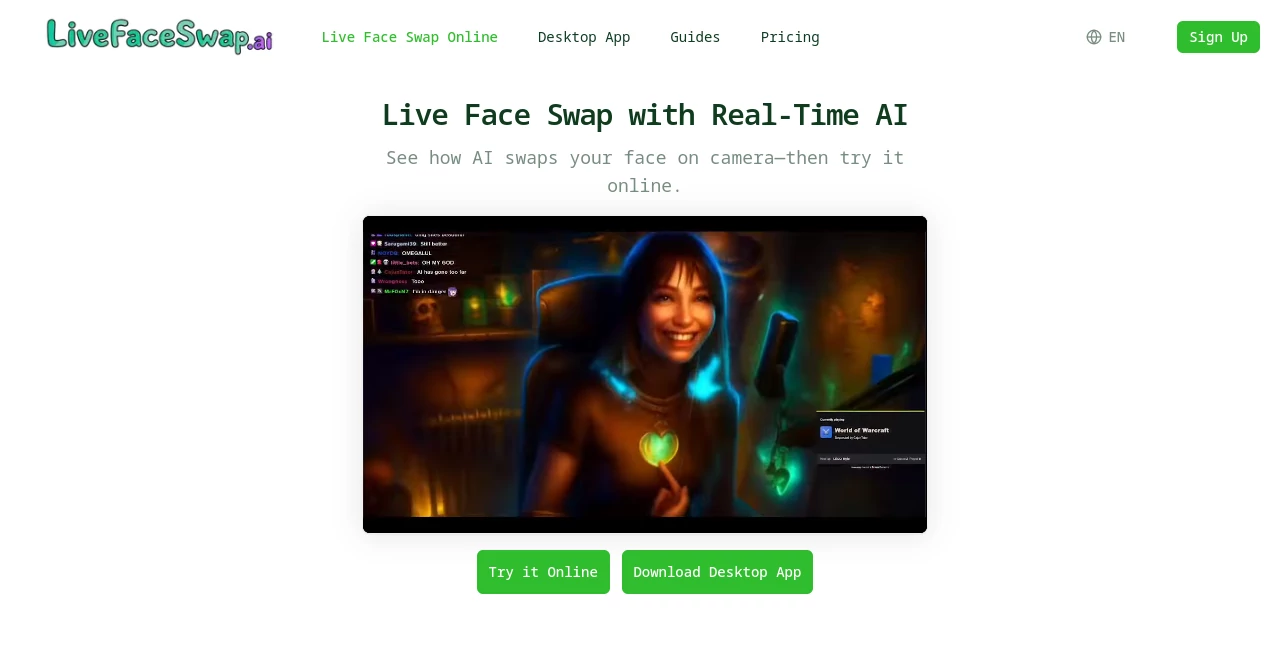
LiveFaceSwap is built for people who want to see AI-powered face transformation happen while they are actually on camera. Instead of uploading a finished video and waiting for a result, you can choose a reference portrait, turn on your camera, and watch the transformation happen in real time.
The browser experience makes it particularly easy to test. There is no AI model to install and no powerful graphics card required because the processing takes place in the cloud. The service also offers a desktop experience for users who want to take the transformed camera feed into streaming and meeting software.
What makes the experience interesting is its flexibility. Face swapping is the main attraction, but the platform also offers live try-on and restyle effects, opening the door to everything from character experiments and livestream entertainment to creative video projects.
Key Features
- Real-time AI face swapping through a live camera.
- Browser-based testing without installing AI models.
- Reference image uploads for personalized transformations.
- Multiple AI models and effects to experiment with.
- Live try-on effects for changing outfits and appearances.
- Live restyle effects for applying different visual styles.
- Desktop support for virtual-camera workflows.
- Compatibility with OBS and other supported streaming and meeting applications.
- Cloud-based processing without requiring a high-end GPU.
- Real-time output with reported latency of less than 500 milliseconds.
User Interface
The interface is designed around the things users actually need during a live transformation: camera input, reference image, effect, model selection, and the resulting AI preview. The workflow is straightforward enough that someone trying this technology for the first time can understand the basic process without spending a long time learning complicated controls.
The browser version is especially convenient for experimentation. You can choose a reference portrait, grant camera access, select an effect or model, and compare the transformed output with your original camera view. That makes it useful for testing different images and settings before committing to a longer session.
Accuracy & Performance
Real-time face transformation is much more demanding than processing a static photograph, so responsiveness matters. The platform states that its cloud-based system can return AI output with less than 500 ms of latency, allowing the transformation to respond to movement and changes in camera framing.
The quality of the result also depends heavily on the reference image. A clear, front-facing portrait with visible eyes, mouth, and facial contours gives the AI a better starting point. Good lighting and keeping your face within the camera frame can make a noticeable difference as well.
Because the processing is performed in the cloud, users do not need to download AI models or own a powerful local GPU. A compatible browser or desktop application, camera, and reasonably stable internet connection are the main requirements.
Capabilities
The face transformation feature is only part of the experience. Users can experiment with live character changes, alternative identities, animated appearances, fantasy looks, and other creative transformations. The Try-On mode extends the concept beyond faces by allowing users to preview different outfits and clothing styles while remaining on camera.
The Restyle option takes another approach by applying broader visual treatments to the live camera feed. This can be useful for creators who want to explore cartoon, animated, cinematic, or unusual visual concepts without first producing a finished video.
For creators, the desktop workflow is particularly useful because the resulting camera feed can be sent through a virtual camera to supported software. That makes the technology more practical for livestreams, recordings, online meetings, and other camera-based workflows.
Security & Privacy
Privacy is an important consideration whenever a camera and facial imagery are involved. The website states that the browser camera feed is not saved and cannot be viewed by other users. During an active live session, the camera stream is connected directly to the AI model provider through an encrypted connection.
Users should also be careful about the reference images they upload. The service recommends using your own face or an image for which you have permission. That is especially important when experimenting with recognizable people, public figures, or content intended for publication.
Use Cases
There are plenty of practical and creative ways to use real-time face transformation. Streamers can test different characters and identities before going live, while video creators can explore ideas that would otherwise require considerable post-production work.
It can also be useful for virtual meetings and video calls when the desktop workflow is used with compatible applications. Creative teams may use the live effects for concept development, demonstrations, roleplay, or visual experiments.
For example, a creator planning an entertainment stream could test several character references in advance, compare how each one behaves with different lighting, and then select the most convincing result for the final broadcast.
Pros and Cons
Pros
- Real-time face transformation rather than only offline processing.
- Easy browser-based testing with no installation required.
- Cloud processing removes the need for a powerful local GPU.
- Supports face swap, live try-on, and visual restyle effects.
- Desktop workflow can connect the output to compatible streaming and meeting software.
- Reported latency of less than 500 ms helps maintain a responsive live experience.
- Provides free trial time for users who want to test the experience before spending credits.
Cons
- Real-time processing depends on a stable internet connection.
- Results can vary depending on lighting, camera framing, and reference image quality.
- The browser experience does not currently provide recording, downloading, or exporting controls for the live output.
- More advanced workflows may require the desktop experience.
Pricing Plans
The online experience currently allows new users to get up to 180 seconds of free usage, making it possible to test the technology before committing to paid usage. The live interface uses a credit-based system, with the displayed effect consuming credits while it is running.
Because credit consumption and available options can change as models and features are updated, users should check the current pricing page before purchasing credits. This is particularly useful for anyone planning longer livestreams or frequent creative sessions.
How to Use It
- Open the online face-swap experience and sign in if required.
- Choose a clear portrait that you own or have permission to use.
- Allow access to your camera when prompted.
- Select the Face Swap effect and choose an available AI model.
- Start the live transformation and watch the AI output respond to your movements.
- If the result is not quite right, try another reference image or adjust your lighting and camera position.
- For streaming or meeting workflows, use the desktop application and connect its virtual camera to compatible software.
Comparison with Similar Tools
Many face-swap services focus primarily on photographs or pre-recorded videos. This platform takes a different direction by putting real-time camera interaction at the center of the experience. That distinction matters for streamers, virtual meetings, demonstrations, and anyone who wants to see the transformation while speaking or moving.
Another advantage is the combination of several live effects in one environment. Instead of limiting experimentation to replacing one face with another, users can explore try-on and restyle effects as well. The browser option also lowers the barrier to entry because there is no need to install local AI models simply to test the technology.
For users who mainly need traditional photo editing or offline video manipulation, a conventional image or video editor may offer a better workflow. For live camera experimentation, however, the real-time approach is the more relevant feature.
Conclusion
Real-time face transformation becomes much more interesting when it responds to your movements instead of waiting for a finished upload. This platform makes that experience accessible directly from a browser while also offering a desktop route for creators who need virtual-camera output.
Its combination of live face swapping, try-on effects, restyling, cloud processing, and streaming support gives it a broader purpose than a simple face-swap generator. Whether you are testing a character for a livestream, experimenting with a creative video concept, or simply curious about what modern AI can do with a live camera, it offers a straightforward place to start.
Frequently Asked Questions (FAQ)
Does it work in real time?
Yes. The service is designed for live camera transformation and states that its AI output can be delivered with less than 500 ms of latency.
Do I need a powerful GPU?
No. The AI processing runs in the cloud, so you do not need to download local AI models or own a high-end GPU.
Can I use it for livestreaming?
Yes. The desktop workflow provides virtual-camera output that can be used with OBS and compatible streaming software.
Can I use the transformed camera feed in video meetings?
Yes. The desktop experience is designed to provide a virtual camera that can be selected by compatible meeting and video-call applications.
What type of photo should I use for face swapping?
A clear, front-facing portrait is recommended. Images with visible eyes, mouth, and facial contours generally provide a better starting point than blurry photos, group pictures, or images with heavy shadows.
Is my camera feed saved?
The website states that the browser camera feed is not saved and cannot be viewed by other users. It also states that the active camera connection to the AI model provider is encrypted.
Can I record the live result directly in the browser?
No. The current browser experience does not provide controls for recording, downloading, exporting, or saving the live output.
Can I try it for free?
Yes. The website currently states that users can receive up to 180 seconds of free usage when getting started.
Can I use someone else's face?
You should only use a person's face when you have the appropriate permission to do so. The service specifically recommends using your own face or an image that you are authorized to use, and users should avoid using face swapping to impersonate, deceive, or harass others.
AI Video to Video , AI Video Generator , AI Face Swap Generator .
These classifications represent its core capabilities and areas of application. For related tools, explore the linked categories above.
LiveFaceSwap details
Website unavailable — View Alternatives
Pricing
- Free
Apps
- Web App
- Windows App
- Mac App
Categories

LiveFaceSwap Alternatives Product

Seedance 2.0…

Logo Animati…

free ai face…

Vidtool AI

Wan 2.7

RightAI
Kirkify Al

Seedance 2.0

image to vid…
