

















Llamaroo
Verified Blue CheckMark
Verified Blue CheckMark products are featured above free or unverified listings.
This badge indicates authenticity and builds trust, giving your product higher visibility across the platform.
Upgrade to get verified
Verified Blue CheckMark products are featured above free or unverified listings. This badge indicates authenticity and builds trust, giving your product higher visibility across the platform.
Upgrade to get verified
What is Llamaroo?
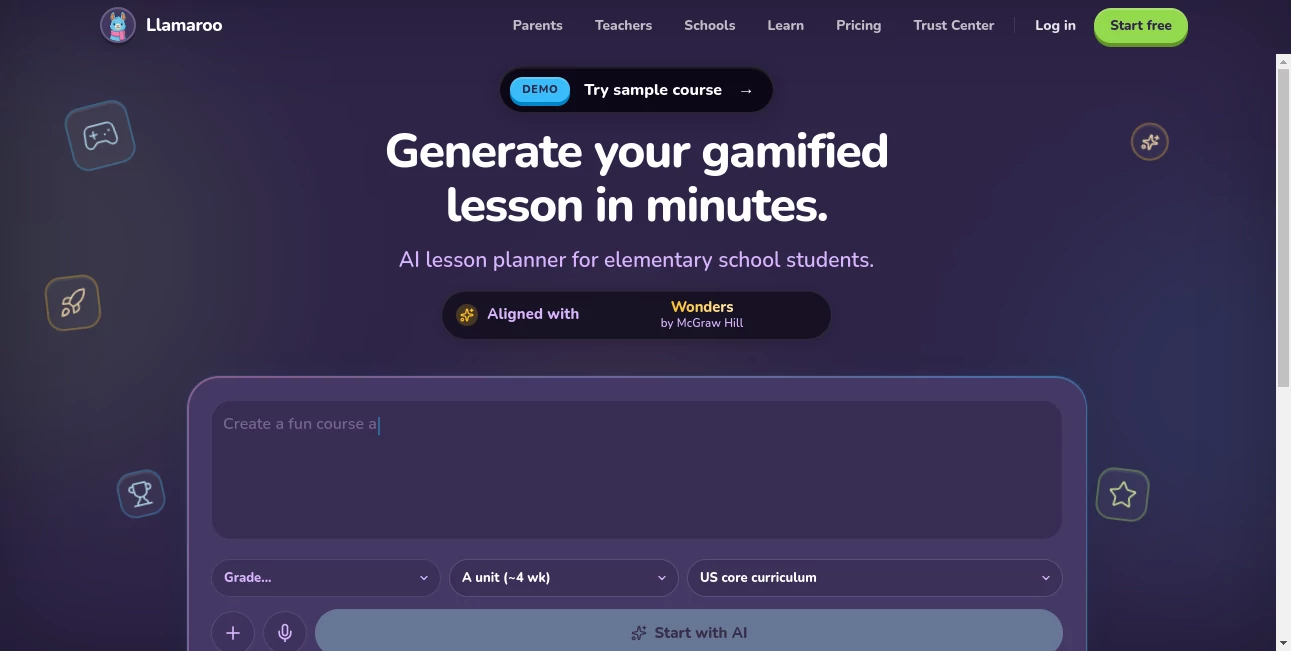
Teaching young kids is rewarding but exhausting, especially when you’re trying to make lessons engaging while staying true to the curriculum. I’ve watched teachers spend hours turning dry worksheets into something fun, only to see half the class lose interest after ten minutes. This platform changes that. You upload a worksheet, paste a topic, or record a quick voice note, and it transforms the material into a story-driven adventure with mini-games that kids genuinely beg to play. The best part? It keeps everything aligned with real curriculum standards so you’re not sacrificing learning for fun.
Introduction
Elementary teachers and parents know the struggle: kids want excitement, but you have standards to meet. Llamaroo bridges that gap beautifully. Instead of forcing children to grind through traditional exercises, it wraps learning objectives into narrative adventures and arcade-style games. A math worksheet becomes a quest to save a kingdom. A reading assignment turns into an interactive story where choices affect the outcome. It’s fast — most lessons are ready in minutes — and it respects the curriculum you’re already accountable for, including major programs like Eureka Math, Amplify CKLA, and many others. For anyone tired of battling for attention in class or at home, it feels like a genuine breakthrough.
Key Features
User Interface
The interface is refreshingly simple and teacher-friendly. Upload a PDF worksheet, type a topic, or record a voice note, choose your grade level and subject, and let the AI do the heavy lifting. The generated lesson appears with a clear story overview, embedded games, and learning objectives clearly mapped. You can tweak the story, adjust difficulty, or regenerate sections with one click. Everything stays clean and focused so you can spend your energy on teaching rather than formatting.
Accuracy & Performance
It stays impressively faithful to the original learning goals while making them far more engaging. Teachers report that kids stay focused longer and even ask to continue playing after class. The AI handles different curricula well and produces age-appropriate language and challenges. Generation is quick, usually under a few minutes, so you can create or adapt a lesson during a planning period or even between classes if needed.
Capabilities
It supports math, reading, science, and more, turning static materials into interactive stories with mini-games, multiple-choice challenges, and decision-based narratives. You can align with major programs like Eureka Math, enVision, Into Reading, Amplify CKLA, and many others. Teachers can generate full lessons, homework adventures, or even differentiated activities. Parents love using it to turn nightly homework into something children actually look forward to.
Security & Privacy
Student data and uploaded materials are handled with care. The platform is built for education environments with appropriate safeguards, giving schools and parents confidence when using it with children. No unnecessary data retention beyond what’s needed to generate and deliver the lesson.
Use Cases
A third-grade teacher uploads tomorrow’s math worksheet in the morning and has a full quest-based lesson ready by afternoon recess. A parent struggling with nightly reading battles turns assignments into interactive stories that their child now finishes without reminders. A special education teacher creates differentiated versions of the same material for different ability levels in minutes. Schools use it to make remote learning days more engaging without extra workload on teachers. The common theme is turning “have to learn” into “want to play and learn.”
Pros and Cons
Pros:
- Transforms boring worksheets into stories and games kids actually enjoy.
- Stays aligned with real curriculum standards teachers are accountable for.
- Extremely fast — full lessons in minutes instead of hours.
- Works for both classroom teachers and parents at home.
- Reduces planning stress while increasing student engagement.
Cons:
- Best results come from clear input materials (though voice notes help).
- Some very specialized topics may need light manual tweaking.
- Advanced customization and school-wide features are on higher plans.
Pricing Plans
It offers a generous free tier so teachers and parents can try it with real materials and see the difference immediately. Paid plans unlock unlimited generations, advanced customization, school-friendly features, and priority support. Many teachers say the time saved on planning more than covers the cost, especially when they see how much more their students participate.
How to Use Llamaroo
Sign up (quick and free to start), then choose your method: upload a worksheet PDF, type a topic, or record a short voice note explaining what you want to teach. Select the grade level and subject. Review the generated story and games, make any small tweaks if needed, and you’re ready to use it in class or at home. Students can play on tablets, computers, or even shared screens. It’s simple enough that you can prepare engaging material even on busy days.
Comparison with Similar Tools
Many AI lesson tools spit out standard worksheets or generic quizzes. This one stands apart by focusing on narrative and gamification that actually motivates young learners while staying faithful to curriculum goals. It’s less about replacing teachers and more about giving them superpowers to make learning fun without extra hours of work. The combination of speed, engagement, and curriculum alignment makes it uniquely practical for real classrooms and homes.
Conclusion
Learning should be an adventure, not a chore — especially for young children. This platform helps make that possible without asking teachers or parents to become game developers. It respects the curriculum, respects your time, and most importantly, respects how kids actually learn best: through stories and play. If you’re tired of fighting for attention in class or during homework time, this could be the refreshing change you’ve been looking for.
Frequently Asked Questions (FAQ)
How long does it take to create a lesson?
Usually 3–5 minutes from upload to ready-to-use lesson.
Does it work with my curriculum?
Yes — it aligns with major programs like Eureka Math, Amplify CKLA, and many others.
Can parents use it too?
Absolutely — it’s great for turning homework into engaging activities at home.
Is it suitable for different grade levels?
Yes, focused on elementary (K-6 / KS1-KS2) with appropriate difficulty scaling.
Do students need accounts to play?
No — lessons can be shared via link and played directly in the browser.