
Lorka
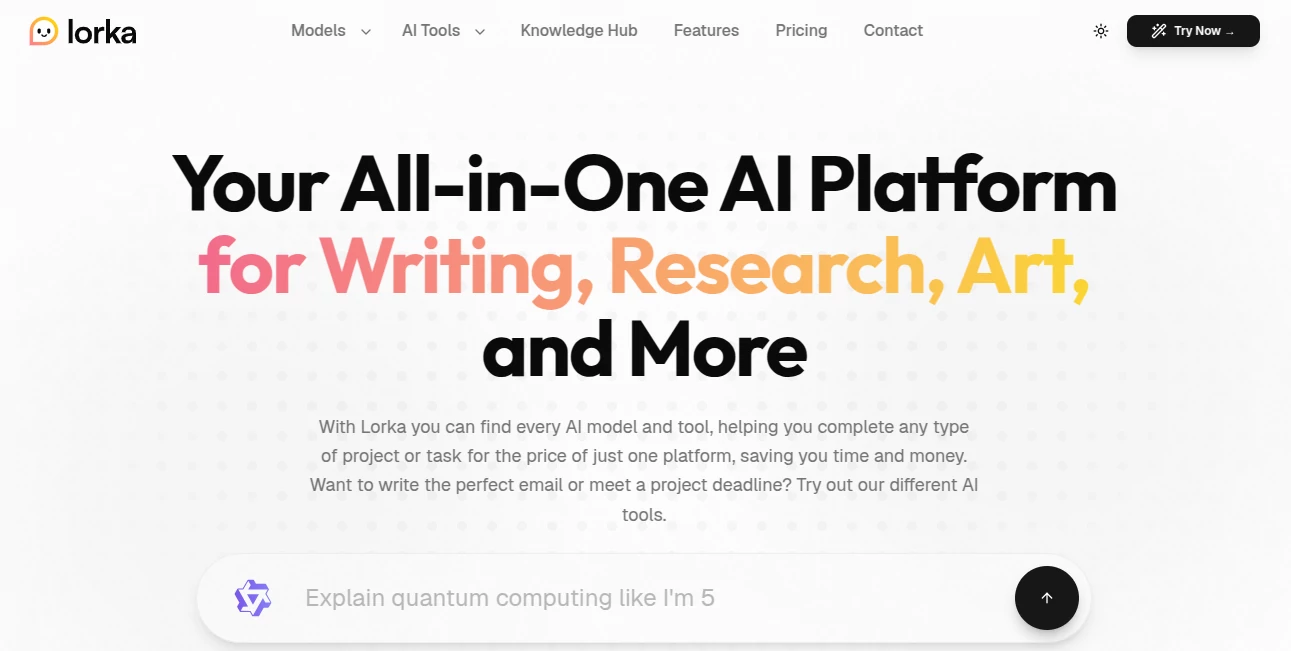
What is Lorka?
I got tired of juggling five different AI tabs and subscriptions just to get the best answer for each task. One model was great at writing, another at coding, and yet another at research. Then I found this platform and suddenly everything lived in one clean space. You can switch between Claude, GPT, Grok, Gemini, and more without losing context, and it even includes handy extras like image generation and PDF chatting. The first week I used it, I cancelled three other subscriptions and never looked back. It just feels smarter and simpler.
Introduction
Most people end up paying for several AI services because each model has its own strengths. This platform brings the major players together under one roof for a single, reasonable price. You get access to the latest versions of top models, plus practical tools for everyday work — all without switching browsers or managing multiple logins. It’s especially helpful for writers, researchers, students, and professionals who need flexibility without the hassle. The interface stays out of your way so you can focus on the actual work instead of managing tools.
Key Features
User Interface
The dashboard feels calm and organized. A central chat area lets you pick any model with one click, and you can even mix models in the same conversation for the best results. Side tools for image generation, web search, and document analysis are easy to reach without cluttering the main view. It’s the kind of clean design that makes you want to stay and work longer because nothing fights for your attention.
Accuracy & Performance
Each model performs as you’d expect from its standalone version, but having them all together means you can quickly compare answers or chain them together. Response times stay snappy even when switching models mid-thread. Users often mention how much time they save by not copying prompts between different platforms. The quality feels consistent and reliable across writing, coding, research, and creative tasks.
Capabilities
You get strong chat models like GPT, Claude, Grok, Gemini, DeepSeek, and Qwen, plus useful extras: AI image generation, web search, PDF chatting, translation, text humanizer, voice mode, and more. It handles long conversations well and lets you upload files for analysis. Whether you need to draft an email, debug code, summarize research papers, or generate visuals, it covers the bases without forcing you into separate tools.
Security & Privacy
Your conversations stay private, and the platform follows standard security practices for an AI service. You control what you share, and there’s no sense of your data being used to train models without permission. For professionals handling sensitive information, that peace of mind matters.
Use Cases
A PhD student switches between models to break down complex papers and then summarizes them cleanly. A content creator drafts social posts with one model, refines tone with another, and generates matching images all in the same workspace. A small business owner writes customer emails, translates them, and analyzes competitor sites without leaving the platform. Developers debug code with one model and ask architectural questions with another. It fits naturally into almost any workflow that benefits from AI support.
Pros and Cons
Pros:
- Access to multiple strong AI models for one price instead of many subscriptions.
- Seamless switching and conversation continuity between models.
- Handy built-in tools like image generation and PDF analysis.
- Clean, distraction-free interface that respects your focus.
- Good value compared to paying for separate services.
Cons:
- Some advanced features may still be growing as the platform matures.
- Heavy daily users might need higher-tier plans for unlimited access.
Pricing Plans
The subscription is straightforward and competitive — one monthly fee gives you access to all the major models and tools. It’s positioned as a smart way to replace multiple separate subscriptions, often saving users a significant amount each month. Free trials or limited access let you test the waters before committing, which feels fair and low-pressure.
How to Use Lorka
Sign up, land on the main chat screen, and pick your preferred model from the list. Type your request or upload a file if needed. Switch models mid-conversation if you want a different perspective. Use the side tools for images, translation, or web search as you go. Save important threads for later reference. The whole experience stays simple whether you’re doing quick tasks or deep work sessions.
Comparison with Similar Tools
Many platforms lock you into one model or make switching feel clunky. This one brings the best options together without forcing you to choose favorites upfront. It avoids the bloat of some all-in-one tools while still offering useful extras. For people tired of managing multiple AI accounts, it provides real relief and better workflow continuity than most alternatives.
Conclusion
AI should make life easier, not more complicated with tabs and subscriptions. This platform gets that and delivers a thoughtful solution that lets you focus on your actual work instead of managing tools. Whether you’re a student, creator, professional, or just someone who wants reliable AI help without the hassle, it’s a smart, practical choice that keeps getting better. Sometimes the best tools are the ones that quietly remove friction so you can do your best thinking.
Frequently Asked Questions (FAQ)
Can I switch models during the same conversation?
Yes, you can change models mid-thread and keep the context.
Is there a free way to try it?
Yes, limited access is available so you can test the experience before subscribing.
Does it include image generation?
Yes, built-in image tools are part of the platform.
How does the pricing compare to individual subscriptions?
Most users save significantly by replacing multiple separate plans with one subscription here.
Are my conversations private?
Yes, conversations are handled with standard privacy protections for AI platforms.
AI Productivity Tools , AI Chatbot , AI Writing Assistants .
These classifications represent its core capabilities and areas of application. For related tools, explore the linked categories above.

Lorka Alternatives Product

Sales Prospe…

Ai Angels

Discord Time…

broop

Vurge

TopPDF

Skywork Supe…

UPDF AI
AI2AI project