LuminaMind
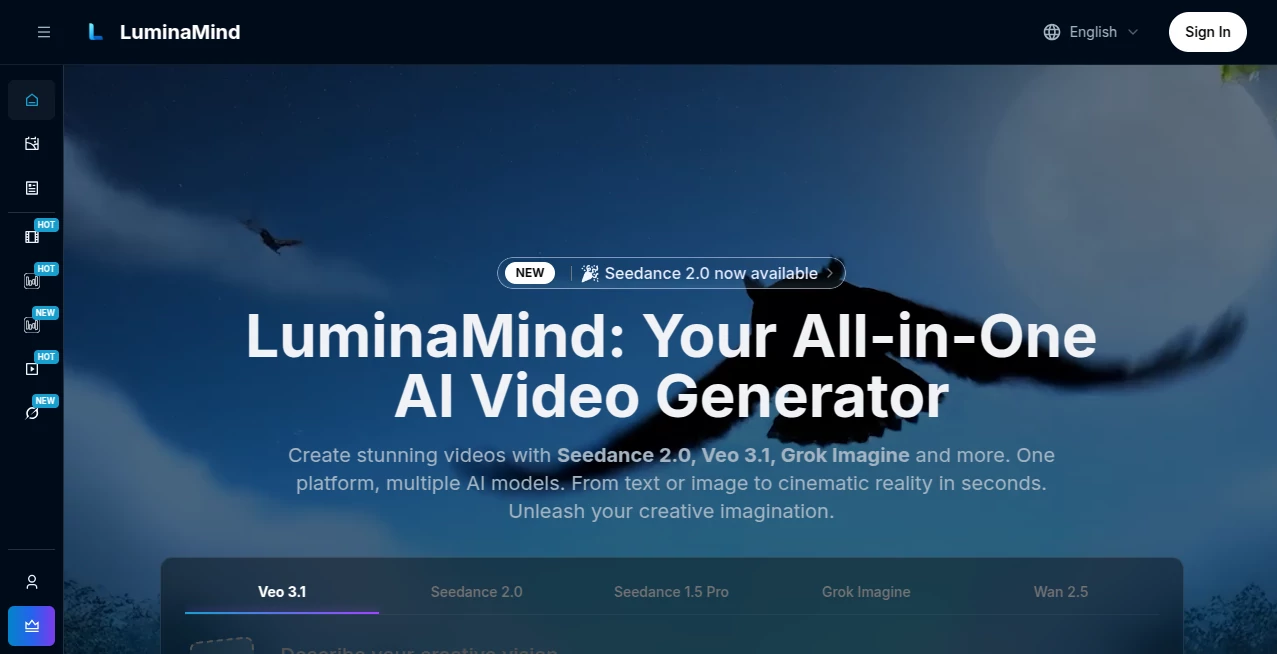
What is LuminaMind?
I still remember the first time I generated a full scene with natural camera movement, consistent characters, and even synced audio — all from a simple text prompt. It felt like the future had finally arrived. This platform brings together some of the most powerful video models in one place, so you don’t have to juggle different accounts or learn new interfaces. Whether you’re creating for social media, marketing, or just personal projects, it turns ideas into cinematic clips faster than you’d expect. The quality consistently surprises me, especially how well it handles character consistency and natural motion across shots.
Introduction
AI video generation has come a long way, but most platforms lock you into one model with its own limitations. This one solves that by giving you access to multiple top-tier models — including Veo 3.1, Seedance 2.0, Sora 2, and more — all in a single, easy-to-use workspace. You can switch between them depending on what your project needs: ultra-realistic with native audio, artistic styles, longer sequences, or fast creative experiments. It’s designed for creators who want flexibility without complexity, and the results speak for themselves — polished videos that feel directed rather than generated.
Key Features
User Interface
The workspace is clean and intuitive. A prominent prompt box, simple toggles for model selection, aspect ratio, and duration, plus easy reference image upload. Everything you need is visible without clutter, and previews load quickly so you can iterate without losing momentum. It feels like a creative studio rather than a technical tool — you focus on your vision while the platform handles the rest.
Accuracy & Performance
The models here shine in character consistency, natural physics, and coherent storytelling across multiple shots. Veo 3.1 brings native audio and high realism, Seedance 2.0 excels at artistic flair, and Sora 2 handles longer, more complex scenes. Generation speeds are practical, and the quality holds up even on ambitious prompts. In real use, it delivers that “wow” factor more often than not, especially when you give it good references.
Capabilities
You get text-to-video, image-to-video, hybrid guidance, multi-shot narratives, native audio synchronization, and support for different aspect ratios. Switch seamlessly between models to match your needs — realistic for ads, stylized for social content, or cinematic for storytelling. The unified credit system means you don’t waste time managing separate balances, and outputs come ready for social platforms or further editing.
Security & Privacy
Your creations and prompts stay private. The platform respects intellectual property and doesn’t use your generations for training. Paid plans give full commercial rights, and everything is handled with proper encryption and data practices so you can create confidently.
Use Cases
A social media creator generates daily Reels with consistent characters and synced music in minutes. A marketing team produces product demo videos with realistic motion and voiceover without booking a studio. An educator creates engaging animated explanations that keep students watching. A filmmaker uses it for quick pre-visualization of scenes before full production. The flexibility makes it valuable across industries — from quick viral content to more polished professional work.
Pros and Cons
Pros:
- Multiple powerful models in one place — no need to switch platforms.
- Strong character consistency and cinematic motion quality.
- Native audio support on select models saves huge editing time.
- Fast generation and easy iteration keep creativity flowing.
- Flexible credit system with no expiry and clear pricing.
Cons:
- Longer or highly complex scenes still benefit from multiple generations.
- Free tier has limitations (as expected for high-quality video).
- Some models have slight learning curves for best prompts.
Pricing Plans
It offers accessible entry with a free tier for testing, then clear paid plans that scale with your needs — from hobby creators to professionals generating regularly. Credits are shared across all models and never expire, giving you real flexibility. Many users find the value excellent considering the time saved and quality delivered compared to traditional production or other single-model platforms.
How to Use LuminaMind
Sign in, go to the generator, choose your preferred model (Veo 3.1 for realism, Seedance for style, etc.), write your prompt or upload a reference image, select duration and aspect ratio, then generate. Review the result, tweak the prompt if needed, and download. For multi-shot stories, generate separate clips and combine them. The process stays fast and intuitive, letting you experiment freely until you get the perfect take.
Comparison with Similar Tools
While many platforms lock you into one model, this one gives you access to several leading ones in a unified workspace. It often delivers better consistency and creative options than single-model competitors, especially when combining text and image guidance. The clean interface and shared credits make it more practical for daily use than juggling separate tools.
Conclusion
Video creation should feel exciting, not frustrating. This platform removes technical barriers and gives you powerful creative tools in one place, so you can focus on storytelling instead of logistics. Whether you’re making content for fun, business, or serious projects, it consistently delivers impressive results with minimal hassle. For anyone who wants to bring ideas to life visually, it’s quickly becoming an essential part of the toolkit.
Frequently Asked Questions (FAQ)
Which model should I choose?
Use Veo 3.1 for realistic videos with audio, Seedance for artistic styles, or Sora 2 for longer sequences.
Do videos have watermarks?
Free tier may include watermarks on some models; paid generations are clean with full commercial rights.
How long can videos be?
Duration varies by model — typically 5–10 seconds, with some supporting longer multi-shot approaches.
Can I use the videos commercially?
Yes — paid plans include full commercial usage rights.
Is there a free way to try it?
Yes, there’s a free tier with daily credits so you can test the quality before upgrading.
AI Animated Video , AI Image to Video , AI Video Generator , AI Text to Video .
These classifications represent its core capabilities and areas of application. For related tools, explore the linked categories above.

LuminaMind Alternatives Product

Seedance 2

sora video
RightAI

Ltx AI - Ltx…

happyhorse ai

Veo4

FreeWanVideo

Sora AI Vide…

Veo 3.2