
















happyhorse ai
What is happyhorse ai?
Let's be real for a second. Have you ever tried to make a video with AI, only to end up frustrated because the lips didn't match the words, or the sound effects felt like they were glued on during an earthquake? You spend hours tweaking prompts, waiting for renders, and then still have to jump into another software to fix the audio. It’s exhausting.
That’s exactly why something like this feels like a breath of fresh air. Recently, a new player entered the arena—not with a loud press release, but by quietly climbing to the top of global leaderboards and proving itself through blind user votes. It’s not just another video generator. It solves the biggest headache in the industry: making sure what you see and what you hear actually feel like they belong together from the very first frame.
If you’ve been holding off on integrating video into your workflow because the tech wasn't "there yet," trust me, the wait might finally be over. This isn't just about flashy visuals; it's about telling a proper story where the dialogue, the background rain, and the actor's expressions all hit the mark simultaneously.
Key Features
Scrolling through a list of specs is boring. Let’s break down what actually matters when you sit down to create something. This tool strips away the usual friction points and replaces them with pure creative flow.
User Interface
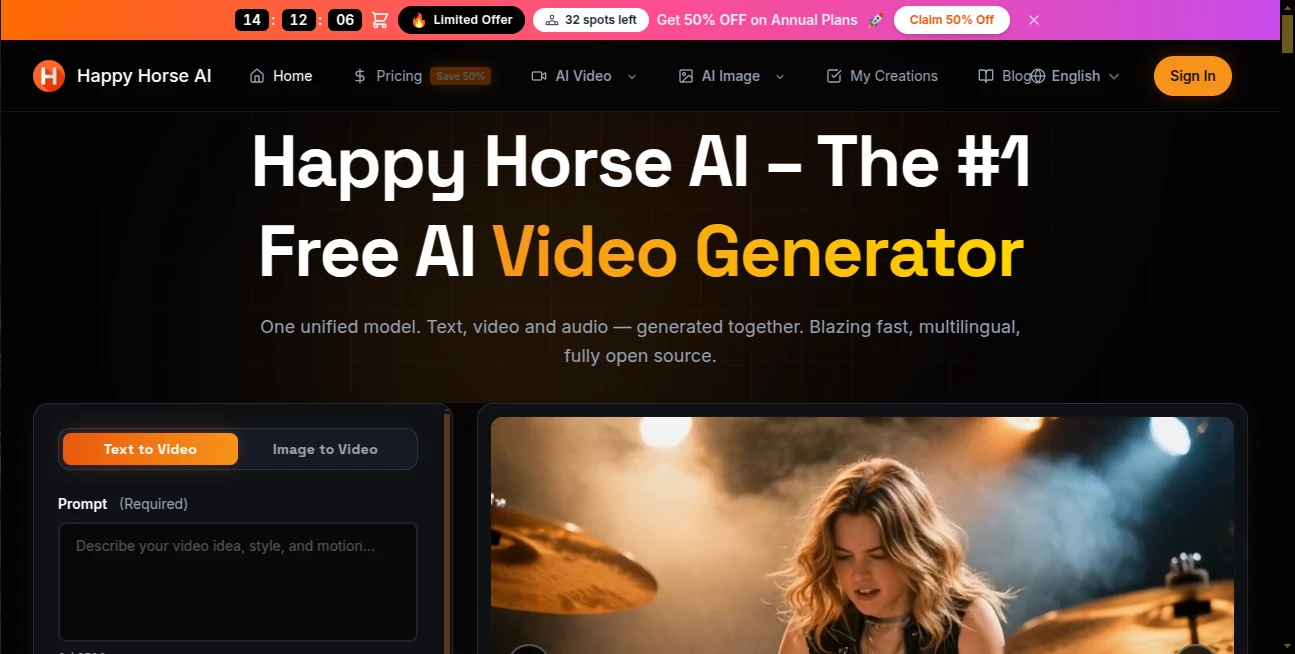
You don't need a film degree to navigate this dashboard. The design philosophy here is simple: get out of the way so the creator can create. Uploading a reference image or typing a prompt feels responsive. There’s no heavy lag, no confusing jargon hidden behind drop-down menus. For those testing the waters, there is a generous free tier available right now. It lets you play around, test the 720p output, and see if the vibe matches your brand before you commit a single dollar.
Accuracy & Performance
Speed is usually the enemy of quality, but this engine seems to have found a sweet spot. We are talking about generating a 5-second clip in under 40 seconds on standard hardware. It supports up to 15 seconds of multi-shot narrative. That’s enough time to show a character walking through a door, looking at a letter, and reacting. The performance here really shines with consistency. Have you noticed how faces in other AI videos tend to morph into different people between shots? That "shape-shifting" effect is almost entirely gone here. Characters keep their features, their clothes stay the same color, and the environment stays locked in. This alone saves hours of manual editing.
Capabilities
Let’s talk about the "secret sauce": native audio generation. Most tools out there generate a silent video and ask you to add a soundtrack later. That process breaks the magic. This model treats pixels and soundwaves as the same thing. When you generate a scene with a specific voice line or the sound of a buzzing bee, it builds them together. It supports seven languages natively, including English, Mandarin, Japanese, and Cantonese. Whether you need a cinematic "shallow depth of field" shot or a quirky stop-motion clay animation look, it handles the aesthetic range surprisingly well. It takes text, images, or even a few still frames and turns them into a living, breathing clip.
Security & Privacy
In a world where AI training data is a legal gray zone, it's nice to see a tool backed by a major tech infrastructure. It operates through secure cloud channels (like Alibaba Cloud) and official apps. For enterprise users worried about their proprietary assets, the API structure is built to keep your input data separate from public training pools. Your storyboards and campaign assets stay yours.
Use Cases
So, who actually uses this? Pretty much anyone who needs to grab attention in a scrolling feed.
- Short Film & Narrative Storytelling: Indie filmmakers can storyboard entire scenes or even generate B-roll that matches their voiceover perfectly without hiring a full crew.
- E-commerce & Social Media Ads: Imagine typing "Luxury perfume bottle sitting on a wet window sill, steam rising, slow motion" and getting a 10-second clip with the sound of rain included. That’s a conversion booster right there.
- Marketing Teams: Need a demo video for a new SaaS tool? You can generate explainer clips that are actually engaging, not just generic stock footage with a robot voice.
- Musicians & Creators: For those making lyric videos or abstract music visualizers, the audio sync is so tight that you can time the visuals to the beat with way less manual keyframing.
Pros and Cons
Nothing is perfect out of the gate. Here is the honest breakdown based on how it handles right now.
Pros:
- Insane Efficiency: 38 seconds for a 1080p clip is industry-leading. You can iterate on ideas in real-time.
- Lip Sync that Works: The character mouths actually match the words. This is a game-changer for dubbed content or talking head videos.
- Cinematic Quality: The lighting, shadows, and textures often look like they were shot on a high-end camera, especially for close-ups.
- Affordable Entry Point: Compared to hiring animators, the cost per second ($0.44 for 720p with the Pro plan) is almost negligible.
Cons:
- Short Duration Limit: Capped at 15 seconds per generation. For long-form content, you still need to stitch clips together in an editor like Premiere Pro or DaVinci.
- Consistency on Complex Props: While faces are solid, sometimes a specific logo or a complex piece of jewelry might warp slightly between frames.
- Internet Dependent: It runs exclusively in the cloud. If you have bad Wi-Fi on a train, you are out of luck.
Pricing Plans
You don't have to take out a loan to test this out. The structure is pretty straightforward, built for both the curious tinkerer and the high-volume agency.
- Free Tier: Daily login credits. You get to test the waters, generate a few clips (usually 720p), but there will be a small watermark. Great for just kicking the tires.
- Standard (Pro) Membership: This is where the magic happens. You get rid of the watermark, unlock 1080p resolution, and get faster queue times. The "limited time discount" brings 1080p down to roughly $0.78 per second and 720p down to $0.44 per second.
- Enterprise (API): For businesses integrating this into their own apps or automating mass production. You get dedicated parallel processing and priority support.
How to Use the Tool
Getting started takes less time than brewing a cup of coffee. Here is the workflow.
First, head over to the official platform (available via the web or the Qwen App). Sign up is quick. Once you are in, you will see a clean text box. For best results, think like a director. Don't just type "a dog." Type "Cinematic shot, golden hour, a fluffy golden retriever shaking water off its fur, slow motion, water droplets sparkling, natural lighting."
Upload a reference image if you have a specific character in mind. Hit generate. Because the architecture uses that speedy 8-step inference, you will see your creation appear line by line, audio included. If you love it, download the MP4. If not, tweak the prompt—the feedback loop is instant.
Comparison with Similar Tools
You might have heard of Kling, Runway, or Pika. How does this stack up? It wins decisively on two fronts: Audio and Speed. While others are catching up on visual fidelity, this model was built from the ground up with a "Transformer single-stream architecture." Others generate "video" and then "audio." This generates "Audiovisual" as one thing. In blind tests on the Video Arena leaderboard, this ranked number one for visual quality (No Audio). Once you add audio to the mix, it trades blows with the current top dog, Seedance 2.0 . However, considering the hardware requirements are much lower (running smoothly on a single H100) and the inference time is significantly faster, the overall user experience feels much snappier. If you hate waiting for renders, this is your winner.
Conclusion
We are past the era where AI video looks like a glitchy dream. We are now in the era of usable, commercial-grade assets. This tool feels like holding a professional camera rig in your pocket without the 5-hour rendering time. Is it going to replace a full Hollywood production crew tomorrow? No. But for a content creator, a small business owner, or a digital artist trying to bring a vision to life, it is an unfair advantage. The fact that it respects your time (fast renders) and your budget (free tier + discounts) makes it a no-brainer to try. Go make something loud.
Frequently Asked Questions (FAQ)
Q: Can I really use this for commercial projects without worrying about lawsuits?
A: Yes. The official terms allow for commercial use of generated content. However, you should avoid uploading copyrighted characters (like Mickey Mouse) into the reference image. What you create is yours.
Q: How long does a video actually take to generate?
A: For a standard 5-second 1080p clip, expect roughly 38 to 50 seconds. It feels almost instant compared to other tools that take 5 to 10 minutes .
Q: Is the audio actually good, or is it robotic?
A: It is surprisingly natural. Because it’s a "joint generation" model, the ambient sounds (like wind, footsteps, water) are contextually aware. The voice synthesis for the lip-sync feature is also top-tier and supports multiple dialects naturally.
Q: What is the maximum length I can generate?
A: Currently, the sweet spot is up to 15 seconds. This is designed specifically for short-form content like TikTok, Reels, YouTube Shorts, and TV commercials.
Q: Does it work if I don't speak English?
A: Absolutely. It was trained with a heavy emphasis on Chinese and Eastern aesthetics, but it supports English, Japanese, French, German, Korean, and Cantonese fluently .