

















Maeve

What is Maeve?
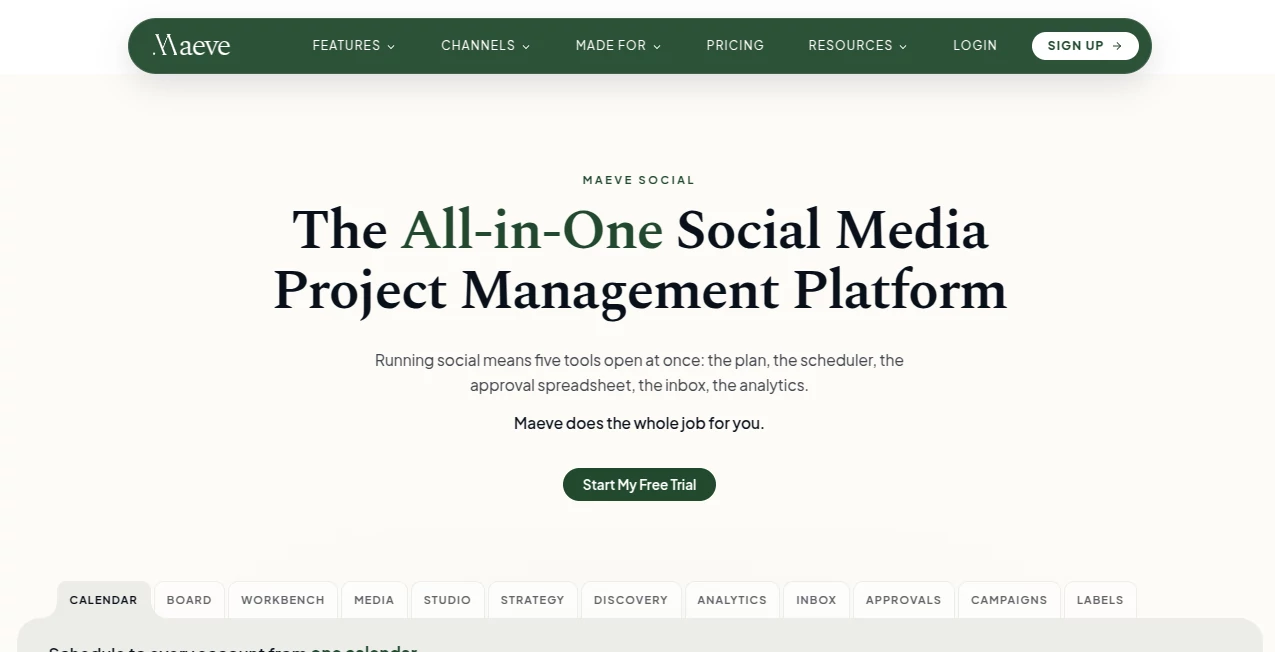
Managing social media often means jumping between calendars, schedulers, spreadsheets, approval tools, inboxes, media libraries, and analytics dashboards. Maeve Social brings these parts together in a single workspace designed for creators, businesses, and agencies that need a more organized way to plan, create, approve, publish, and measure social content.
The platform combines content planning, AI-assisted drafting, scheduling, publishing, social engagement, approvals, media management, and reporting. It supports Instagram, Facebook, Threads, TikTok, LinkedIn, YouTube, X, Pinterest, and Google Business Profile, making it particularly useful for people managing several channels at once.
One of its strongest ideas is simple: the content itself remains at the center of the workflow. Briefs, media, captions, approvals, scheduling information, and performance data can stay connected instead of being scattered across different applications.
Key Features
- Social media calendar and grid planner for organizing upcoming content.
- AI-assisted content drafting and planning through the Content Workbench.
- Publishing across nine major social platforms.
- Platform-specific captions, media, crops, settings, and previews.
- Recurring and evergreen post scheduling.
- Unified social inbox for comments, DMs, mentions, and reviews.
- Internal team approvals and client review workflows.
- Media Room for organizing photos and videos into folders and labels.
- Advanced analytics and shareable PDF reports.
- Competitor and trend discovery features for content research.
- Saved captions, hashtag groups, labels, campaigns, and content pillars.
- API, CLI, and MCP access for developers and AI-powered workflows.
User Interface
The interface is built around the way social teams actually work. Instead of forcing users to move between separate tools, the platform places the calendar, content board, workbench, media library, inbox, approvals, and analytics inside the same environment.
The composer is especially practical. A user can create a post once and then customize the caption, media, crop, or other settings for individual networks. Live previews help show how the content will appear before it is published, while pre-publish checks can identify issues such as missing information, unsuitable media dimensions, or videos that exceed platform limits.
For an agency, the workspace structure is even more useful. Different clients can have separate workspaces, while approvals and review links keep feedback attached to the content rather than buried in email conversations.
Accuracy & Performance
Social publishing is an area where small mistakes can cause frustrating failures. A video can be too long, an image can have the wrong ratio, or a platform can require a field that another network does not use. The platform addresses this by applying network-specific validation before scheduled content goes live.
Its composer also adapts content to individual platforms instead of simply copying the same post everywhere. This makes the workflow more practical for campaigns where LinkedIn needs a different message from Instagram, while X may require a thread and Pinterest may need a board and destination link.
Analytics provide another useful layer by bringing performance information together and allowing teams to compare periods and produce reports without manually collecting screenshots from every social network.
Capabilities
The platform covers much more than basic post scheduling. Its discovery tools can track selected Instagram accounts and surface information such as follower growth, posting frequency, engagement patterns, hashtags, and content trends. This gives marketers a starting point for deciding what to create next.
The Content Workbench provides space for ideas, research, content series, strategy briefs, and content pillars. AI credits can also be used for tasks such as drafting captions and planning content.
For engagement, the Social Inbox combines conversations from connected Instagram, Facebook, and Threads accounts. Teams can assign conversations, leave internal notes, reply to customers, and mark work as resolved. On eligible plans, keyword-based automation can also handle certain Instagram and Facebook responses.
Developers get another interesting option through REST API, CLI, and MCP access. This opens the door to connecting social workflows with internal applications, dashboards, automation systems, and AI agents.
Security & Privacy
Security is particularly important when a social management platform has access to multiple business accounts. The platform uses workspace-based access controls, with roles and permissions available for team environments. API access is also scoped to authorized workspaces rather than exposing every organization resource by default.
Its MCP implementation adds another layer of control for AI-driven workflows. Higher-risk actions require additional permissions and confirmation, while tool activity is logged. This is a sensible approach for automation where creating a draft is very different from immediately publishing or deleting content.
Teams should still review the platform's current privacy documentation and the permissions requested by each social network connection before connecting business accounts.
Use Cases
Social media managers: Plan a complete publishing schedule, create platform-specific versions, manage conversations, and monitor results without constantly switching applications.
Agencies: Create separate client workspaces, send review links, manage approvals, organize media, and generate branded reports. Clients can review content through a browser without needing their own paid seat.
Small businesses: Manage several social profiles from one calendar while using AI assistance to speed up routine content creation.
Creators and founders: Turn a week's worth of ideas into scheduled content across multiple networks without manually rebuilding every post.
Marketing teams: Combine content planning, campaign organization, approvals, publishing, engagement, and analytics in one workflow.
Developers and automation teams: Use API, CLI, and MCP capabilities to connect social publishing and analytics with custom software or AI agents.
Pros and Cons
- Pros: Wide multi-platform support, strong content planning, platform-specific publishing controls, useful approval workflows, unified social inbox, analytics and reporting, organized media management, and API/CLI/MCP access.
- Pros: Client approval does not require the client to purchase a separate seat or create a full account.
- Pros: The AI features are integrated into a broader social media workflow rather than being offered as an isolated caption generator.
- Cons: The number of workspaces, connections, team members, storage, and AI credits depends on the selected plan.
- Cons: Users who only need occasional scheduling may find the broader project-management feature set more than they need.
- Cons: Some advanced automation and collaboration capabilities are reserved for higher-priced plans.
Pricing Plans
The pricing structure is divided into three plans, with a three-day free trial available across the plans. The Basic plan starts at $20 per month and is aimed at freelancers and small businesses. It includes one user, two workspaces, 20 social connections, 800 monthly AI credits, content planning, scheduling, analytics, the Social Inbox, media management, and API, CLI, and MCP access.
The Standard plan costs $79 per month and is designed for teams, agencies, and businesses. It increases the limits to five team members, five workspaces, 50 social connections, and 1,500 monthly AI credits. It also adds roles and permissions, internal approvals, client review links, a client portal, automated Instagram and Facebook replies, aggregate analytics, PDF reports, and additional collaboration features.
The Premium plan is $158 per month and is aimed at larger agencies and businesses. It includes unlimited team members, workspaces, and social connections, along with 3,000 monthly AI credits, team performance insights, a dedicated success manager, phone support, and 100GB of media storage.
Annual billing is presented as approximately 20% cheaper than paying monthly, and additional AI credits can be purchased when the included allowance is exhausted.
How to Use Maeve Social
Start by creating an account and connecting the social profiles you want to manage. Once the accounts are connected, organize them into workspaces according to your brands, clients, or projects.
Next, use the Content Workbench to develop ideas, strategy briefs, content pillars, or campaign plans. When an idea is ready, move it into the composer, add the required media, write the main caption, and customize the content for each selected network.
Review the platform-specific previews and validation warnings before scheduling the post. If another person needs to approve it, send it through the internal approval process or create a client review link. Once everything is approved, schedule the content from the calendar.
After publication, use the Social Inbox to manage incoming conversations and the analytics section to see how the content performed. For agencies, the reporting tools can turn this data into client-facing reports without rebuilding the numbers manually.
Comparison with Similar Tools
Compared with a basic social media scheduler, the platform takes a broader approach. A conventional scheduler may focus mainly on composing and publishing posts, while this platform connects planning, content development, approvals, media management, conversations, and reporting.
It is also positioned differently from tools that concentrate heavily on AI content generation. Here, AI-assisted drafting is one part of a larger workflow. The same workspace can take an idea through planning, writing, review, scheduling, publishing, engagement, and measurement.
For agencies, the distinction becomes more noticeable. Client review links, workspaces, approval rules, collaboration features, and reporting are designed around the practical problems that appear when several people have to agree on content before it goes live.
That makes it a particularly interesting option for users who have outgrown a simple scheduler but do not want their social operation spread across a collection of disconnected tools.
Conclusion
Managing social media becomes difficult when every part of the process lives somewhere different. The real strength of this platform is its attempt to bring those pieces together: content ideas, calendars, media, AI assistance, publishing, approvals, conversations, and analytics can all remain connected to the same workflow.
For a solo creator, the Basic plan offers a substantial set of publishing and planning features. For agencies and growing teams, the collaboration and client approval features become much more compelling. Developers also get an unusual degree of flexibility through API, CLI, and MCP access.
If your social workflow currently involves several browser tabs, spreadsheets, approval messages, separate analytics dashboards, and repeated copy-and-paste work, consolidating those tasks into one workspace could make a noticeable difference.
Frequently Asked Questions (FAQ)
What is this platform mainly used for?
It is a social media management and project workflow platform for planning, creating, approving, scheduling, publishing, monitoring, and reporting on social content.
Which social networks are supported?
It supports Instagram, Facebook, Threads, TikTok, LinkedIn, YouTube, X, Pinterest, and Google Business Profile.
Does it include AI features?
Yes. Its built-in AI assistant can help with tasks such as drafting captions and planning content. AI usage is measured through monthly credits, with the allowance depending on the selected plan.
Can agencies use it for multiple clients?
Yes. Workspaces, team permissions, internal approvals, client review links, client management, and reporting make it suitable for agency workflows.
Do clients need an account to approve social media posts?
Client review links are designed so clients can review, approve, request changes, comment, or react through a browser without purchasing a seat or creating a full account.
Can it manage social media comments and messages?
Yes. The Social Inbox brings comments, direct messages, mentions, and reviews from supported connected accounts into one queue. Automated keyword-based replies for Instagram and Facebook are available on Standard and Premium plans.
Is there a free trial?
Yes. Every plan includes a three-day free trial, allowing users to connect accounts and test the workflow before committing.
Does it provide an API?
Yes. API, CLI, and MCP access are available, allowing developers and automation systems to interact with social content, workspaces, analytics, and other supported resources.
Who would benefit most from using it?
It is especially well suited to social media managers, creators, small businesses, marketing teams, and agencies that need to coordinate content across multiple social networks.
Is it only an AI writing tool?
No. AI-assisted writing is only one component. The broader platform covers social media planning, publishing, approvals, engagement, media organization, analytics, and workflow management.