


















MagicSlides
What is MagicSlides?
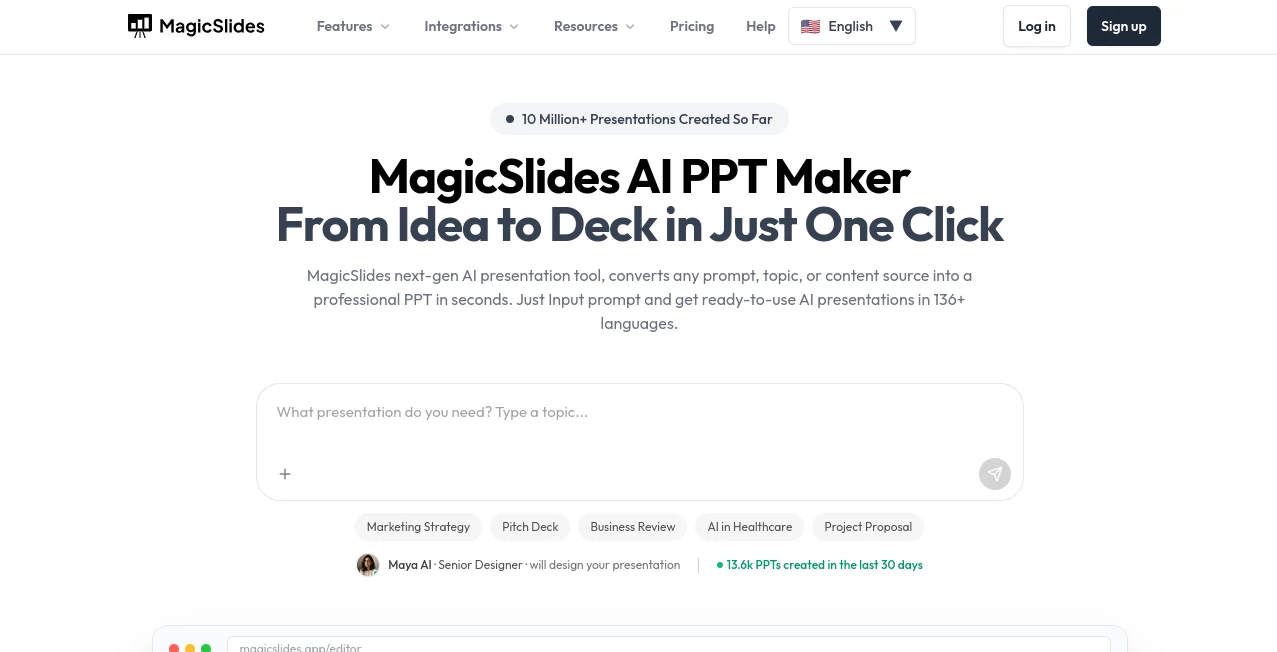
I’ve sat through too many meetings where someone spent hours building slides that still looked average. Then I tried this tool and it genuinely surprised me. You feed it a topic, a document, or even just rough notes, and it returns a complete, well-designed presentation in under a minute. The layouts look thoughtful, the content is coherent, and it actually feels like something a skilled designer would create — not the usual robotic output. I’ve used it for client pitches, team updates, and even conference talks, and it consistently saves me hours while making me look more prepared than I actually am.
Introduction
Creating presentations is one of those tasks that everyone needs to do but few truly enjoy. The process of structuring content, choosing layouts, finding images, and making everything look cohesive eats up far more time than it should. MagicSlides changes that equation completely. It takes your raw ideas and turns them into professional, visually appealing slides without requiring design skills or endless tweaking. What makes it special is how well it balances speed with quality — the results don’t feel generic, and the flow of the deck actually makes sense. For busy professionals, educators, and students, it’s become one of those tools that quickly moves from “nice to have” to “how did I ever live without this?”
Key Features
User Interface
The interface is wonderfully straightforward. You paste text, upload a document, or simply type a topic, choose a style or tone, and hit generate. The editor then lets you tweak individual slides, change themes, or regenerate specific sections with one click. Everything feels responsive and intuitive — no steep learning curve, no hidden menus. Even colleagues who usually dread presentation software find themselves navigating it comfortably on their first try.
Accuracy & Performance
It does an excellent job understanding context and turning bullet points or long text into clear, concise slide content. The AI grasps the main ideas and structures them logically, while the visual design adapts intelligently to the subject matter. Generation is impressively fast, and the output quality remains consistent even with complex topics. I’ve thrown messy meeting notes at it and received decks that needed only minor polishing before presenting.
Capabilities
You can start from plain text, PDFs, Word documents, or even voice recordings. It supports multiple design styles — from corporate clean to creative and modern. Features include automatic image suggestions, smart layouts, speaker notes, and the ability to export to PowerPoint or Google Slides. You can also regenerate any slide individually or ask the AI to expand on specific points. It handles everything from investor pitches to educational lessons to internal team updates with equal ease.
Security & Privacy
Your documents and generated presentations stay private. The platform doesn’t train on your content, and files are handled securely during processing. For business users dealing with sensitive information, this level of respect for data privacy is a big comfort.
Use Cases
A sales manager turns rough product notes into a polished client pitch deck during a single flight. A teacher converts a textbook chapter into an engaging lesson presentation that keeps students attentive. A startup founder prepares investor slides from bullet-point ideas the night before a big meeting. A marketing team quickly creates consistent brand presentations for multiple campaigns. The common thread is speed combined with quality that doesn’t feel rushed.
Pros and Cons
Pros:
- Extremely fast turnaround from idea to complete deck.
- Designs look professional and on-brand, not generic.
- Great at understanding context and structuring content logically.
- Easy editing and regeneration of individual slides.
- Exports cleanly to PowerPoint and Google Slides.
Cons:
- Very niche or highly technical topics sometimes need manual refinement.
- Advanced customization options are still growing.
Pricing Plans
It offers a generous free tier that lets you create several high-quality presentations per month — enough to test it thoroughly on real work. Paid plans unlock unlimited generations, priority processing, more design styles, and advanced features. The pricing is reasonable for the time it saves, and many users find the paid version pays for itself after just a couple of big presentations.
How to Use MagicSlides
Go to the homepage and choose your starting method — paste text, upload a document, or type a topic. Select a design style that matches your audience, then click generate. Once the deck appears, review each slide, make adjustments, or regenerate any section that needs tweaking. Add speaker notes if desired, then export to your preferred format. The entire process from start to finished presentation usually takes less than ten minutes.
Comparison with Similar Tools
While other AI presentation tools exist, many produce either overly simplistic slides or designs that feel very templated. This one stands out by delivering more natural layouts and better content structuring while remaining incredibly fast. It strikes an excellent balance between automation and control — giving you strong starting points without locking you into rigid templates. For most users, it feels noticeably more polished and practical than the alternatives.
Conclusion
Presentation tools have come a long way, but MagicSlides feels like the first one that truly understands how people actually work. It removes the biggest pain points — time, design skills, and creative block — while delivering results that look and feel professional. Whether you create presentations weekly or just a few times a year, it makes the entire process faster, easier, and more enjoyable. In a busy world, that kind of practical magic is hard to beat.
Frequently Asked Questions (FAQ)
How long does it take to generate a full deck?
Usually under a minute for most presentations, sometimes a bit longer for very detailed ones.
Can I edit the slides after generation?
Yes — you have full control to modify text, images, layout, and design on every slide.
Does it work with PowerPoint and Google Slides?
Yes, clean export to both formats is supported.
Is the free version usable for real work?
Absolutely — many people use the free tier regularly before upgrading for higher volume.
AI Content Generator , AI Presentation Generator , AI Design Generator , AI Graphic Design .
These classifications represent its core capabilities and areas of application. For related tools, explore the linked categories above.

MagicSlides Alternatives Product

Cataseo AI

Freepik

Nano Banana …

NanoBanana2

PostingCat

Face Shape D…

CozAIPhoto

Tryonr

ColorPalette…
