

















Markitdown Online
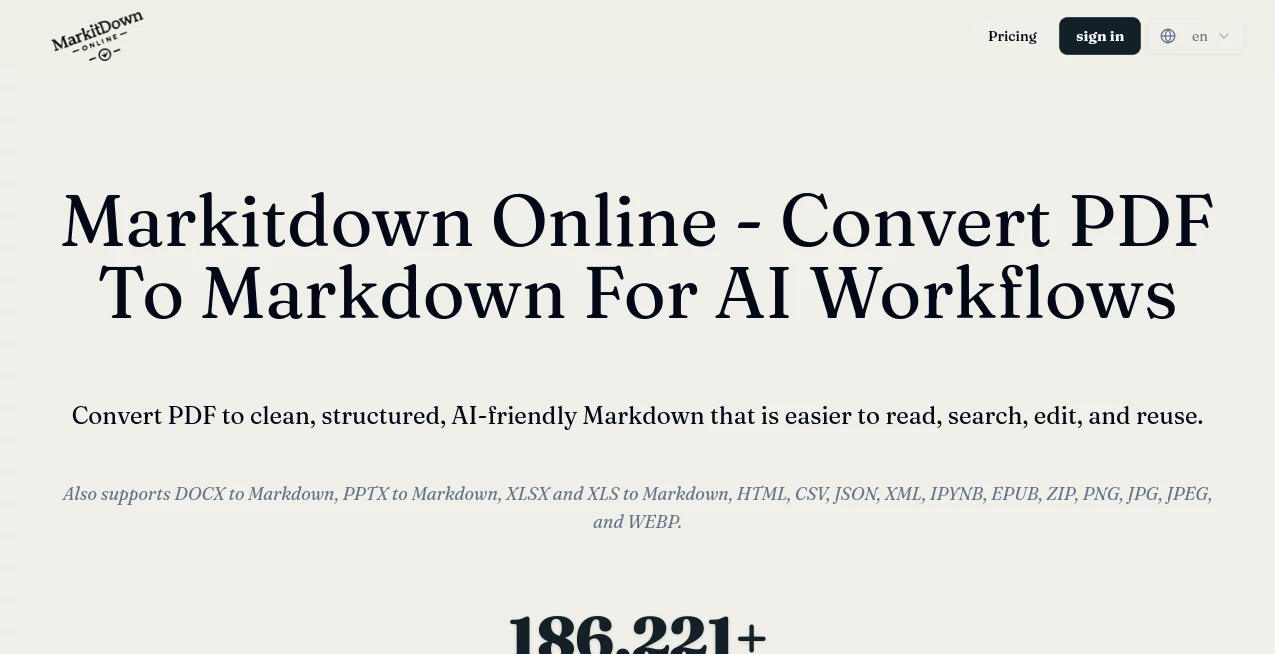
What is Markitdown Online?
Turning a PDF, Word document, presentation, spreadsheet, or web page into useful Markdown can be surprisingly tedious. Copying and pasting usually brings along broken headings, awkward spacing, misplaced tables, and formatting that needs another round of cleanup. This is where Markitdown Online offers a practical alternative.
The browser-based converter transforms a wide range of common file formats into structured Markdown that is easier to read, edit, search, store, and reuse. It supports PDF, DOCX, PPTX, XLSX, XLS, HTML, CSV, JSON, XML, IPYNB, EPUB, ZIP, PNG, JPG, JPEG, and WEBP files, giving users one place to handle several document conversion tasks.
What makes the service particularly useful for modern AI workflows is its focus on readable structure rather than simply extracting a wall of text. Headings, lists, tables, links, and other useful document elements can be carried into the resulting Markdown, making the output suitable for documentation, knowledge bases, AI agent context, RAG workflows, prompt libraries, and development projects.
Key Features
- Convert PDF, DOCX, PPTX, XLSX, XLS, HTML, CSV, JSON, XML, IPYNB, EPUB, ZIP, and several image formats to Markdown.
- Upload files directly through a web browser without installing a local command-line environment.
- Use a public file or website URL when the source is accessible online.
- Extract useful document structures such as headings, lists, tables, links, and readable sections.
- Preview the converted Markdown before downloading it.
- Prepare content for AI agents, knowledge bases, RAG systems, documentation, and prompt workflows.
- Work with multiple files through batch conversion.
- Download the resulting Markdown for use in Git repositories, documentation platforms, editors, or other workflows.
User Interface
The interface is deliberately straightforward. Users can drag and drop a file or select one from their computer, while a public URL can also be supplied when the source is available online. After conversion, the result can be reviewed before it is downloaded.
That simple workflow is a real advantage when the goal is getting a document converted rather than learning another complicated application. Someone working with a collection of research papers, internal documents, presentations, or product notes can move from source file to editable Markdown without setting up additional software.
Accuracy & Performance
Conversion quality depends on the structure of the original file. The service is designed to preserve meaningful elements such as headings, lists, tables, and links instead of treating every document as plain text.
PDF conversion deserves a little extra attention because PDFs can contain complicated layouts. Text-based PDFs are handled as part of the conversion workflow, while documents with unusual structures may still require a quick review after conversion. This preview step is useful because it lets users catch formatting differences before the Markdown becomes part of a larger project.
The platform has already processed more than 186,000 files according to its current homepage, which gives some indication of the scale at which the service is being used.
Capabilities
The strongest part of the platform is its range. A developer can turn a technical document into Markdown for a repository. A researcher can convert reference material into a searchable text format. A team can transform old office documents into files that are easier to version and maintain.
It can also be useful when preparing material for AI systems. Markdown provides visible structure through headings, lists, tables, and sections, which can make source material easier for AI applications to inspect and retrieve. Converted files can become knowledge-base content, agent references, skill source files, onboarding material, READMEs, or prompt resources.
The service also includes OCR support for PDFs on its current interface, expanding its usefulness for documents where extracting text is necessary before creating Markdown.
Security & Privacy
One of the more notable aspects of the current service is its browser-based processing approach. The homepage states that file processing runs entirely in the browser and that files are not uploaded to the service for conversion. This can be especially attractive when working with documents that users would rather keep on their own device.
As with any document-processing workflow, users should still review the service's privacy terms and consider the sensitivity of their files before processing them. Browser performance can also vary depending on the device and browser environment.
Use Cases
AI knowledge bases: Convert collections of Word documents, PDFs, presentations, and other source material into Markdown that can be organized and indexed for AI-powered search and retrieval.
RAG preparation: Markdown files can provide a cleaner source format for retrieval-augmented generation pipelines, particularly when headings and sections need to remain understandable after extraction.
Documentation: Developers and technical teams can turn existing documents into Markdown for Git repositories, internal wikis, README files, and documentation systems.
Research: Students, researchers, and analysts can move information from PDFs and other document formats into an editable text format that is easier to search and reorganize.
Content migration: Organizations moving away from traditional office-file workflows can convert older documents into lightweight, text-based files that are easier to maintain.
Presentation conversion: PowerPoint files can be transformed into structured Markdown outlines, making slide content easier to reuse in documentation or other written material.
Web content extraction: HTML files and publicly accessible web pages can be converted into cleaner Markdown while retaining useful links and content structure.
Pros and Cons
Pros
- Supports a broad selection of document and data formats.
- Works directly in the browser.
- No local installation is required.
- Useful for AI, documentation, RAG, and knowledge-base workflows.
- Provides a preview before downloading the converted result.
- Supports batch conversion.
- Browser-based processing can be beneficial for privacy-conscious workflows.
Cons
- Complex document layouts may still need manual checking after conversion.
- PDF results can vary depending on the structure of the source document.
- Browser-based processing means performance can depend on the user's device and browser.
- Free usage has lower batch and file-size limits than upgraded usage.
Pricing Plans
The service provides a free usage tier for users who want to test the conversion workflow before committing to larger workloads. The current interface shows a limit of 3 files per batch with a 25 MB maximum file size on the free tier.
Upgraded usage increases the batch allowance to 30 files and raises the maximum file size to 100 MB per file. This makes the higher tier more suitable for users processing larger document collections or handling conversions regularly.
Because pricing and subscription details can change, users should check the current pricing information on the service before making a purchase.
How to Use the Converter
Using the converter is a short process:
- Open the conversion page in a modern web browser.
- Upload a supported document or drag and drop it into the upload area.
- Alternatively, provide a public file or webpage URL when appropriate.
- Start the conversion and allow the document to be processed.
- Review the generated Markdown to make sure important sections and tables look correct.
- Download the Markdown file and move it into your documentation, AI, development, or knowledge-management workflow.
For example, someone with a 40-page product manual could convert the original document, inspect the resulting headings and lists, and then place the cleaned Markdown into a knowledge base. A developer could take the same approach with technical specifications before adding them to a Git repository.
Comparison with Similar Tools
Many file converters focus primarily on changing one file format into another while preserving the appearance of the original document. This service takes a different approach by emphasizing structured Markdown as the final destination.
That distinction matters when the next step is not printing or visually editing the document but searching, versioning, indexing, or feeding its contents into an AI workflow. Markdown is lightweight, human-readable, and easy to compare in version-control systems.
It is also convenient for users who regularly switch between PDFs, office documents, spreadsheets, presentations, HTML pages, and structured data. Instead of maintaining a different conversion workflow for every format, they can use one browser-based workspace for many of these tasks.
For straightforward conversions, this approach can save considerable cleanup time. For highly designed documents where visual fidelity is the main priority, however, a traditional format-preserving converter may remain a better fit.
Conclusion
For anyone who regularly needs to move information out of PDFs, Office files, presentations, spreadsheets, or web content, a clean Markdown workflow can make the process much easier. The combination of broad format support, browser-based processing, structure-aware extraction, previewing, and AI-focused use cases makes this converter particularly appealing to developers, researchers, content teams, and AI builders.
Its real strength is not simply turning one file extension into another. It helps transform information that is locked inside conventional documents into lightweight, editable content that can be searched, versioned, documented, and reused across modern AI workflows.
Frequently Asked Questions (FAQ)
What file formats can be converted to Markdown?
The service currently supports formats including PDF, DOCX, PPTX, XLSX, XLS, HTML, CSV, JSON, XML, IPYNB, EPUB, ZIP, PNG, JPG, JPEG, and WEBP.
Can I convert PDF files to Markdown?
Yes. PDF-to-Markdown conversion is one of the main workflows. Users can upload a PDF, convert its readable content into Markdown, review the result, and download the resulting file.
Can the converted Markdown be used for AI workflows?
Yes. The resulting Markdown can be used as source material for AI agents, knowledge bases, RAG systems, prompt libraries, documentation, and other workflows where structured text is useful.
Are files uploaded to the server during conversion?
The current homepage states that file processing runs entirely in the browser and that files are not uploaded for processing. This approach can be useful for users who prefer local browser-based handling of their documents.
Does the free version support batch conversion?
Yes. The current free tier allows up to 3 files per batch with a 25 MB maximum file size per file. Upgraded usage increases this to 30 files per batch and 100 MB per file.
Do I need to install software?
No. The conversion workflow is available directly through a web browser, so there is no need to install a separate application or configure a local Python environment.
Can I convert a webpage to Markdown?
Yes. Publicly accessible webpage or file URLs can be supplied through the URL input, making the service useful for bringing web-based content into a Markdown workflow.
Is the conversion always perfect?
No converter can guarantee perfect results for every document structure. Highly complex layouts, unusual tables, or difficult PDF structures may require a quick review and some manual adjustment after conversion.
AI Document Extraction , AI PDF , AI Documents Assistant , AI Files Assistant .
These classifications represent its core capabilities and areas of application. For related tools, explore the linked categories above.
Markitdown Online details
Website unavailable — View Alternatives
Pricing
- Free
Apps
- Web App
Categories

Markitdown Online Alternatives Product

PDF to Video
AnyToURL

TO MD

Image to URL…

Document Chat

aipen.ink
AI OCR

ReportRemarks

AI text clea…
