MarkItDown
What is MarkItDown?
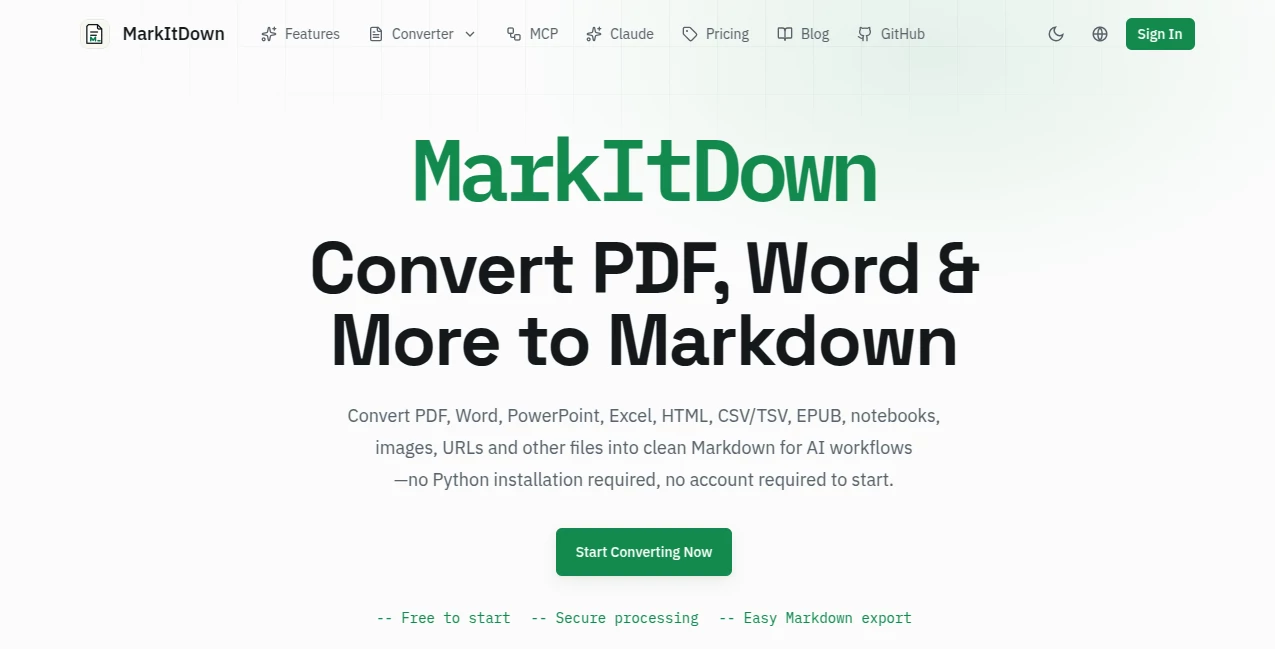
MarkItDown is a practical browser-based converter for turning documents, data files, web pages, and images into clean, structured Markdown. It is particularly useful for people working with AI tools, LLM prompts, RAG systems, knowledge bases, research workflows, and documentation.
The service supports a broad range of formats, including PDF, DOCX, PPTX, XLS and XLSX, HTML, CSV and TSV, JSON, XML, TXT, EPUB, IPYNB, public URLs, and common image formats through OCR. There is no need to install Python or create an account before getting started.
What makes the experience appealing is its focus on usable output rather than simply extracting a wall of text. Headings, lists, tables, links, and other document structure can remain readable after conversion, making the resulting Markdown much easier to edit or pass into an AI workflow.
Key Features
- Convert PDF, Word, PowerPoint, Excel, HTML, CSV, JSON, XML, EPUB, TXT, and other formats to Markdown.
- Convert public URLs and web content into structured Markdown.
- Use OCR for PNG, JPG, and WebP images and scanned documents.
- Choose between browser-local processing and server-based conversion where supported.
- Preview the raw Markdown output before downloading or editing it.
- Preserve headings, lists, tables, links, and inline formatting where the source structure can be detected.
- Prepare documents for LLM prompts, RAG pipelines, vector databases, search indexes, and knowledge bases.
User Interface
The interface keeps the conversion process straightforward. Users can upload a file or provide a public URL, select an appropriate processing path, and inspect the resulting Markdown. The workflow is designed around the actual conversion rather than surrounding the user with unnecessary settings.
Another useful detail is the ability to see the raw result before deciding what to do with it. This is especially handy when working with tables, links, code, formulas, or other structured content that may need a quick manual check.
Accuracy & Performance
Conversion quality depends naturally on the source format and how clearly its structure can be interpreted. Standard digital documents generally provide the cleanest results, while scanned documents require OCR. For more demanding scans, an optional high-accuracy AI OCR route is available.
The service also provides local OCR for supported files, which can be useful when you want processing to remain on your own device. Server processing is available when richer parsing or additional format support is needed.
Capabilities
The range of supported inputs is one of the strongest parts of the service. A single workflow can handle office documents, spreadsheets, presentations, web pages, structured data, ebooks, notebooks, and images.
For example, a researcher can turn a PDF report into Markdown before feeding it into an AI assistant, while a developer can convert documentation into a format that works more naturally inside a repository. Someone working with a spreadsheet can also extract its tables into Markdown instead of manually rebuilding them.
The service includes editing and export options as well, so the converted content does not have to leave the workflow immediately. Users can inspect, edit, copy, download, or save their results depending on their account and plan.
Security & Privacy
Privacy is addressed through clearly separated processing paths. Supported local conversions can take place directly in the browser, keeping the file on the user's device. For server-based processing, uploaded source files are treated as temporary files and are deleted after conversion according to the service's stated policy.
The service also states that source files are not stored or their contents logged. When users deliberately save a result to their workspace, the generated Markdown can be retained without keeping the original source file.
Use Cases
There are plenty of situations where converting files to Markdown saves time. Developers can prepare documentation and project files for AI-assisted coding workflows. Researchers can transform reports and papers into cleaner text for analysis. Content teams can extract material from office documents before rewriting or repurposing it.
It is also useful for building RAG datasets and knowledge bases, where consistent, structured text is generally easier to process than a collection of mixed document formats.
For a simple example, imagine receiving a 40-page Word report that needs to be analyzed by an AI assistant. Instead of copying sections manually, the document can be converted into Markdown, reviewed, and then supplied to the next stage of the workflow.
Pros and Cons
- Pros: Wide format support, no installation required, free starting option, browser-local processing for supported files, OCR support, structured Markdown output, URL conversion, and useful editing and export features.
- Pros: Clear distinction between local, server, and OCR processing makes it easier to choose the appropriate workflow.
- Pros: Particularly well suited to AI, LLM, RAG, documentation, and research workflows.
- Cons: Conversion quality can vary depending on the complexity and structure of the original document.
- Cons: Larger files, larger batches, and higher OCR allowances require a paid plan.
- Cons: Some advanced workflows are more useful to technical users than to people who only need basic document conversion.
Pricing Plans
The free plan is available without an account and supports files up to 20MB, batches of up to 3 files, and up to 10 saved results for signed-in users. It also includes unlimited local OCR and 10 pages of high-accuracy AI OCR per month.
The Pro plan increases the maximum file size to 100MB, supports batches of up to 30 files, provides unlimited saved results, and includes 500 pages of high-accuracy AI OCR per month. Pro also adds features such as KaTeX math rendering, Mermaid diagrams, and expanded conversion workflows.
The monthly Pro plan is listed at $4.90 per month on the current pricing page, while yearly and lifetime options are also available. The lifetime option uses a one-time payment rather than recurring billing.
How to Use the Tool
- Open the online converter.
- Upload the document or provide a public URL.
- Select the appropriate conversion path, such as local processing, server processing, or OCR.
- Start the conversion and wait for the Markdown result.
- Inspect headings, tables, links, code, formulas, and other important sections.
- Edit the result if necessary.
- Copy or download the finished Markdown file, or save the result to your workspace when available.
Comparison with Similar Tools
There are several ways to convert documents into Markdown, including desktop utilities, developer libraries, command-line applications, and document parsing platforms. The main advantage here is convenience: users can access a focused browser workflow without installing a Python package or configuring a local environment.
For developers building automated pipelines, a dedicated library or command-line solution may still be preferable because it offers deeper programmatic control. For occasional conversions, however, a browser-based workflow can be considerably faster. The ability to switch between local processing, richer server parsing, and OCR also makes the service more flexible than a basic text extractor.
Its strongest position is therefore between simple online converters and technical document-processing frameworks. It offers enough functionality for serious AI workflows while remaining approachable for someone who simply needs a clean Markdown file.
Conclusion
Converting a document into Markdown sounds simple until formatting, tables, scans, links, and different file types enter the picture. This service addresses that problem with a focused workflow that covers a surprisingly broad collection of sources.
Its combination of format support, OCR, local processing, structured output, editing tools, and AI-oriented workflows makes it a useful addition to a modern digital toolkit. Whether the goal is preparing documents for an LLM, organizing research, creating a knowledge base, or simply getting editable Markdown from an office file, it provides a convenient place to start.
Frequently Asked Questions (FAQ)
What can be converted to Markdown?
The service supports PDF, DOCX, PPTX, XLS and XLSX, HTML, CSV and TSV, JSON, XML, TXT and Markdown files, EPUB, IPYNB, public URLs, and images processed through OCR.
Can I use it without creating an account?
Yes. Users can start converting files without an account. An account becomes useful when saving results or accessing features associated with larger batches and paid plans.
Does it support scanned PDFs?
Yes. Scanned PDFs can be processed through OCR. Local OCR is available, while high-accuracy AI OCR provides an additional option for more demanding scanned documents.
Are uploaded files stored?
The service states that source files used for server processing are handled temporarily and deleted after conversion. Source files are not stored or logged, while generated Markdown is saved only when the user chooses to save a result.
Is there a free plan?
Yes. The free option supports files up to 20MB and batches of up to 3 files, with additional limits applying to saved results and high-accuracy AI OCR.
Is it useful for AI workflows?
Yes. The output is designed for workflows involving LLM prompts, RAG pipelines, vector databases, knowledge bases, search indexes, documentation, and other applications where structured text is easier to process than the original document format.
Can I edit the converted Markdown?
Yes. The converted result can be inspected and edited before it is copied, downloaded, or saved, making it easier to correct small conversion differences before using the content elsewhere.
AI Document Extraction , AI Documents Assistant , AI Productivity Tools , AI Files Assistant .
These classifications represent its core capabilities and areas of application. For related tools, explore the linked categories above.

MarkItDown Alternatives Product

InPage AI

ChatGPT

Odysseus AI

Create Filla…

Arobis AI Vi…

TO MD

Airtable AI …
Duct Tape AI…

Sourcetable