Synra
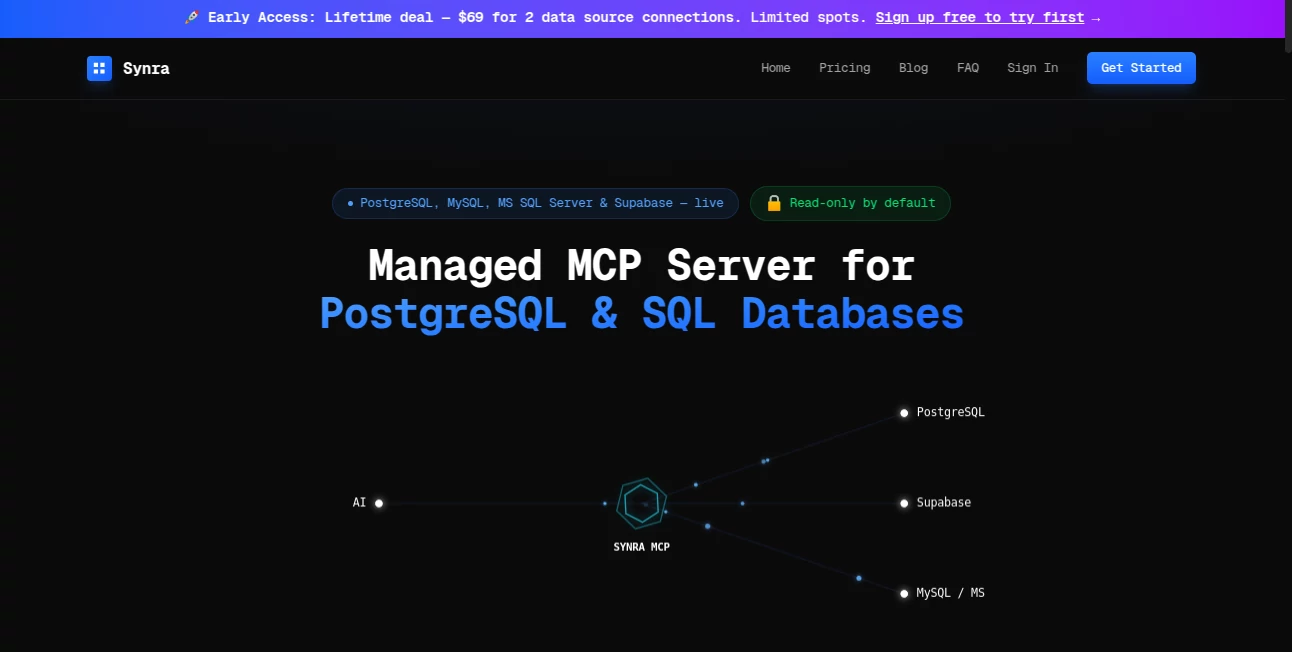
What is Synra?
Connecting your database to AI tools like Claude shouldn’t feel like setting up a fortress every time you switch devices. This platform makes it simple and safe: one clean URL, rock-solid security, and suddenly you can ask natural language questions about your data without installing anything locally. I’ve watched developers go from wrestling with JSON configs and .env files to just pasting a link and querying live data in seconds. It removes the friction that usually kills momentum when you want AI to actually understand your business data.
Introduction
Most teams building with AI hit the same wall: great models, but no easy way to let them peek safely at real data. Local MCP servers are painful to maintain across laptops, desktops, and team members. This service solves that by hosting a secure, production-ready MCP server for SQL databases. Connect once, get a shareable endpoint, and let Claude (or any compatible host) ask questions like “Show me users who signed up this week” or “How many active subscriptions do we have?” The best part? It’s read-only by default, encrypted, and fully audited—so you get the power without the panic.
Key Features
User Interface
The dashboard is refreshingly straightforward. Connect your database with a standard connection string, name it, and you instantly get a clean endpoint URL. No scattered config files, no per-device setup. Everything lives in one place with clear status indicators, query logs, and one-click test queries. It feels like the tool was built by someone who’s been burned by messy local setups before.
Accuracy & Performance
Queries come back fast and accurate because the service is optimized specifically for AI-to-database conversations. It handles schema introspection cleanly so the AI always knows what tables and columns exist. Response times stay snappy even on reasonably complex questions, and the model receives well-structured data that leads to fewer hallucinations and more useful answers.
Capabilities
Supports PostgreSQL, MySQL, MS SQL Server, Supabase, and more. Full read-only mode by default with automatic blocking of any write operations. Detailed audit logs show every query, who ran it, and when. You can connect multiple databases and switch between them easily. It works seamlessly with Claude Desktop and other MCP-compatible hosts—no custom coding required on your end.
Security & Privacy
Credentials are AES-256 encrypted and only decrypted when needed. Read-only is enforced at the gateway level—no INSERT, UPDATE, or DELETE allowed. Every query is logged and sanitized. Your actual data never leaves your database except in the response to the AI. For teams handling real customer or business data, this level of thoughtful security is a breath of fresh air.
Use Cases
A SaaS founder asks “What’s our churn rate this month?” and gets an instant answer without opening the dashboard. A support engineer checks recent user activity during a call without switching tabs. A product team explores usage patterns in plain English while brainstorming new features. Indie hackers connect their side-project database and get intelligent insights without building custom analytics. It turns raw data into conversational knowledge for anyone on the team.
Pros and Cons
Pros:
- Eliminates messy local MCP server setup across devices.
- Enterprise-grade security with read-only defaults and full audit logs.
- Works instantly with Claude Desktop and other MCP hosts.
- Simple pricing that scales with real usage.
- Fast, reliable performance for natural language database queries.
Cons:
- Currently focused on read operations (which is perfect for most analysis use cases).
- Lifetime deal is limited to early adopters.
Pricing Plans
Free tier lets you test the connection and run limited queries. The Starter plan at $19/month gives two database connections with generous daily requests. Lifetime access is available for a one-time $69 payment (early access pricing) for two connections forever. Need more? Custom enterprise options are available. It’s priced so you only pay for the convenience and security you actually use.
How to Use MCP Server for SQL Databases
Sign up, go to connections, paste your database string (PostgreSQL, MySQL, etc.), and give it a friendly name. Copy the generated MCP endpoint URL. In Claude Desktop (or your preferred host), add it as a custom connector. Start asking questions like “Show me the top 10 users by sign-up date” or “What’s our monthly recurring revenue trend?” That’s it—no local servers, no config headaches, just secure AI access to your data.
Comparison with Similar Tools
Running your own local MCP server works but becomes painful fast—different machines, credential management, no central visibility. Other hosted solutions often feel either too limited or overly complex. This one hits the sweet spot: simple to start, secure enough for real production data, and built specifically for the AI workflow most teams actually use today.
Conclusion
When your AI can safely talk to your actual data, everything changes. Decisions get faster, insights feel more real, and you stop guessing. This platform removes the biggest barrier between powerful models and your business truth. For solo founders, growing teams, or anyone tired of local server chaos, it’s the kind of practical tool that quietly makes everything else work better.
Frequently Asked Questions (FAQ)
Is my database truly safe?
Yes—read-only by default, encrypted credentials, full query auditing, and no storage of your actual data.
Which databases are supported?
PostgreSQL, MySQL, MS SQL Server, Supabase, and most standard SQL databases via connection strings.
Do I need to install anything locally?
No—just paste the endpoint URL into Claude Desktop or any MCP-compatible host.
Can the AI modify my data?
No—write operations are blocked at the gateway level for maximum safety.
Is there a free way to try it?
Yes—sign up and test your connection with limited queries before choosing a plan.
AI Research Tool , AI Developer Tools .
These classifications represent its core capabilities and areas of application. For related tools, explore the linked categories above.

Synra Alternatives Product

Sendmux

Mythx AI

ttanonviewer

vivgrid

Velokey

WhatsMyName …

JSON to TOON…

volume shade…

YTVidHub-you…