


















Memories AI
What is Memories AI?
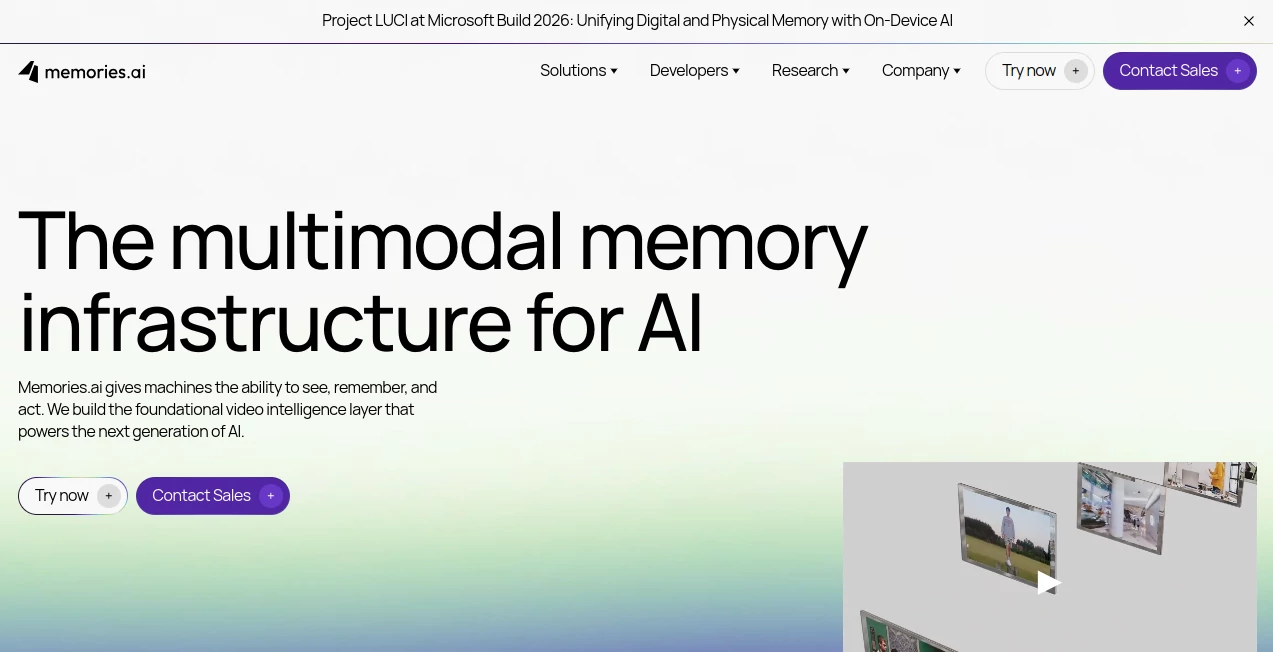
Video is everywhere, but finding useful information inside hours or years of footage is still a surprisingly difficult task. Memories.ai takes a different approach by treating video as something machines can see, understand, remember, and act on. Its platform is designed to turn raw visual data into structured, searchable information that can be used by AI applications, enterprise systems, and intelligent agents.
The platform combines video understanding, persistent visual memory, search, indexing, and intelligent actions in one infrastructure layer. Instead of simply storing recordings, it can analyze frames, faces, scenes, spoken words, people, events, and actions, making large video collections considerably easier to work with.
For a developer building a video-heavy product, this is particularly interesting. You can search footage for specific moments, analyze long recordings, generate captions, or build applications that need to retain visual context over time. The service also offers APIs for teams that want to integrate these capabilities directly into their own products.
Key Features
The platform focuses on three connected ideas: seeing what is inside video, remembering information across time, and taking useful actions based on that understanding.
- Visual understanding and large-scale video indexing
- Persistent visual memory for people, events, actions, and context
- Semantic video search across indexed content
- Video captioning and transcription
- Video intelligence through APIs
- Visual Search API for hosting, indexing, and searching video
- Human re-identification capabilities
- Video analytics and clip search
- Video summarization and frame description
- Video embeddings and multimodal understanding
- Scene detection and video splitting
- Tools for building intelligent agents around visual data
User Interface
The web experience is designed around practical video analysis rather than complicated editing controls. Users can work with uploaded footage through features such as video analytics, clip search, captions, transcription, and video chat.
The playground is especially useful for people who want to experiment before building an integration. A developer can upload video and explore what the system can understand without immediately having to design an entire application around the API.
For teams, the bigger advantage is the combination of the playground and developer infrastructure. It gives a non-technical user a way to explore the technology while providing developers with APIs for production projects.
Accuracy & Performance
Performance becomes important when an AI system has to deal with long recordings rather than a handful of short clips. The platform is designed for large-scale video processing, with its visual memory architecture indexing video into structured information that can later be retrieved.
Its approach is particularly useful when the question is not simply “what is in this video?” but “where did this happen?” or “which clips contain this person, event, action, or spoken phrase?” That shift from basic analysis to searchable visual memory can save substantial manual review time.
The company also publishes research around long-horizon video reasoning, multimodal retrieval, video captioning, compression, and security video understanding. That research-oriented foundation gives the product a stronger technical identity than a simple video utility.
Capabilities
The platform supports two major development patterns. The Video Intelligence API is intended for applications that need capabilities such as captioning, streaming understanding, and human re-identification. The Visual Search API is aimed at products that need to host, index, and search video at scale.
Beyond search, the infrastructure can support video summaries, frame descriptions, embeddings, speaker recognition, diarization, transcription, scene detection, video splitting, and editing workflows. This makes it possible to combine several stages of a video-processing pipeline without building every component from scratch.
There is also support for connecting the service with modern AI assistants through MCP. This allows developers to interact with video libraries using natural-language requests, making visual data much more accessible to AI-powered workflows.
Security & Privacy
Security matters considerably when video contains employees, customers, physical locations, or sensitive operational information. The platform states that it has SOC 2 Type II certification and supports enterprise deployment requirements, including edge, on-premise, and cloud environments.
Enterprise customers can also discuss customized deployment and volume requirements. This is important for organizations that cannot simply send all of their visual data into a standard cloud workflow.
As with any video-analysis platform, organizations should still review the current privacy policy, data-processing terms, retention settings, and deployment configuration before processing sensitive footage.
Use Cases
The range of potential applications is one of the strongest parts of the platform. Media and entertainment companies can use visual search to locate scenes and moments inside large content libraries. A production team, for example, could search a collection of footage for a particular person, action, or spoken phrase instead of manually opening dozens of files.
Security teams can use video intelligence to identify events and surface relevant footage faster. A large organization monitoring many cameras could use automated analysis to reduce the amount of footage that humans need to inspect.
Robotics and physical AI are another natural fit. Robots and intelligent devices need to understand what they see over time, not just analyze one isolated image. Persistent visual memory can provide the context required for systems that operate continuously in the physical world.
Developers can also build video-aware applications, searchable media libraries, AI assistants, training systems, monitoring solutions, and enterprise analytics products on top of the APIs.
Pros and Cons
- Pros: Strong focus on large-scale video understanding and search.
- Pros: Provides both ready-to-use playground features and developer APIs.
- Pros: Persistent visual memory goes beyond simple video storage.
- Pros: Supports multiple video analysis capabilities in one platform.
- Pros: Enterprise deployment options include cloud, edge, and on-premise environments.
- Pros: Research-backed approach to multimodal and long-video understanding.
- Cons: Usage-based API pricing can become significant for very large video workloads.
- Cons: The most advanced capabilities are better suited to developers and enterprise teams than casual users.
- Cons: Understanding the credit and API pricing structure may require some planning before a large deployment.
Pricing Plans
The platform offers a Free plan with 100 credits per month, making it possible to test the core experience without an upfront payment. The Plus plan provides 5,000 credits per month and is listed at $20 per month when billed annually. An Enterprise option is also available with custom credits and pricing.
Additional credit packages are available, including 2,000 credits for $9.20, 4,000 credits for $18.40, 10,000 credits for $46, 20,000 credits for $92, and 40,000 credits for $184.
For API and enterprise usage, pricing can also be based on consumption rather than seats. Different services have different rates, covering areas such as searches, storage, transcription, embeddings, video downloads, video analysis, and visual-agent operations.
This model can be attractive for development teams because costs can scale with actual usage rather than the number of people on an account. At the same time, teams processing large amounts of footage should estimate monthly usage before moving into production.
How to Use Memories.ai
Start by creating an account and opening the available playground environment. From there, you can upload video and experiment with capabilities such as analytics, clip search, captions, transcription, and video interaction.
If you are building a software product, the next step is to explore the API documentation and decide whether Video Intelligence or Visual Search better matches your project. A media application, for instance, may benefit from indexing and searching a large video library, while another application may primarily need real-time understanding or captioning.
For AI-assisted workflows, MCP can provide another route. After connecting the integration to a compatible AI assistant, you can work with video libraries using natural-language commands for tasks such as searching memories, analyzing media, or generating timestamped transcripts.
For an enterprise deployment, it is worth defining the expected video volume, retention requirements, latency expectations, and preferred cloud, edge, or on-premise architecture before implementation.
Comparison with Similar Tools
Many AI video products concentrate on one task, such as editing, generation, transcription, or basic video search. This platform takes a broader infrastructure approach. Its main distinction is the idea of persistent visual memory: video is indexed and converted into information that can remain useful for future searches and AI operations.
That makes it particularly interesting for teams building products rather than simply looking for a consumer video editor. A developer can combine visual search, video understanding, transcription, embeddings, and agentic workflows instead of maintaining a collection of unrelated services.
For a small creator who only wants to trim clips or produce social videos, a dedicated video editor may be simpler. For an organization with a large and growing video archive, however, a searchable visual-memory layer can offer much more long-term value.
Conclusion
Memories.ai stands out by focusing on a problem that is becoming increasingly important as the amount of video data continues to grow: making machines actually remember what they have seen. Its combination of visual understanding, persistent memory, search, APIs, and intelligent actions creates a strong foundation for applications that need more than simple video storage.
The product is especially compelling for developers, AI teams, media companies, security organizations, robotics projects, and enterprises working with large video collections. The free tier provides an accessible way to explore the technology, while usage-based APIs and enterprise deployment options make the platform suitable for considerably larger projects.
If your project depends on finding meaning inside large amounts of video rather than simply storing or editing it, this is a platform worth exploring.
Frequently Asked Questions (FAQ)
What is Memories.ai used for?
It is used for AI-powered video understanding, indexing, visual search, persistent visual memory, transcription, analytics, and building applications that need to work with large amounts of video data.
Does Memories.ai offer a free plan?
Yes. The Free plan provides 100 credits per month and includes access to the playground with features such as video analytics, clip search, and video captions.
Is Memories.ai suitable for developers?
Yes. Developers can use its APIs to add video intelligence, visual search, indexing, captioning, transcription, and related capabilities to their own applications.
Can it search through video content?
Yes. Its Visual Search capabilities are designed to index video and make relevant visual information searchable, which is useful for large media libraries and other video-heavy applications.
Does Memories.ai support enterprise deployment?
Yes. Enterprise customers can discuss custom usage, deployment requirements, and infrastructure options including cloud, edge, and on-premise environments.
Can AI assistants interact with video libraries?
Yes. MCP support allows compatible AI assistants to connect with video libraries and perform tasks such as semantic search, analysis, and transcription through natural-language interactions.
Is the pricing based on users?
For enterprise and API usage, the platform emphasizes usage-based pricing rather than seat-based licensing. This can make the model more practical for teams with many users working on the same infrastructure.
AI Video Search , AI Transcription , AI Developer Tools , AI Analytics Assistant .
These classifications represent its core capabilities and areas of application. For related tools, explore the linked categories above.
Memories AI details
Website unavailable — View Alternatives
Pricing
- Freemium
Apps
- Web App
Categories

Memories AI Alternatives Product

UpMocker

Audio Transc…

ModelsLab

LocaFlow

LazyLister

CodeSpy AI

Sellerview.ai

x video down…

PZERO
