

















MeshGPT
What is MeshGPT?
I still remember the first time I uploaded a rough sketch of a character and watched it transform into a clean, game-ready 3D model in seconds. No Blender headaches, no hours of topology cleanup — just a solid mesh with proper edges and textures that actually looked usable. That moment sold me. This tool takes the biggest pain points out of 3D creation and makes it feel almost magical, whether you're prototyping products, building game assets, or just experimenting with wild ideas late at night.
Introduction
Creating 3D models has always been time-consuming and technical. Even with modern tools, you often spend more time fixing topology than being creative. MeshGPT changes the game by letting you generate production-ready meshes directly from text prompts or reference images. It produces clean, compact triangle meshes with sharp edges and good topology — the kind that artists and developers actually want to work with. From stylized anime characters to realistic product prototypes and printable models, it delivers results that feel intentional rather than purely algorithmic. For indie creators, game devs, designers, and hobbyists, it removes the biggest barriers and lets the fun part take center stage.
Key Features
User Interface
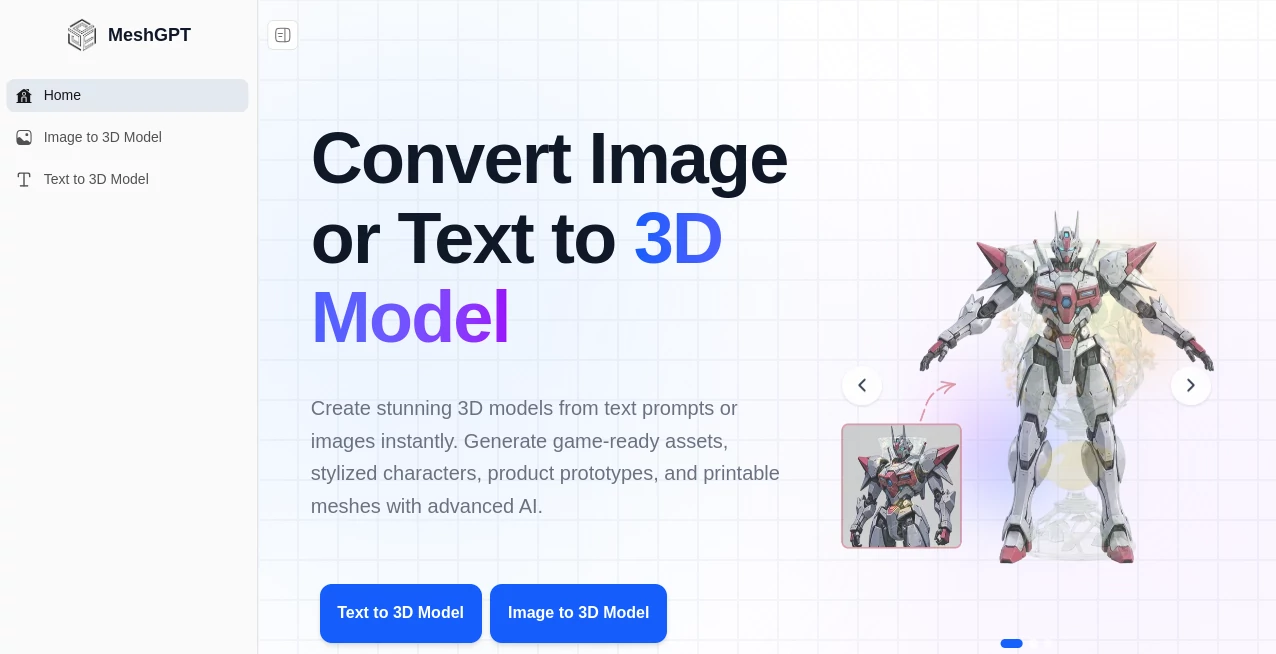
The interface is clean and focused. You can start with a text description or upload an image, choose your preferred style, and hit generate. Previews load quickly so you can iterate fast without waiting around. Export options are straightforward — GLB, OBJ, FBX, STL — ready for Unity, Unreal, Blender, or your 3D printer. It never feels overwhelming, even for someone who isn’t a full-time 3D artist. The flow is simple enough that I’ve shown it to non-technical friends and they were generating their own models within minutes.
Accuracy & Performance
The models come out with impressive structural integrity — clean topology, sharp edges, and consistent geometry that doesn’t fall apart when you start editing. Generation is fast, and the results hold up well across different use cases, from low-poly game assets to higher-detail printable figures. It preserves the essence of your input (whether a text prompt or image) while adding the kind of intelligent detail that makes the output feel professional rather than generic.
Capabilities
You can generate from text prompts or images, create game-ready assets, stylized characters, product mockups, and printable meshes. It handles a wide range of styles — realistic, cartoon, low-poly, anime — and produces models optimized for real workflows. Exports work seamlessly with major 3D software and printing pipelines. Whether you need a quick prop for a game jam or a detailed concept model for client presentation, it gives you usable results without requiring weeks of manual work.
Security & Privacy
Your uploads and generated models are handled with care. The platform focuses on delivering fast results while respecting user data, giving creators confidence to experiment freely without worrying about their ideas being stored or used elsewhere.
Use Cases
An indie game developer generates weapons and environment props in minutes instead of days, keeping momentum during crunch periods. A product designer turns rough sketches into realistic 3D mockups for client presentations. A 3D printing enthusiast creates custom figurines and toys from personal drawings. An animator quickly builds stylized characters for short films or VTuber models. The common thread is speed and quality — turning ideas into tangible 3D assets without the usual technical bottlenecks.
Pros and Cons
Pros:
- Fast, high-quality results from both text and images.
- Clean topology and sharp edges that work well in real projects.
- Multiple export formats compatible with popular 3D tools.
- Great for both beginners and experienced creators.
- Regularly updated with new capabilities.
Cons:
- Complex or highly specific prompts can still benefit from refinement.
- Free tier has usage limits; heavier users will want a paid plan.
Pricing Plans
It offers a generous free tier so anyone can try it and see the quality firsthand. Paid plans unlock higher limits, faster generation, priority access during busy times, and advanced features. The pricing feels fair for the time and creative freedom it returns — many users find it pays for itself after just a few projects by replacing hours of manual modeling.
How to Use MeshGPT
Go to the generator, choose between text-to-3D or image-to-3D mode. For text, describe what you want in clear detail. For images, upload a clear reference photo or sketch. Adjust any available style or quality settings, then generate. Preview the result, regenerate with tweaks if needed, and export in your preferred format. The process is fast enough that you can experiment with multiple variations in one sitting and still have time to refine them in your favorite 3D software.
Comparison with Similar Tools
Many 3D AI tools produce dense, messy meshes that require heavy cleanup. MeshGPT stands out by focusing on clean, compact topology with sharp edges — the kind professional artists and developers prefer. It balances quality and speed better than most alternatives, especially for game assets and printable models. While some tools are stronger in hyper-realism, this one excels at practical, usable meshes that fit real creative workflows.
Conclusion
3D creation should be about ideas and storytelling, not fighting with software for hours. This tool brings that vision closer by making high-quality mesh generation fast, accessible, and genuinely useful. Whether you’re building games, prototyping products, creating art, or just exploring wild concepts, it removes the biggest technical hurdles and lets your creativity take the lead. For anyone who works with 3D, it’s one of those tools that quickly becomes indispensable.
Frequently Asked Questions (FAQ)
How long does generation take?
Most models are ready in under a minute, depending on complexity.
Can I use the models commercially?
Yes — generated models can be used in commercial projects (check specific plan terms for details).
What file formats are supported for export?
GLB, OBJ, FBX, STL, and others — compatible with Unity, Unreal, Blender, and 3D printers.
Do I need 3D modeling experience?
Not at all — the tool is designed to be accessible for beginners while still powerful for pros.
Is there a free way to try it?
Yes — a generous free tier lets you test quality before upgrading.
AI 3D Model Generator , Photo & Image Editor , AI Image to 3D Model , AI Design Generator .
These classifications represent its core capabilities and areas of application. For related tools, explore the linked categories above.

MeshGPT Alternatives Product

Unblur Image
Nano Banana …

Nano Banana …

Pygmalion Pr…
RoomMaxxing
AI 3D World

Nano Image AI

Pixal3D

Banana Pro
