

















Unblur Image
What is Unblur Image?
We’ve all been there. You’re going through your camera roll, looking for that one perfect shot from a birthday party or a weekend trip, and your heart sinks. The photo is blurry. Maybe someone moved at the wrong moment, or the focus just didn't lock in time. For the longest time, you had to just accept it and move on. But honestly? Those days are over. I remember trying to fix a picture of my nephew's first steps using old software, spending hours on sliders, and getting nowhere. It was frustrating.
That’s where a new generation of smart technology comes in to save the day. Imagine having a tool that acts like a pair of glasses for your pictures. It looks at the mess, understands what's supposed to be there, and painstakingly rebuilds the sharpness. It doesn't just lighten the picture or add a filter; it actually reconstructs the lost details. For anyone running a business, managing a social media account, or just wanting to preserve family history, this feels like a superpower. You upload a mess and download a masterpiece. It is an absolute game-changer for content creators who hate wasting shots.
Key Features
What makes this platform stand out isn't just one thing; it’s the whole package. It takes the heavy lifting out of photo editing. You don't need to be a tech wizard or a Photoshop guru. You just need a browser and a few seconds. The intelligence built into this system handles the rest, making professional-grade restoration accessible to everyone.
User Interface
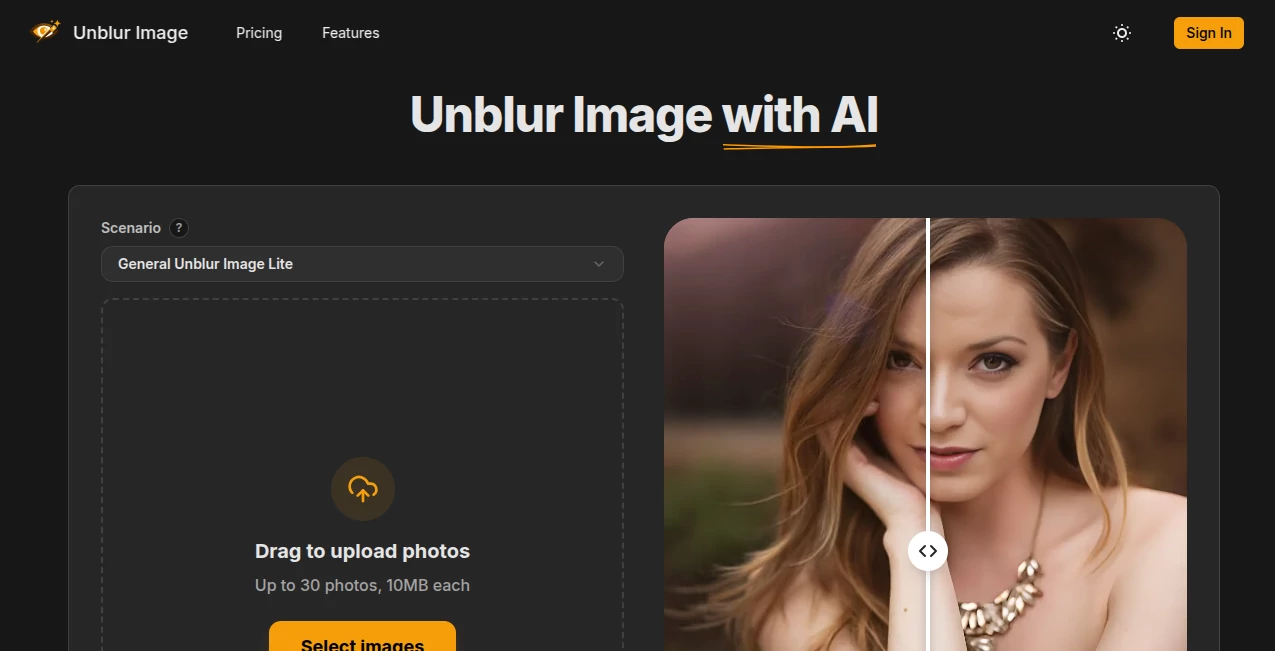
The first thing you will notice is how clean and simple the layout is. There are no confusing menus, no pop-ups asking for credit card details right away, and no jargon. It is just a straightforward box where you drop your image. For anyone who has felt overwhelmed by complex editing dashboards, this is a breath of fresh air. It loads fast, works on your phone browser too, and guides you without treating you like a child. It respects your time. Within seconds of landing on the page, you know exactly where to click.
Accuracy & Performance
This is where the tool truly shines. We have all seen those cheap apps that just crank up the contrast and call it "enhanced." This isn’t that. The machine learning model here has been trained on millions of images. It understands the difference between a blurry eye and a blurry background. I tested it with an old scanned photo from the 90s where faces were completely soft. The results weren't perfect—because nothing can truly resurrect a completely destroyed pixel—but it brought back the shape of the nose and the eyes clearly. It performs exceptionally well with text documents, product photos, and portraits. It’s reliable enough to use for client work.
Capabilities
While the core function is unblurring, the capabilities stretch further. It doesn't just sharpen edges; it reduces the digital noise (that grainy look you get in low light) that often comes with blurry images. It also handles upscaling to a certain extent, meaning if you have a small image, it can make it bigger without turning it into a blocky mess. The system is built to handle everything from slightly shaky selfies to heavily motion-blurred action shots. It consistently tries to reconstruct textures like hair, fabric, and grass, which are usually the hardest things to fix.
Security & Privacy
Let's be real: uploading personal photos to the internet can feel scary. You don't want your family pictures floating around on some server forever. The good news is that the platform takes this seriously. According to their policies, uploaded images are processed and then deleted from their servers within a specific timeframe, usually within a day. They aren't using your vacation photos to train their robots without asking. For the privacy-conscious user, this is a massive relief. You get the service, and then your data disappears. That is exactly how it should be in 2025.
Use Cases
This tool isn't just for one type of person. It spans across industries and hobbies. Here are a few real-world examples of how you might use this every day:
- E-commerce Sellers: You took product photos on your phone, but a few came out blurry. Instead of retaking the shot, you fix it here in 5 seconds and upload it to your shop. Crisp product images mean more sales.
- Real Estate Agents: You walked through a house and took a great shot of the living room, but you were moving. This AI sharpens the window light and the flooring, making the listing look professional without a reshoot.
- Social Media Managers: You need content now. A blurry behind-the-scenes shot can be sharpened and turned into a moody, artistic post. It saves the day when you don't have a backup photo.
- Genealogy & Families: Those old scanned photos from grandma's attic are often soft. You can run them through this tool to see faces you barely recognized before. It brings history back into focus.
Pros and Cons
No tool is perfect for every single job, but this one comes pretty close for its specific niche. Here is the honest breakdown based on real use:
Pros (+)
The most obvious pro is that it is incredibly fast. We are talking "upload, process, download" in less than a minute. The barrier to entry is zero; you don't need to sign up for a newsletter or start a trial just to see if it works. The AI does a fantastic job with faces, which is usually the hardest part for software. It brings expressions back to life. Also, the interface is so simple that your grandparents could use it without breaking a sweat. For a free tool, the output quality is shockingly high.
Cons (-)
On the flip side, because it is a free online tool, there are limits. If you are a professional photographer trying to edit a wedding of 1000 photos, doing them one by one here isn't practical (you would need desktop software). While it does faces well, extremely heavy blur—like a photo taken by a spinning camera—might still come out looking a bit "AI-painted" or waxy. It is a restoration tool, not a miracle worker. Also, heavy traffic times might slow down the processing slightly, but that is rare.
Pricing Plans
One of the best parts? It starts at absolutely zero cost. The free access allows you to test the waters and see the magic happen without spending a dime. For most casual users, fixing a blurry image here and there, the free tier is more than enough. There are no hidden fees or "gotcha" moments where they ask for a credit card just to see the result.
For power users—say you run a marketing agency or an online store where you fix 50 images a day—there are premium plans. These often lift any queue waiting times and might offer higher resolution outputs for print. But the fact that the core feature remains so accessible is what makes this tool a lifesaver. You pay for convenience and speed, not for the basic ability to unblur.
How to Use This Tool
Using this service is as easy as making toast. Honestly, it takes more time to find the file on your computer than it does to fix it. Here is the step-by-step guide:
First, go to the website. You don't need to click "Sign Up" or verify your email (which is a huge relief compared to other sites). You will immediately see the upload area. Click on that area to open your file explorer, or simply drag your blurry photo from your desktop folder onto the page. It accepts JPG, PNG, and most standard web formats.
Once the photo is uploaded, the AI gets to work instantly. There is usually a small loading bar or processing icon. This is the time to grab a sip of coffee. After a few seconds, the result pops up next to the original. You can click on the image to zoom in and see the difference in the eyes or the text. If you like what you see, you hit the download button. That is it. No sliders, no configuration. Just magic. I usually recommend keeping the original just in case, but the enhanced version is ready to post or print immediately.
Comparison with Similar Tools
There are plenty of "photo sharpener" tools out there, but most fall into two traps: they are either too expensive or they don't actually work. Let’s look at the competition. High-end software like Topaz Gigapixel or Remini are fantastic, but they are heavy desktop applications that cost a subscription fee. They are overkill if you just need to fix a menu for your restaurant or a selfie.
Other free online tools often slap a massive watermark on your image or ask you to pay before you can download the high-res version. That doesn't happen here. While PicWish and similar alternatives offer batch processing, they often limit the quality on the free tier. In contrast, this tool offers professional-level clarity without forcing you into a paywall. It sits perfectly in the middle: it offers the simplicity of a web app with the power of a desktop suite. For the average user needing a quick fix, it actually outperforms the big names because it is so much faster and easier to access.
Conclusion
In a world where we take more photos than ever, the "throwaway" shots often contain the best memories. Don't let a little motion blur ruin a great moment. This tool is the perfect assistant for anyone who needs crisp, clear images without the headache of learning complex software. It respects your privacy, respects your time, and delivers results that feel like a cheat code.
Whether you are fixing a product shot for your Shopify store at 2 AM, or trying to see your late grandfather's face clearly in an old scan, this service has your back. It turns frustration into relief. Go ahead and try it with your worst, blurriest, most out-of-focus photo. I bet you will be surprised. It is fast, free, and frankly, a little bit magical.
Frequently Asked Questions (FAQ)
Q: Do I need to create an account to use the unblurring feature?
A: No, you do not. You can simply visit the site, upload your photo, and download the result without registering. This makes it extremely convenient for quick tasks.
Q: Is there a limit on the file size I can upload?
A: Like most free online tools, there are practical limits to keep the servers running fast for everyone. Typically, standard phone photos (under 5-10MB) work perfectly. If your file is massive, you might need to compress it slightly first.
Q: Can I use the enhanced images for commercial purposes?
A: Yes. Once you enhance an image you own, you generally retain full rights to the output. You can use those crisp images on your website, social ads, or printed flyers without worrying.
Q: Why does my portrait look a little different after processing?
A: AI has to "guess" what was behind the blur. Sometimes, it smooths out skin to reduce noise or changes the shape of a hair strand slightly. Usually, this is barely noticeable and actually looks better, but extremely damaged faces might look slightly different.
Q: Does this work on anime or digital art?
A: Absolutely. The AI models are trained on general images, which include illustrations. It works great for sharpening line art or clearing up pixelated digital drawings, often better than traditional upscalers.