

















Meshy AI
Verified Blue CheckMark
Verified Blue CheckMark products are featured above free or unverified listings.
This badge indicates authenticity and builds trust, giving your product higher visibility across the platform.
Upgrade to get verified
Verified Blue CheckMark products are featured above free or unverified listings. This badge indicates authenticity and builds trust, giving your product higher visibility across the platform.
Upgrade to get verified
What is Meshy AI?
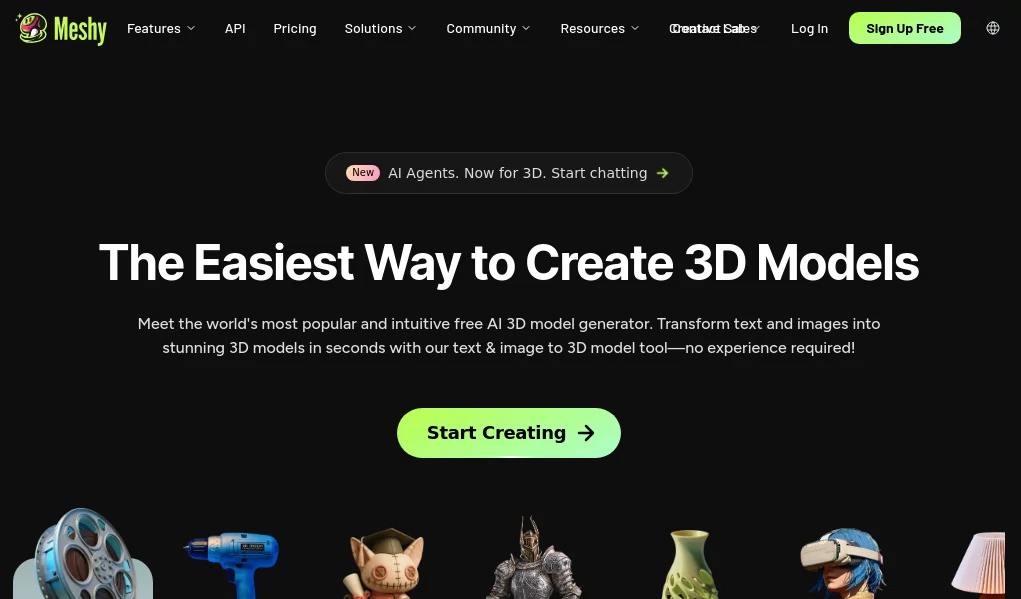
Creating professional 3D assets traditionally requires advanced modeling skills, expensive software, and many hours of manual work. This innovative AI-powered 3D creation platform changes that workflow by allowing creators to transform simple text descriptions and images into detailed 3D models quickly and efficiently.
Designed for artists, game developers, product designers, 3D printing enthusiasts, and creative teams, the platform makes 3D creation more accessible without removing the creative control professionals need. Whether you are building a game character, visualizing a product concept, or preparing a printable object, it provides a faster way to move from an idea to a usable digital asset.
With features such as text-to-3D generation, image-to-3D conversion, AI texturing, animation tools, and export options, it brings together many essential steps of a modern 3D workflow in one convenient environment.
Key Features
User Interface
The platform offers a clean browser-based interface designed for both beginners and experienced creators. The workflow is simple: describe an object, upload a reference image, or choose an existing model, then refine the result using available creative tools.
New users can quickly understand the process without needing previous experience with complex 3D software. At the same time, experienced designers can use it as a rapid prototyping companion to speed up early-stage concepts.
Accuracy & Performance
The AI engine focuses on producing detailed 3D assets with realistic shapes, textures, and visual consistency. Text prompts can be converted into complete models in a short time, while image-based generation helps users transform existing artwork or photos into three-dimensional objects.
The results are especially useful for concept development, visualization, and creative exploration. Like any AI-assisted modeling solution, highly specialized production assets may still require professional refinement before final delivery.
Capabilities
The platform provides a complete collection of AI-powered 3D creation features, including:
- Text to 3D: Generate textured 3D models from natural language descriptions.
- Image to 3D: Convert images, artwork, and references into three-dimensional models.
- AI Texturing: Create custom textures using text prompts or reference images.
- Smart Remesh: Adjust topology and optimize models for different workflows.
- Animation: Add movement and rig characters with automated tools.
- 3D Export: Download models for use in creative software, games, and printing projects.
- API Access: Integrate AI-powered 3D generation into custom applications.
Security & Privacy
The platform provides account-based access and cloud processing designed to protect user projects. Creators can manage their generated assets and use private workflows depending on their subscription level.
For professional teams working with commercial projects, reviewing licensing options and privacy settings before production use is recommended.
Use Cases
This AI 3D creation solution supports many industries and creative workflows:
- Game Development: Quickly create characters, props, environments, and concept assets.
- 3D Printing: Turn ideas into printable models without starting from scratch.
- Product Design: Create early prototypes and visual demonstrations.
- Animation: Generate characters and prepare assets for motion projects.
- Education: Help students explore 3D design concepts more easily.
- Marketing: Build engaging 3D visuals for campaigns and presentations.
- Architecture and Visualization: Experiment with digital objects and creative concepts.
Pros and Cons
Pros
- Fast AI-powered 3D model generation.
- No advanced modeling knowledge required for basic creations.
- Supports both text-based and image-based workflows.
- Includes texturing and animation features.
- Useful for beginners and professional creators.
- Works directly through a web browser.
Cons
- Complex professional models may require additional editing.
- AI-generated geometry may need optimization for advanced production.
- Higher usage limits require paid plans.
Pricing Plans
The platform offers multiple pricing options designed for different types of users. A free plan allows users to explore core features with limited credits, while paid plans provide additional generation capacity, advanced tools, and increased flexibility for professional workflows.
Creators who regularly produce 3D assets can benefit from premium subscriptions, while casual users can start with the free option to test the creative possibilities.
How to Use Meshy
Getting started is simple:
- Create an account and access the online workspace.
- Select a creation method such as text-to-3D or image-to-3D.
- Describe your idea or upload a reference image.
- Generate the model and review the result.
- Apply textures, adjustments, or animations if needed.
- Export the final asset for your preferred workflow.
Comparison with Similar Tools
Compared with traditional 3D modeling software, this AI-powered approach focuses on speed and accessibility. Traditional tools provide deeper manual control but often require significant learning time.
Compared with other AI 3D generators, it stands out by combining multiple creative stages in one platform, including generation, texturing, animation, and asset preparation. This makes it a practical choice for creators who want to move quickly from imagination to a usable model.
Conclusion
AI is changing the way digital content is created, and this platform represents an important step toward making 3D design available to more people. It helps creators turn ideas into models faster, experiment with concepts, and reduce the technical barriers that often slow down creative projects.
Whether you are a beginner exploring 3D design for the first time or a professional looking for a faster prototyping workflow, this tool provides a flexible environment for bringing creative ideas into the three-dimensional world.
Frequently Asked Questions (FAQ)
What can this AI 3D tool create?
It can generate 3D models from text prompts and images, create textures, prepare animations, and export assets for different creative workflows.
Do I need 3D modeling experience?
No. Beginners can create models using simple descriptions or images, while experienced artists can use it to accelerate their existing workflow.
Can generated models be used for games?
Yes. Many creators use AI-generated assets for game prototypes, concept development, and production workflows after necessary adjustments.
Can I convert an image into a 3D model?
Yes. The image-to-3D feature allows users to transform visual references into three-dimensional assets.
Is there a free plan available?
Yes. Users can access a free option with limited usage and upgrade to paid plans for more features and higher limits.