
MiniMax H3
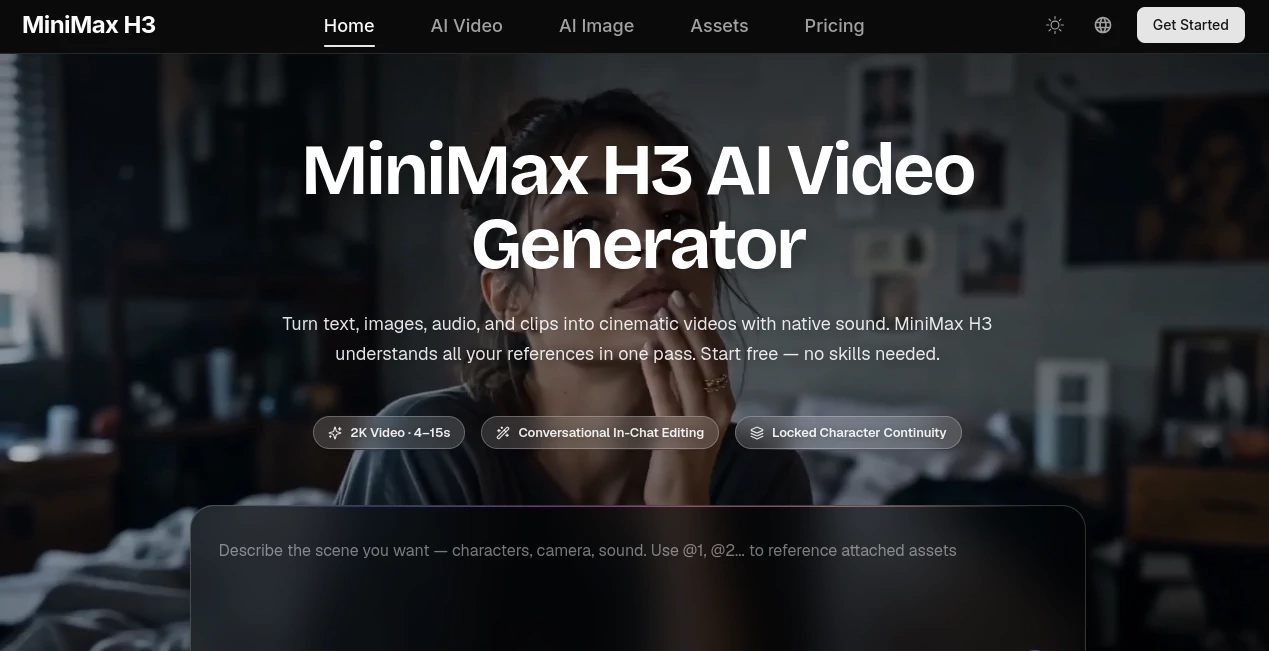
What is MiniMax H3?
Creating a convincing video used to mean juggling a script, image references, editing software, sound design, and several rounds of revisions. This AI video generator takes a different approach by bringing those pieces together in one creative workflow. It can turn text, images, video clips, and audio references into short cinematic videos with synchronized stereo sound.
What makes the experience particularly interesting is the way different types of references can work together. You can provide character images, a motion reference, a background image, and an audio sample in the same request. Instead of treating each asset as a separate task, the system interprets them as parts of one scene.
The result is especially useful for creators who want to move quickly from an idea to something they can actually watch. A product seller can animate a product photo, a filmmaker can build a visual previsualization, and a social media manager can create a vertical clip without opening a traditional editing timeline.
Key Features
- Text-to-video generation from detailed natural-language prompts
- Image-to-video generation with first and last frame control
- Multimodal reference input combining images, videos, and audio
- Native stereo audio including dialogue, music, ambience, and sound effects
- Instruction-based video editing using plain-language commands
- Character and subject consistency across generated scenes
- Reference-based motion and choreography control
- Voice cloning from an uploaded voice reference
- Support for multiple aspect ratios including cinematic and vertical formats
- Video output of up to 1440p at 24 FPS
- Support for videos ranging from 5 to 15 seconds
- Commercial-oriented rendering for products, brands, advertising, and UI content
User Interface
The interface is designed around a straightforward idea: describe what you want, add references when necessary, generate the clip, and then refine it. There is no traditional editing timeline to learn, which makes the platform approachable for people who are comfortable explaining an idea but have little experience with professional video software.
Reference files can be added alongside a prompt. The system supports up to nine images, three video clips, and three audio tracks in one request, with a combined limit of twelve files. That makes it possible to build a fairly detailed creative brief before pressing generate.
The available aspect ratios also make the workflow practical for different publishing environments. You can work with widescreen cinematic compositions, square formats, or vertical videos intended for mobile feeds.
Accuracy & Performance
Performance is one of the more appealing aspects of the platform. Its design focuses not only on generating attractive frames but also on following detailed creative instructions. Prompts can be up to 7,000 characters, giving experienced users room to describe subjects, movement, camera behavior, lighting, transitions, and sound.
The model is also designed to preserve elements that should not change during an edit. For example, you can ask for a background replacement or a character change while keeping the rest of the scene consistent. This is much closer to giving notes to an editor than starting the video from scratch every time.
Outputs can reach 1440p resolution at 24 frames per second, with native two-channel stereo audio. Generation time depends on factors such as clip duration, resolution, and current queue demand, so short and lower-resolution generations can generally be completed more quickly than longer cinematic shots.
Capabilities
The strongest capability is the combination of different media references. A creator can provide an image showing a character, a video demonstrating movement, and an audio recording that establishes a voice or musical direction. The system can then use those references together when creating the scene.
For image-to-video work, a single image can serve as the starting point, while first and last frame images can be used when a more controlled transition is required. This is useful for product reveals, before-and-after concepts, and scenes where the desired ending needs to be predictable.
Editing is another major strength. Instead of manually rebuilding a shot, users can describe changes such as replacing an object, changing the lighting, modifying the background, or rewriting dialogue. The platform is designed to leave untouched elements stable while applying the requested change.
It also handles commercial-oriented details such as product packaging, brand marks, on-screen text, and interface elements. For marketers and e-commerce sellers, that can be more valuable than simply producing a visually impressive clip.
Security & Privacy
Because the workflow can involve personal images, video footage, voice samples, and proprietary brand assets, privacy deserves attention before uploading sensitive material. Users should review the platform's current privacy policy and terms before submitting confidential or personally identifiable content.
Voice and reference-based features should also be used responsibly. When uploading someone else's image, video, or voice, make sure you have the necessary permission to use that material. Businesses should additionally review the applicable licensing terms before using generated content in paid campaigns or client projects.
Use Cases
There are several situations where this approach can save considerable production time.
- Social Media Content: Create short vertical videos for TikTok, Instagram Reels, YouTube Shorts, and other mobile-first platforms.
- Product Marketing: Turn product photographs into demonstrations, promotional clips, and advertising concepts without organizing a traditional shoot.
- E-commerce: Add movement, environments, narration, and sound to otherwise static product listings.
- Advertising: Generate multiple creative directions quickly and test concepts before investing in full production.
- Filmmaking: Build moving storyboards, previsualizations, trailers, and scene concepts before filming.
- Animation: Explore anime, pixel-art, claymation, fantasy, and other visual styles while keeping reference characters more consistent.
- Gaming: Produce character videos, game cinematics, UI demonstrations, and promotional material.
- App and UI Demonstrations: Turn screenshots and interface references into animated product walkthroughs.
- Brand Content: Develop visual concepts around existing style frames, products, typography, and brand direction.
Pros and Cons
Pros
- Combines text, image, video, and audio references in one workflow
- Generates native stereo sound alongside video
- Strong range of editing instructions through natural language
- Supports first and last frame control for image-to-video creation
- Useful for both creative experimentation and commercial content
- Supports several aspect ratios for different publishing platforms
- Free access is available for trying the service
- Paid plans include commercial usage rights according to the current plan terms
Cons
- Generated clips are currently limited to short durations of 5 to 15 seconds
- High-resolution and frequent generation can consume credits quickly
- Complex scenes may still require several generations and refinements
- Results can vary depending on the quality and clarity of the prompt and reference material
- Users working with sensitive media need to pay close attention to privacy and licensing requirements
Pricing Plans
The platform uses a credit-based subscription model and currently offers Lite, Standard, Pro, and Max plans. There is also a free starting option that allows users to test the generation experience before committing to a paid subscription.
- Lite: $14.90 per month with annual billing, including 600 credits per month, standard generation speed, and commercial-use licensing.
- Standard: $24.90 per month with annual billing, including 1,500 credits, priority processing, up to four batch generation tasks, and commercial-use licensing.
- Pro: $49.90 per month with annual billing, including 3,600 credits, faster generation, up to ten batch generation tasks, and a dedicated account manager.
- Max: $99.90 per month with annual billing, including 8,000 credits, up to ten batch generation tasks, the fastest generation speed, and a dedicated account manager.
Pricing and promotional discounts can change, so users should check the current plan details before purchasing. The platform also states that its paid plans provide commercial usage rights, subject to the applicable terms.
How to Use the Tool
Getting started does not require traditional video editing experience. The workflow can be broken down into three practical steps.
1. Describe or Upload
Start with a clear description of the scene you want to create. You can also upload reference images, video clips, or audio. For more controlled results, describe the subject, action, camera movement, lighting, visual style, and sound.
2. Generate
Select an appropriate aspect ratio and generate the video. The system can produce a 5 to 15 second clip with native stereo sound. For image-based projects, first and last frame references can help guide the beginning and ending of the shot.
3. Refine and Download
If the first result is close but not quite right, give the system another instruction. Instead of rebuilding the scene, explain what needs to change. For example, you might request a different background, altered lighting, a new character outfit, or revised dialogue while keeping the rest of the scene intact.
Comparison with Similar Tools
Many AI video generators specialize in one particular workflow, such as text-to-video or image animation. This platform takes a broader approach by combining generation, reference-based creation, audio generation, and natural-language editing.
The biggest practical difference is the ability to mix multiple media types in a single creative request. A filmmaker can provide visual references and movement guidance, while a marketer can combine product images with branding and audio direction. That makes the workflow particularly attractive when a project cannot be described adequately with text alone.
Another notable distinction is native sound. Rather than treating audio as a completely separate post-production step, the system generates stereo sound as part of the video creation process. For short-form content, this can significantly reduce the amount of finishing work required after generation.
Conclusion
This is a compelling choice for creators who want more than a simple text-to-video generator. Its combination of multimodal references, native audio, controllable editing, character consistency, and commercial-focused output gives it a practical place in modern content production.
The most interesting part is not any single feature. It is the way the features work together. A product image can become a video, a reference clip can influence movement, an audio sample can guide the sound, and a natural-language instruction can reshape the final shot. That makes experimentation considerably faster.
For social creators, marketers, filmmakers, game teams, and e-commerce businesses, the free starting option provides a sensible way to test the workflow before deciding whether a paid credit plan fits their production needs.
Frequently Asked Questions (FAQ)
Is the tool free to use?
Yes. New users can start with free credits without entering a credit card. Paid plans provide additional credits, faster processing, and commercial usage rights according to the current plan terms.
Can I turn an image into a video?
Yes. Image-to-video is a core workflow. You can provide a starting image or use first and last frame images to guide the movement between two visual states.
Can it generate sound automatically?
Yes. Generated videos include native stereo audio, which can contain ambience, sound effects, music, and dialogue. An audio reference can also be supplied for certain voice-related workflows.
How long can the generated videos be?
Current generations are designed for short-form video and can range from 5 to 15 seconds, with output available at up to 1440p and 24 frames per second.
Can I edit an existing video?
Yes. You can upload a video and describe changes such as replacing a character, removing an object, changing the background, adjusting lighting, or modifying dialogue.
Can the generated videos be used commercially?
Paid plans currently include commercial usage rights, subject to the applicable terms and licensing conditions. Businesses should review those terms before using generated material in client work, advertising, or other commercial projects.
AI Video to Video , AI Image to Video , AI Video Generator , AI Text to Video .
These classifications represent its core capabilities and areas of application. For related tools, explore the linked categories above.

MiniMax H3 Alternatives Product

sora video

Muse AI

Sora AI Vide…

You.bot
wan2-6.org
seedance2-pro

Veo 3

Gemini Omni

Banana 2 Edi…