

















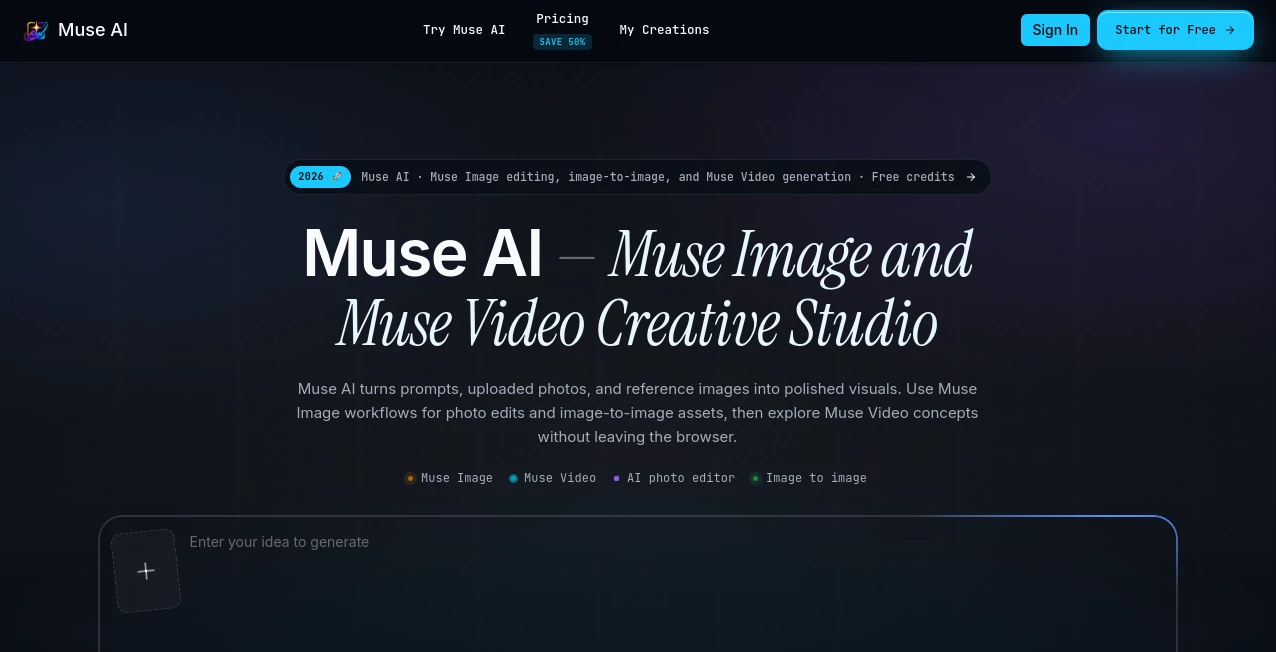
What is Muse AI?
Creating professional visual content no longer requires a collection of separate editing apps or years of design experience. This browser-based creative studio brings AI-powered image editing, image generation, and video concept creation together in a single workspace, making it easier for creators, marketers, ecommerce brands, and design teams to produce polished content in less time.
Instead of switching between multiple platforms for photo retouching, background replacement, image restyling, and storyboard creation, users can complete their entire creative workflow from one interface. Whether you're preparing product photos for an online store, designing social media campaigns, or exploring concepts before a professional production, the platform offers a smooth and efficient experience that saves valuable time.
Its greatest strength is the balance between simplicity and creative freedom. Beginners can describe edits in natural language, while experienced designers can combine reference images, style directions, and creative prompts to generate highly customized results.
Key Features
User Interface
The interface is clean, modern, and intentionally designed to reduce unnecessary complexity. Projects, prompts, uploaded references, and generated assets remain organized inside one workspace, allowing users to revisit previous work without searching through multiple folders. Navigation feels intuitive even during larger creative projects.
Accuracy & Performance
Image transformations preserve important elements such as composition, subject placement, and overall structure while applying new artistic directions. Multiple variations can be generated quickly, making it practical to compare creative ideas before selecting the strongest version for production or publishing.
Capabilities
- AI photo editing using natural language instructions
- Text-to-image generation
- Image-to-image transformation
- Background replacement
- Object removal
- Lighting adjustments
- Product photography enhancement
- Reference-based image generation
- Storyboard creation
- AI video concept generation
- Campaign asset creation
- Creative history management
- Unlimited downloads on paid plans
- Commercial usage support
Security & Privacy
The service operates directly in the browser, reducing installation requirements and allowing projects to remain accessible from different devices. User accounts keep creative history organized for future projects, while commercial licensing makes generated assets suitable for business workflows. Standard privacy policies and account management options are also provided.
Use Cases
- Create engaging social media graphics within minutes.
- Generate ecommerce product images with professional backgrounds.
- Design advertising concepts before expensive photo shoots.
- Produce multiple visual styles for marketing campaigns.
- Create thumbnail concepts for YouTube videos.
- Build storyboards for short-form video production.
- Generate creative inspiration for branding projects.
- Design promotional posters and digital artwork.
- Prepare presentation visuals for business meetings.
- Develop consistent visual assets for brand identity.
Pros and Cons
Pros
- Easy-to-use browser interface.
- Combines image editing and AI generation in one platform.
- Supports text-to-image and image-to-image workflows.
- Reference images improve creative consistency.
- Suitable for both beginners and professionals.
- Fast generation of multiple design variations.
- Commercial usage available.
- Well organized creative history.
Cons
- Advanced features require paid credits.
- Video generation focuses on concepts rather than full editing.
- Internet connection is required.
Pricing Plans
The platform offers several pricing options for different types of creators.
- Starter – Designed for individuals exploring AI-assisted creative work.
- Pro – Suitable for creators publishing content regularly.
- Studio – Built for teams producing large campaign batches.
- Monthly, yearly, and credit-based options are available.
How to Use Muse AI
- Sign up and access the browser workspace.
- Upload an existing image or begin with a text prompt.
- Add one or more reference images if needed.
- Describe the desired style or edit using natural language.
- Generate multiple creative variations.
- Compare outputs and refine the strongest result.
- Download the final asset or reuse the saved workflow for future projects.
Comparison with Similar Tools
Many AI creative platforms specialize in only one task, such as image generation or photo editing. This solution stands out by combining several creative workflows into a single browser-based environment. Users can move from image editing to concept generation and even video ideation without exporting files between different applications.
The addition of multi-reference guidance is particularly valuable for branding projects where maintaining visual consistency matters. Marketing teams, ecommerce businesses, and designers benefit from having prompts, references, and completed assets stored together for future campaigns.
Conclusion
For creators looking to streamline visual production, this platform delivers an impressive combination of speed, flexibility, and creative control. It simplifies complex editing tasks through natural language while still offering enough depth for experienced professionals.
Whether the goal is improving product photography, generating fresh marketing visuals, exploring artistic styles, or preparing storyboards for upcoming campaigns, the platform provides a reliable creative environment that reduces production time without sacrificing quality. Its thoughtful workflow, commercial-ready features, and unified workspace make it an excellent choice for modern content creation.
Frequently Asked Questions (FAQ)
Can beginners use this platform?
Yes. Natural language prompts make advanced editing accessible even for users with no design background.
Does it support commercial projects?
Yes. Paid plans include commercial usage rights for business and marketing content.
Can I edit existing photos?
Yes. Existing images can be uploaded and modified with background changes, lighting adjustments, object removal, and artistic restyling.
Does it generate videos?
It primarily creates AI-powered video concepts and motion ideas from prompts or existing images, making pre-production planning much easier.
Is software installation required?
No. Everything runs directly inside a web browser.