MiniMax H3
What is MiniMax H3?
Creating a convincing video from a simple idea normally takes a combination of scripting, filming, editing, visual effects, and sound design. MiniMax H3 brings many of those steps into a single AI video creation workflow, allowing creators to turn written descriptions and visual references into short videos with synchronized sound.
The platform is built around short-form cinematic production. Users can create videos from text or images, choose different aspect ratios, control the duration and quality, and preview the finished result before downloading it. The combination of 2K-class output and generated audio makes it particularly interesting for creators who want something closer to a finished clip rather than a silent visual experiment.
It is also flexible enough for very different projects. A marketer can animate a product image, a filmmaker can explore a scene before production, and a social media creator can build a vertical clip without setting up a traditional video production workflow.
Key Features
- Text-to-video generation from detailed natural-language prompts.
- Image-to-video generation for animating characters, products, artwork, and scenes.
- Reference-guided generation for maintaining visual identity and directing motion.
- Native 2K-class video output for higher-quality delivery.
- Generated stereo audio including dialogue, sound effects, ambience, and music.
- Short-form videos with durations of up to approximately 15 seconds.
- Landscape and vertical aspect ratios, including 16:9 and 9:16.
- Cinematic motion designed around approximately 24fps film-style movement.
- Credit-based generation with resolution and duration affecting usage.
- Downloadable video results suitable for further editing and publishing.
User Interface
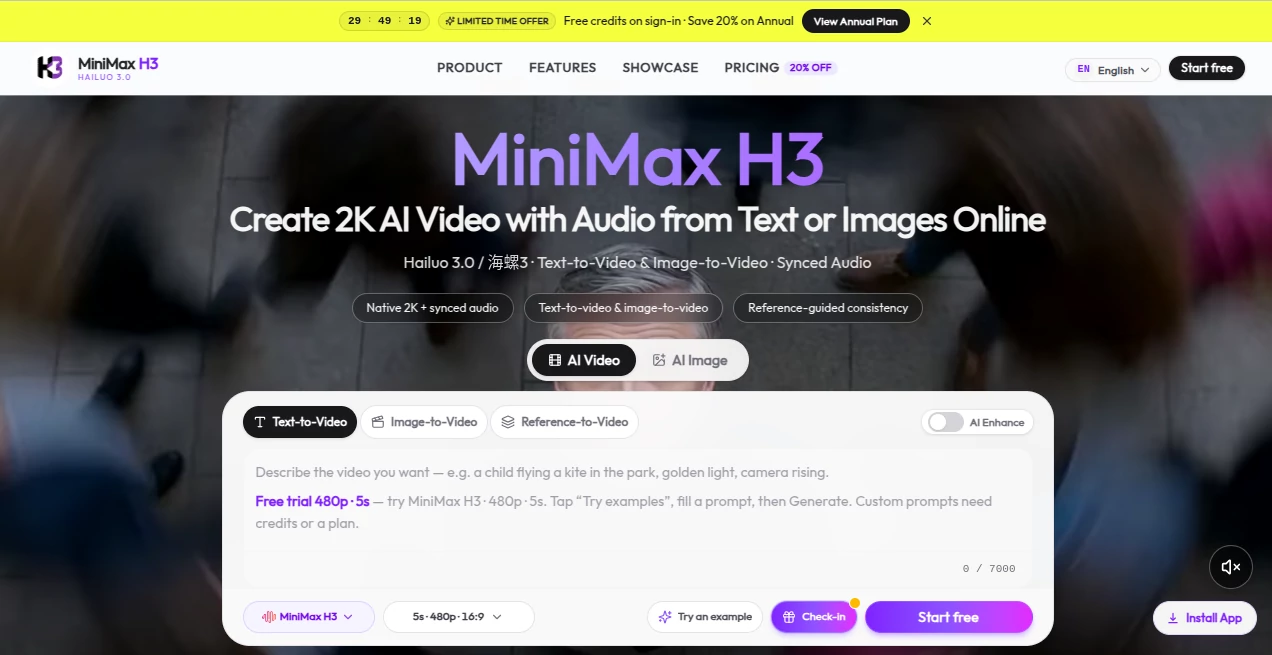
The interface keeps the main creation process relatively straightforward. Instead of requiring a complicated timeline or professional editing setup, the workflow starts with a prompt and optional reference media. Users can select a generation mode, describe the desired scene, adjust settings such as duration, aspect ratio, and quality, and then submit the generation.
The studio supports text-to-video as well as image-to-video workflows. Reference assets can also be used when more control over characters, environments, motion, or visual direction is needed. For someone trying AI video generation for the first time, this makes the learning curve much less intimidating than a conventional video editor.
Accuracy & Performance
Prompt understanding is one of the more important parts of an AI video generator, and this platform is designed to interpret subjects, actions, camera movement, lighting, mood, dialogue, and sound instructions together. The reference-based workflow can also help creators guide the appearance and movement of important elements.
The service offers 480p, 768p, and 2K-class generation options, with higher resolutions consuming more credits. The site notes that generation normally takes a few minutes, although queue conditions, resolution, and clip length can affect waiting time.
One particularly useful aspect is the combination of picture and sound. Instead of generating a silent clip and requiring another application for basic audio design, the system can produce dialogue, effects, and environmental atmosphere alongside the visuals.
Capabilities
The platform covers several useful video-generation scenarios. Text prompts can describe a complete shot, including the subject, camera movement, lighting, atmosphere, dialogue, and sound effects. Image-to-video generation can take a still image and transform it into a moving scene.
Reference-driven creation adds another layer of control. Creators can use multiple images, videos, and audio references to influence the generated result. The current studio documentation describes support for up to nine images, three videos, and three audio references in reference-to-video workflows.
The output is also designed for modern content formats. A creator working on a YouTube video can use landscape framing, while someone producing a TikTok or Instagram Reel can work with a vertical 9:16 composition.
Security & Privacy
The service provides dedicated privacy and terms pages, while account, credits, and billing are handled within the platform's own workflow. Users should still pay attention to the rights associated with material they upload, particularly when working with photographs, branded assets, music, or recognizable people.
Commercial usage is supported subject to the applicable terms and the user's plan entitlements. This is useful for agencies, marketers, and businesses, but professional users should review the current terms before using generated material in an important commercial campaign.
Use Cases
There are plenty of practical ways to use this type of video generator beyond simply experimenting with AI.
- Social media: Create short vertical clips for TikTok, Instagram Reels, and YouTube Shorts.
- Advertising: Turn campaign concepts and product ideas into visual ad prototypes before committing to a full production.
- E-commerce: Animate product photography into short promotional demonstrations.
- Film previsualization: Explore camera movements, lighting, environments, and scene concepts before filming.
- Gaming: Produce character introductions, promotional cinematics, and visual concepts for games and applications.
- Fashion: Add movement and atmosphere to lookbook photography and campaign imagery.
- Storytelling: Turn a written scene into a short visual sequence with motion and sound.
- Creative experimentation: Quickly test different visual directions without organizing a complete production shoot.
Pros and Cons
- Pros: Native 2K-class output, synchronized audio, text-to-video and image-to-video generation, reference-based workflows, vertical and landscape formats, short clips up to around 15 seconds, and a relatively accessible creation process.
- Cons: Generation uses credits, higher-quality and longer generations consume more credits, results can take several minutes to process, and the short clip duration means longer projects still require multiple generations and conventional editing.
Pricing Plans
The platform uses a credit-based pricing system. Credit consumption depends on factors such as resolution and duration. The current information indicates approximately 1 credit per second at 480p, 2 credits per second at 768p, and 3 credits per second at 2K, while additional reference material can also affect the final credit cost.
New users may receive free credits when the introductory offer is enabled. Paid users can purchase credit packs or choose subscription options for higher-volume generation. Because pricing and available plans can change, checking the current pricing section before purchasing is recommended.
For occasional creators, a smaller credit allocation can be useful for testing prompts and visual concepts. Agencies and businesses producing videos regularly may benefit more from a higher-volume plan where the cost per generation becomes easier to manage.
How to Use MiniMax H3
- Open the video studio and select a generation mode such as text-to-video or image-to-video.
- Write a detailed prompt describing the subject, action, camera movement, lighting, mood, dialogue, and sound.
- Add an image or other reference material when you need more control over the visual result.
- Select the desired duration, aspect ratio, and output quality.
- Submit the generation and wait for the video to be processed.
- Preview the result with sound enabled and decide whether it meets your needs.
- Refine the prompt or references if necessary, then download the finished clip for further editing or publishing.
Comparison with Similar Tools
Many AI video generators focus primarily on turning a prompt into a short visual sequence. The interesting difference here is the emphasis on combining visual generation with synchronized audio and reference-driven control in the same workflow.
For creators who only need a quick animated image, a simpler generator may be sufficient. However, when a project needs camera direction, character references, environmental details, sound, and a more cinematic presentation, the broader workflow becomes more appealing.
It is also worth considering the intended production format. The relatively short output length is well suited to advertisements, social media posts, product teasers, trailers, and visual concepts. It is not intended to replace a full nonlinear editing application or serve as a complete multi-track film production environment.
Conclusion
AI video generation is becoming much more useful when the result goes beyond simply moving pixels around. The combination of text and image generation, reference control, 2K-class output, cinematic motion, and synchronized audio gives creators a practical way to turn an idea into a watchable short scene with considerably less production overhead.
For marketers, social media creators, filmmakers, e-commerce businesses, game teams, and independent storytellers, the strongest advantage is the speed of experimentation. You can start with a written concept or a single image, see the idea in motion, listen to the generated sound, and iterate without arranging a traditional shoot.
The short output duration and credit-based model are worth considering, particularly for larger projects. For short-form creative work, however, the combination of visual quality, sound, references, and straightforward generation makes this a compelling option for anyone exploring modern AI-assisted video production.
Frequently Asked Questions (FAQ)
What can I create with this AI video generator?
You can create short cinematic videos from text prompts and images, including social media clips, advertisements, product demonstrations, trailers, character scenes, and creative concepts.
Does it generate audio?
Yes. The system can generate synchronized audio alongside the video, including dialogue, sound effects, environmental atmosphere, and music in supported workflows.
Can I generate videos from images?
Yes. Image-to-video generation can animate a starting image and add movement, atmosphere, and synchronized sound. Reference-based workflows can provide additional control over the final scene.
What video resolution is available?
The platform supports multiple quality levels, including 480p, 768p, and 2K-class output. The exact options available can depend on the current generation settings and account plan.
How long can generated videos be?
The service is designed for short-form generation, with videos reaching approximately 15 seconds in supported workflows. The exact duration options can depend on the current studio configuration.
Can I use the generated videos commercially?
Commercial use is supported subject to the applicable terms and plan entitlements. Users are responsible for ensuring that they have the necessary rights to any images, audio, brands, or likenesses included in their prompts and references.
How long does video generation take?
Generation generally takes a few minutes, although processing time can vary depending on the queue, requested resolution, clip duration, and workload.
Do I need professional video editing skills?
No. The core workflow is prompt-driven, so you can start with a description and optional references rather than building the scene manually on a traditional editing timeline.
How are credits calculated?
Credit usage depends on factors such as resolution and duration. Higher-resolution and longer generations require more credits, while reference video duration and additional reference images can also affect usage.
AI Image to Video , AI Video Generator , AI Video Enhancer , AI Text to Video .
These classifications represent its core capabilities and areas of application. For related tools, explore the linked categories above.

MiniMax H3 Alternatives Product

Paper Animat…

Seedance

Seedance 2.0

Seedance 2.0…

Gemini Omni …

HappyHorse AI

v04 ai
Seedance 2.0

Omnigen Stud…