
MiNonna
What is MiNonna?
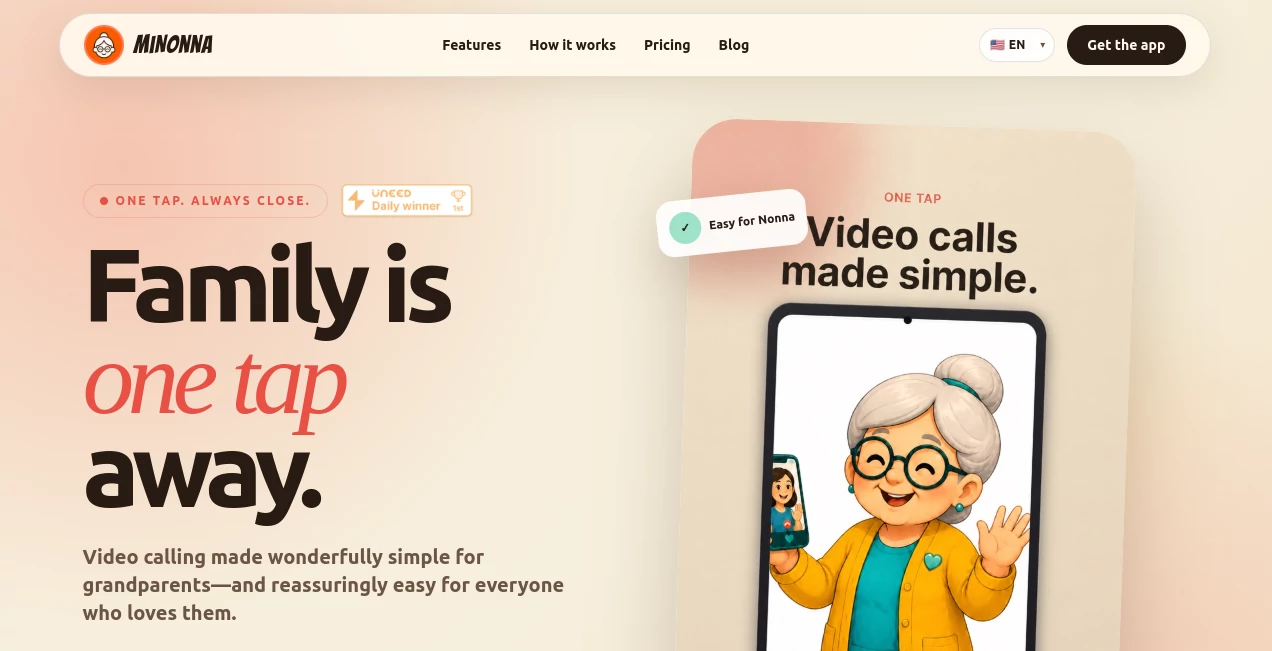
MiNonna is a thoughtfully designed video-calling app created around a simple idea: staying connected with older family members should not require them to understand complicated technology. Instead of filling the screen with menus, settings, and unfamiliar controls, the experience focuses on the one thing families actually want to do—see and talk to each other.
The service is particularly suited to grandparents who may find conventional video-calling applications overwhelming. Family members can help with the initial setup and contacts, while the everyday experience stays remarkably straightforward. A familiar photo can be tapped to start a call, making the process feel closer to using a family phone than navigating a modern communications platform.
With support for family groups of up to 20 members, private conversations, clear video, trusted contacts, and a single subscription for the household, it offers a practical way to make regular family calls easier.
Key Features
- One-Tap Calling: Start a video call by tapping a loved one's photo rather than navigating through complicated menus.
- Clear Video: The service is designed to provide high-quality video calling, including an experience intended to remain usable on slower internet connections.
- Family Network: Families can create a private network with up to 20 members.
- Trusted Contacts: Contacts can be organized around the people a family member actually needs to reach.
- Simple Profiles: Familiar profiles help make identifying and calling family members easier.
- Loud Ringing: A prominent ringing experience is designed to make incoming calls easier to notice.
- Secure Family Groups: The platform keeps the experience centered around a trusted family circle.
- One Family Subscription: The group administrator pays for the plan while other family members can join and make video calls while the subscription is active.
User Interface
The interface is clearly built around simplicity rather than feature overload. That distinction matters when the intended audience includes people who may not regularly use smartphones or video conferencing software.
Large, familiar contact profiles and a minimal calling flow reduce the number of decisions a user has to make. Instead of searching through layers of menus, the person can focus on recognizing the family member they want to call. This approach makes the experience feel less like operating a piece of software and more like reaching for a familiar family connection.
Accuracy & Performance
For a video-calling service, performance is less about generating an answer and more about maintaining a dependable conversation. The platform emphasizes crisp video and specifically presents its calling experience as suitable for slower internet connections.
That can be especially useful for households where grandparents or relatives do not have the fastest home connection. A simple calling experience is much more valuable when the people using it can actually rely on it for regular conversations.
Capabilities
The strongest capability is its focused approach to family communication. Rather than attempting to become an all-purpose messaging platform, it concentrates on making video calls accessible to people who may struggle with conventional communication apps.
Families can bring multiple relatives into a private network, manage trusted contacts, and keep everyone connected under one subscription. The service also supports multiple languages, including English, Italian, Japanese, Spanish, and Portuguese, making it more approachable for families with different language preferences.
Security & Privacy
Privacy is an important consideration when a service is designed around personal family conversations. The platform states that its video calls use end-to-end encryption, helping keep conversations private between the people involved.
The private family-network approach also keeps the experience focused on trusted contacts rather than exposing users to a large public communication environment. For families helping an older relative get comfortable with video calls, that combination of simplicity and privacy can provide additional peace of mind.
Use Cases
- Grandparents and grandchildren: Make regular video calls easier for grandparents who are uncomfortable with complicated apps.
- Long-distance families: Stay visually connected when relatives live in different cities or countries.
- Family check-ins: Create an uncomplicated way for children or relatives to check in with older family members.
- Large families: Bring up to 20 relatives into one private family network.
- Technology-shy users: Give people who dislike complicated interfaces a simpler way to make video calls.
- Family-assisted setup: Let younger or more technically confident relatives handle the setup while keeping everyday calling simple.
Pros and Cons
Pros
- Extremely simple calling concept.
- Designed specifically with grandparents and older relatives in mind.
- One-tap video calling reduces unnecessary navigation.
- Private family network supports up to 20 members.
- End-to-end encryption is included for conversations.
- One subscription can cover the entire family.
- Free seven-day trial available.
- Supports multiple languages.
Cons
- The product is intentionally focused on video calling rather than being a full-featured communication suite.
- The App Store version is currently listed as coming soon on the website.
- Users looking for advanced collaboration or messaging features may need a more traditional communication platform.
Pricing Plans
The service keeps its pricing structure straightforward. New users can start with a free seven-day trial without a commitment. After the trial, families can choose between monthly and annual billing.
- Free Trial: €0.00 for seven days.
- Monthly: €10.99, billed monthly with the option to cancel at any time.
- Annual: €94.99, billed annually as the better-value option.
The website notes that local prices are loaded automatically based on the user's region, while final billing and taxes are handled through the relevant app store. Only the group administrator needs to pay for the family subscription.
How to Use the App
- Download the application on a supported device.
- Create or join the appropriate family network.
- Have a family member assist with setup if the primary user is not comfortable with technology.
- Add trusted family contacts and create simple profiles.
- Open the family contact you want to reach.
- Tap the person's photo to start a video call.
- Use the same simple process whenever you want to reconnect with a family member.
Comparison with Similar Tools
Traditional video-calling platforms are often built to serve everyone—from businesses holding large meetings to friends chatting across continents. That broad functionality can be useful, but it can also introduce menus, account settings, meeting controls, and other elements that an older family member may never need.
This product takes the opposite approach. Its value comes from removing unnecessary choices. Someone who only wants to see their children or grandchildren does not need a workspace full of communication features. They need recognizable contacts, an obvious way to call, and a reliable connection.
For families who prioritize simplicity over a long feature list, this focused approach can make more sense than asking a grandparent to learn a general-purpose conferencing platform.
Conclusion
Staying connected with family should not become a technology lesson. This service succeeds by understanding that simple can be better, particularly when the person on the other end of the call is an older relative who simply wants to see a familiar face.
Its combination of one-tap calling, private family groups, clear video, trusted contacts, and family-friendly pricing makes it an appealing choice for households looking for a calmer alternative to complicated video-calling applications. The seven-day trial also gives families an easy way to see whether the experience fits their everyday routine before committing to a subscription.
Frequently Asked Questions (FAQ)
Who is this service designed for?
It is primarily designed for families who want to make video calling easier for grandparents and older relatives, especially users who may find conventional communication applications confusing.
How many family members can join?
A private family network can include up to 20 family members.
Does everyone in the family need to pay?
No. The group administrator pays for the subscription, while the other family members can join and make video calls while the plan remains active.
Is there a free trial?
Yes. A seven-day free trial is available with no commitment.
Does it use end-to-end encryption?
Yes. The service states that family conversations are protected with end-to-end encryption.
Is it suitable for people who are not good with technology?
That is one of its main purposes. The calling flow is intentionally simplified, and family members can help with the initial setup and contacts.
What are the subscription options?
The listed plans include a seven-day free trial, a €10.99 monthly plan, and a €94.99 annual plan. Pricing can vary by region.
Is an App Store version available?
The website currently lists the App Store version as coming soon, while directing users to the available app download option.
Does the service support multiple languages?
Yes. The website currently provides language options including English, Italian, Japanese, Spanish, and Portuguese, along with French.
AI Life Assistant , AI Chatbot .
These classifications represent its core capabilities and areas of application. For related tools, explore the linked categories above.

MiNonna Alternatives Product

MemoTune

Free AI Chat

KalonAI

VoiceFlow Te…

TWT Chat

Soulthread

AuraMeaning

SearchSpot

gemini omni …