
VoiceFlow Text to Speech
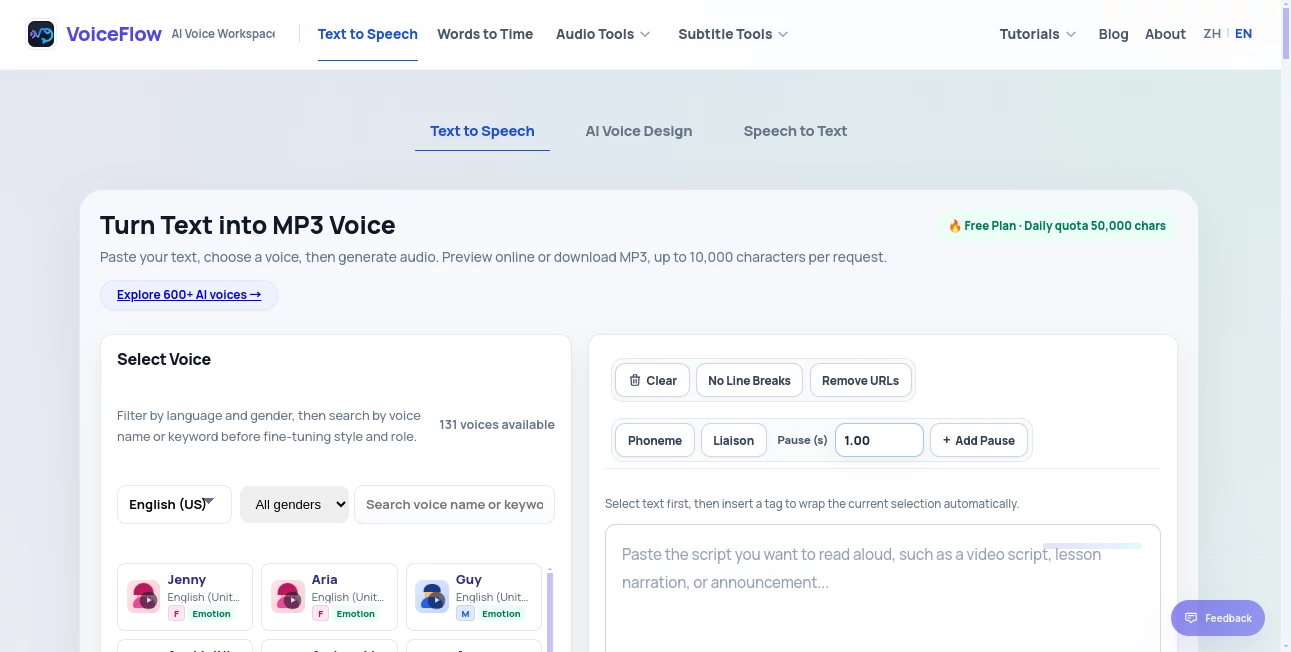
What is VoiceFlow Text to Speech?
In today’s fast-moving digital world, building intelligent conversational experiences is no longer a luxury—it is a necessity. This platform is designed to help teams create, design, and deploy conversational agents and voice-enabled workflows without the complexity of traditional development. It bridges the gap between idea and execution, making it possible for both technical and non-technical users to design powerful AI-driven interactions.
What makes it stand out is its focus on simplicity combined with flexibility. Whether you're building a customer support assistant, a voice application, or a chatbot for your website, it provides a structured yet creative environment to bring your ideas to life.
Key Features
User Interface
The interface is clean, visual, and flow-based, allowing users to design conversations like building blocks. Instead of writing long lines of code, you simply connect logic nodes, responses, and actions in a visual canvas.
Accuracy & Performance
The system is optimized for real-time conversational handling, ensuring smooth interactions with minimal delay. It can handle complex branching logic while maintaining consistent performance across different use cases.
Capabilities
It supports multi-channel deployment, meaning you can create experiences for web apps, voice assistants, and messaging platforms. Advanced logic tools allow conditional flows, integrations with APIs, and dynamic responses based on user input.
Security & Privacy
Security is handled with industry-standard practices, ensuring that user data and conversation flows remain protected. It is suitable for both personal projects and enterprise-level deployments.
Use Cases
- Building AI-powered customer support assistants
- Creating interactive voice applications
- Designing chatbot experiences for websites and apps
- Automating repetitive communication workflows
- Developing conversational prototypes for startups and agencies
Pros and Cons
Pros
- Easy-to-use visual builder
- No heavy coding required
- Flexible integration options
- Suitable for beginners and professionals
Cons
- Advanced features may require learning curve
- Complex projects can become visually dense
Pricing Plans
The platform typically offers multiple pricing tiers, including a free plan for beginners and paid plans for teams and enterprises. Paid plans generally unlock advanced integrations, higher usage limits, and collaboration features.
How to Use This Tool
Getting started is straightforward. First, users create a new project and choose a template or start from scratch. Then, they build conversational flows using a drag-and-drop interface. Each block represents a message, condition, or action. After designing the logic, users can connect integrations, test the flow in real time, and deploy it to their desired platform.
The testing environment allows instant feedback, making it easy to refine conversations and improve user experience without repeated deployments.
Comparison with Similar Tools
Compared to other conversational design platforms, this tool focuses heavily on visual simplicity while still offering enterprise-grade capabilities. Some alternatives may provide deeper developer control, but they often require more technical expertise. This platform strikes a balance, making it more accessible while still powerful enough for production-level applications.
Conclusion
For anyone looking to enter the world of conversational AI or streamline how they build voice and chat experiences, this platform offers a practical and efficient solution. It reduces development complexity while expanding creative possibilities, making it a strong choice for startups, businesses, and developers alike.
Frequently Asked Questions (FAQ)
Is coding required to use this platform?
No, it is designed to work primarily through a visual interface, making it accessible without coding experience.
Can I deploy my chatbot to multiple platforms?
Yes, it supports multi-platform deployment including web and messaging systems.
Is it suitable for beginners?
Yes, beginners can start easily, although advanced features may require some learning.
Does it support integrations?
Yes, it allows integration with APIs and external services for extended functionality.
Can it be used for business applications?
Absolutely, it is widely suitable for customer support, automation, and enterprise workflows.
AI Workflow Management , Code & IT , AI Chatbot , Voice .
These classifications represent its core capabilities and areas of application. For related tools, explore the linked categories above.
VoiceFlow Text to Speech details
Pricing
- Free
Apps
- Web App
Categories
VoiceFlow Text to Speech Alternatives Product

LaunchBoard
Discord Time…

Gemini Omni

Vibebot.gg

Romantic AI

Syncity AI

gemini omni …

FlowGPT

KKV AI