Mixar
What is Mixar?
3D production can be incredibly rewarding, but the workflow often becomes crowded with repetitive tasks. Modeling, UV work, retopology, material creation, texturing, and scene setup can each take considerable time before the creative part of a project even begins.
Mixar brings an AI-driven approach to this workflow by combining a Blender-based 3D environment with conversational agents and generation tools. Instead of jumping between separate applications for modeling, references, textures, and scene preparation, creators can work through a connected pipeline inside one desktop application.
The idea is simple: the artist remains in control while AI handles more of the routine production work. You can describe a modeling operation in natural language, generate an asset from an image, create PBR maps, clean up topology, or build a scene from a reference image. The result is a workflow that feels particularly useful for artists who want to move quickly without giving up direct control over their files.
Key Features
- AI-assisted 3D modeling through conversational commands
- Image-to-3D model generation
- Segment-to-3D for extracting individual objects from images
- Full scene generation from reference images
- AI image generation and blockout-to-render workflows
- PBR map generation for materials
- Layer-based texturing with masks and blend modes
- AI-assisted UV editing and retopology
- Background agents for time-consuming production tasks
- In-canvas moodboards for references and visual direction
- Plan Mode for reviewing complex operations before execution
- Native Blender shortcuts, modifiers, and familiar workflows
User Interface
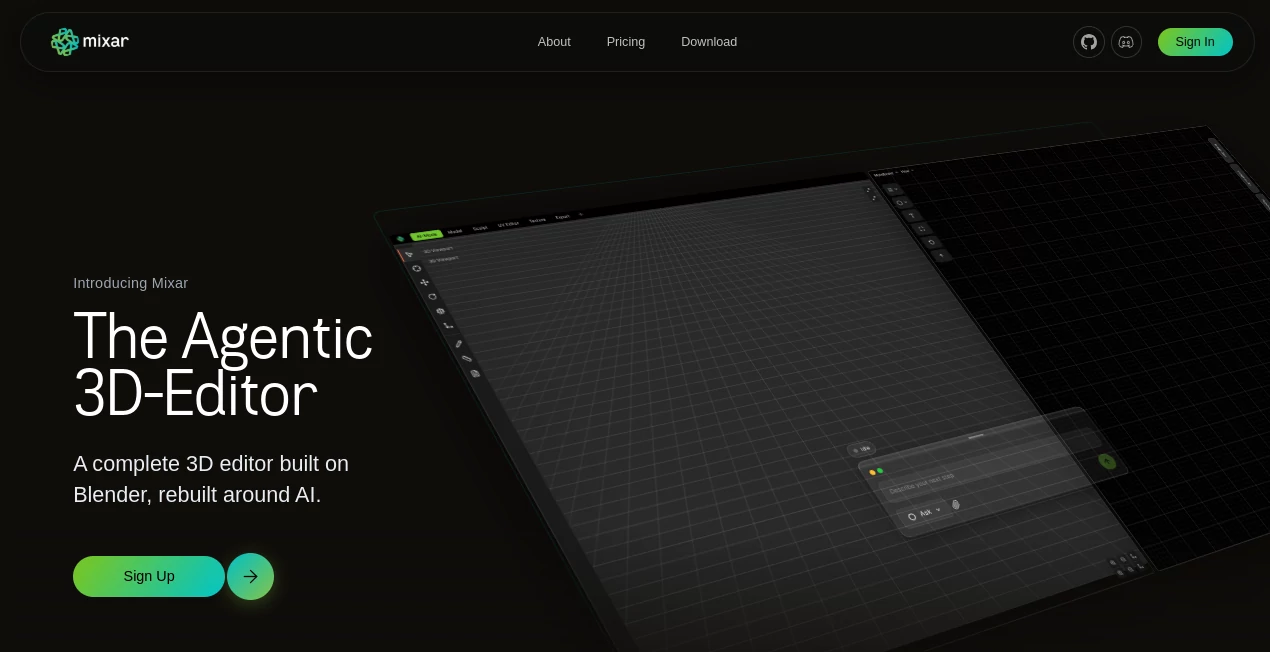
The interface is designed around the idea that creators should spend more time working on the scene and less time searching through menus. The conversational interface provides a direct way to describe tasks, while specialized workspaces focus on areas such as modeling, UV editing, and texturing.
One particularly useful part of the experience is the integrated moodboard. Reference images can be placed directly alongside the project, then used as inputs for generation and scene-building tasks. This makes it easier to move from visual inspiration to an actual 3D asset without constantly switching applications.
For experienced Blender users, the familiar interaction model is another advantage. Standard shortcuts, modifiers, and established 3D workflows remain part of the environment, so the AI layer adds capabilities without requiring artists to completely relearn how they work.
Accuracy & Performance
Performance depends on the complexity of the requested task and the source material used for generation. Image-to-3D results are generally stronger when the reference contains a clearly visible subject, good lighting, and a relatively simple background. For more demanding conversions, multiple reference views can improve the resulting geometry.
The workflow is also designed around iteration rather than expecting a perfect result on the first attempt. Generated meshes can be cleaned through retopology, while materials can be refined through editable texture layers. This is a practical approach for production because an AI-generated asset does not have to be the final version to be useful.
Background agents are another performance-oriented feature. Tasks such as UV operations, baking, retopology, and generation can run while the artist continues working, reducing the amount of time spent waiting for routine operations to finish.
Capabilities
The platform covers considerably more than simple text-to-3D generation. Its Agent Mode can execute modeling, UV, texturing, material, and scene operations directly inside the 3D environment. For example, an artist can request a low-poly object, ask for its UVs to be unwrapped, and then apply a material as part of the same conversational workflow.
Generate Mode expands the workflow with image generation, blockout-to-render, PBR map generation, and image-to-3D conversion. These operations can also be chained together. A concept image can become a 3D asset, which can then receive generated PBR materials and further manual refinement.
The Segment-to-3D workflow is useful for more complex references. Instead of turning an entire photograph into one mesh, individual objects can be selected and converted separately while maintaining their relationships within the scene.
For production cleanup, retopology can simplify dense meshes while preserving their overall form. The layer-based texturing system then provides editable control over Base Color, Roughness, Metallic, Normal, and additional material channels.
Security & Privacy
One of the more interesting aspects of the platform is its open-source direction. The desktop application is publicly inspectable, giving technically minded users greater visibility into how the software itself is built.
AI usage can also be configured around user-controlled provider credentials. Depending on the setup, creators can use their own supported AI provider keys rather than relying entirely on a centralized billing arrangement. This gives experienced users more flexibility over how they connect AI capabilities to their workflow.
As with any cloud-connected AI workflow, users should still review the current privacy and terms documentation before sending confidential production assets or commercially sensitive material for processing.
Use Cases
Indie game studios can use the platform to move from concept references to engine-oriented assets more quickly. A rough idea can become a model, receive PBR materials, go through retopology, and continue into a conventional game-art pipeline.
Technical artists can benefit from conversational commands for repetitive operations such as UV work, baking, retopology, and scene preparation. Instead of manually navigating every tool, they can describe the intended operation and inspect the result.
Environment artists can use reference images and moodboards to explore complete scenes. The scene-generation workflow can identify multiple objects within an image, generate individual assets, and assemble them into a spatially related environment.
Architecture and interior visualization is another natural use case. A rough room or spatial blockout can be developed into different visual directions, while materials, lighting, and composition can be explored before investing heavily in detailed modeling.
Solo 3D creators may find the biggest benefit in having several parts of the production pipeline available in one application. Instead of maintaining a collection of disconnected tools for modeling, texturing, references, and AI generation, much of the process can happen within the same workspace.
Pros and Cons
Pros
- Combines AI assistance with a full 3D editing workflow
- Strong integration with Blender-based workflows
- Supports image-to-3D and multi-object scene generation
- Useful conversational Agent Mode for production tasks
- Integrated moodboard for references and visual development
- Layer-based PBR texturing remains editable after AI generation
- Background agents can handle lengthy production tasks
- Open-source desktop application provides additional transparency
- Supports user-controlled AI provider keys
Cons
- AI-generated models may still require manual cleanup
- High-quality 3D generation depends heavily on reference quality
- Some advanced workflows can require familiarity with Blender and 3D production
- AI features may involve separate usage costs depending on the chosen provider or setup
- The platform is still evolving, so some features may change as development continues
Pricing Plans
The desktop application is currently available to download for free, with sign-in required to activate it. The current setup also includes a credit-based system for AI usage, with free credits available for new users and additional credits that can be earned through activities such as completing a first generation, referrals, community participation, and other promotional actions.
Another flexible option is using your own provider key. The platform supports bringing your own credentials for supported AI services, allowing users to manage their own provider billing. OpenRouter is also supported, providing access to a broad selection of models through one connection.
Because AI generation costs and available credits can change, users should check the current pricing and account information before planning a larger production workload.
How to Use the Tool
Start by installing the desktop application and signing in. Once inside the 3D workspace, you can begin with an existing Blender scene, a reference image, or a new project.
For conversational assistance, open the Chat interface and describe the operation you want to perform. Agent Mode can execute tasks directly in the scene, while Ask Mode is intended for questions and workflow guidance without changing the project.
For more complicated operations, Plan Mode is useful because it creates a proposed sequence of actions before execution. This gives you an opportunity to review the intended workflow and make changes before anything is applied.
If you are starting from a visual reference, place the image on the moodboard. From there, you can generate a concept, convert an image into a 3D model, isolate individual objects with Segment-to-3D, or create a complete scene.
After generation, treat the result as a starting point rather than automatically assuming it is production-ready. Use modeling tools, retopology, UV editing, and layer-based texturing to refine the asset until it matches your project's requirements.
Comparison with Similar Tools
Many AI 3D tools concentrate on a single stage, such as generating a mesh from text or converting an image into a model. This platform takes a broader approach by placing generation inside a complete editing environment.
That distinction matters for artists who need to do more than generate an attractive preview. A generated model can continue through retopology, UV work, material creation, scene placement, and manual editing without leaving the same production environment.
Traditional Blender workflows provide exceptional control but can require considerable manual effort for repetitive operations. AI-only generators can be faster for initial concepts but often provide less control over what happens afterward. The approach here sits between those two extremes: AI accelerates parts of the process while the artist retains access to conventional 3D tools.
The integrated moodboard and conversational workflow also make it particularly interesting for concept-to-asset production. For example, an artist could explore several visual directions, choose one reference, turn it into a model, generate materials, clean the topology, and continue editing the result in the same project.
Conclusion
For creators who already understand 3D production, the most appealing part of this platform is not simply that AI can generate a model. It is the way generation, editing, texturing, scene building, and production assistance are connected.
The workflow feels especially well suited to artists who want to experiment quickly but still care about what happens after the first generation. A rough asset can be cleaned, textured, adjusted, and integrated into a larger scene rather than being treated as a disposable AI image.
With conversational agents, image-to-3D generation, scene reconstruction, PBR workflows, retopology, editable texture layers, and Blender compatibility, it offers a compelling direction for modern 3D creation. It may not eliminate every manual step, but it can remove a substantial amount of repetitive work and give artists more time to focus on decisions that actually shape the final result.
Frequently Asked Questions (FAQ)
What is this AI 3D editor used for?
It is designed for 3D modeling, texturing, scene creation, image-to-3D conversion, PBR material generation, retopology, UV workflows, and AI-assisted production tasks.
Can it convert an image into a 3D model?
Yes. Its Image-to-3D workflow can convert a reference image into a workable 3D mesh. Advanced generation can use multiple views and provide greater control over polygon count and output quality.
Can it generate an entire 3D scene from an image?
Yes. Generate Scene can analyze a reference image, identify objects, create individual 3D assets, and arrange them into a scene while preserving their spatial relationships.
Does it support PBR textures?
Yes. PBR Map Generation can create Base Color, Roughness, Metallic, and Normal maps. These materials can then be refined through the layer-based texturing workflow.
Can Blender users use their existing workflow?
Yes. The application is built around Blender and retains familiar shortcuts, modifiers, and established 3D workflows, making it suitable for creators who already work with Blender-style tools.
Is the software free to download?
Yes. The desktop application is available to download for free, although AI functionality can involve credits or usage costs depending on the selected workflow and provider.
Can users bring their own AI API key?
Yes. The platform supports connecting supported AI providers through user-controlled API keys, giving creators more control over provider selection and billing.
AI 3D Model Generator , AI Text to 3D , AI Image to 3D Model , 3D .
These classifications represent its core capabilities and areas of application. For related tools, explore the linked categories above.

Mixar Alternatives Product

HY Motion
Shapify AI

AI House Plan

PNG to 3D

ModelsLab
Project Genie

Seed3D 2.0

SAM 3D

insMind