
ModelHunter AI
What is ModelHunter AI?
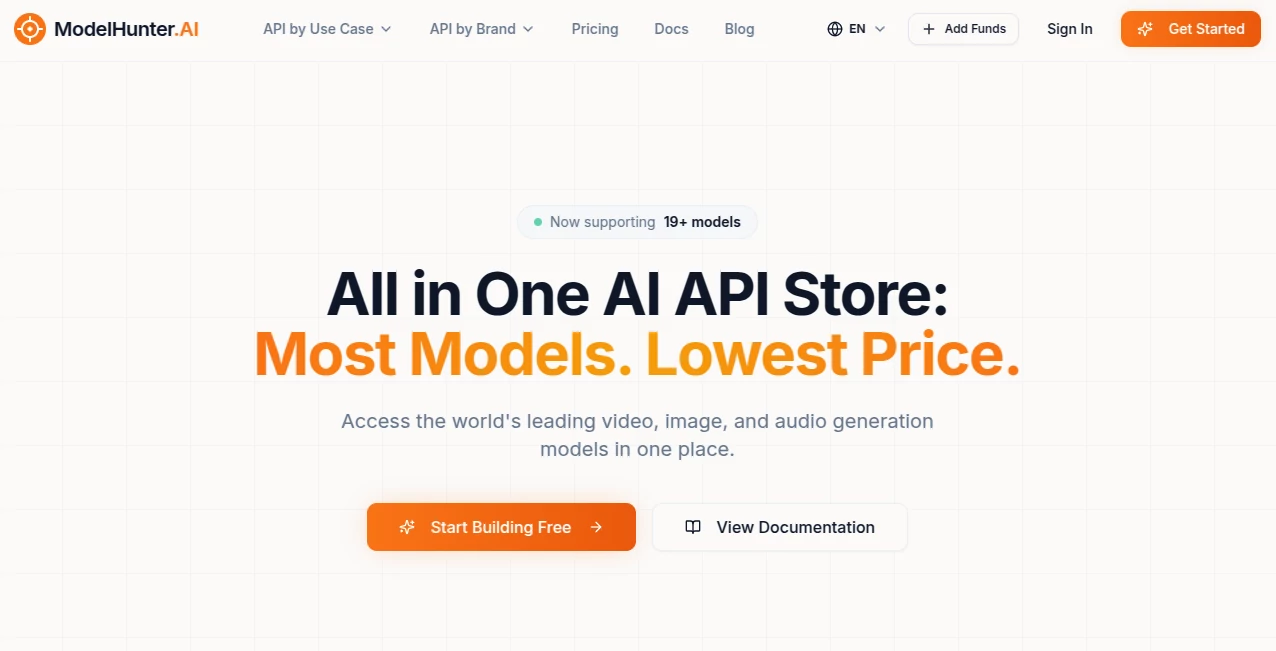
There’s a real frustration every developer hits when building with AI generation: juggling ten different APIs, learning new authentication methods, dealing with inconsistent pricing, and praying the model you need today is still available tomorrow. ModelHunter solves that headache beautifully. It gathers the top video, image, and audio models under one clean, unified API so you can experiment, build, and ship faster without the usual chaos. I’ve talked to several indie developers who switched and told me the same thing: “I finally feel like I’m building, not fighting infrastructure.”
Introduction
Instead of signing up for separate accounts with Runway, Kling, Vidu, Seedance, Flux, and others, you get them all in one place with consistent endpoints and transparent pay-as-you-go pricing. No subscriptions you forget about, no surprise rate changes. Just one dashboard, one API key, and access to 19+ production-ready models for whatever you need to create—cinematic videos, photorealistic images, or natural-sounding audio. It’s built for developers who want to focus on their product, not vendor management. The speed of switching models or testing new ideas has become addictive for many teams.
Key Features
User Interface
The developer portal is refreshingly clean. Clear documentation, ready-to-copy code samples in JavaScript and Python, and a simple playground where you can test prompts live. Managing usage, credits, and API keys feels effortless. Everything is designed so you spend less time reading docs and more time building. Even when you’re deep in a deadline, the interface doesn’t get in your way.
Accuracy & Performance
The unified API is rock-solid with excellent uptime and automatic failover between providers when needed. Responses are fast and consistent across models. You get predictable output formats, proper error handling, and webhooks for long-running generations. In real projects, this reliability means fewer broken pipelines and happier clients.
Capabilities
Access leading models for text-to-video, image-to-video, text-to-image, image-to-image, and audio generation all through the same interface. Switch between models with one parameter change. Features like multi-shot video, consistent character generation, and high-quality audio sync are available depending on the model you choose. The platform keeps adding new frontier models quickly, so you’re rarely stuck waiting for capabilities.
Security & Privacy
Your API keys are secure, usage is private, and data is only processed for the generation you request. Enterprise users get additional controls and SLAs. For teams handling client work or sensitive prompts, that peace of mind matters a lot.
Use Cases
A solo founder prototypes ten different video concepts in an afternoon by swapping models until the style clicks. An agency delivers client video projects faster by using the cheapest suitable model for each shot. A product team builds an AI avatar feature by combining image and video endpoints seamlessly. Content creators generate consistent characters across a whole campaign without managing multiple logins. The flexibility turns what used to be a week of integration work into a day of actual creation.
Pros and Cons
Pros:
- One API key for dozens of top models — massive time saver.
- Pay-as-you-go with transparent per-request pricing.
- Fast switching between models during development.
- Great documentation and code examples.
- Regular addition of new frontier models.
Cons:
- Still growing — some very new models may arrive slightly later than direct providers.
- Heavy daily usage benefits from monitoring costs carefully (true for any generation platform).
Pricing Plans
Pure pay-as-you-go with no monthly fees. You only pay for what you actually use, with clear pricing listed for each model. Free credits are available when you start so you can test without risk. This model works especially well for teams whose needs fluctuate — you’re never locked into paying for capacity you’re not using.
How to Use ModelHunter
Sign up, grab your API key, and start making requests. Pick your model (video, image, or audio), send a properly formatted prompt with any reference files, and get back the generated asset. Use the playground to test ideas quickly, then copy the working code into your app. Webhooks keep you informed on longer jobs. The whole flow is designed to feel natural whether you’re prototyping or building in production.
Comparison with Similar Tools
Direct provider APIs force you to learn multiple systems and handle different pricing logic. Other aggregators sometimes feel bloated or lag behind on the newest models. ModelHunter keeps things simple, focused, and developer-friendly while maintaining competitive pricing and fast access to frontier models. For most teams, that combination wins.
Conclusion
Building with generative AI should be exciting, not exhausting. By removing the friction of managing multiple providers, ModelHunter lets you spend your energy on what actually matters — creating great experiences for your users. Whether you’re a solo builder shipping fast or part of a team scaling an AI product, having the best models one API call away is a genuine advantage. If you’re tired of juggling vendors, this is worth trying today.
Frequently Asked Questions (FAQ)
Do I need a credit card to start?
No — you can sign up and use initial free credits without adding payment info.
How fast are generations?
Most requests return in seconds to under a minute, depending on the model and complexity.
Can I use it in production apps?
Absolutely — many teams already do, with solid uptime and proper error handling.
Are there rate limits?
Generous limits on paid usage; the platform is built to scale with your needs.
What if a model I want isn’t listed yet?
The team adds new models regularly — you can suggest priorities through support.
AI Image to Video , AI Video Generator , AI API Design , AI Developer Tools .
These classifications represent its core capabilities and areas of application. For related tools, explore the linked categories above.

ModelHunter AI Alternatives Product

freellm.net

LoveGen AI

Shoorts AI

시댄스 2.5

AI Hug
seedance2-pro

KOOX AI

seedream 5

ai seedance …