

















시댄스 2.5
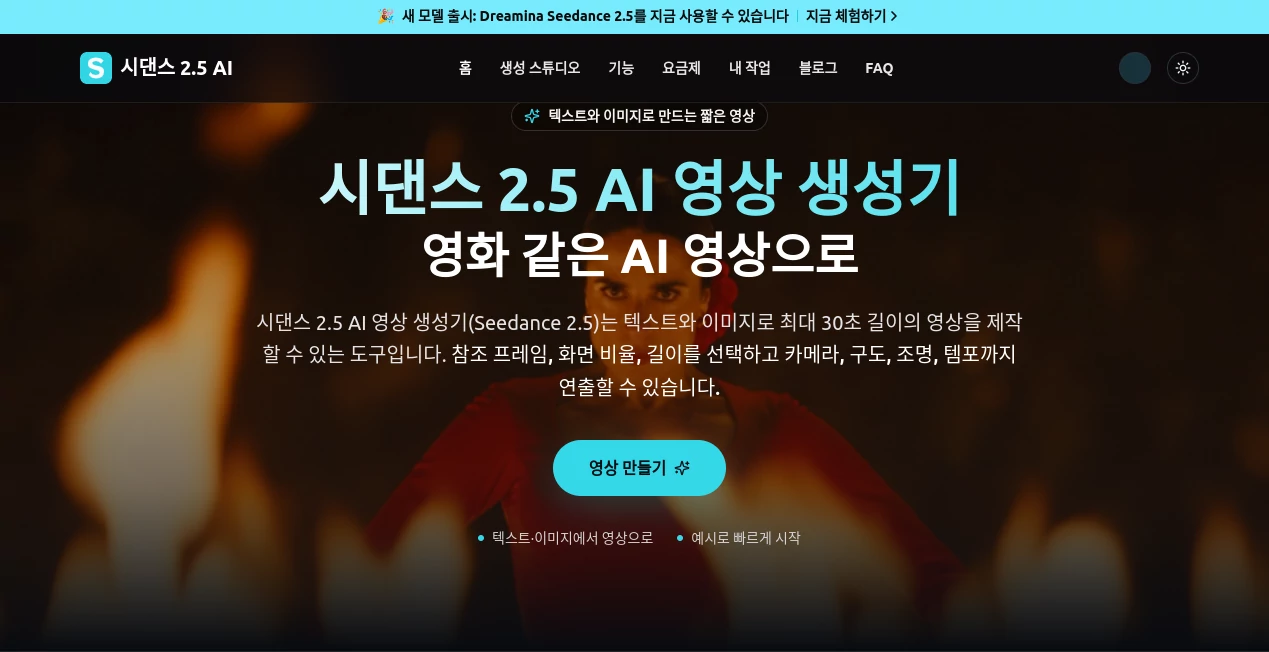
What is 시댄스 2.5?
Seedance 2.5 is an AI video generation platform designed to turn text prompts, images, videos, and audio references into polished video scenes. It is built for people who want more control than a simple text-to-video prompt can provide, especially when characters, products, camera movement, lighting, and overall visual direction need to stay consistent.
One of its most useful strengths is the ability to create scenes of up to 30 seconds in a single generation. That makes it practical for social media clips, product demonstrations, advertising concepts, short stories, and other projects where a sequence needs enough time to develop naturally.
The workflow is also suitable for creators who already have visual material. Instead of starting from a blank prompt every time, users can combine reference images, video, audio, scripts, and style instructions to give the model a much clearer idea of the desired result.
Key Features
- Generates videos from text prompts and reference images.
- Supports video and audio references as part of a multimodal workflow.
- Creates scenes of up to 30 seconds in a single generation.
- Supports up to 50 multimodal reference inputs.
- Provides control over composition, camera movement, lighting, atmosphere, and pacing.
- Supports 11 languages, including English, Korean, Japanese, Spanish, Portuguese, Arabic, and Vietnamese.
- Includes reference-based controls, green-screen editing, and partial editing capabilities.
- Offers audio-inclusive 720p video generation.
- Commercial use is included with the listed paid plans, subject to the applicable terms.
User Interface
The workflow is straightforward enough for creators who are familiar with AI generation tools. Users can begin with a written description or upload an image they want to animate. From there, they can define the duration, aspect ratio, resolution, visual direction, and other production details.
The interface focuses on the actual creation process rather than forcing users through a complicated editing workflow. A practical approach is to describe the subject first, then add movement, camera direction, lighting, and atmosphere. This gives the generated scene a clearer visual objective.
For example, a product marketer could provide a product image and describe a slow camera movement through a modern studio with controlled lighting. A creator working on a short story could instead provide character and environment references and describe the action taking place within the scene.
Accuracy & Performance
Performance is particularly interesting when several visual elements need to remain coherent throughout a scene. The platform is designed to maintain consistency in characters, backgrounds, lighting, and camera flow during longer generated sequences.
Reference material can also make a noticeable difference. Instead of relying entirely on descriptive text, creators can provide images, videos, audio, and style references to communicate the intended look and movement more precisely.
As with any generative video system, results can vary between generations. Complex movements, scenes with multiple people, and highly specific visual requirements may still require several attempts. For professional work, reviewing the generated footage before publication remains important.
Capabilities
The platform goes beyond basic text-to-video generation by combining several types of input. A creator can use a script, product photographs, character references, video material, audio, and style guidance as part of one production workflow.
Its support for up to 50 multimodal inputs is useful for projects where consistency matters. A brand, for instance, could provide product photographs, visual references, a campaign concept, and a specific style direction rather than trying to explain every detail through text alone.
Camera movement, composition, lighting, tempo, subject movement, and atmosphere can also be described in the prompt. This gives users more room to approach the generation process like a lightweight visual production rather than simply asking for a random clip.
Security & Privacy
Users should consider the privacy implications of uploading source material to any cloud-based AI generation service. According to the information provided on the site, uploaded images, videos, audio, prompts, and generated results may be transmitted to and stored by cloud services when required for generation and record-keeping.
Anyone working with confidential business material, private photographs, unreleased products, or copyrighted assets should review the applicable privacy policy and terms before uploading them. Rights and permissions for people, music, trademarks, and third-party material should also be confirmed before publishing generated content.
Use Cases
This platform fits a broad range of creative and commercial workflows. Social media creators can use it to turn still images into engaging clips, while marketers can produce early advertising concepts without organizing a full video shoot.
- Social Media Content: Create short vertical videos and visual concepts for social platforms.
- Product Marketing: Turn product images into promotional scenes and demonstrations.
- Advertising: Develop commercial concepts, opening shots, and campaign variations.
- Short Films: Build cinematic scenes and short narrative sequences from detailed prompts.
- E-commerce: Create visual product content for international campaigns and online stores.
- Creative Prototyping: Test an idea visually before investing in traditional production.
- Multilingual Content: Develop video concepts in multiple supported languages for different audiences.
Pros and Cons
- Pros: Supports up to 30-second scenes, multiple reference formats, detailed camera and visual instructions, 11 languages, and commercial use on paid plans.
- Pros: Up to 50 multimodal inputs can be useful for projects that require several reference materials.
- Pros: The combination of image, video, audio, and text references gives creators more control over the direction of a scene.
- Cons: Generation results can vary, particularly with complicated motion or scenes involving several characters.
- Cons: Frequent video generation can require additional credits depending on the selected plan and usage.
- Cons: Professional users still need to review generated footage carefully before publication.
Pricing Plans
The platform offers monthly, annual, and credit-based options. The listed plans are aimed at different levels of usage, from people trying AI video creation for the first time to creators and production teams with more regular requirements.
- Basic: ₩13,267 per month, with 250 monthly credits and up to 4 videos per month. It includes 720p video with audio, private generation storage, commercial use, and standard processing.
- Pro: ₩26,682 per month, with 600 monthly credits and up to 10 videos per month. It adds a priority queue, priority support, and generation history.
- Enterprise: ₩80,343 per month, with 1,900 monthly credits and up to 31 videos per month. It provides the highest processing priority, team support, and long-term generation history.
Annual plans are also offered at discounted rates, while free credits may be available for users who want to try the service before committing to a paid plan. Pricing and promotional offers can change, so users should verify the current terms before purchasing.
How to Use the Tool
- Prepare a detailed prompt or select an image that you want to turn into a video.
- Describe the subject, action, location, camera movement, lighting, atmosphere, and visual style.
- Add reference images, video, audio, or other supporting materials when greater consistency is required.
- Select the desired video duration, aspect ratio, and resolution.
- Generate the video and review the movement, composition, character consistency, and overall visual quality.
- Download the result or use it as the basis for another generation or editing step.
Comparison with Similar Tools
Compared with simpler AI video generators, the main attraction here is the amount of reference information that can be incorporated into a single creation workflow. A text-only approach can be convenient for quick experiments, but projects involving a particular product, character, visual style, or soundtrack can benefit from having those references available from the beginning.
The maximum 30-second generation length is another useful distinction. Longer scenes give creators more room to show an action or product instead of having to divide every idea into very short clips.
It is not necessarily the right choice for every project. Someone looking for a basic animation from a single sentence may not need its broader reference capabilities. For creators working on advertisements, branded content, short narratives, or detailed visual concepts, however, the additional controls can make the workflow considerably more useful.
Conclusion
Seedance 2.5 offers a compelling approach to AI video creation by combining text prompts with images, videos, audio, and detailed production instructions. Its support for scenes up to 30 seconds and a large number of reference inputs makes it particularly appealing for creators who care about continuity rather than simply generating isolated clips.
The strongest use cases are likely to be advertising, social media, product presentation, e-commerce, and short-form storytelling. The ability to describe camera movement, lighting, composition, pacing, and atmosphere gives the creator a meaningful role in shaping the final result.
There are still practical limitations to keep in mind, especially around complex motion and consistency in demanding scenes. Even so, for anyone looking to turn an idea, product image, or collection of references into a polished video concept, this is a capable option worth exploring.
Frequently Asked Questions (FAQ)
Can I create videos from text?
Yes. You can describe a scene using a text prompt and specify the subject, action, camera movement, lighting, atmosphere, and other visual details.
Can I use an image as a reference?
Yes. Images can be used as references for image-to-video creation. You can describe which elements should move and which visual characteristics should remain consistent.
How long can a generated video be?
A single generation can create a video of up to 30 seconds, with audio included. The site also states that generated results can be extended, while a beta long-form mode through Dreamina can support longer outputs.
How many reference inputs can I use?
The platform states that up to 50 multimodal inputs can be used. These can include materials such as scripts, product images, character references, videos, audio, and style guidance.
Does it support multiple languages?
Yes. The service states that 11 languages are supported, including English, Korean, Japanese, Spanish, Portuguese, Arabic, Vietnamese, Thai, Malay, Indonesian, and Chinese.
Can generated videos be used commercially?
The listed paid plans include commercial use. However, users should check the current terms of service and make sure they have the necessary rights for people, music, trademarks, and other third-party materials used in their projects.
Is there a free option?
Free credits may be available through login or check-in, allowing new users to test video generation before purchasing additional credits or a subscription.
What should I include in a video prompt?
A useful prompt should describe the subject, action, location, camera movement, lighting, mood, aspect ratio, and pacing. When using an image reference, it also helps to specify what should move and what should remain unchanged.