


















Moxo
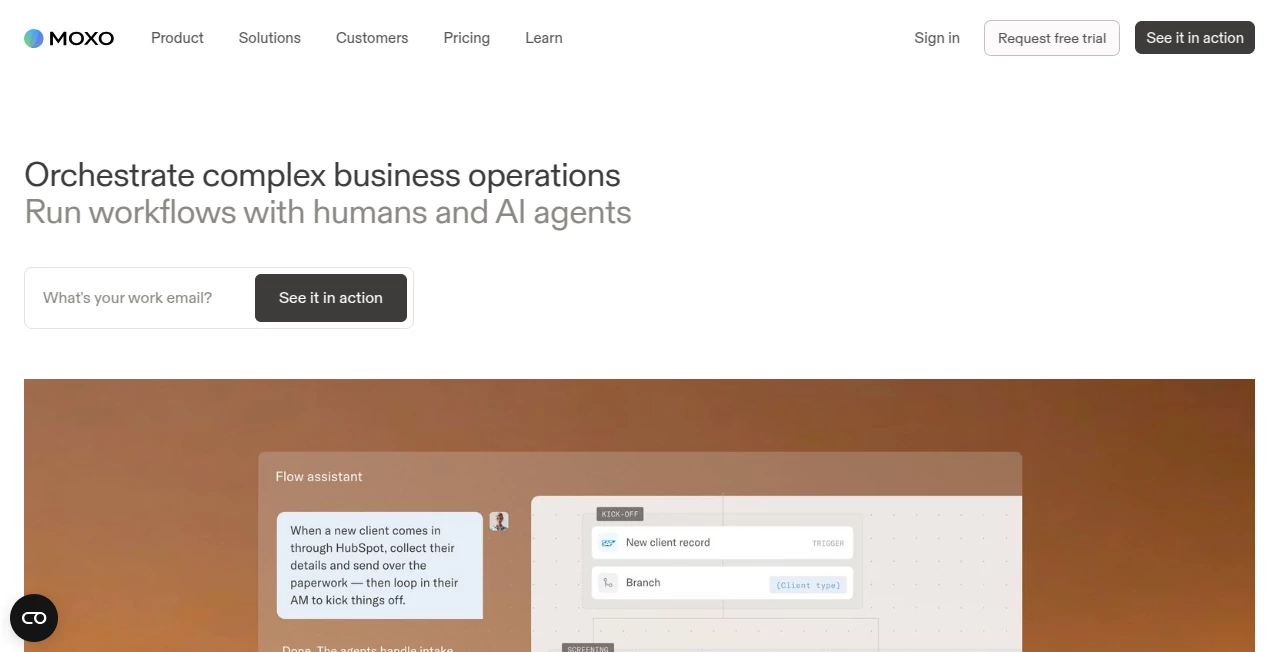
What is Moxo?
Moxo is an AI-powered operations platform designed to bring people, AI agents, and business systems together inside structured workflows. Instead of relying on long email chains, scattered documents, and manual follow-ups, teams can describe a process and turn it into a running flow with defined steps, responsibilities, decisions, and automated actions.
The platform is particularly well suited to businesses that manage complex client-facing processes such as onboarding, service delivery, account management, vendor management, financial services, legal work, healthcare operations, and other multi-step business journeys. Its approach is practical: people remain responsible for important decisions while AI agents take care of repetitive operational work.
Key Features
- AI-assisted workflow creation and orchestration
- AI agents that can work alongside human team members
- Workflow branching, triggers, loops, milestones, and business logic
- Forms, approvals, questionnaires, to-dos, file requests, and e-signatures
- Client, vendor, partner, and team portals
- Magic Links for simple external access
- AI utilities for writing, extraction, summarization, translation, and transcription
- Third-party integrations, webhooks, REST APIs, and MCP connectivity on eligible plans
- Reporting dashboards and AI-assisted operational insights
- Audit trails, encryption, role-based access, and enterprise security controls
User Interface
The interface is organized around portals, workspaces, flows, and actions rather than forcing users to jump between disconnected tools. A workspace can represent a client relationship or a particular business process, while a flow guides participants through the required steps.
External users can also be invited through Magic Links, allowing them to enter a workspace without creating an account or downloading an application. Once inside, they can view assigned actions, exchange information, communicate with the team, and move the process forward. This is a thoughtful touch for businesses whose customers or partners may not want another complicated software account.
Accuracy & Performance
For workflow automation, accuracy is less about generating a clever paragraph and more about executing the right action at the right point in a process. The platform uses defined workflow logic, permissions, human actions, AI agents, and system integrations to keep processes structured.
Teams can use branches and decision points when different situations require different next steps. Completed flows can also provide operational information that helps teams identify delays, bottlenecks, and areas that need improvement. This makes the platform particularly useful where consistency matters as much as speed.
Capabilities
The platform goes beyond simple task automation. Its workflow builder can coordinate humans, AI agents, and connected systems within the same process. For example, a client onboarding workflow can request documents, collect information, obtain approvals, trigger external system actions, and notify the appropriate people without requiring someone to manually coordinate every stage.
Its agent-focused features are another notable part of the platform. Teams can design AI agents around specific operational responsibilities, while maintaining human oversight for important decisions. AI can review information, help route decisions, follow up with participants, and assist with operational questions.
Security & Privacy
Security is clearly positioned as an important part of the platform. The company states that its enterprise controls include SOC 2 Type II, GDPR support, SAML SSO, audit trails, data encryption, and role-based access controls. AI agents are also designed to operate within permissions defined by the organization, with actions recorded for accountability.
For companies handling sensitive client documents or business processes, these controls can be especially important. Organizations should still review the current security documentation and plan-specific controls before deploying the platform for regulated or highly sensitive workloads.
Use Cases
The platform fits a wide range of operational scenarios. Professional service firms can use it for client onboarding and service delivery, while financial organizations can coordinate customer journeys and approvals. Marketing teams can centralize client interactions, assets, approvals, and project milestones.
It can also support vendor management, order fulfillment, account management, healthcare operations, legal processes, real estate workflows, training, and other repeatable business operations. A useful example would be a new-client onboarding process: the workflow can request documents, assign internal reviews, collect signatures, send reminders, and move the client to the next stage when required actions are completed.
Pros and Cons
Pros
- Combines workflow automation, AI agents, and human actions in one environment.
- Strong focus on complex client-facing business processes.
- Magic Links make external participation easier.
- Supports forms, approvals, file requests, e-signatures, and other practical business actions.
- Offers integrations and developer capabilities on higher plans.
- Includes enterprise-oriented security and audit controls.
- Can provide operational visibility through reporting and process tracking.
Cons
- The platform may be more than smaller teams need for simple task management.
- Advanced capabilities are reserved for higher pricing tiers.
- Businesses with highly specialized processes may need time to design and refine their workflows.
- The pricing structure is based around flows and usage, which requires organizations to understand their expected volume before choosing a plan.
Pricing Plans
The current pricing structure includes Free, Business, Pro, and Enterprise options. The Free plan is available at $0 and includes two flows per month with 500 AI credits per month. Business is listed at $99 per month with 10 flows and 1,000 AI credits per month. Pro is listed at $499 per month with annual commitment, providing 500 flows per year and 50,000 AI credits per year. Enterprise pricing is custom and is intended for organizations requiring additional flexibility and capabilities.
The higher tiers add capabilities such as advanced workflow controls, payments, checklists, portals, SMS notifications, custom domains, webhooks, REST APIs, MCP connectivity, SAML SSO, audit logs, and expanded AI functionality. Because pricing and included features can change, businesses should check the current plan details before making a purchasing decision.
How to Use Moxo
Start by creating an account and setting up your organization portal. From there, customize the portal branding and create workspaces around the projects or processes you want to manage.
Next, create a workflow template using the visual builder. Add the actions required for the process, such as forms, file requests, approvals, signatures, questionnaires, and tasks. Branches and automation rules can be added when different circumstances require different outcomes.
Invite clients, vendors, partners, or internal users to the appropriate workspace. External participants can use Magic Links for straightforward access. As the workflow runs, participants complete their assigned actions while the system manages notifications, progress, and subsequent steps.
Finally, use reporting and operational insights to understand where processes are moving smoothly and where they are getting stuck. The real benefit becomes more apparent once repeatable workflows replace manual coordination that would otherwise consume hours every week.
Comparison with Similar Tools
Compared with traditional project management software, this platform places greater emphasis on structured business processes and external stakeholders. A conventional task manager may be excellent for assigning work to an internal team, but it may require several additional tools to handle client document collection, approvals, signatures, communication, and workflow automation.
Compared with general-purpose automation platforms, the experience is more centered on complete business journeys. Workflows can combine human decisions, AI agents, external participants, and system actions rather than simply connecting two applications with a basic trigger-and-action rule.
That makes it particularly compelling for organizations where a process involves several people, multiple stages, and frequent interaction with customers or other external stakeholders.
Conclusion
For businesses that have outgrown spreadsheets, email threads, and disconnected automation, this platform offers a more organized way to run operational processes. Its strongest quality is the combination of workflow logic, AI assistance, human oversight, and external collaboration in a single environment.
It is not necessarily the right choice for someone who only needs a simple to-do list or lightweight automation. But for teams coordinating onboarding, approvals, document collection, service delivery, account management, or other multi-step processes, it provides a compelling operational framework. The ability to let AI handle repetitive work while keeping people in control of important decisions gives the platform a practical balance between automation and accountability.
Frequently Asked Questions (FAQ)
What is this platform used for?
It is designed to orchestrate business processes involving people, AI agents, and connected systems. Common applications include client onboarding, service delivery, account management, vendor management, approvals, and other repeatable workflows.
Can clients use the platform without creating an account?
Yes. Magic Links can allow invited external users to enter a workspace without creating an account or downloading an application. Organizations can configure additional authentication requirements depending on their plan and security needs.
Does it support AI agents?
Yes. The platform includes an agent-focused environment for creating AI agents that can work alongside teams and participate in business processes. The available agent capabilities depend on the selected plan.
Does it support integrations?
Yes. Third-party integrations are available, while higher plans add capabilities such as webhooks, REST APIs, and MCP connectivity. These integrations can be used to connect workflow steps with external business systems.
Is there a free plan?
Yes. The current Free plan costs $0 and includes limited monthly workflow and AI credit allowances. Paid plans provide higher limits and additional workflow, reporting, integration, portal, and AI capabilities.
Is it suitable for enterprise teams?
Yes. Enterprise-oriented capabilities include controls such as SAML SSO, audit logs, encryption, role-based access, custom options, and additional deployment and integration capabilities. Enterprise pricing is customized according to organizational requirements.
AI Workflow Management , AI Project Management , AI Team Collaboration , AI Customer Service Assistant .
These classifications represent its core capabilities and areas of application. For related tools, explore the linked categories above.

Moxo Alternatives Product

FiveMinChat

TruthSpine

LaunchBoard

Chatzy AI

BillEasy Inc

Motion

Neurohelper

Futurwise

Zamicus
