

















Neurohelper
Verified Blue CheckMark
Verified Blue CheckMark products are featured above free or unverified listings.
This badge indicates authenticity and builds trust, giving your product higher visibility across the platform.
Upgrade to get verified
Verified Blue CheckMark products are featured above free or unverified listings. This badge indicates authenticity and builds trust, giving your product higher visibility across the platform.
Upgrade to get verified
What is Neurohelper?
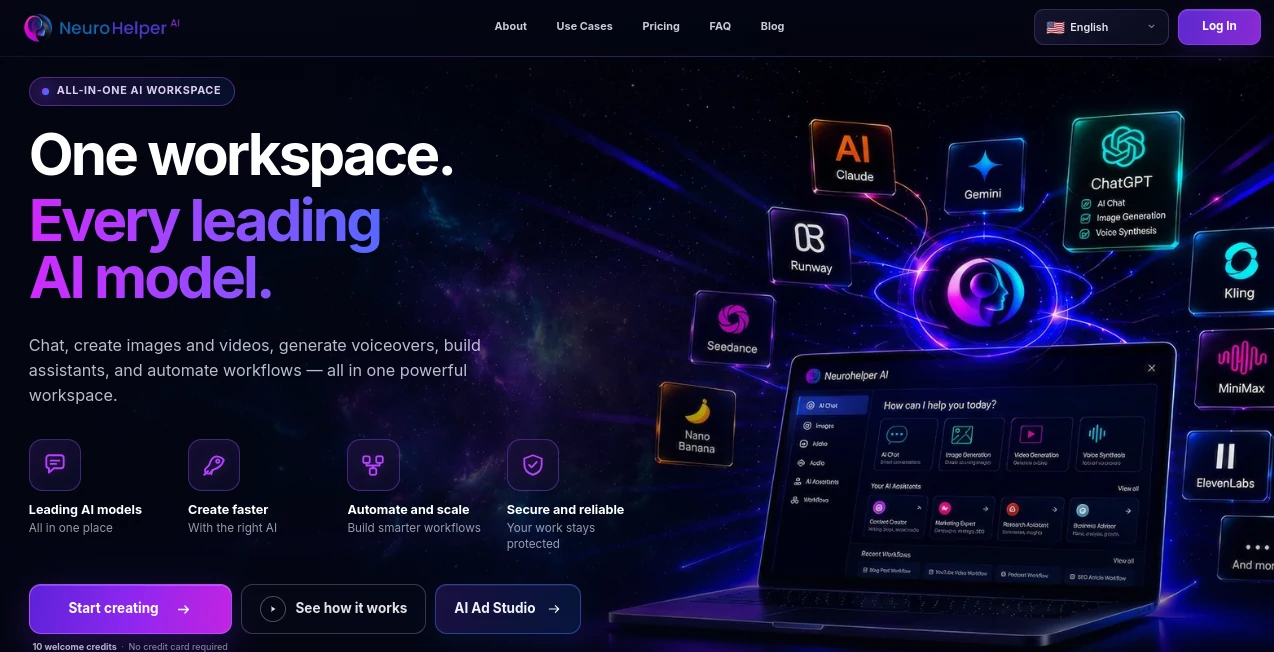
Managing multiple AI subscriptions can quickly become expensive and difficult to organize. This platform solves that problem by bringing advanced AI technologies together in one workspace where writing, image generation, video production, audio creation, automation, and intelligent assistants work side by side. Instead of switching between different services, users can access everything from a single dashboard designed for both beginners and experienced professionals.
Whether someone is creating marketing campaigns, developing software, producing multimedia content, researching complex topics, or automating repetitive business processes, the platform offers practical tools that reduce manual work while improving efficiency. Ready-made prompt libraries, guided workflows, and industry-specific assistants help users achieve high-quality results without spending hours learning advanced prompting techniques.
The combination of simplicity, powerful AI models, and an extensive collection of business-focused features makes this solution attractive for freelancers, startups, agencies, educators, developers, content creators, and enterprise teams looking to streamline their daily workflow.
Key Features
User Interface
The dashboard is thoughtfully organized and easy to navigate. Instead of overwhelming users with technical settings, it provides categorized AI modules, a large prompt library, and guided builders that simplify complex tasks. New users can begin creating content within minutes, while experienced users still have the flexibility to customize outputs for more advanced projects.
Accuracy & Performance
The platform combines several leading AI technologies into one ecosystem, allowing users to generate professional-quality text, images, videos, and audio from a single subscription. Intelligent prompt optimization, automation tools, and specialized assistants help improve response quality while significantly reducing production time for creative and business tasks. The service also includes extensive prompt templates and use-case libraries that help users generate consistent results faster. These capabilities are highlighted as core benefits throughout the platform. :contentReference[oaicite:0]{index=0}
Capabilities
- AI-powered writing and content generation.
- Professional image creation and editing.
- Text-to-video and image-to-video generation.
- AI voice generation and speech synthesis.
- Speech-to-text transcription.
- Video dubbing with multilingual support.
- Custom AI assistants for different industries.
- Prompt Builder and extensive prompt library.
- Workflow automation for business operations.
- Avatar creation for presentations and marketing.
- Developer assistance for coding and documentation.
- Marketing, SEO, customer support, education, and research workflows.
Security & Privacy
User information is protected through encryption, secure storage practices, and modern data protection procedures. The service collects account information, usage data, and cookies to operate and improve the platform while outlining how personal information is handled in its published privacy policy. :contentReference[oaicite:1]{index=1}
Use Cases
- Create blog posts, product descriptions, and marketing copy.
- Generate social media graphics and promotional videos.
- Produce multilingual voiceovers and dubbed videos.
- Automate customer support responses.
- Draft legal and business documents.
- Prepare presentations and educational materials.
- Generate software documentation and programming assistance.
- Create AI-powered avatars for tutorials and sales videos.
- Support financial analysis and business reporting.
- Speed up research and data analysis projects.
Pros and Cons
Pros
- Combines multiple AI services into one subscription.
- Suitable for both personal and professional use.
- Extensive prompt and use-case library.
- Supports text, images, audio, video, and automation.
- Beginner-friendly interface.
- Industry-specific AI assistants.
- Scalable plans for individuals and businesses.
Cons
- Some advanced capabilities are available only in higher-tier plans.
- Heavy multimedia generation depends on available monthly credits.
- Professional users may need time to explore the large feature set.
Pricing Plans
A free trial is available for new users. Paid subscriptions start with an affordable Basic plan, followed by Pro, Business, and Enterprise options that unlock additional AI modules, smart assistants, higher monthly credits, collaboration features, avatar generation, dubbing capabilities, and priority support. :contentReference[oaicite:2]{index=2}
How to Use Neurohelper
- Create an account and activate the free trial or choose a subscription.
- Select the AI module that matches your task.
- Browse the prompt library or use the prompt builder.
- Describe your project in natural language.
- Generate the first result.
- Edit, refine, or regenerate the output.
- Export or integrate the finished content into your workflow.
Comparison with Similar Tools
Many AI platforms focus on a single specialty such as writing, image generation, or video production. This solution takes a broader approach by combining multiple leading AI technologies inside one unified environment. Instead of purchasing separate subscriptions for different creative tasks, users gain access to an integrated workspace that supports content creation, automation, multimedia production, smart assistants, and business workflows from a single dashboard. This approach makes it particularly attractive for professionals who regularly switch between different AI-powered tasks.
Conclusion
For professionals who want one central place to create content, automate repetitive work, produce multimedia assets, and experiment with the latest AI technologies, this platform offers an impressive all-in-one experience. The combination of intelligent assistants, guided workflows, prompt optimization, multimedia generation, and flexible subscription options makes it a practical investment for individuals, growing businesses, and larger organizations. Instead of managing numerous AI services separately, users can focus on completing projects faster while keeping their workflow organized and efficient.
Frequently Asked Questions (FAQ)
Who is this platform designed for?
It serves freelancers, marketers, developers, educators, researchers, agencies, businesses, and enterprise teams.
Can beginners use it?
Yes. The interface includes guided workflows, prompt builders, and ready-made templates that make AI accessible even for first-time users.
Does it support multimedia generation?
Yes. Users can generate text, images, videos, audio, avatars, and transcriptions from one platform.
Is there a free trial?
Yes. New users can explore the platform through a free trial before selecting a paid subscription. :contentReference[oaicite:3]{index=3}
Can businesses use it for team collaboration?
Higher-tier plans include collaboration features, additional AI assistants, integrations, and enterprise-focused management tools. :contentReference[oaicite:4]{index=4}