
















Voza Transcribe
What is Voza Transcribe?
MP3 to Transcript is a practical AI transcription service built for turning spoken audio into clean, editable text without the usual hours of manual typing. It supports 99 languages, automatically detects the language in a recording, and can identify different speakers while adding timestamps to the resulting transcript.
The service is particularly useful when an audio recording needs to become something people can actually work with. A podcast can be turned into a written article, an interview can become a searchable document, and a lecture can be converted into study material. The process is straightforward: upload an audio file, let the speech recognition system process it, then review or export the result.
It also supports a broad range of audio formats beyond MP3, including WAV, M4A, FLAC, OGG, AAC, OPUS, AMR, AIFF, and WMA. Users can also provide a public direct link instead of uploading a file.
Key Features
- AI-powered speech-to-text transcription for audio recordings
- Support for 99 languages with automatic language detection
- Speaker labels for recordings involving multiple people
- Word-level timestamps for easier navigation and quoting
- Support for MP3, WAV, M4A, FLAC, OGG, AAC, OPUS, AMR, AIFF, WMA, and other formats
- Exports in TXT, Markdown, DOCX, PDF, SRT, VTT, and JSON
- Interactive transcript editing
- Support for long recordings on paid plans
- Direct-link transcription for publicly accessible audio files
- Encrypted processing with audio data not used for AI model training
User Interface
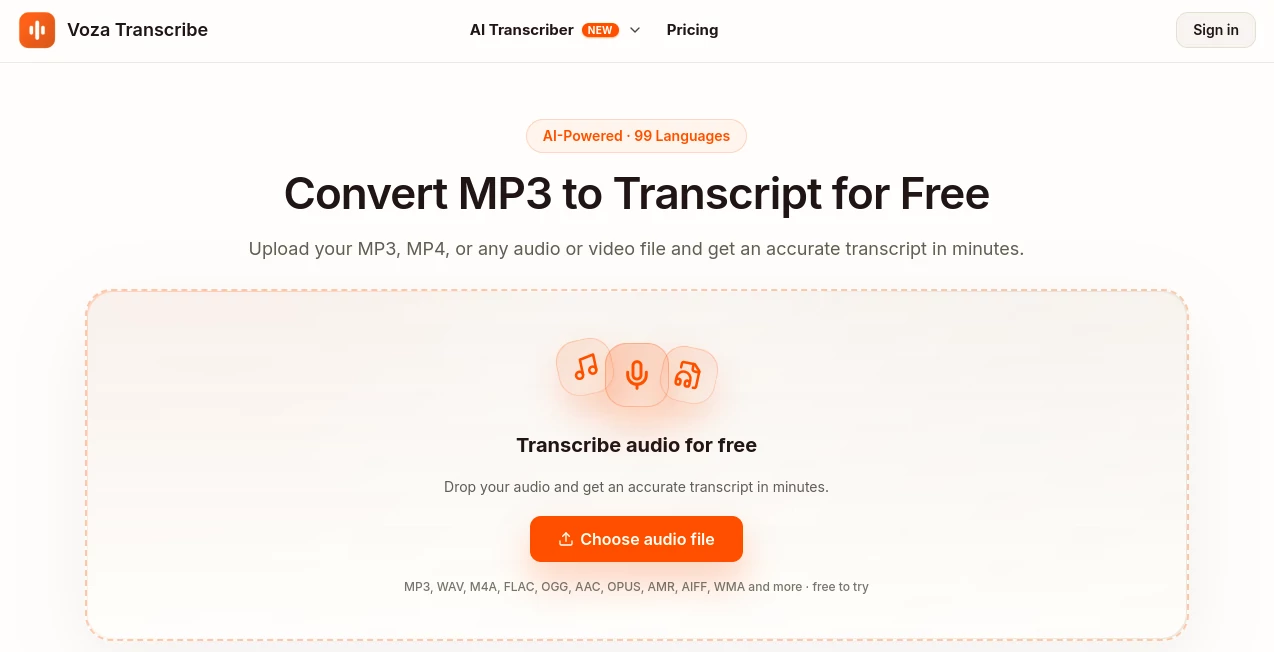
The interface keeps the main task front and center. Instead of navigating through a complicated audio-editing workspace, users can select or drop an audio file and start the transcription process. The transcript can then be reviewed in an interactive environment where speaker labels and timestamps make longer recordings easier to navigate.
This simplicity is especially helpful for someone who does not work with transcription software every day. For example, a journalist with a recorded interview can upload the file, review the generated text, correct a few words if necessary, and export the finished transcript without learning a complicated workflow.
Accuracy & Performance
The service states an average transcription accuracy of 98.7% across supported languages. Its speech recognition system is designed to handle accents, fast speech, background noise, and longer recordings, although the quality of any automatic transcript will naturally depend on the original audio.
Processing is designed to be considerably faster than manual transcription. The website notes that a one-hour recording can be transcribed in a few minutes, turning a task that could otherwise take several hours into a much shorter workflow.
Speaker identification and word-level timestamps add another useful layer of detail. Instead of receiving a large block of text, users can work with a transcript that is easier to follow, reference, and edit.
Capabilities
Its capabilities go beyond simply converting an MP3 file into plain text. Users can work with podcasts, interviews, meetings, lectures, calls, and other spoken recordings. Multiple speakers can be separated with speaker labels, while timestamps make it easier to locate specific parts of an audio file.
The export options are another strong point. A transcript can be saved as a traditional text document, a DOCX or PDF file, or as SRT and VTT subtitles for video platforms. JSON export is also available for workflows that require structured transcript data.
The service supports up to 99 languages, making it suitable for multilingual projects as well as recordings where the speaker's language is not known in advance.
Security & Privacy
Privacy is an important consideration when uploading interviews, meetings, customer conversations, or other potentially sensitive recordings. The service states that audio is encrypted both in transit and at rest, and that uploaded audio is not used to train AI models.
Processing is focused on producing the requested transcript, while transcripts remain available within the user's account. For professional users, these privacy measures can make the service more suitable for regular transcription work, although organizations handling highly sensitive information should always review the provider's current privacy and terms documentation before uploading confidential material.
Use Cases
- Podcasters: Convert recorded episodes into written transcripts, articles, show notes, or subtitles.
- Journalists: Transcribe interviews quickly and search through spoken conversations when preparing stories.
- Researchers: Turn recorded interviews and discussions into searchable documents for analysis and reference.
- Students: Convert recorded lectures and tutorials into text that can be reviewed while studying.
- Educators: Create written versions of lessons and improve accessibility for learners.
- Business teams: Turn meetings and calls into searchable records and notes.
- Content creators: Repurpose spoken content into written material and generate subtitle files.
Pros and Cons
Pros
- Generous free starting option with 60 minutes of transcription per 30-day cycle
- Support for 99 languages
- Automatic speaker labels and word-level timestamps
- Wide selection of export formats
- Supports many audio formats and direct public links
- Long recordings are supported on higher plans
- Audio is encrypted and not used to train AI models
- Simple workflow that does not require audio-editing skills
Cons
- Free usage is limited to 60 minutes per 30-day cycle
- Longer files and higher monthly volumes require a paid plan
- Automatic transcription can still require manual corrections, particularly with difficult recordings
- The highest accuracy model is available for a more limited set of languages than the full 99-language offering
Pricing Plans
The service offers a free plan as well as Basic, Standard, and Pro subscriptions. The free tier includes 60 minutes of audio per 30-day cycle, files up to 30 minutes long, 99 languages, speaker labels, timestamps, and all major export formats.
The Basic plan costs $9.90 per month and includes 360 minutes of audio with files up to three hours and 3 GB. Standard costs $19 per month and increases the allowance to 900 minutes. Pro costs $35 per month and provides 2,200 minutes, files up to 10 hours long, and files up to 5 GB.
Paid plans also provide priority processing and access to a premium transcription model with top accuracy across 18 languages, while the overall language coverage remains at 99 languages. The pricing page also offers yearly billing with a 20% saving compared with monthly pricing.
There is also a useful option for users who do not want a recurring subscription: one-time credit packs are available, and purchased credits do not expire.
How to Use It
- Open the transcription service and select the option to upload an audio file.
- Choose an MP3 or another supported audio format from your device.
- Alternatively, paste a public direct link to the audio when supported.
- Start the transcription process and allow the AI speech recognition system to process the recording.
- Review the generated transcript, including speaker labels and timestamps.
- Edit any words or passages that need correction.
- Download the finished transcript in TXT, Markdown, DOCX, PDF, SRT, VTT, or JSON format.
Comparison with Similar Tools
Many transcription services focus on a single part of the process, such as speech recognition or subtitle generation. This service takes a broader approach by combining audio uploads, multilingual transcription, speaker identification, timestamps, editing, and several export formats in one workflow.
For someone who only needs an occasional short transcript, the free allowance may be enough. A content creator working with weekly podcast episodes may benefit more from a paid subscription, while a user with irregular transcription needs can consider the non-expiring credit option.
The combination of 99-language support, direct-link transcription, multiple export formats, and speaker-aware transcripts makes it particularly attractive for people who regularly move between recorded conversations and written content.
Conclusion
Turning recorded speech into usable text should not require spending an entire afternoon listening, pausing, and typing. This service makes that process considerably more manageable by combining AI transcription, language detection, speaker labels, timestamps, editing, and flexible exports.
Its free tier provides a sensible way to test the workflow, while the paid options scale from occasional professional use to much heavier transcription workloads. For podcasters, journalists, researchers, students, educators, and business teams, it offers a convenient bridge between recorded audio and searchable written content.
If your work regularly starts with a recording and ends with a document, subtitle file, or editable transcript, this is a tool worth considering.
Frequently Asked Questions (FAQ)
What is MP3 to transcript conversion?
It is the process of using automatic speech recognition to convert spoken words inside an MP3 recording into editable written text.
How many languages are supported?
The service supports 99 languages and can automatically detect the language of an uploaded recording.
Can it identify different speakers?
Yes. Speaker labels are automatically added to supported transcripts, making interviews, meetings, podcasts, and conversations easier to follow.
Can I add timestamps to the transcript?
Yes. Word-level timestamps are supported, allowing users to locate specific parts of a recording more easily.
What formats can I export?
Available export formats include TXT, Markdown, DOCX, PDF, SRT, VTT, and JSON.
Is there a free plan?
Yes. The free plan provides 60 minutes of audio per 30-day cycle, with files up to 30 minutes long.
Can I transcribe long recordings?
Yes. Longer recordings are supported on paid plans. The Pro plan supports files up to 10 hours long, while Basic and Standard support files up to three hours.
Can I transcribe audio without uploading a file?
Yes. Public direct links can be pasted into the service for supported transcription workflows.
Is uploaded audio used to train AI models?
The service states that uploaded audio is not used to train AI models and that audio is encrypted in transit and at rest.
Can I edit the generated transcript?
Yes. Transcripts can be reviewed and edited before being exported into the desired format.
What types of recordings can I transcribe?
Common uses include podcasts, interviews, lectures, meetings, calls, tutorials, and other spoken-audio recordings.