
MuleRun
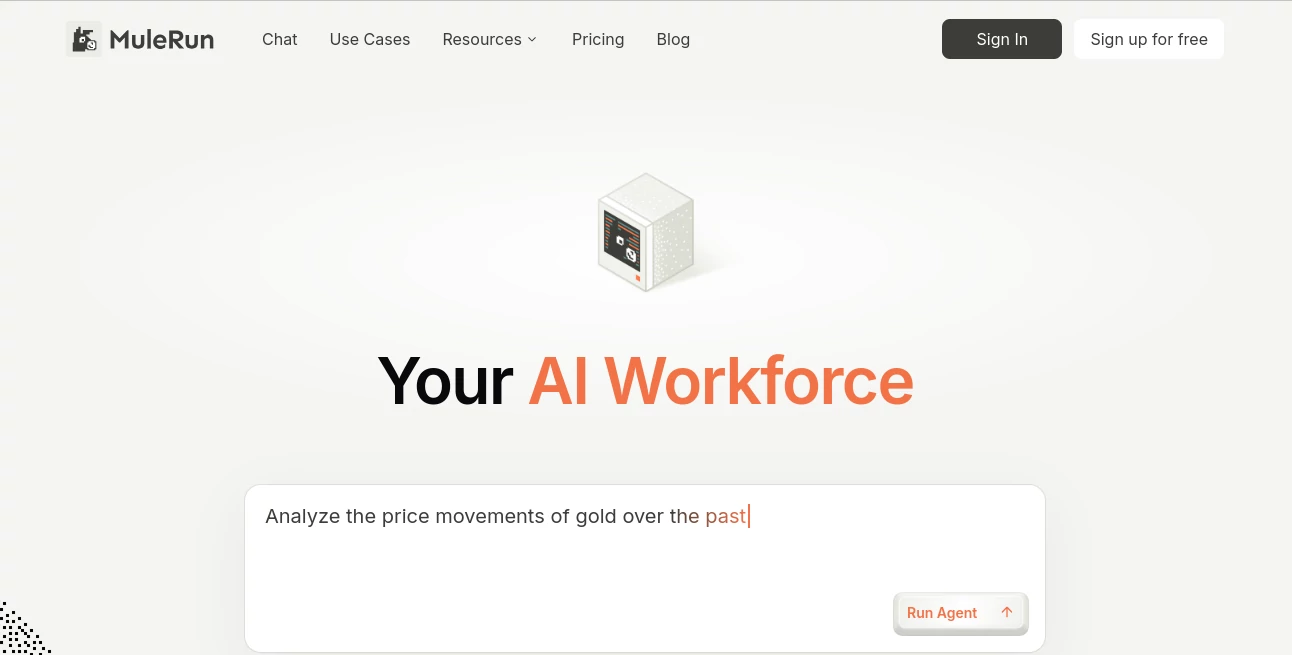
What is MuleRun?
I’ve tried plenty of AI tools that sound impressive in a chat window but fall apart the moment you close the tab. MuleRun feels different. It’s not just another chatbot — it’s a dedicated AI worker that runs on its own computer around the clock, handling real multi-step tasks while you sleep, eat, or focus on other things. You assign a workflow once, and it keeps going, learning from every completed job. The first time I left it running overnight and woke up to finished reports and organized files, it genuinely felt like I had hired a reliable assistant who never complains about overtime.
Introduction
Most AI tools require constant hand-holding. You prompt, review, prompt again, and repeat. MuleRun flips that model. It gives you a persistent AI agent that lives on a dedicated cloud machine, follows complex workflows, uses tools, makes decisions, and delivers completed results. Whether you need data analysis at 3 AM, social media posts scheduled throughout the day, or research compiled before your morning meeting, it works proactively and consistently. It learns not just from your tasks but from patterns across many users, getting smarter without ever sharing your private information. For busy professionals, founders, and teams, it feels like finally having that extra pair of hands you’ve always wished for.
Key Features
User Interface
The interface is clean and practical. You chat in natural language to assign tasks, monitor ongoing work through a simple dashboard, and review completed results with clear logs. It shows what the agent is doing in real time without overwhelming you with technical details. Setting up recurring workflows or monitoring feels straightforward — like giving instructions to a smart colleague rather than programming a robot. The whole experience stays focused on outcomes instead of processes.
Accuracy & Performance
Because the agent runs on a dedicated environment with persistent context, it maintains accuracy across long, multi-step tasks that would trip up regular chat-based tools. It handles real-world complexity — opening browsers, filling forms, analyzing spreadsheets, generating reports — with impressive reliability. Users often mention waking up to clean, usable deliverables that would have taken hours of manual work. The collective intelligence feature means it improves over time by learning successful patterns from thousands of workflows.
Capabilities
It excels at end-to-end automation: data entry, research, content creation, report generation, monitoring systems, responding to emails, and much more. You can schedule tasks to run overnight, set up proactive alerts that trigger actions, or build custom workflows that evolve with your needs. The agent can use multiple tools simultaneously and adapt when something changes. It’s particularly strong for repetitive business processes that eat up valuable time.
Security & Privacy
Your data stays protected with enterprise-grade security. The agent works in isolated environments, and sensitive information isn’t used to train shared models. You maintain full control over what tasks run and when. For businesses handling client data or personal information, this thoughtful approach to security builds real confidence.
Use Cases
A founder sets up daily competitor analysis and wakes up to a summarized report in their inbox. A content team automates social media posting and performance tracking, freeing them to focus on strategy. A sales professional has the agent research leads and prepare personalized outreach while they’re in meetings. An analyst runs complex data processing overnight and reviews clean insights in the morning. The possibilities grow as you discover new ways to delegate repetitive work.
Pros and Cons
Pros:
- Truly always-on — works 24/7 even when you’re offline.
- Handles complex, multi-step workflows reliably.
- Learns and improves through collective experience.
- Significant time savings on repetitive tasks.
- More practical than pure chat-based AI tools.
Cons:
- Best results come from clear initial instructions.
- Very specialized or highly creative tasks may still need human oversight.
Pricing Plans
It offers flexible options starting with a free tier for light use and exploration. Paid plans scale with your needs — more compute power, longer runtime, advanced workflow features, and team collaboration. The pricing feels fair for the productivity gains most users experience, especially when compared to hiring additional help or wasting hours on manual work.
How to Use MuleRun
Sign up and describe the task or workflow you want automated in plain language. The agent may ask a few clarifying questions, then starts working on its dedicated environment. Monitor progress through the dashboard if you want, or simply check results later. Review completed work, approve or refine as needed, and let it handle recurring tasks automatically. Over time, you build a library of reliable workflows that run with minimal supervision.
Comparison with Similar Tools
Traditional chatbots like ChatGPT are great for ideas but stop when the conversation ends. Automation tools like Zapier require rigid rules and constant maintenance. MuleRun sits in a powerful middle ground — it understands context, handles complexity, works continuously, and improves over time. It feels closer to having a capable human teammate than any other AI solution currently available.
Conclusion
Real productivity gains come when AI doesn’t just answer questions but actually completes work for you. MuleRun delivers that promise with an always-on agent that handles real tasks reliably. It frees up your time for the things that matter most — strategy, creativity, and human connection. For anyone tired of repetitive work eating into their day, this platform offers a refreshing and practical solution that keeps getting better.
Frequently Asked Questions (FAQ)
How is it different from ChatGPT?
ChatGPT responds in a conversation. MuleRun runs persistent workflows on a dedicated computer and delivers finished results.
Does it work while I’m offline?
Yes — that’s one of its biggest strengths. Assign tasks and come back to completed work.
Is my data secure?
Yes, with strong isolation and privacy controls focused on business use.
Can non-technical people use it?
Absolutely — you describe tasks in plain English, and the agent handles the technical execution.
AI Workflow Management , AI App Builder , AI Productivity Tools , AI Developer Tools .
These classifications represent its core capabilities and areas of application. For related tools, explore the linked categories above.

MuleRun Alternatives Product

ShipBoost

Discord Time…

Website Clon…

SalaryHow

AutoChangelog

Free AI Chat

Empiriolabs …

CapyQR

WhatIsThisMo…