


















Nano Banana Free
What is Nano Banana Free?
Most people who edit images for work know the frustration of bouncing between tools. One app for background removal, another for retouching, a third for generating videos — and by the time you've exported and re-imported three times, half your morning is gone. That's the problem this platform quietly solves.
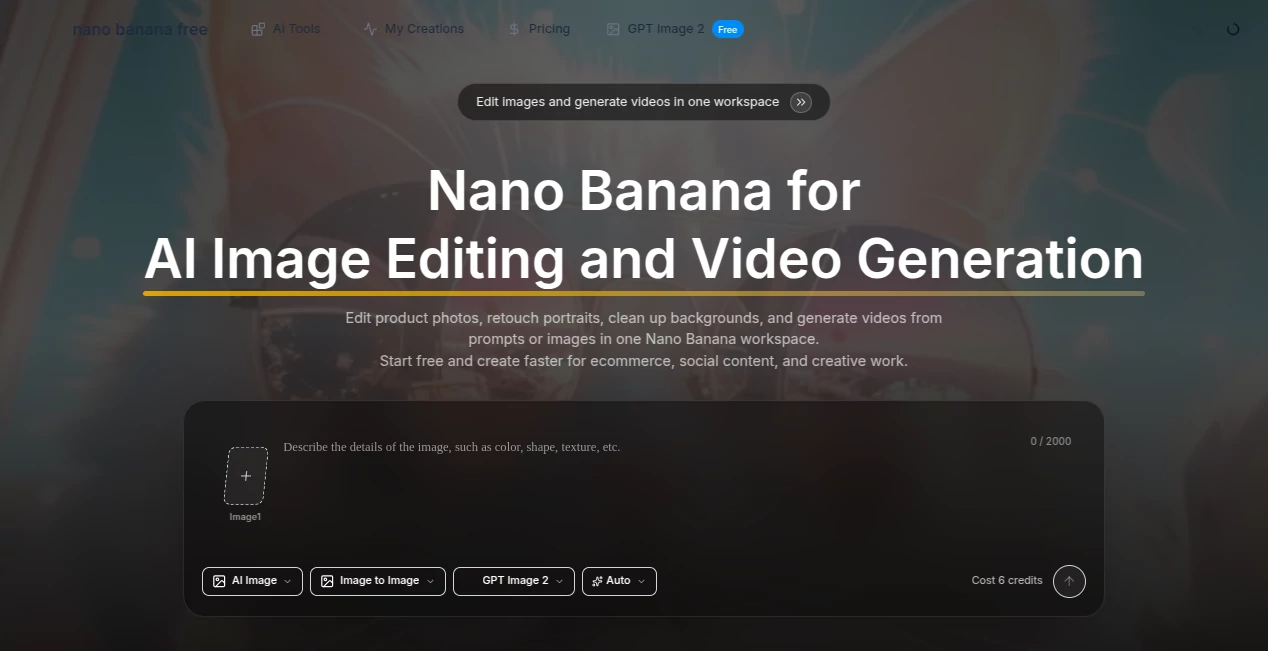
This is a free AI image editor and video generation workspace that handles portrait retouching, product photo cleanup, background replacement, and AI video creation all from the same interface. No switching tabs, no re-uploading files, no separate subscriptions for things that should have always lived together.
What makes it particularly interesting is the model access. Instead of locking you into one AI engine, the platform lets you work with multiple versions — including a flagship model, a second-generation upgrade, a third iteration, and a Pro variant — and compare results side by side before committing to an output. For anyone doing regular visual content production, that kind of flexibility changes how decisions get made.
The free tier is genuinely functional, not a teaser. You get real editing capability from day one, with the option to scale up as your volume grows.
Key Features
User Interface
The layout is refreshingly direct. You land on a single workspace where the core tools are immediately accessible — upload an image, pick a model version, type a prompt, and go. There's no onboarding wizard to click through, no feature tour interrupting your first session.
The prompt-based editing approach means the interface stays clean. Instead of exposing sliders, layer panels, and selection masks, the platform translates plain language instructions into precise visual edits. "Replace the background with a clean white studio look" works exactly as you'd expect. This makes it genuinely accessible to people who aren't trained designers, while still producing results that look professionally finished.
The version-switching feature is built into the main flow rather than buried in settings. You can test the same prompt across different model versions without rebuilding anything, which turns a potential headache into a two-click comparison.
Accuracy & Performance
The results hold up under real production conditions. Background cleanup preserves edge quality around hair, fine fabric details, and transparent objects — the kind of subject matter that typically exposes the weaknesses in cheaper AI tools. Portrait retouching maintains facial identity through multiple revision rounds, which matters a lot when you're editing someone's professional headshots and consistency is non-negotiable.
For product photography specifically, the platform handles the challenge of keeping framing and composition stable while changing scene elements. You can swap a backdrop, adjust lighting mood, and extend canvas for banner formatting without the subject drifting or distorting — a problem that plagues a lot of AI editing tools that aren't tuned for commercial product work.
Generation speed on the free plan is standard. Paid plans unlock faster processing, which becomes relevant when you're running multiple rounds of iteration on deadline.
Capabilities
The toolset covers a wider range than most single-purpose editors:
- Portrait retouching: Prompt-based edits to skin, lighting, background, and styling — including full scene reconstruction using a reference face
- Product photo editing: Background cleanup, composition refinement, canvas extension for banner and ad formats, and style direction shifts without rebuilding the workflow
- Background replacement: Clean removal and regeneration of backgrounds with better edge handling than mask-based approaches
- AI video generation: Text-to-video and image-to-video creation via Veo 3.1, accessible from the same workspace as image editing
- Multi-model comparison: Access to 8 image models and 5 video models, testable side by side in one session
- 21 image tools: A broad toolkit covering specific editing tasks beyond the core retouching and background workflows
- Canvas expansion: Extend images for wider formats while preserving compositional balance
- Old photo restoration: Upload aged or degraded photos and reconstruct them as sharp, polished portraits
The image-to-video pipeline is worth calling out separately. The ability to take a finished product photo or portrait and turn it directly into video content — without leaving the workspace — is a practical workflow that most creative teams currently handle with at least two separate tools.
Security & Privacy
Paid plan users get private video visibility, meaning generated videos aren't publicly accessible by default. Free plan outputs are watermarked and visible in a shared gallery format. For commercial work, the paid tiers are the appropriate choice — both for watermark removal and for keeping client work confidential.
The platform has standard privacy and terms of service documentation in place. For teams with specific data handling requirements, the privacy policy covers how uploaded content is processed and stored.
Use Cases
The practical range is broader than a single-category tool. A few real workflows this platform fits into:
- E-commerce product photography: Shoot products in any environment, then clean up backgrounds, adjust lighting mood, and extend shots for banner formats — all without a studio retoucher in the loop
- Social media content production: Generate lifestyle portraits, stylized visuals, and short video clips for consistent daily publishing without a separate production pipeline
- Professional headshots and LinkedIn profiles: Upload a casual photo and produce a polished, professional portrait with correct framing and clean background — one of the most-used prompt examples on the platform
- Ad creative iteration: Test multiple visual directions for the same campaign quickly by comparing model outputs before committing to final production
- Old photo restoration: A genuinely useful personal and professional application — bring damaged or aged photographs back to sharp, modern-quality portraits
- Fashion and editorial composites: Build cinematic scenes, styled editorial portraits, and character-consistent composites using a reference image as the identity anchor
For small creative teams and solo content producers, the combination of image editing and video generation in one workspace is particularly valuable. A freelancer managing social content for three or four clients can produce a week's worth of varied visual assets in a single working session.
Pros and Cons
What genuinely works:
- Free tier is functional for real work, not just a demo — 10 credits with access to all 8 image models and 21 image tools
- Multi-model access in one workspace eliminates the need to maintain accounts on several platforms
- Prompt-based editing removes the masking and layer management that slows down non-designers
- Consistent subject identity across revision rounds makes it reliable for portrait and product work
- Image and video in one workflow — not two separate tools with a file transfer between them
- Veo 3.1 video access is included at every plan level, which is competitive for a free-entry product
Things to keep in mind:
- Free plan outputs carry watermarks — commercial use requires upgrading
- 10 free credits per month limits extended testing before committing to a paid plan
- Parallel task limits (1 on free, 2 on Lite, 3 on Pro) can create a wait if you're batch-processing a large set of images
- The credit system requires some upfront estimation of usage volume before choosing the right plan
- Private video visibility is only available on paid tiers — not ideal for client work on the free plan
Pricing Plans
Three tiers cover most use cases, with annual billing unlocking significant savings:
- Free — $0/month: 10 credits per month, up to 2 image generations and 2 Veo 3.1 videos, 1 parallel task, access to all 8 image models and 21 image tools, watermarked outputs. Suitable for first-time testing or very occasional personal use.
- Lite — $12.50/month (billed annually, regular $15/month): 1,000 credits per month, up to 100 images and 100 videos, 2 parallel tasks, faster generation speed, no-watermark outputs, private video visibility, priority support, and the option to purchase add-on credit packs.
- Pro — $25/month (billed annually, regular $30/month): 2,500 credits per month, up to 250 images and 250 Veo 3.1 videos, 3 parallel tasks, all Lite features plus maximum throughput for high-volume production work.
Pay-as-you-go and monthly billing options are also available for teams that prefer flexibility over the annual commitment. For anyone running regular content production — say, two or three client accounts — the Lite plan covers a comfortable monthly volume at a reasonable price point.
How to Use Nano Banana Free
Getting started takes about two minutes from landing on the homepage to your first result:
- Step 1 — Upload your source image: Drop in a portrait, product shot, old photograph, or any image you want to edit or use as a reference. The platform accepts standard image formats.
- Step 2 — Choose a model version: Select between the standard model, the second-generation, third-generation, or Pro variant depending on the level of detail and style control your project needs. If you're unsure, start with the default and compare.
- Step 3 — Write your prompt: Describe the edit in plain language. "Create a professional LinkedIn profile photo with a clean background and direct eye contact" is a real example from the platform's own prompt library. Be specific about what you want to change and what you want to keep.
- Step 4 — Review and refine: The first result is rarely the final one. Run another prompt iteration with adjustments, compare model versions if needed, and keep refining until the output is production-ready.
- Step 5 — Export: Download the final image for use in product pages, ad creatives, social posts, or client delivery. Paid plans export without watermarks.
The video workflow follows the same pattern — either start from an image or write a text prompt, select a video model, and generate. The Veo 3.1 model handles both text-to-video and image-to-video formats.
Comparison with Similar Tools
The most direct competitors are tools like Adobe Firefly, Canva AI, and Remove.bg combined with a separate video generator. The meaningful difference is consolidation — this platform replaces at least two or three tools with a single workspace, which reduces both cost and context-switching.
Compared to Adobe Firefly, the pricing is dramatically more accessible and the free tier is more usable for actual work rather than just previewing capability. Firefly is deeply integrated into the Adobe ecosystem, which is a strength for existing Creative Cloud users and a barrier for everyone else.
Canva's AI tools are convenient for people already building layouts in Canva, but they're not built for the kind of detailed portrait retouching or product photography refinement this platform handles well. The multi-model comparison feature in particular has no direct equivalent in Canva's current toolset.
For video generation specifically, accessing Veo 3.1 within an image editing workflow — without a separate subscription to a dedicated video tool — is a genuine differentiator at this price point. Most platforms that offer comparable video model access charge significantly more or require separate accounts.
Where dedicated specialist tools still win: if your work is exclusively high-volume video production or you need deep compositing and layer control, purpose-built tools with more advanced timelines or masking systems will serve you better. This platform's strength is breadth and accessibility, not replacing professional-grade video editing software.
Conclusion
The strongest argument for this platform is the one it doesn't have to make loudly: it just removes friction from daily visual content work. Portrait retouching, product photo cleanup, background replacement, and video generation all live in one place, accessed through plain language prompts, with multiple model options to compare before you commit to an output.
For freelancers, small creative teams, e-commerce operators, and content producers who are currently stitching together three or four separate tools to cover these workflows, the consolidation alone is worth the switch. The free entry point means there's no commitment required to find out whether it fits your work — which, for a tool this practical, is a low bar to clear.
If you're producing visual content at any regular volume in 2026, this is worth fifteen minutes to try.
Frequently Asked Questions (FAQ)
Is the free plan actually useful for real work?
Yes, with a caveat: the free tier gives you 10 credits per month, access to all 8 image models and 21 image tools, and up to 2 video generations. Outputs are watermarked, so for commercial delivery you'll want a paid plan. For testing, personal projects, or occasional use, the free plan covers genuine functionality rather than just a preview.
What's the difference between the model versions?
The platform offers four variants — a standard model, second and third-generation upgrades, and a Pro version — each with different behavior around detail level, style control, and edit consistency. The multi-model comparison feature lets you test the same prompt across versions in one session and keep the result that best fits the job.
Can I use generated images commercially?
For commercial use, paid plans are the appropriate choice — they remove watermarks and give you private output visibility. The terms of service page covers commercial usage rights in detail.
How does the video generation work?
Video generation runs on the Veo 3.1 model and supports both text-to-video and image-to-video formats. You can start from a finished image you've edited in the same session or write a prompt from scratch. Video generation credits are included at every plan level.
What happens when I run out of credits?
On paid plans (Lite and Pro), you can purchase add-on credit packs when your monthly allocation runs out. The free plan resets to 10 credits each month with no option to purchase extras.
Is the platform suitable for teams?
The parallel task system (up to 3 on the Pro plan) and private video visibility make it workable for small teams. For larger teams with multiple simultaneous users and high output volume, the Pro plan is the practical ceiling — which is worth factoring into your evaluation.
AI Video Generator , AI Image to Video , Photo & Image Editor , AI Photo Enhancer .
These classifications represent its core capabilities and areas of application. For related tools, explore the linked categories above.
Nano Banana Free details
Website unavailable — View Alternatives
Pricing
- Free
Apps
- Web App
Categories

Nano Banana Free Alternatives Product

Nano Banana …

Grok Imagine…

Seedance 3.0

AudioVideoGe…

FaceTo3D

AI Thumbnail…

Aura AI

AI Family Ph…
PaperYak
